

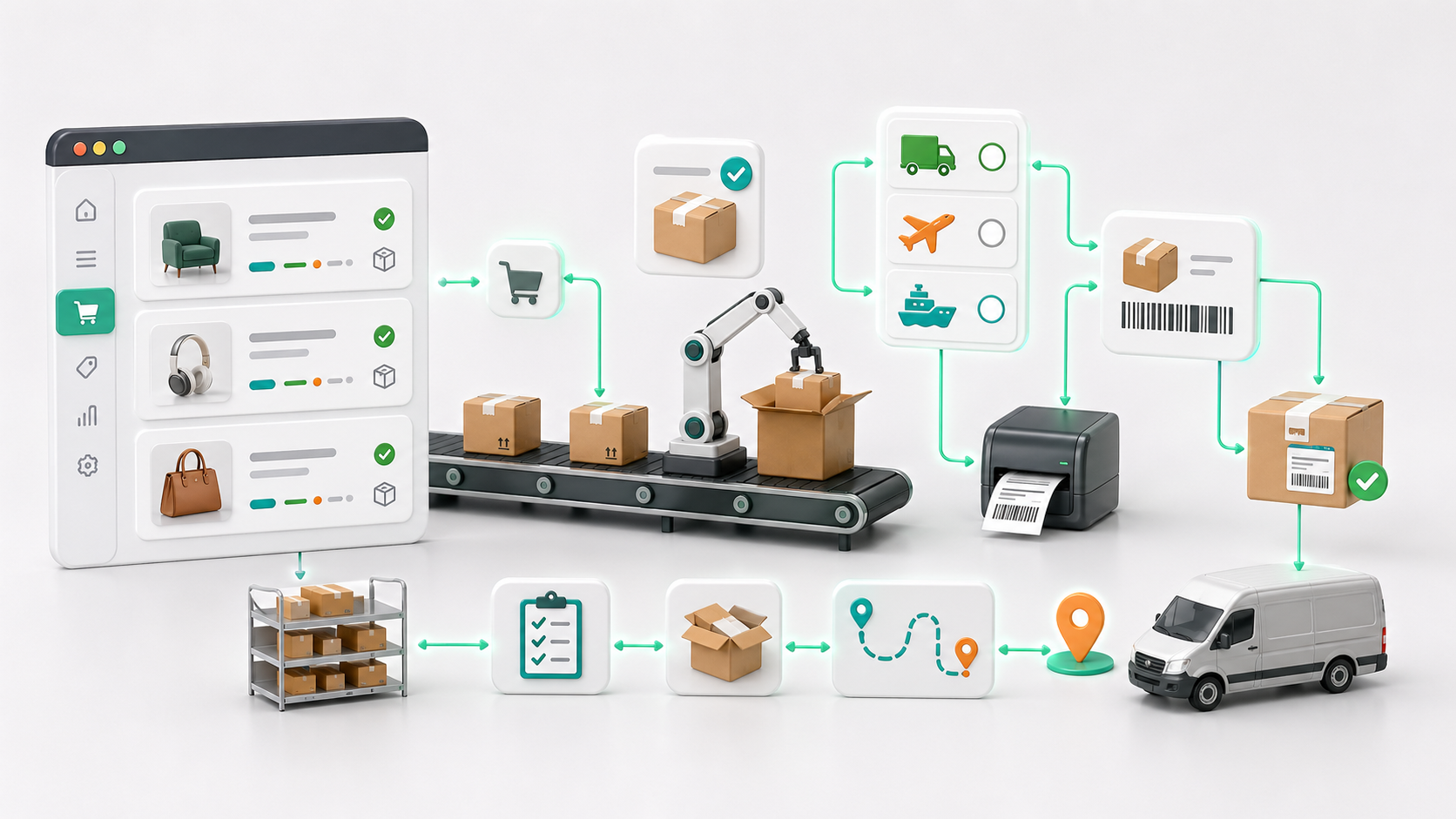
Overview
Shipping is one of the most time-consuming and error-prone parts of running a Magento 2 store.
Manual processes - copying addresses, generating labels, updating tracking - don’t scale. They create delays, increase mistakes, and limit how fast your business can grow.
Shipping automation solves this by turning fulfilment into a repeatable, system-driven workflow.
This guide explains exactly how to implement Magento 2 shipping automation, step by step, in a way that works for both small stores and high-volume operations.

What is Magento 2 Shipping Automation?
Shipping automation means:
- Orders are processed without manual input
- Labels are generated automatically
- Tracking is assigned and sent to customers
- Shipping rules decide the best carrier and method
Instead of:
- Open order → copy details → create label → update Magento
You get:
- Order placed → auto-processed → label created → tracking sent
Why Shipping Automation Matters
1. Saves Time Immediately
Manual shipping takes 2–5 minutes per order.
At 100 orders/day:
- That’s 3–8 hours lost daily
Automation reduces this to near-zero.
2. Reduces Manual Mistakes
Common mistakes:
- Wrong address
- Wrong shipping method
- Missing tracking numbers
Automation eliminates these.
3. Improves Customer Experience
Customers expect:
- Fast dispatch
- Instant tracking
- Accurate delivery estimates
Automation makes this consistent.
4. Enables Scaling Without Hiring
Without automation:
- Growth = more staff
With automation:
- Growth = better systems
Where Magento Falls Short (Out of the Box)
Magento 2 does not natively provide:
- Smart carrier selection
- Automated label generation workflows
- Bulk shipment processing
- Advanced rule-based shipping logic
This is why most growing stores hit a bottleneck.
Step-by-Step: How to Automate Shipping in Magento 2
Step 1 - Connect Your Shipping Carriers
Start by integrating your carriers:
- Royal Mail
- UPS
- FedEx
- DHL
Ensure:
- API access is enabled
- Rates are syncing correctly
- Services are mapped properly
Step 2 - Define Shipping Rules
Instead of manually choosing shipping methods, define rules such as:
- If order weight < 2kg → use Royal Mail
- If express selected → use DHL
- If international → use FedEx
This removes decision-making from staff.
Step 3 - Enable Automatic Label Generation
Labels should be created:
- Immediately after order placement
- Or when order is marked as “ready”
No manual clicks required.
Step 4 - Automate Tracking Updates
Once a label is created:
- Tracking number is stored in Magento
- Customer is notified automatically
- Email includes tracking link
Step 5 - Batch Process Shipments
Instead of processing orders one-by-one:
- Process shipments in bulk
- Print labels in batches
- Dispatch orders together
Common Mistakes to Avoid
Mistake 1 - Partial Automation
Automating only labels but not:
- Tracking
- Notifications
- Rules
This still wastes time.
Mistake 2 - Overcomplicated Rules
Too many conditions create confusion and slow workflows.
Start simple:
- Domestic vs international
- Standard vs express
Mistake 3 - Ignoring Edge Cases
Handle:
- Failed label generation
- Invalid addresses
- Out-of-stock items
Advanced Shipping Automation (High ROI)
1. Multi-Carrier Optimisation
Automatically choose:
- Cheapest option
- Fastest option
- Best SLA match
2. Address Validation
Validate addresses before shipping:
- Reduces failed deliveries
- Prevents returns
3. Auto-Split Orders
Split orders based on:
- Warehouse location
- Stock availability
4. Smart Dispatch Timing
Delay or prioritise shipments based on:
- Cut-off times
- Carrier schedules
- Customer priority
Where Moogento Fits
At scale, Magento needs proper tooling.
This is where solutions like:
- ShipEasy - automate order status, carrier rules, and dispatch from the orders grid
- PickPack - print branded packing slips, shipping labels, and picklists in batch
- ExportEasy - auto-export orders to your 3PL or carrier on a schedule
- TrackEasy - automated tracking updates and a branded parcel-tracking page
become essential.
See also the order-processing speed guide and the barcode scanners guide for the wider fulfilment workflow.
Key capabilities to look for:
- Automated label creation
- Bulk shipment processing
- Carrier rule engine
- Tracking automation
The goal is simple: Remove humans from repetitive tasks.
Real-World Impact
Stores implementing shipping automation typically see:
- 70–90% reduction in shipping admin time
- Near-zero manual errors
- Faster dispatch times (same-day shipping becomes realistic)
FAQs
How do I automate shipping in Magento 2?
By connecting carriers, defining rules, and using tools to automatically generate labels and tracking.
Can Magento do this natively?
Partially - but full automation requires extensions.
What’s the biggest time saver?
Automatic label generation combined with batch processing.
Is this worth it for small stores?
Yes - even 20–30 orders per day benefits significantly.
Next Steps
To implement this effectively:
- Start with carrier integration
- Add simple shipping rules
- Enable label automation
- Then scale with batch processing
Shipping automation is one of the fastest ROI improvements you can make in Magento.