

Overview
GA4 replaced Universal Analytics, and Magento 2 only partly followed it into the box. Magento Open Source 2.4.9 does ship native GA4 support, but it sends little more than pageviews and a purchase event, and it still also carries a legacy Universal Analytics integration that no longer collects data. If you rely on the native config alone, your ecommerce reports are thin or wrong.
To track a Magento store properly in 2026 you need GA4 with its ecommerce events, and increasingly a server-side layer to recover the data browsers now block. GA4 measures events, not pageviews, so your store has to send the right ecommerce events (view_item, add_to_cart, begin_checkout, purchase), and server-side tagging is what stops ad blockers, tracking prevention, and consent gates from erasing a third of them.
This guide explains the shift from UA to GA4, the events GA4 expects, why client-side tags lose data, what server-side tagging fixes, and the consent and accuracy mistakes that quietly corrupt ecommerce reports.

What changed from Universal Analytics to GA4?
Universal Analytics was built around pageviews and sessions. GA4 is built around events. Every interaction is an event with parameters: a page view, a product view, an add to cart, a purchase. Ecommerce reporting depends on you sending a specific set of them in a specific shape.
Universal Analytics stopped processing data in 2023, so any store still pointing at a UA property collects nothing. This matters for Magento because the core module was written for the old world.
Magento Open Source 2.4.9 ships two Google integrations under Google API, and only one is GA4. Under Stores > Configuration > Sales > Google API you get Google GTag > Google Analytics4 (an Enable toggle and a Measurement ID field), which loads gtag.js and fires a native purchase event, plus a separate legacy Google Analytics section (Enable, Account Number, Anonymize IP) that still emits the deprecated analytics.js / ga() code for a dead Universal Analytics property. The GA4 section is real, but it sends only a pageview and the purchase event. It does not send view_item, add_to_cart, begin_checkout, or refunds, so the funnel reports that make GA4 worth using stay empty until you add those events through Google Tag Manager, a GA4-capable extension, or a server-side setup. Treat the legacy Account Number section as dead.
Which ecommerce events does GA4 expect?
GA4 recognises a standard set of ecommerce events. Send them with the right names and the items array, and the ecommerce reports populate themselves. Miss them, and you get traffic numbers but no funnel.
The core purchase funnel
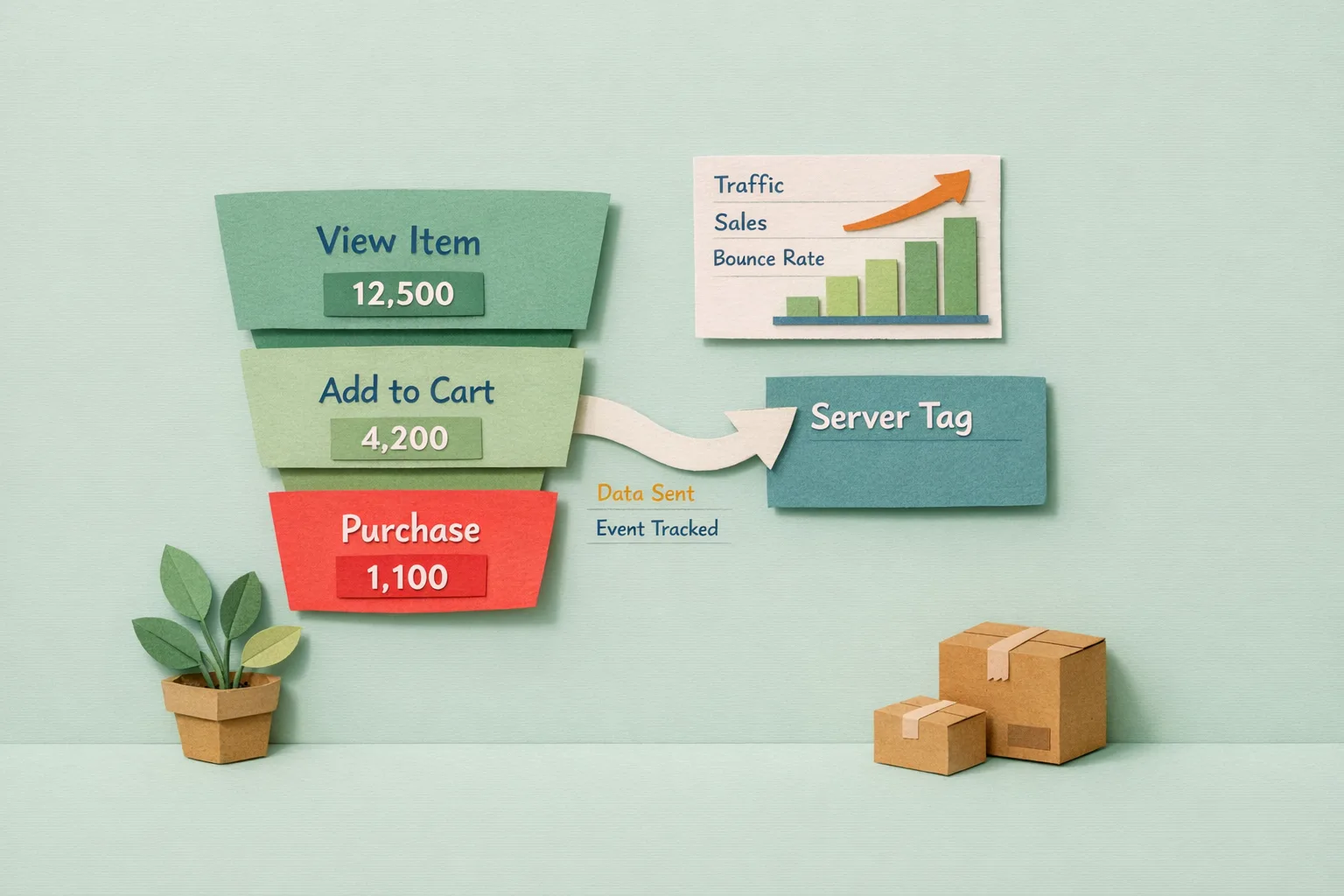
view_itemwhen a shopper views a product pageadd_to_cartwhen they add a product to the basketbegin_checkoutwhen they enter checkoutadd_payment_infoandadd_shipping_infoat the relevant checkout stepspurchaseon the order success page, withtransaction_id,value,currency, and theitems
The supporting events
view_item_list and select_item on category and search results, remove_from_cart in the basket, and refund when an order is refunded. The refund event is the one almost everyone forgets, and without it your revenue is overstated.
Each event carries an items array describing the products (id, name, price, quantity). Consistent item IDs across every event are what let GA4 stitch the funnel together.
Why do client-side tags miss so much data?
Client-side tracking runs in the shopper's browser, and the browser is increasingly hostile to it.
Ad blockers and privacy extensions block requests to known analytics domains outright, so the event never fires. Depending on your audience this alone can remove 10 to 30 percent of events.
Browser tracking prevention (Safari's ITP, Firefox, and similar) caps or deletes cookies set by client-side scripts, which shortens attribution windows and inflates "new" users who are really returning.
Consent banners block tags until the shopper agrees, and many never do, so those sessions vanish from analytics even though the order still happened.
Network failures, slow scripts, and shoppers who close the tab before the success-page tag fires all drop events too. The result is a purchase count in GA4 that is lower than the order count in Magento, which is the classic symptom of client-side data loss.
What does server-side tracking fix?
Server-side tracking moves the measurement out of the browser and onto a server you control, usually a server-side Google Tag Manager container. The browser sends one request to your own endpoint, and the server forwards clean, complete events to GA4.
The benefits follow directly from the client-side problems:
Ad blockers target known third-party analytics domains, so routing through your own first-party endpoint means fewer blocked events. Cookies set server-side as first-party last longer than script-set cookies, which improves attribution and returning-user accuracy. You control exactly what data leaves the server, which makes consent and data-minimisation easier to enforce. And critical events like purchase can be sent from the server at the moment the order is created, so they no longer depend on the shopper's browser finishing the success page.
Server-side is not a replacement for tagging your store correctly. It is a more reliable delivery path for events you still have to define. Many stores run a hybrid: client-side for interaction events, server-side for the purchase and refund events that must not be lost.
How do consent mode and GDPR fit in?
If you have EU or UK visitors, you need a lawful basis to track them, and GA4 works with Google Consent Mode to respect it.
Consent Mode lets tags adjust their behaviour based on whether the shopper has granted analytics and advertising consent. With consent granted, full events are sent. Without it, GA4 can send cookieless pings that feed modelled data while setting no identifying cookies. This keeps you compliant without going completely blind on unconsented traffic.
The practical rules: load your consent banner before any analytics tag, default consent to denied until the shopper chooses, and only fire identifying tags after consent is granted. Server-side tagging helps here because the server can strip or withhold data for unconsented sessions rather than trusting every browser tag to behave.
What are the most common Magento GA4 mistakes?
Mistake 1 - Leaving the native UA integration on
The legacy Google Analytics section (the Account Number field) still points at a dead UA property. Leaving it enabled does nothing useful and can double-load analytics scripts. Enable the native Google Analytics4 section for the baseline pageview and purchase signal if you want it, send the full ecommerce funnel through your chosen path, and switch off the legacy Account Number section.
Mistake 2 - Double-counting purchases
The most common ecommerce bug. The purchase event fires twice when a shopper refreshes the order success page or when both a client-side and a server-side tag send it. Deduplicate on transaction_id and fire purchase exactly once per order.
Mistake 3 - No refund event
Without a refund event, GA4 revenue never comes down when orders are refunded or cancelled, so your reported revenue drifts above your real revenue over time.
Mistake 4 - Ignoring consent
Firing tags before consent is both a compliance risk and a data-quality problem, because blocked and re-fired tags produce gaps and duplicates. Wire consent in from the start.
Mistake 5 - An inaccurate dataLayer
GA4 ecommerce is only as good as the items data you push. Missing prices, inconsistent IDs between add_to_cart and purchase, or the wrong currency all break the reports downstream, and they are hard to spot without testing every event.
Advanced GA4 for Magento
Once events are firing cleanly, a few refinements raise the ceiling.
Send the Measurement Protocol from Magento server-side for the purchase event, keyed on the order, so revenue is captured even when the browser drops the tag entirely.
Enrich events with useful custom parameters: customer group, logged-in state, coupon code, and shipping method, so you can segment behaviour that stock GA4 does not expose.
Reconcile GA4 against Magento monthly. Compare GA4 purchase count and revenue against the Magento sales report; a persistent gap points to a tracking fault, not a reporting quirk.
Feed clean server-side conversions into your ad platforms too, so the same reliable purchase and refund data improves campaign optimisation, not just reporting.
Where Moogento Fits
GA4 tells you what happened; it does not tell you what it was worth. GA4 reports revenue, but it does not know your product costs, so it cannot show profit.
AnalyticsEasy (moogento.com/analyticseasy-m2) brings analytics into the Magento admin and ties reporting to your real order and product data rather than only browser-collected events. Because it works from the store's own data, it sidesteps the ad-blocker and consent gaps that erode client-side numbers, and it gives you a check against what GA4 reports. Use GA4 for behaviour and acquisition, and AnalyticsEasy for the margin-aware view of the same orders. For turning any of these numbers into decisions, see magento-analytics-turn-data-into-revenue.md.
Real-World Impact
Stores that move to GA4 with correct events and a server-side layer typically see:
- A
purchasecount in GA4 that finally matches the Magento order count - Recovered attribution for 10 to 30 percent of sessions that ad blockers had erased
- Accurate revenue that comes down when orders are refunded
- Consent handled properly, so reporting is both lawful and usable
FAQs
Does Magento 2 support GA4 out of the box?
Partly. Magento Open Source 2.4.9 ships native GA4 support under Stores > Configuration > Sales > Google API > Google GTag > Google Analytics4, where you enter a G- Measurement ID; it loads gtag.js and sends a pageview and a native purchase event. It does not send the rest of the ecommerce funnel (view_item, add_to_cart, begin_checkout) or refunds, so for full GA4 ecommerce you still add those through Google Tag Manager, a GA4-capable extension, or a server-side setup. A separate legacy Google Analytics section for Universal Analytics also remains and no longer collects data.
Where is the Google Analytics setting in the Magento admin?
Magento 2.4.9 has two settings under Stores > Configuration > Sales > Google API. Google GTag > Google Analytics4 (Enable and Measurement ID) is the GA4 integration. The older Google Analytics section (Enable, Account Number, Anonymize IP) is the legacy Universal Analytics one and should be treated as dead.
Which GA4 events does a Magento store need to send?
At minimum view_item, add_to_cart, begin_checkout, and purchase, plus add_shipping_info and add_payment_info in checkout, view_item_list and select_item on listings, remove_from_cart in the basket, and refund when orders are refunded. Each carries an items array with consistent product IDs so GA4 can stitch the funnel together.
Why is my GA4 purchase count lower than my Magento order count?
That gap is the classic sign of client-side data loss. Ad blockers, tracking prevention, consent gates, and shoppers who close the tab before the success page finishes all drop the purchase event. Server-side tracking sends the purchase from a server you control, so it no longer depends on the browser finishing.
What is server-side tracking and why does it matter for Magento?
Server-side tracking moves measurement out of the browser onto a server you control, typically a server-side Google Tag Manager container, which then forwards clean events to GA4. It matters because it recovers events that ad blockers and browser privacy features would otherwise block, and it lets critical events like purchase fire reliably from the server.
How do I stop GA4 from double-counting purchases?
Fire the purchase event exactly once per order and deduplicate on transaction_id. Double counting happens when a shopper refreshes the order success page or when both a client-side and a server-side tag send the same purchase. Sending purchase once, keyed on the order, prevents inflated revenue.
Do I need Google Consent Mode on a Magento store?
If you have EU or UK visitors, yes. Consent Mode lets GA4 adjust behaviour based on whether the shopper granted consent, sending full events when granted and cookieless modelled pings when not. Load the consent banner before any analytics tag and default consent to denied until the shopper chooses.
Should I track refunds in GA4?
Yes. Without a refund event, GA4 revenue never decreases when orders are refunded or cancelled, so reported revenue drifts above real revenue over time. Sending a refund event, ideally server-side keyed on the Magento credit memo, keeps GA4 revenue honest.
Can I run client-side and server-side tracking together?
Yes, and many stores do. A common hybrid uses client-side tags for interaction events and server-side delivery for purchase and refund, the events that must not be lost. The key is to deduplicate on transaction_id so an event is never counted twice across the two paths.
Next Steps
- Create a GA4 property, enable the native Google Analytics4 (GTag) section for the baseline signal, and stop relying on the legacy Universal Analytics section
- Implement the core ecommerce events with a consistent dataLayer and items array
- Add a refund event so revenue corrects when orders are refunded
- Move purchase and refund to a server-side path so ad blockers cannot drop them
- Wire in Consent Mode before any tag fires, and reconcile GA4 against Magento monthly
Highest value first: get purchase firing reliably and deduplicated, because an accurate revenue number is the foundation every other report and ad-optimisation decision depends on.
Related reading: magento-analytics-turn-data-into-revenue.md, magento-category-page-seo-content.md