

Overview
WISMO stands for "where is my order", and it is one of the largest categories of support contact for any Magento store. You reduce it with proactive tracking. It happens for a simple reason: between the confirmation email and the parcel arriving, the customer is told nothing, so they email or call to find out. Every one of those contacts costs you agent time on a question the store already knows the answer to. The fix is not more staff. Give the customer a branded tracking page, send them shipment and delivery updates without being asked, and put a working carrier link in front of them, and the reason to contact you disappears.
Standard Magento sends a single shipment email when you create the shipment, and it only carries tracking if someone has added a tracking number to that shipment. It sends nothing after that. There is no "out for delivery" message, no "delivered" confirmation, and no live status the customer can check on demand.
Key point: WISMO is a communication gap, not a logistics problem. Close the gap with proactive, self-service tracking and the tickets fall away on their own.

What is WISMO and why does it cost so much?
WISMO is the shorthand support teams use for every "where is my order" contact: emails, chats, and calls asking when a parcel will arrive, whether it has shipped, or why tracking has not updated. On most stores it is the single biggest driver of post-purchase contact volume.
The cost is easy to underestimate because each ticket looks trivial. It is not the individual answer that hurts, it is the count. A customer who has no way to check their own order status will contact you, and they will often contact you more than once for the same order. Each contact pulls an agent away from a question only they can answer, and it does so at the exact moment the customer is most anxious, which is after they have paid but before the goods arrive.
The information the customer wants almost always exists inside Magento already; it is just never pushed to them. WISMO is the gap between what your store knows and what the customer can see.
Why do WISMO tickets happen?
Three gaps create nearly all of it.
No proactive updates. Core Magento notifies the customer once, when the order is placed, and once more when you create a shipment. It does not tell them when the carrier collects the parcel, when it is out for delivery, or when it has been delivered. The customer is left to guess, so they ask.
No self-service tracking. A logged-in customer can open My Account > My Orders and view an order, but many shoppers check out as guests and never make an account. There is no obvious "track my parcel" link in the confirmation flow, so the customer has nowhere to look and defaults to contacting you.
Tracking numbers that are buried or dead. Even when you add a tracking number to the shipment, it appears once, inside one email, as a link to Magento's own tracking popup rather than a direct link to the carrier's live status page. If the customer has deleted that email, or the popup shows nothing useful for a manually entered number, the tracking might as well not exist.
What does core Magento actually send?
It is worth being precise about the baseline, because most stores are not even using all of it.
Magento's shipment email is controlled under Stores > Configuration > Sales > Sales Emails > Shipment. There you switch the email on with Enabled, choose the Shipment Email Sender, and pick the Shipment Email Template (with a separate template for guest orders). This email is sent when you create a shipment for the order, not when the order is placed.
If you add a tracking number to the shipment before or when you send it, the shipment email includes a Shipment Track Details block listing the carrier title and the tracking number. That number is rendered as a link, but the link opens Magento's built-in tracking popup at shipping/tracking/popup, not the carrier's own website. For an integrated carrier the popup can show live carrier detail; for a manually typed "Custom Value" tracking number it simply displays the number you entered, with no live lookup.
There is also a Shipment Comments email, configured just below at Stores > Configuration > Sales > Sales Emails > Shipment Comments, which fires when you add a comment to a shipment and tick "notify customer". That is the closest core gets to a manual status update, and it is entirely dependent on someone remembering to do it.
Carriers and services themselves are configured under Stores > Configuration > Sales > Shipping Methods. What none of that gives you is an automated stream of delivery-stage updates or a branded page the customer can return to at any time.
How to reduce WISMO: build proactive tracking
Step 1 - Turn on and tidy the shipment email
Confirm the shipment email is enabled under Stores > Configuration > Sales > Sales Emails > Shipment and that its sender and template match your brand. This is the floor, not the finish, but a store that has left it disabled is generating avoidable tickets from day one.
Step 2 - Always attach a real tracking number
A shipment email with no tracking number tells the customer only that something has shipped, which often prompts a follow-up rather than preventing one. Make attaching the carrier and tracking number a required part of dispatch, so every shipment email carries a number the customer can act on.
Step 3 - Give customers a branded, self-service tracking page
The single highest-value change is a tracking page the customer can open at any time, without logging in, that shows the current delivery stage in your own branding. When the customer can check status themselves, the reason to contact you is gone. This is the piece core Magento does not provide.
Step 4 - Send delivery-stage updates, not just a dispatch note
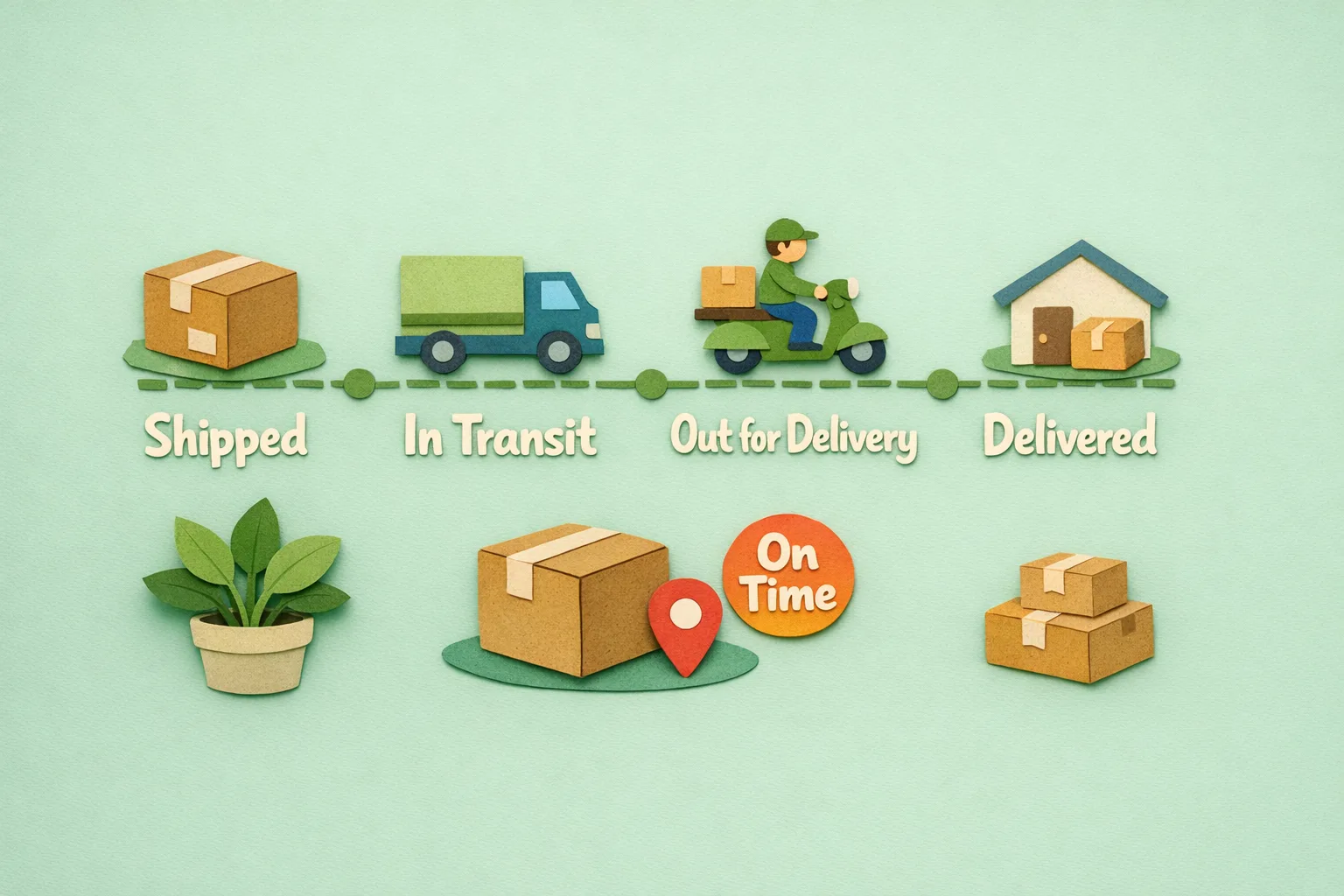
Move from one email to a short sequence that mirrors the parcel's journey: dispatched, in transit, out for delivery, delivered. Each update answers the "where is my order" question before it is asked. Pair the updates with a working link straight to the carrier's live tracking.
Step 5 - Deep-link to the carrier, not a dead popup
Where you can, point the customer at the carrier's own live tracking page for their number, so the status they see is the real one the carrier is reporting, not a static number in a popup.
Common mistakes
Mistake 1 - Treating the confirmation email as tracking
The order confirmation is sent at checkout, before anything has shipped. Customers who expect it to carry tracking are disappointed and contact you. Keep dispatch and delivery communication separate from the order confirmation.
Mistake 2 - Relying on the customer to log in
Guest shoppers have no account to check. If your only self-service route is My Account > My Orders, a large share of your customers cannot use it, and they will contact you instead. Provide a tracking route that works without an account.
Mistake 3 - Shipping with no tracking number attached
An empty tracking field turns a reassuring dispatch email into a prompt for a WISMO ticket. If the number is not attached, the customer cannot self-serve, so the update creates work rather than removing it.
Advanced: proactive tracking that pre-empts contact
- Delivery-stage triggers. Fire a message on each carrier status change, so "out for delivery" and "delivered" land automatically rather than depending on someone adding a shipment comment.
- Exception alerts. The tickets that hurt most are the delayed and failed deliveries. Detecting a stalled or exception status and telling the customer first, with a next step, turns an angry contact into a handled one.
- Tracking page as a second storefront. A branded tracking page is a page the customer will open several times per order. Recommended products or a reorder prompt on it reach a warm, engaged shopper at no acquisition cost.
- Consolidated multi-parcel status. Where one order ships in several parcels, showing a single combined status prevents the "half my order is missing" contact that split shipments generate.
Where Moogento Fits
Core Magento gives you one dispatch email and a tracking number in a popup. Everything after that, the proactive updates and the self-service page, you have to add.
TrackEasy provides exactly that layer: a branded, self-service order tracking page your customers can open without logging in, proactive shipment and delivery notifications that follow the parcel through its stages, and carrier deep-links that take the customer to live tracking rather than a static number. It turns the single shipment email into a communication stream that answers "where is my order" before the customer has to ask, which is what actually reduces WISMO volume.
Real-World Impact
Stores that add proactive tracking on top of Magento typically see:
- A marked fall in post-purchase support contacts, because the answer reaches the customer before the question forms.
- Higher post-purchase satisfaction, since the anxious gap between payment and delivery is filled with clear updates.
- A recovered marketing surface, as a branded tracking page opened repeatedly per order becomes a place to prompt the next purchase.
The dispatch email is the floor. The return comes from the updates and the page the customer can check themselves.
FAQs
What does WISMO mean in ecommerce?
WISMO stands for "where is my order". It is the shorthand support teams use for the emails, chats, and calls from customers asking about the status or delivery of an order they have already placed. It is one of the largest categories of post-purchase support volume for most stores.
Does Magento send order tracking emails automatically?
Magento sends one shipment email when you create a shipment, provided the email is enabled under Stores > Configuration > Sales > Sales Emails > Shipment. It does not send automatic delivery-stage updates such as "out for delivery" or "delivered", and it sends nothing further after the single dispatch email.
Where does the tracking number appear in a Magento shipment email?
If you attach a tracking number to the shipment, the shipment email includes a Shipment Track Details block with the carrier and number. The number links to Magento's built-in tracking popup at shipping/tracking/popup, not directly to the carrier's website, so a manually entered number shows no live status.
Can guest customers track their order in Magento?
Guest customers can only track an order through the Orders and Returns lookup form, which requires the order number and details; there is no prominent self-service tracking link by default. Because many customers check out as guests, this gap is a common source of WISMO contacts, which a branded tracking page open to guests removes.
How do I reduce WISMO tickets on a Magento store?
You reduce WISMO tickets by closing the information gap. Enable and brand the shipment email, always attach a real tracking number, add a self-service tracking page that works without logging in, and send proactive delivery-stage updates that link to the carrier's live tracking. When customers can see status themselves, the reason to contact you disappears.
Why do customers still email me after I send a shipment email?
Customers still email after a shipment email usually because it is the only update they get, and it arrives at dispatch, not at delivery. Without later "out for delivery" and "delivered" messages, or a page they can check on demand, customers fill the silence by contacting you. Proactive stage updates remove that silence.
Does core Magento show live carrier delivery status?
No. Core Magento stores the tracking number and can open its own tracking popup, but it does not poll the carrier for delivery-stage changes or push those changes to the customer. Live delivery updates require an extension that follows the carrier's status and notifies the customer.
Next Steps
- Enable and brand the shipment email under Stores > Configuration > Sales > Sales Emails > Shipment.
- Make attaching a real tracking number a required part of dispatch.
- Add a self-service tracking page that guests can use without an account.
- Send proactive delivery-stage updates that deep-link to the carrier's live tracking.
The highest-value move is the self-service tracking page: it answers the "where is my order" question on demand, for guests and account holders alike, and takes the volume off your support team.
Related reading: Improve Your Magento Order Process and Magento 2 Shipping Automation.