



Great Magento Emails :Every Magento email, designed to match your store

Made for Magento® 2

Make the order email your best-looking page

Moogento

Pick a design, see it on desktop and mobile, and publish it to every store view in a few clicks.
• Two ready-made designs to choose from
• Your own logo picked up automatically
• One click to undo any change

An order confirmation customers actually read

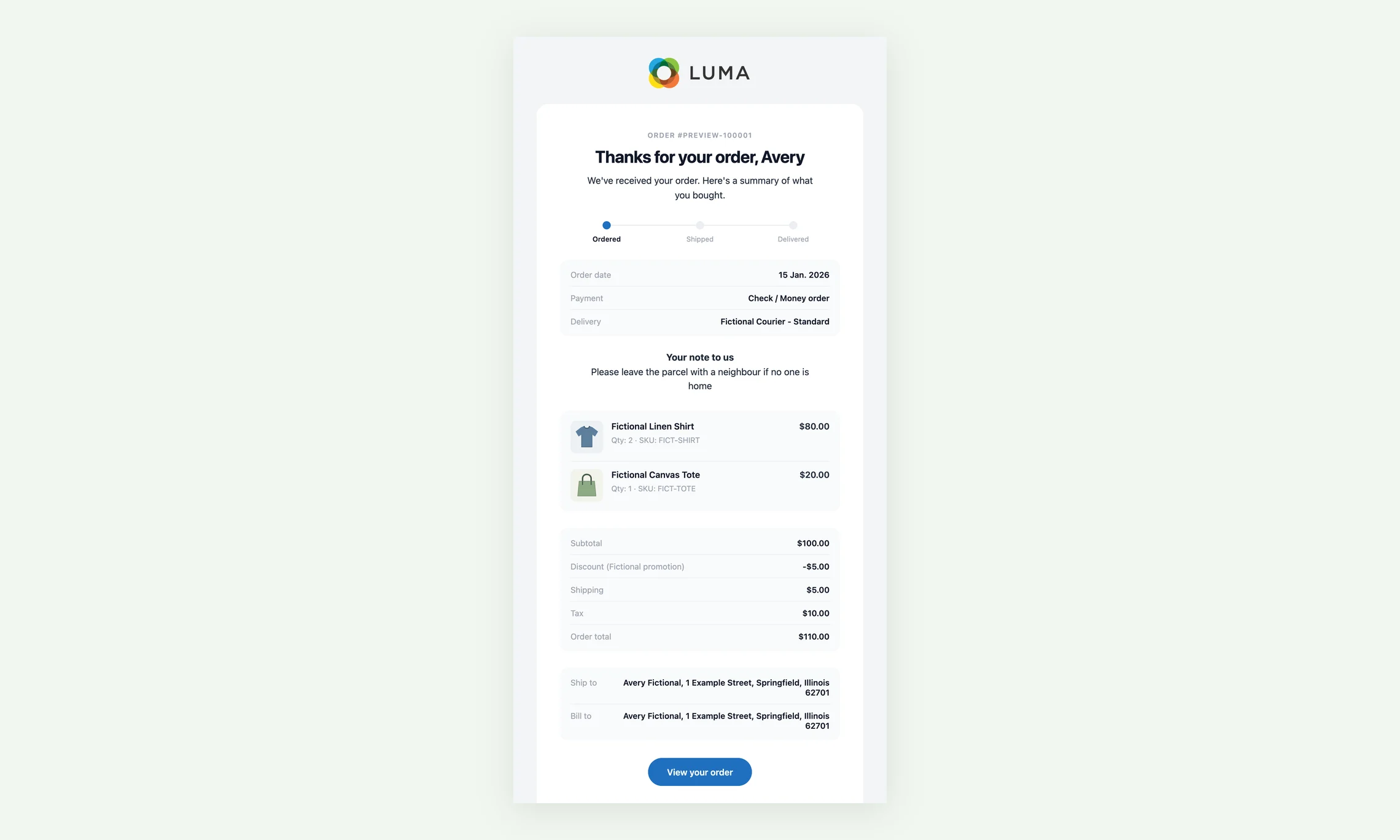
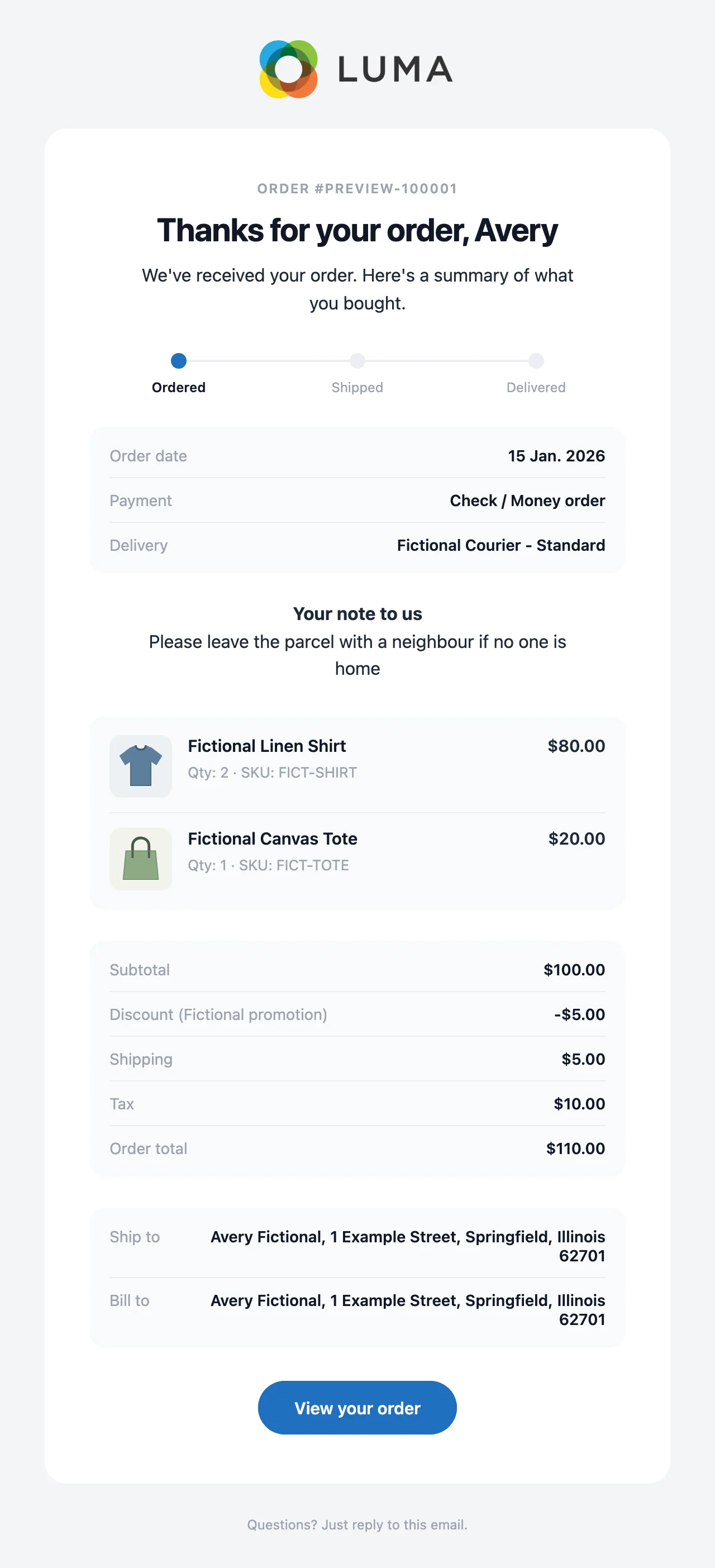
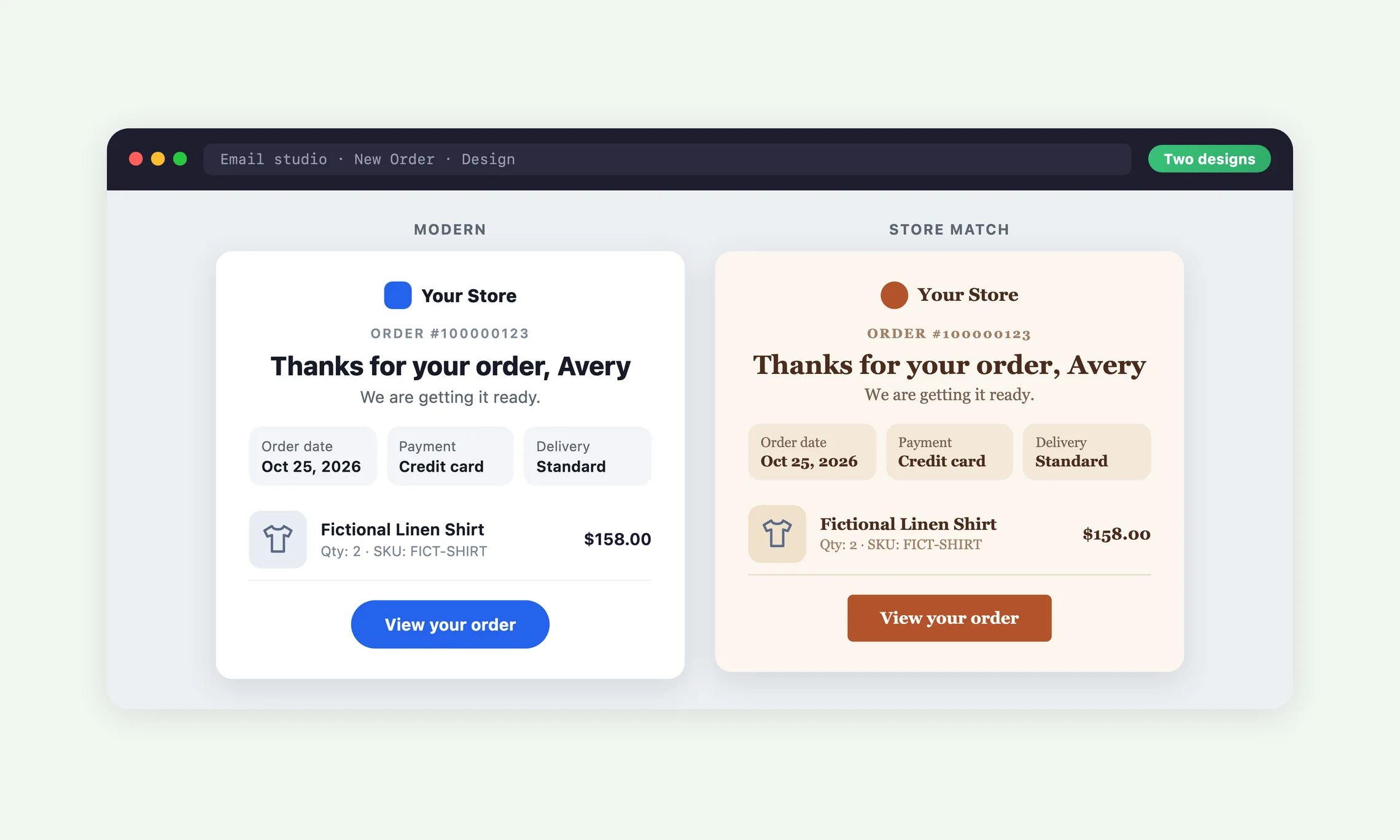
The New Order email lists every product with its photo, the totals and the addresses, in a clean card in your colours.

  • A clear thank-you headline with the customer's first name
  • Products, discounts, shipping, tax and the total laid out to add up
  • One main button for the customer's next step

Preview every email on desktop and mobile

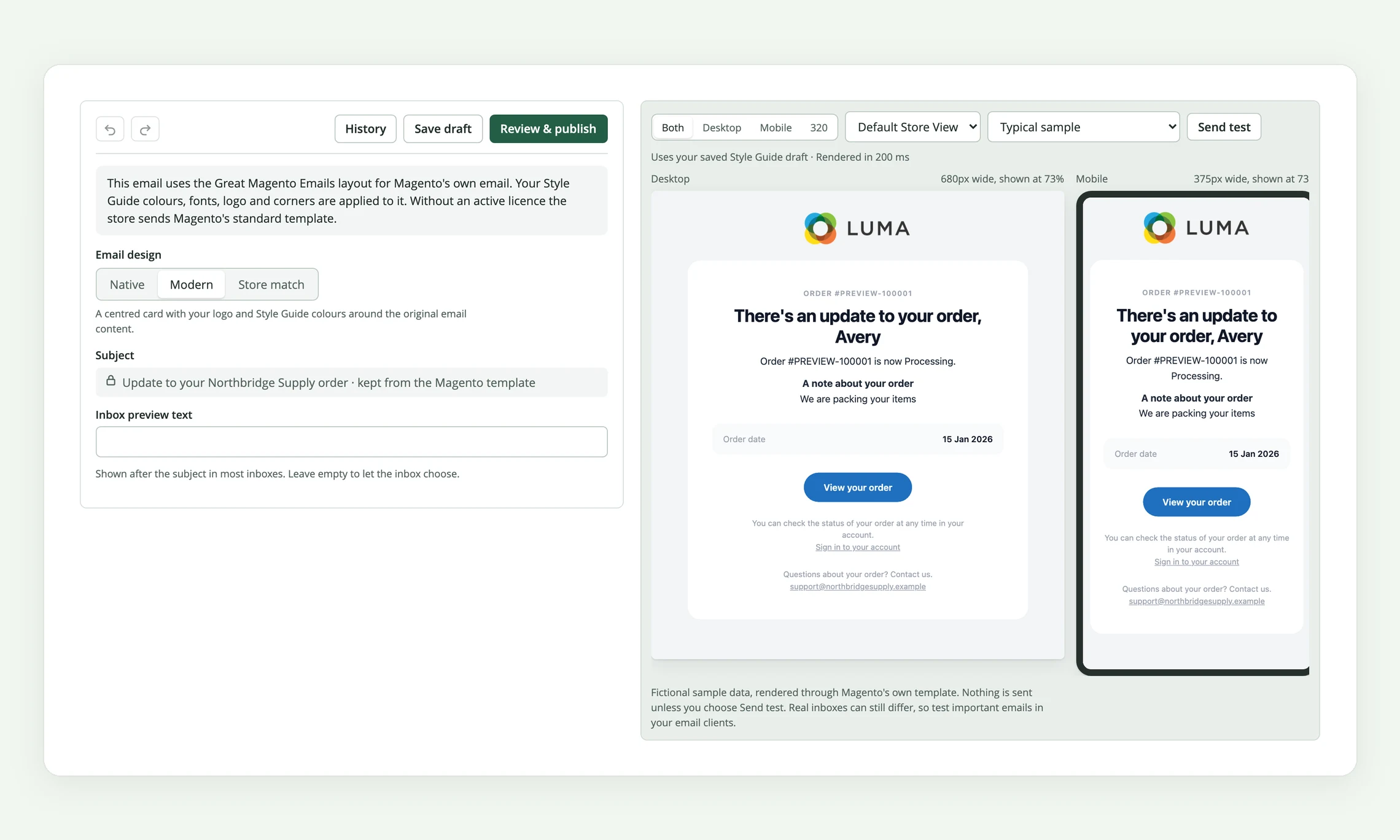
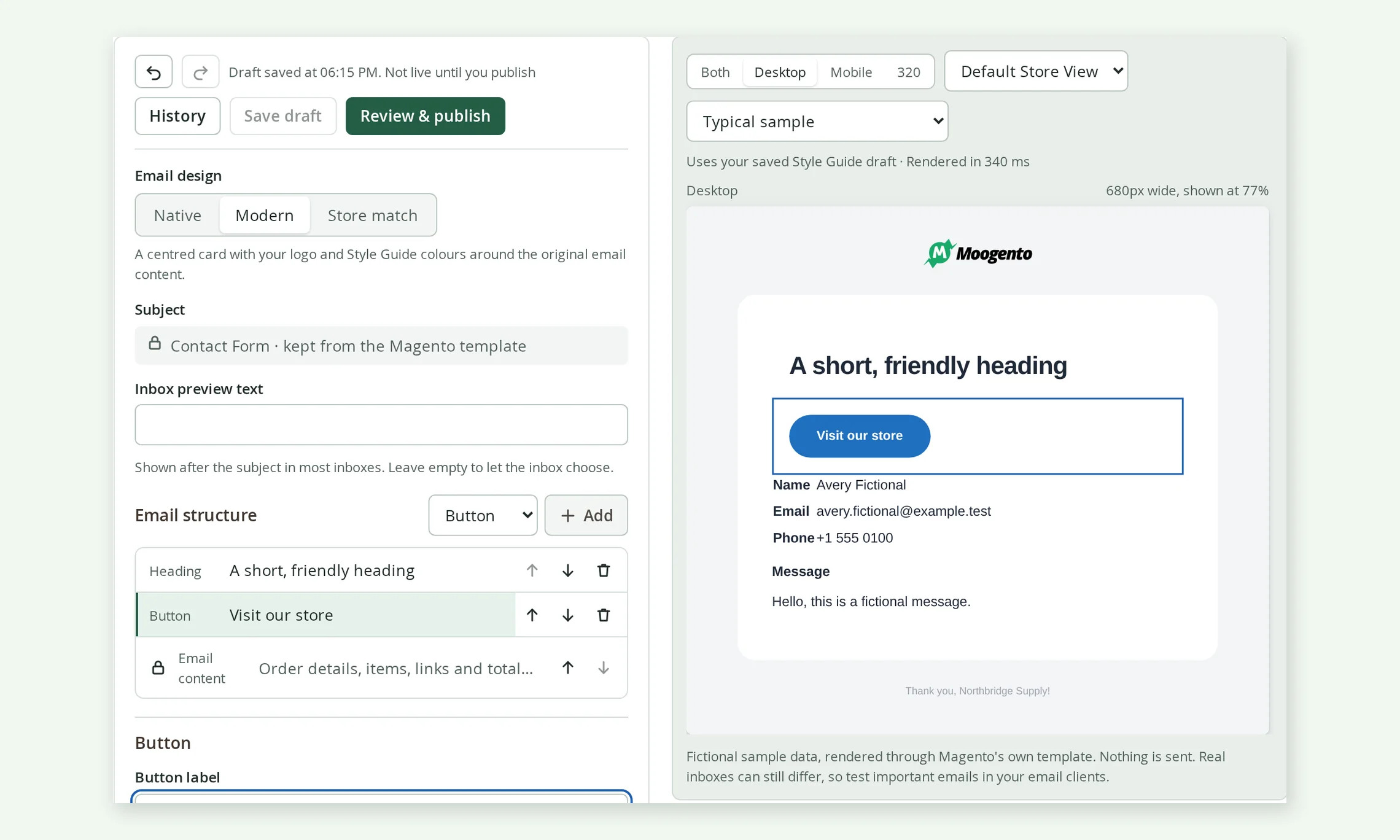
The Email studio shows your design beside a live preview, at desktop and phone widths side by side.

  • Switch between a typical order and a long one to see how it holds up
  • Send yourself a real test copy to check it in your own inbox
  • Previews and tests use fictional sample data and never reach customers

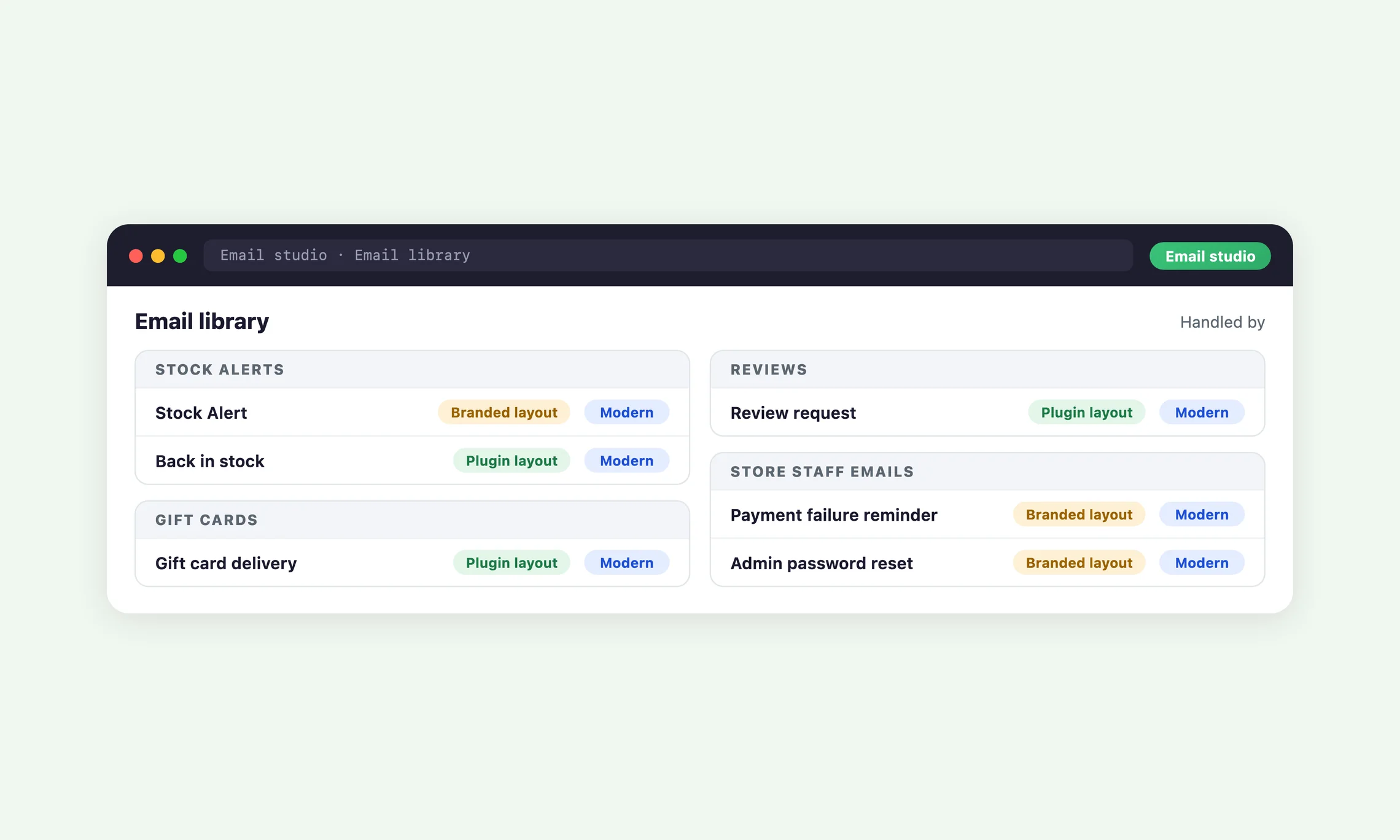
See which emails use a design at a glance

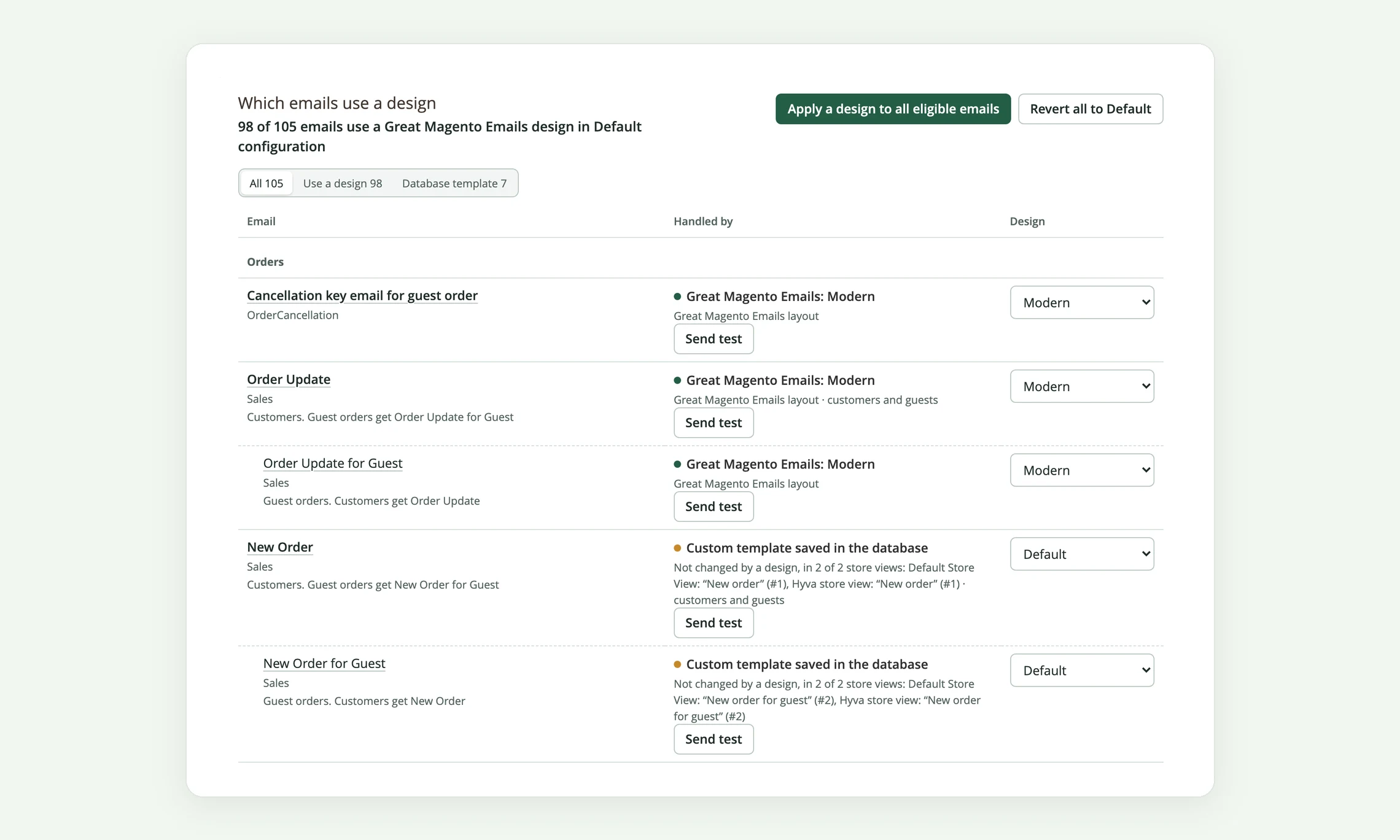
One list shows every email Magento and your extensions send, and what customers in each store view actually receive.

  • A count at the top, such as 12 of 86 emails using a design
  • Filters for emails that use a design, native emails and saved templates
  • Switch any email between Default, Modern and Store match from its row

Your storefront colours, read for you

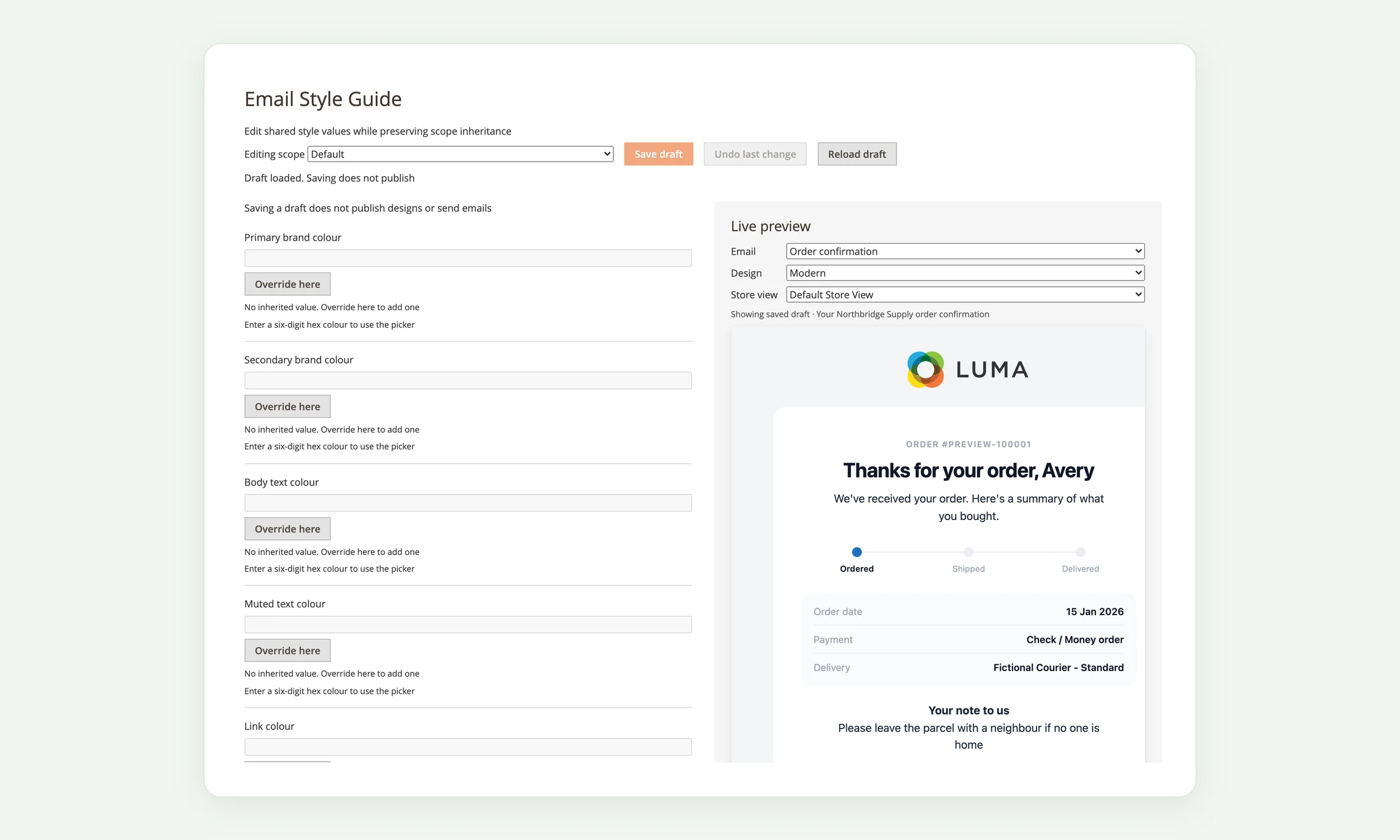
Read from my store proposes your storefront's colours and fonts as email-safe values that you review before adding them.

  • Every field inherits from Default down to each store view
  • A live preview updates as you change a value
  • Nothing reaches customers until you publish the Style Guide

Your customers will see the difference

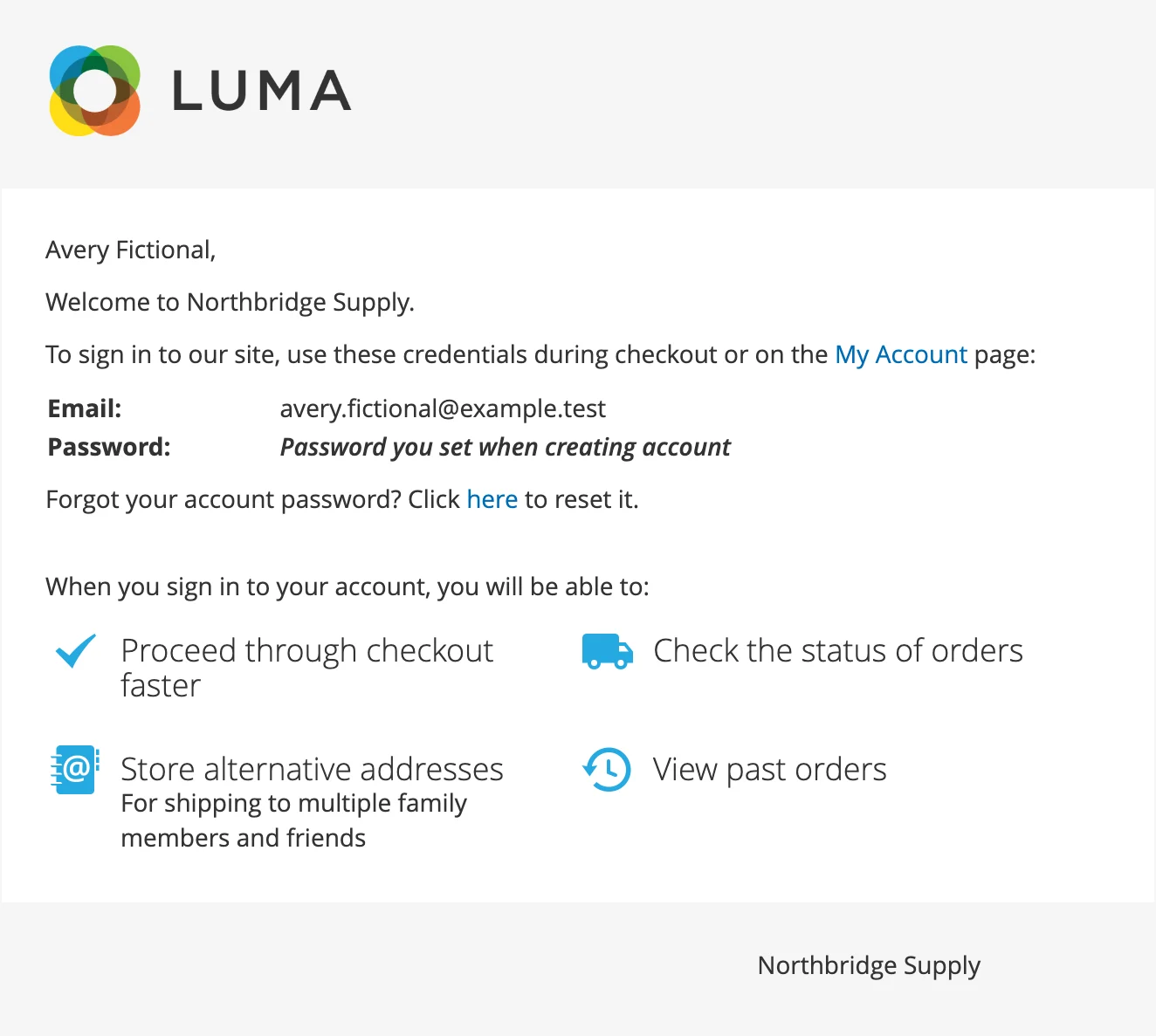
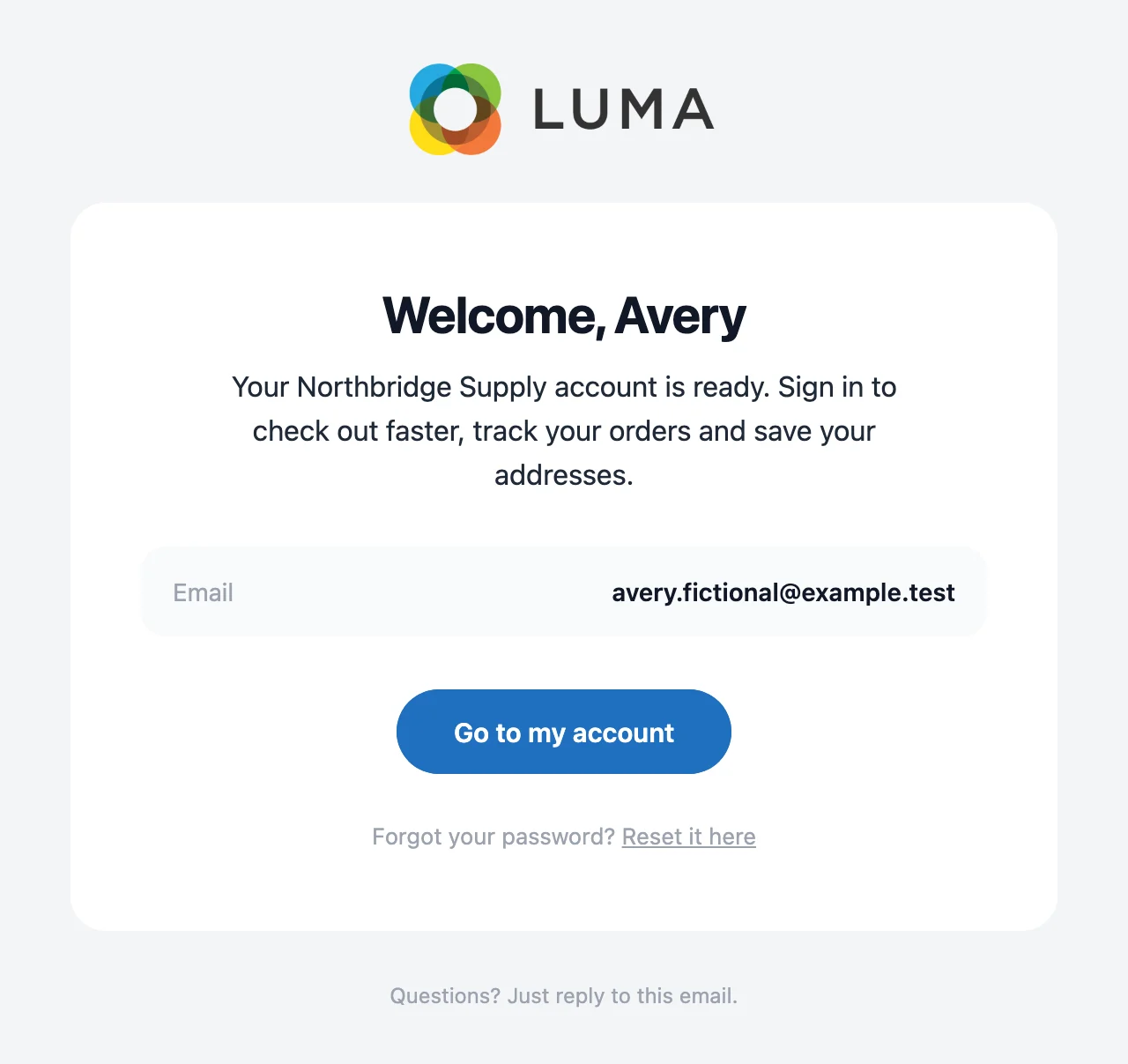
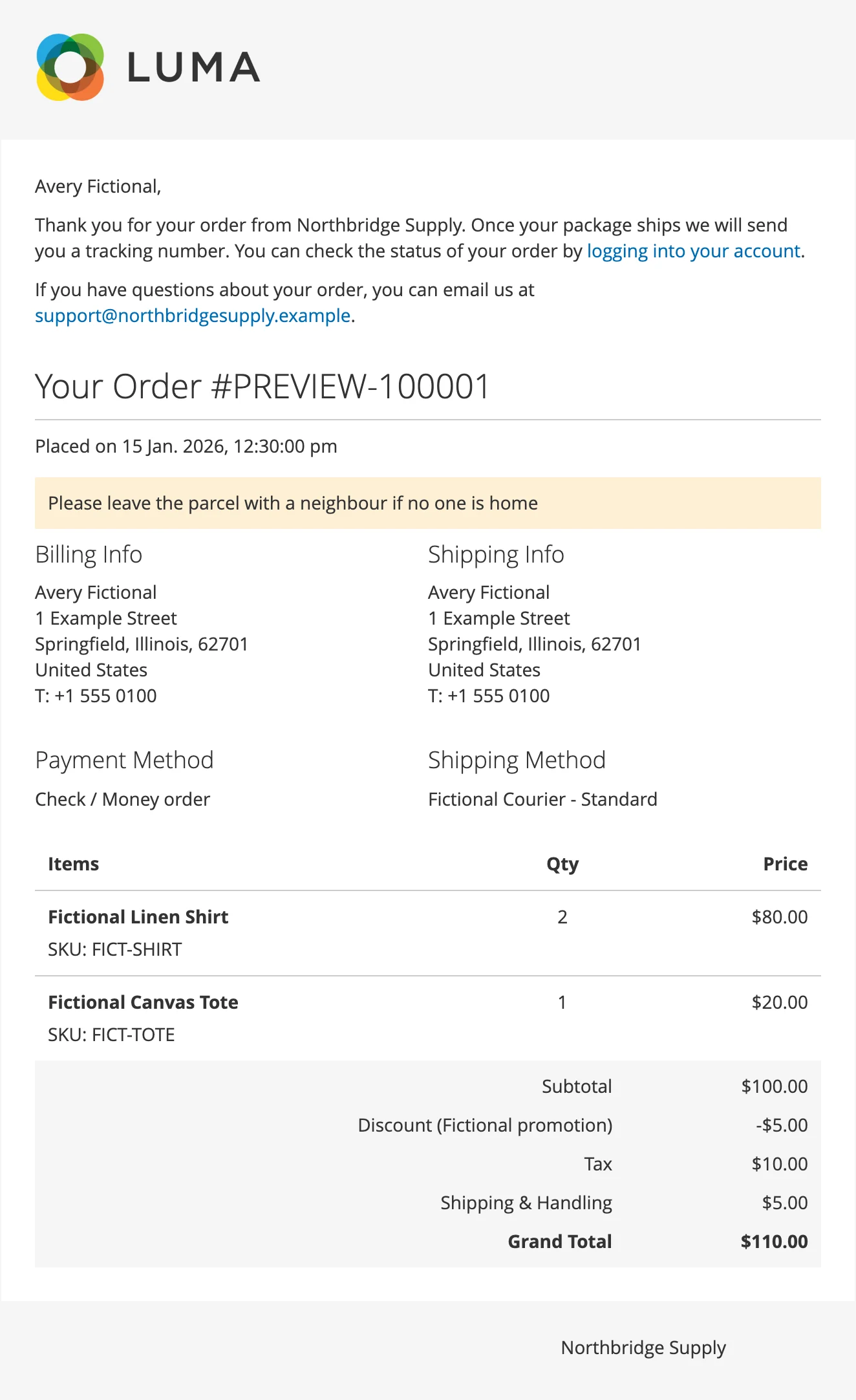
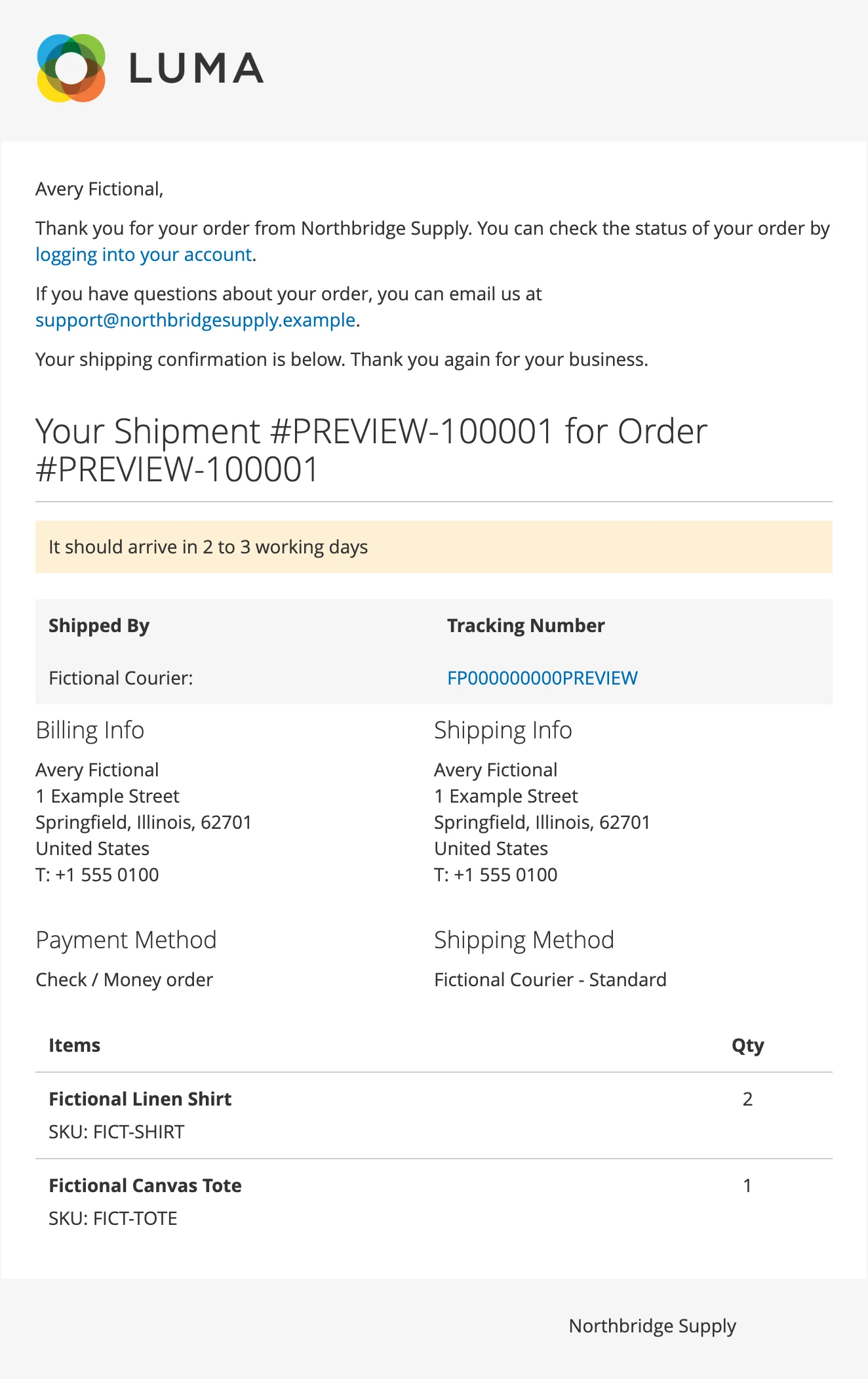
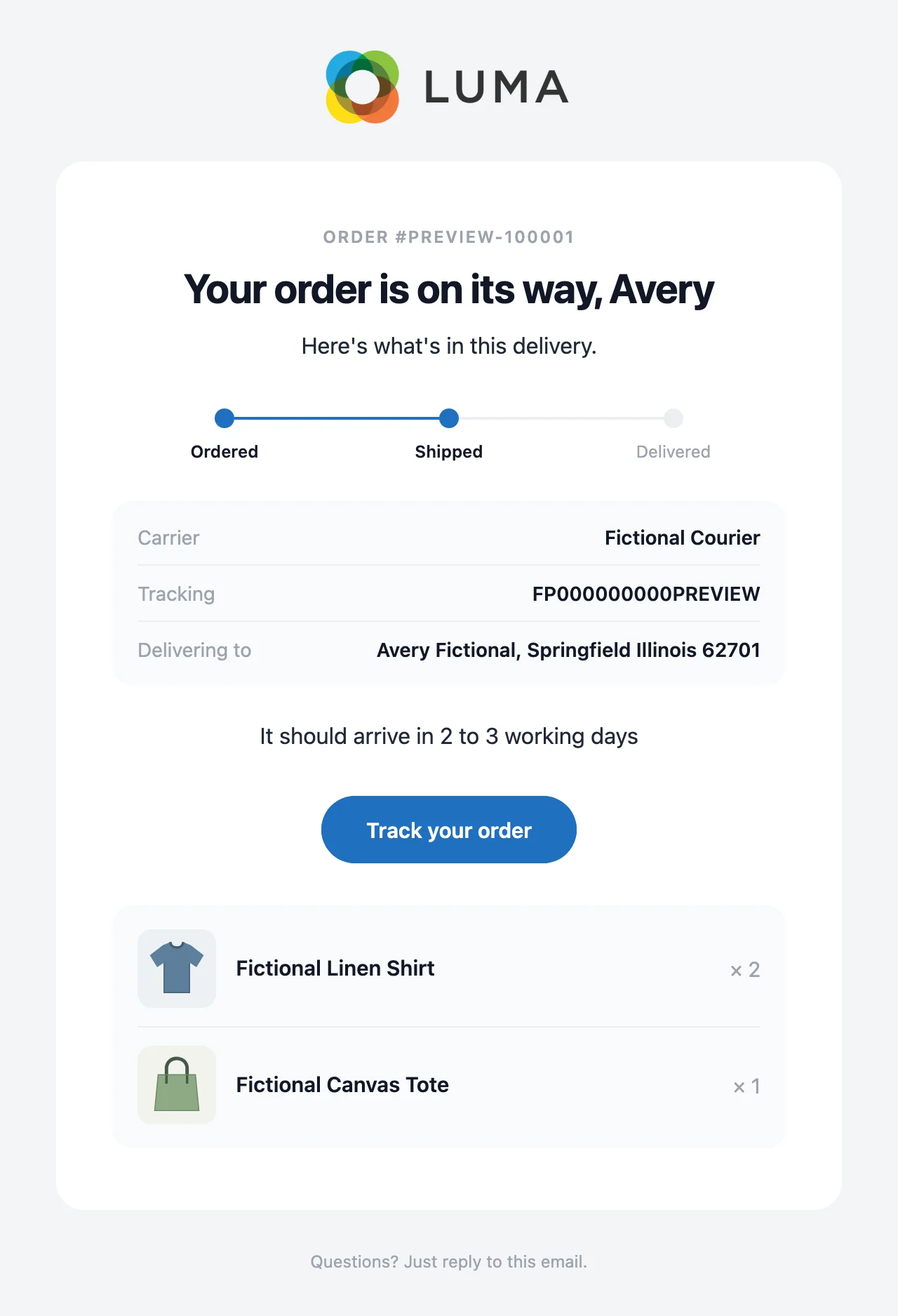
The same order, account and shipment emails, sent by Magento's standard templates and by Great Magento Emails. Pick an email to compare them side by side.

Magento default
New order email sent by Magento's standard template
Great Magento Emails

New order email sent by Great Magento Emails in the Modern design
Magento default
New shipment email sent by Magento's standard template
Great Magento Emails
New shipment email sent by Great Magento Emails in the Modern design

The same fictional store and order in both. Scroll inside an email to read it all, or click it to open it full size.

Every customer email speaks with one voice

Magento sends dozens of different emails to your customers. Great Magento Emails gives the whole set the same look, from the order confirmation to the password reset.

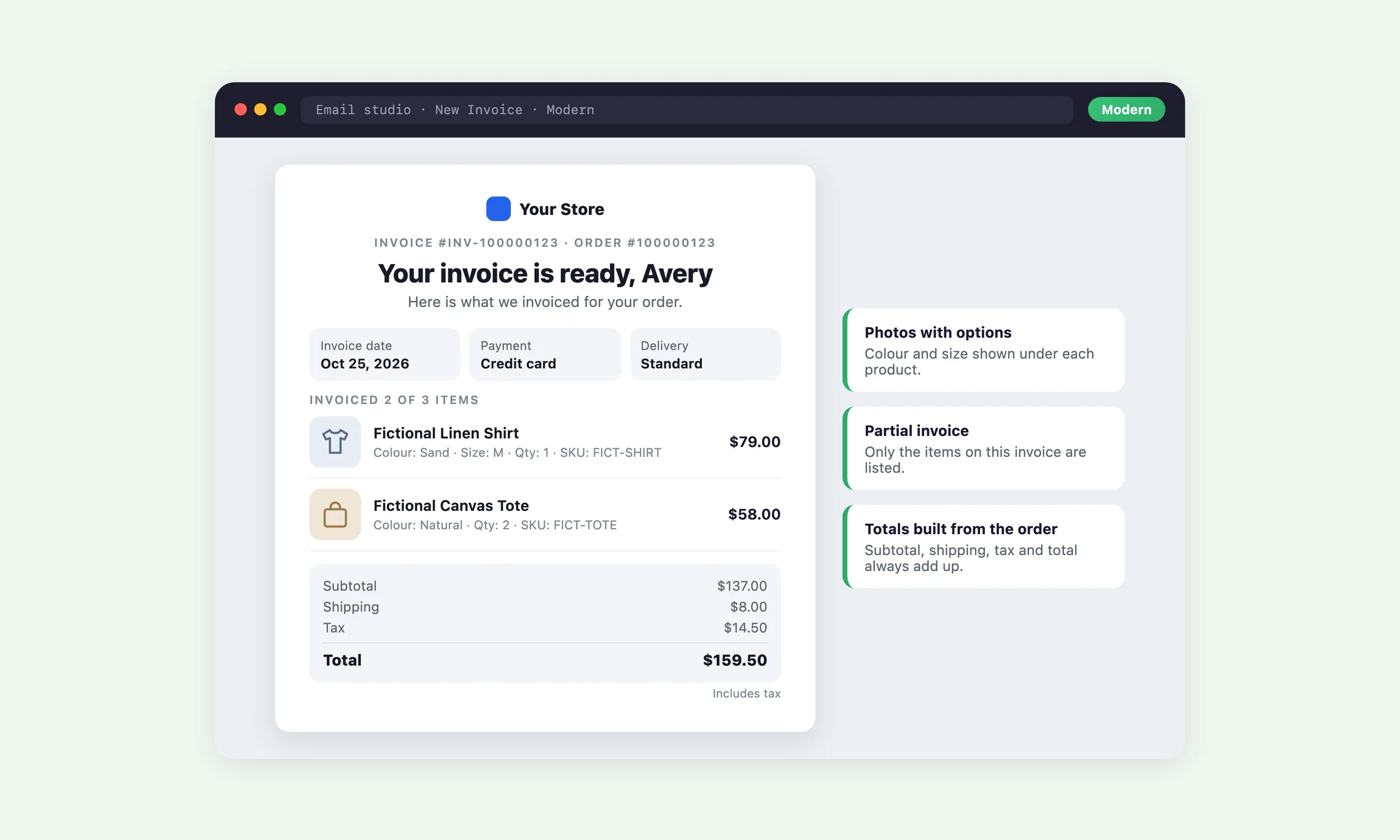
Order, invoice, shipment and refund emails built from the order

These four emails are built straight from the order, so a theme that breaks Magento's item table can never remove the products or totals.

  • Product photos, chosen options, SKU, quantity and line totals
  • Prices follow your tax display settings and the order's currency
  • Partial invoices and partial refunds show only their own amounts

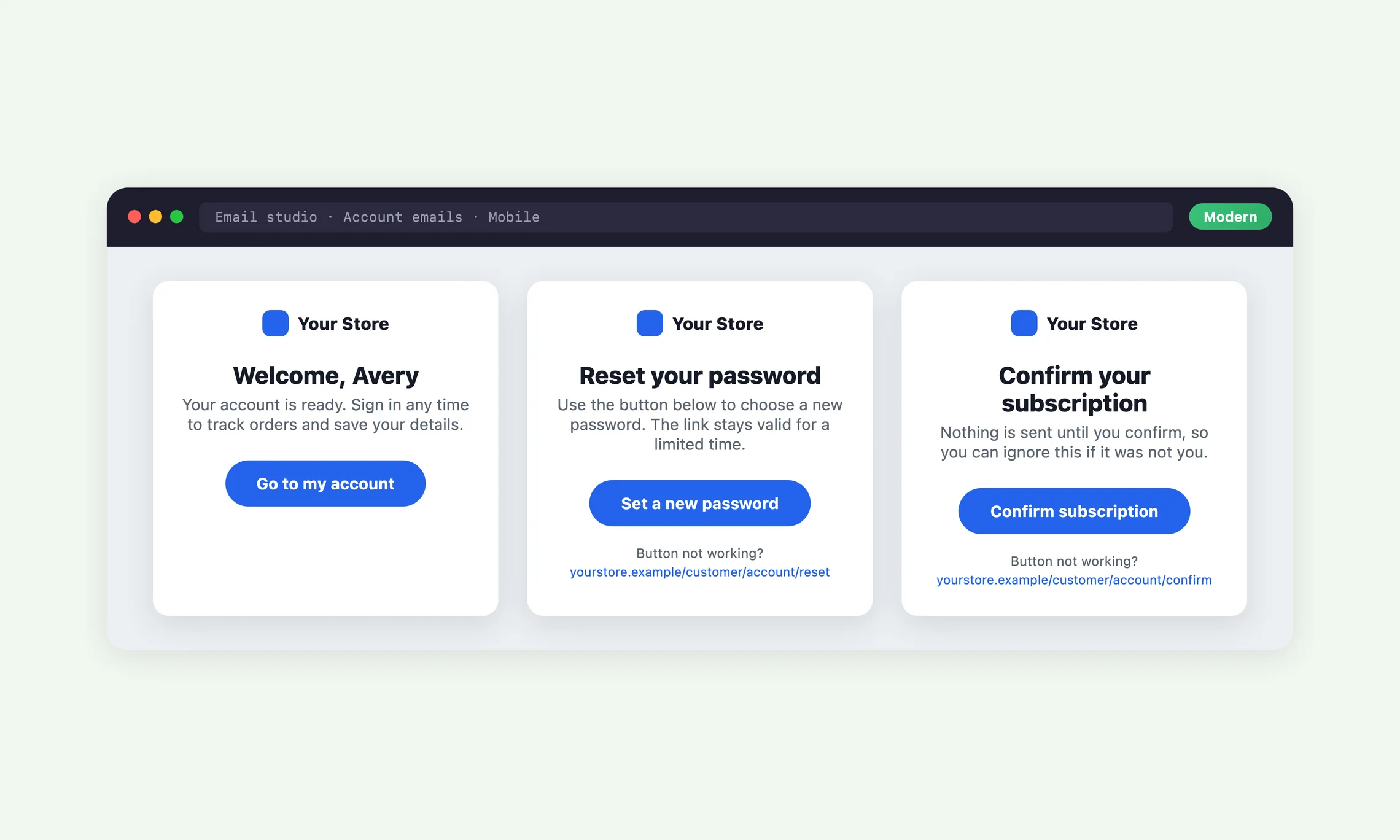
Account, password and newsletter emails with one clear button

Welcome, password reset, email change and newsletter emails get a short layout with a heading, one line of text and one button.

  • Every button goes to exactly the link Magento's own email uses
  • A copyable text link sits under one-time links for email apps that block buttons
  • No email ever shows a password

Order updates, pickup and cancellation emails that explain themselves

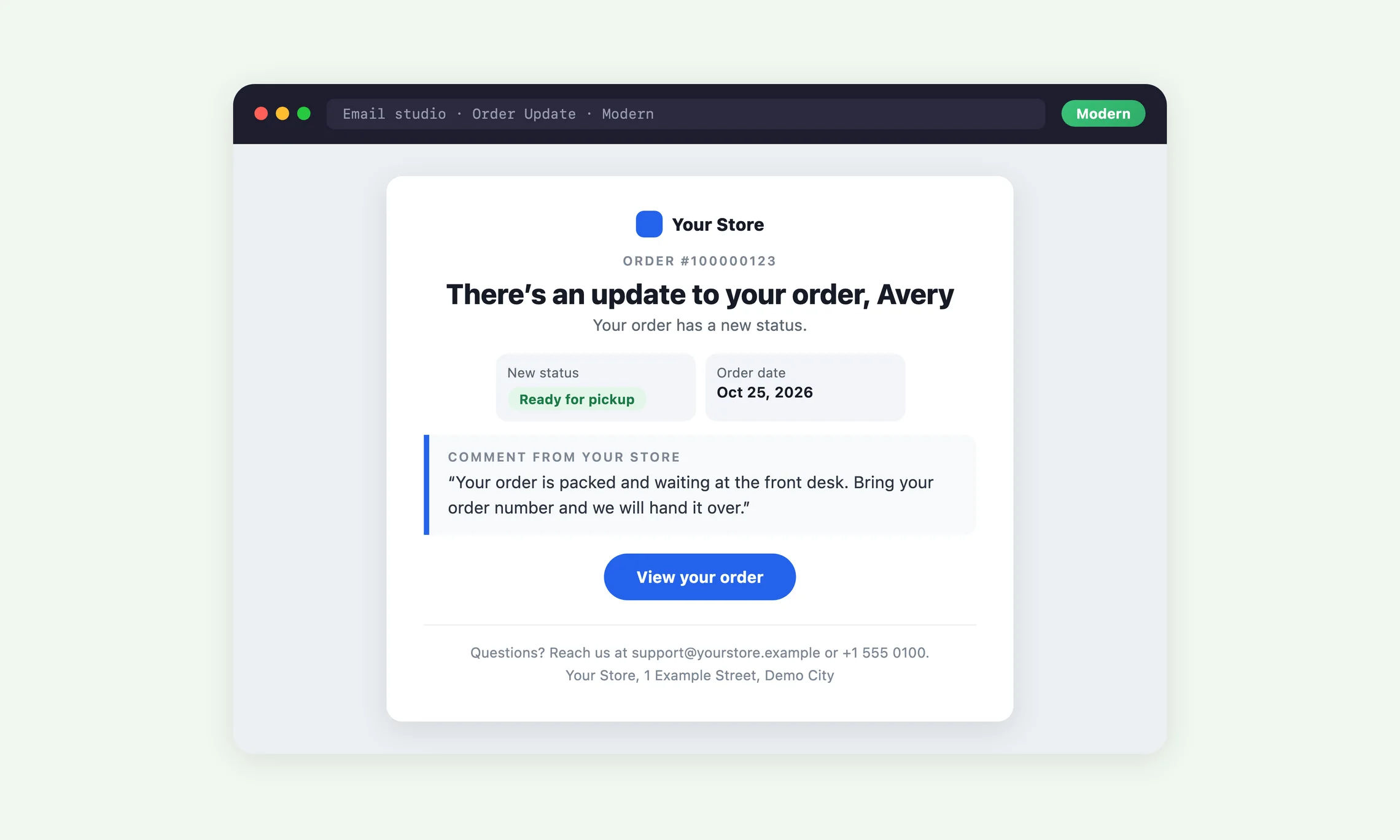
When you add a comment and notify the customer, they get the new status, your comment and a button to that order.

  • Invoice, shipment and refund updates follow the same layout
  • Ready for Pickup shows the pickup location and method
  • Your store's contact details and opening hours close each one when they are set

Guest orders get the same design

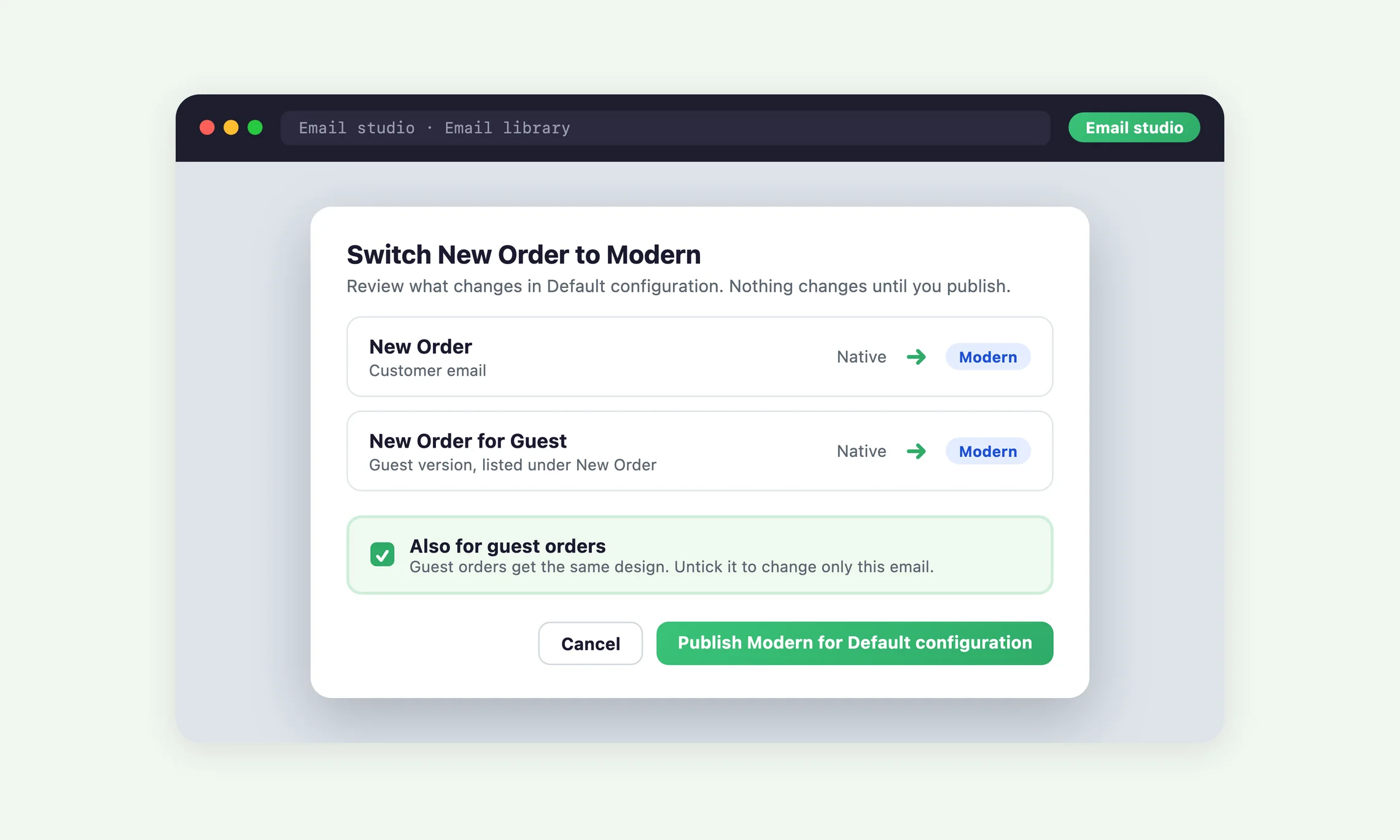
Magento sends guests their own version of each order email, and Great Magento Emails switches both together.

  • Also for guest orders is ticked whenever you choose a design
  • Guests get a link to the Orders and Returns lookup instead of an account
  • The email list says plainly when customers and guests still receive different things

Your brand in every inbox without hiring a designer

Choose the look once and every email follows it. There is no template code to edit and no HTML to test.

Modern or Store match, ready to go

Modern is a clean centred card. Store match takes its colours and fonts from your storefront.

  • Both designs are ready the moment the module is installed
  • Default keeps Magento's own template for any email you want to leave alone
  • Apply a design to every eligible email at once, then undo it as a group

Your logo, found for you

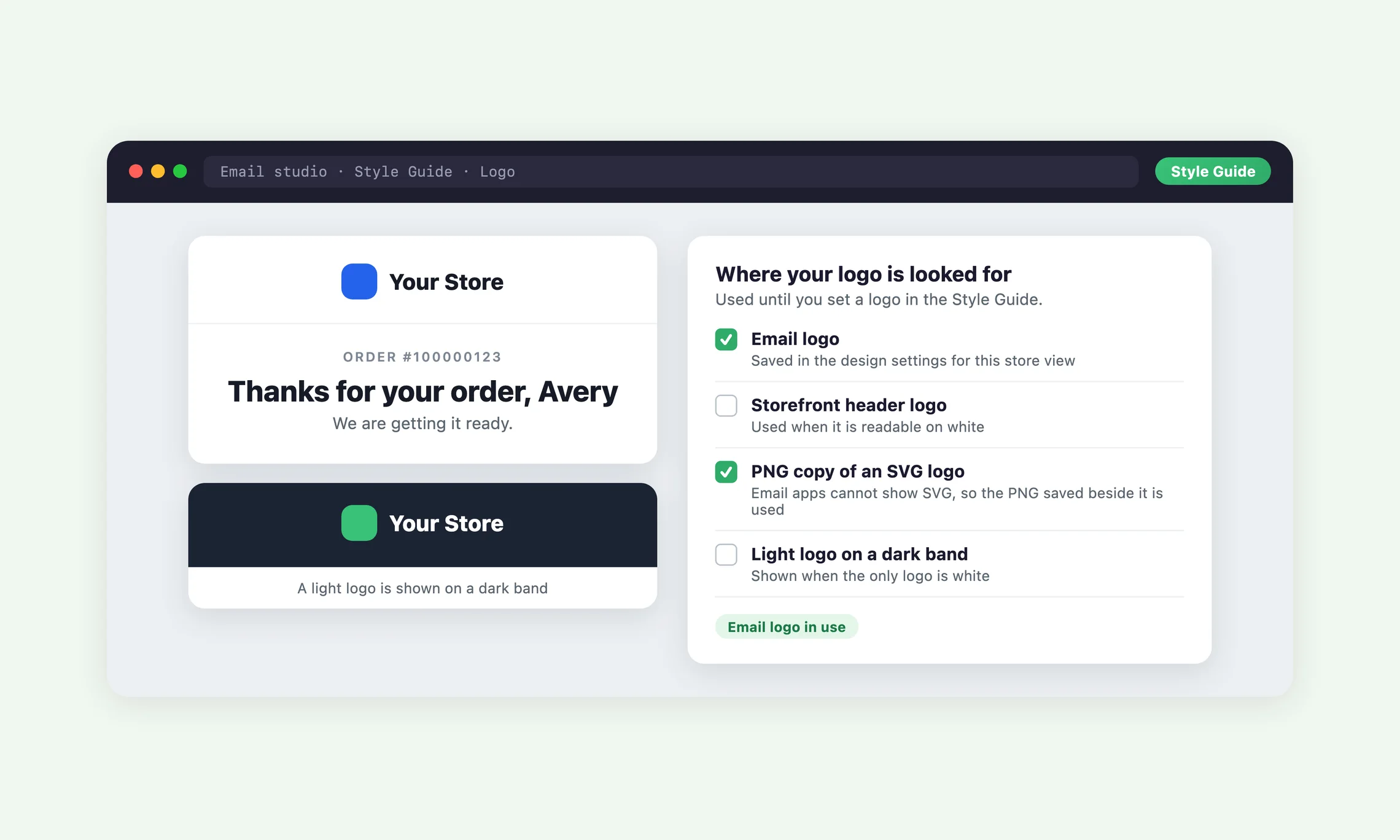
Until you set one in the Style Guide, each store view's emails use the logo your store already has.

  • Tries your email logo, then your storefront header logo
  • A light logo is shown on a dark band so it stays readable
  • An SVG logo is swapped for the PNG copy saved beside it, because email apps do not show SVG

Add your own blocks around the email

For emails you can edit, add headings, text, buttons, images, dividers and spacers above or below Magento's content.

  • Magento's own email content stays protected and cannot be deleted by accident
  • Drafts save automatically and never reach customers until published
  • Undo and redo every edit with the usual keyboard shortcuts

Every order sends an email, so make each one count

Your customers open their order confirmation, so give it the same care as your storefront.

Change your emails without the usual risk

An email edit that goes wrong is seen by customers before anyone notices. Great Magento Emails makes every change a draft first, shows exactly what will change, and lets you take it back.

Review before anything goes live

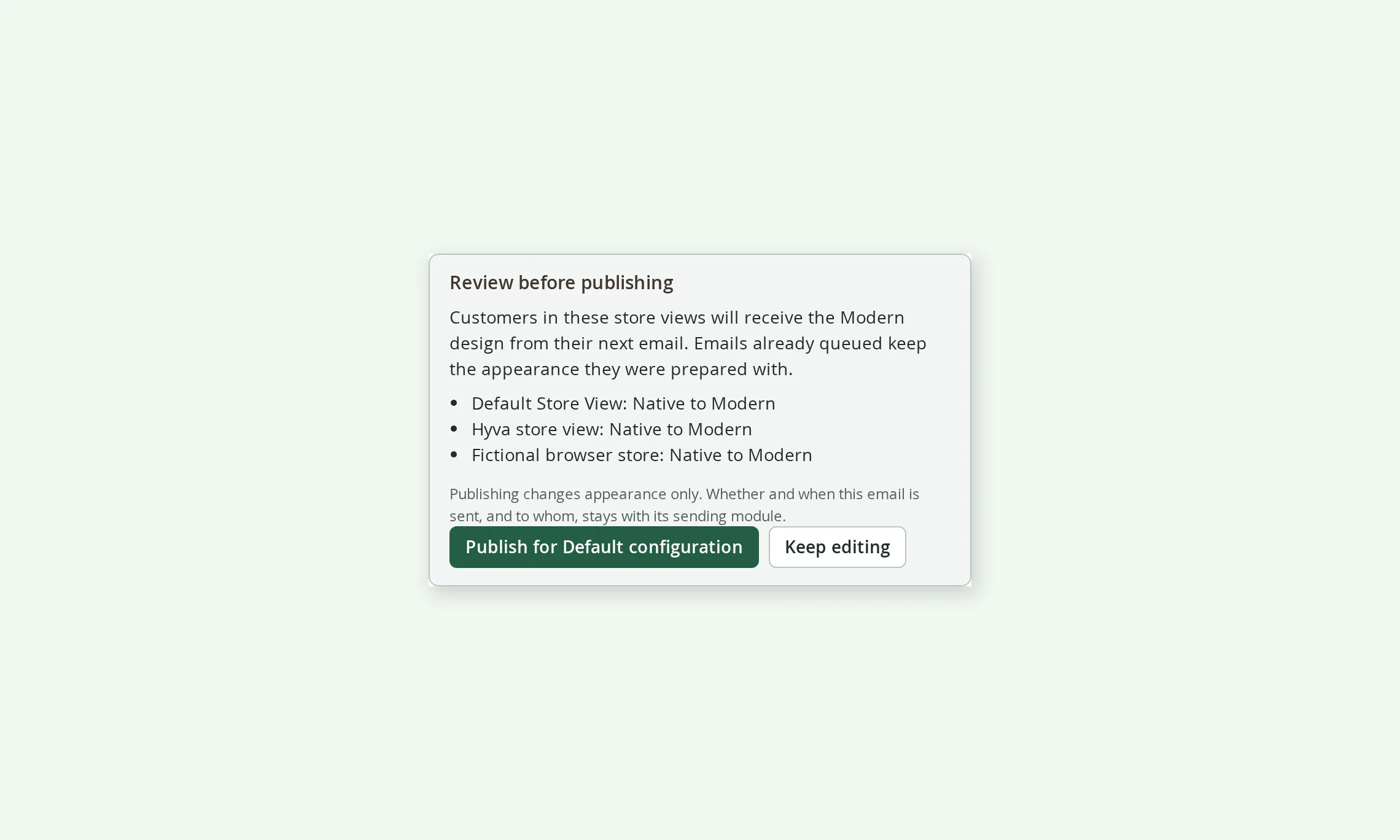
Review and publish lists every store view that will change before you confirm.

  • Sending rules, recipients and consent are never touched, only the appearance
  • A website or store view can follow its parent scope or have its own design
  • Publishing the Style Guide restyles every published design in the scopes it covers

One click to undo, thirty versions to go back to

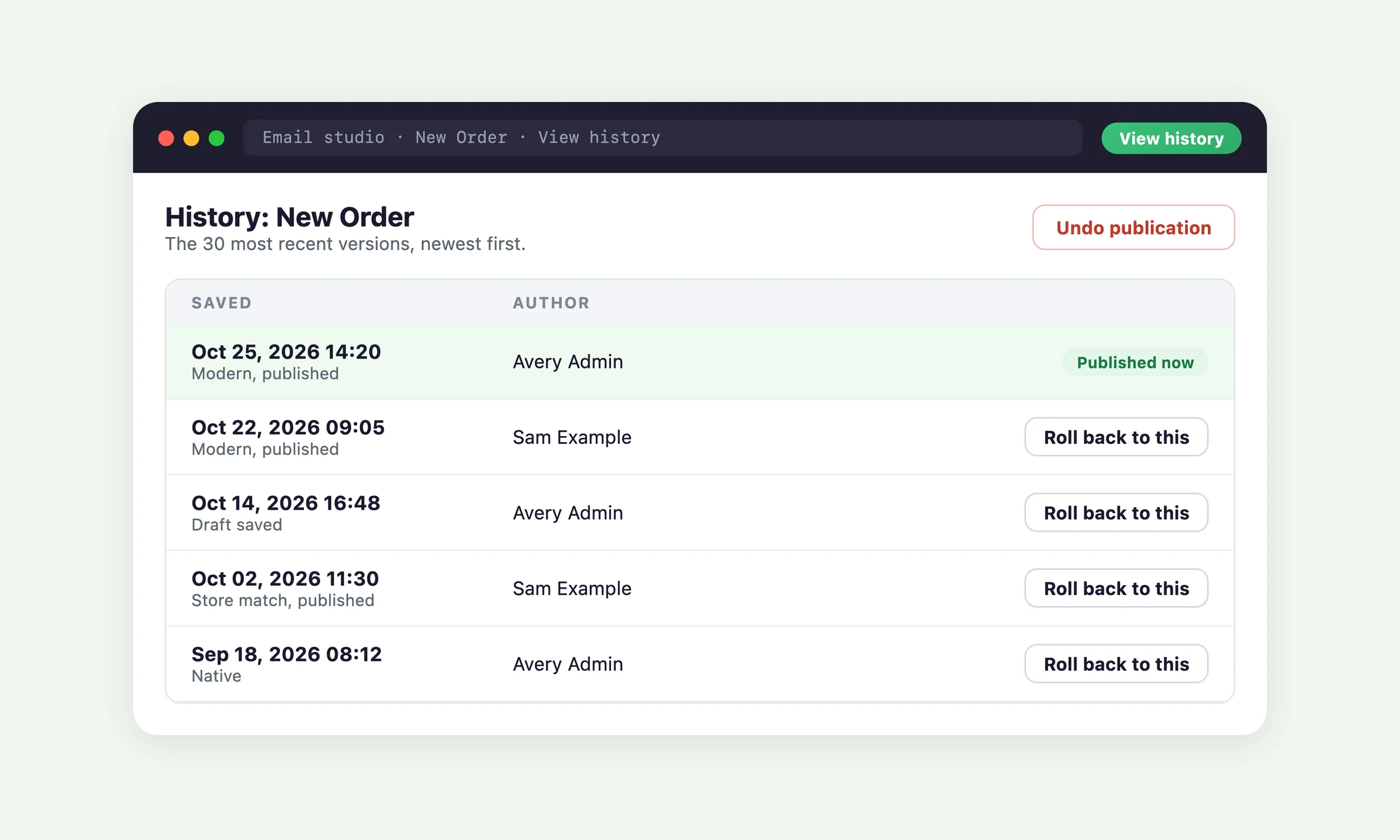
Every saved version is timestamped and credited to the admin who made it.

  • Undo publication puts the previous design straight back
  • Roll back to any of the 30 most recent versions
  • A switch made from the email list carries its own Undo button

A safe return to Magento's template

If something changes underneath a design, that email goes back to Magento's standard template rather than sending something broken.

  • Covers a changed Magento template, a store view moved to another website, or a render that fails
  • Emails already queued keep their appearance
  • Your designs stay saved in your database, even if you disable the module

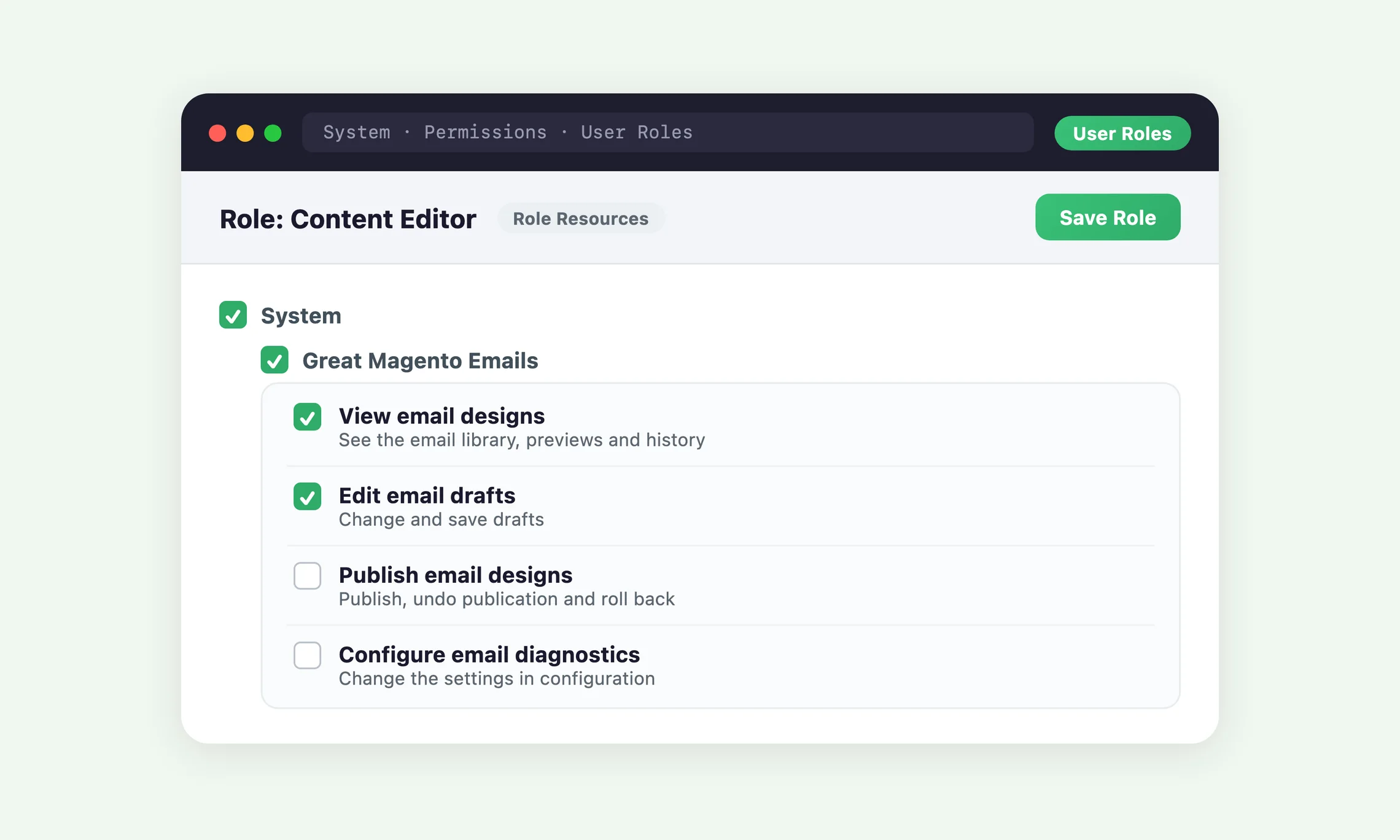
Roles for everyone on your team

Four separate permissions decide who can view, edit, publish and configure.

  • Let a designer edit drafts without publishing them
  • Keep publishing with the people who sign off on customer emails
  • Each change appears in the email's history with its author

Keep what your store already relies on

Plenty of stores have saved their own email templates, PDF attachments and tracking links over the years. Great Magento Emails works with them rather than throwing them away.

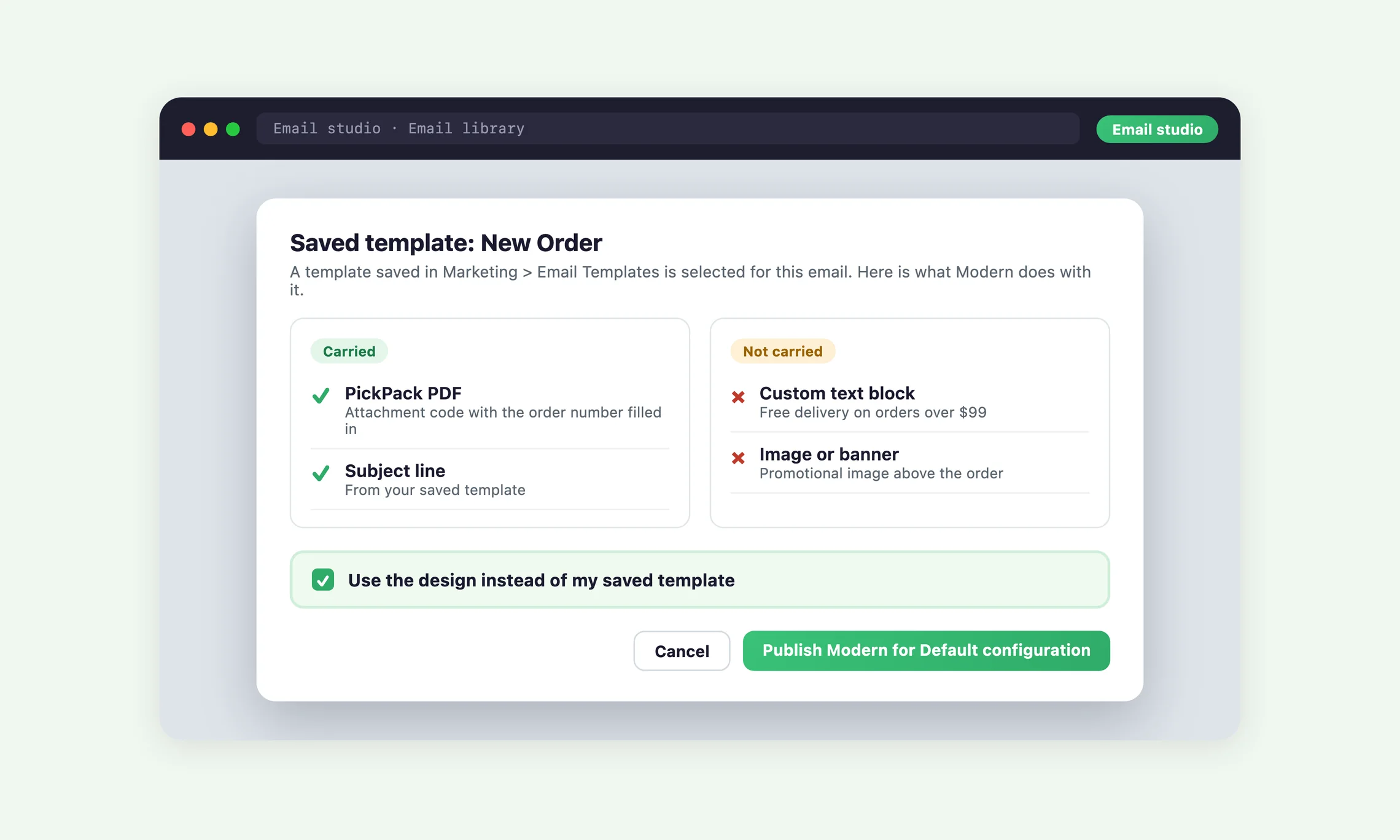
Saved templates, carried over or kept

For an email that uses a template saved in Marketing, Email Templates, the studio lists what the design carries over and what it would leave out.

  • A saved template that is a copy of Magento's own is replaced with nothing lost
  • One with content of its own keeps sending until you choose the design
  • Your Magento configuration is never changed

PickPack PDFs still attached

PickPack PDF attachment codes in the template the design replaces are carried into the designed email.

  • The order, invoice, shipment or credit memo number is filled in for you
  • Customers keep receiving the attached PDF as before
  • The PDF is still attached if a design falls back to the template it replaced

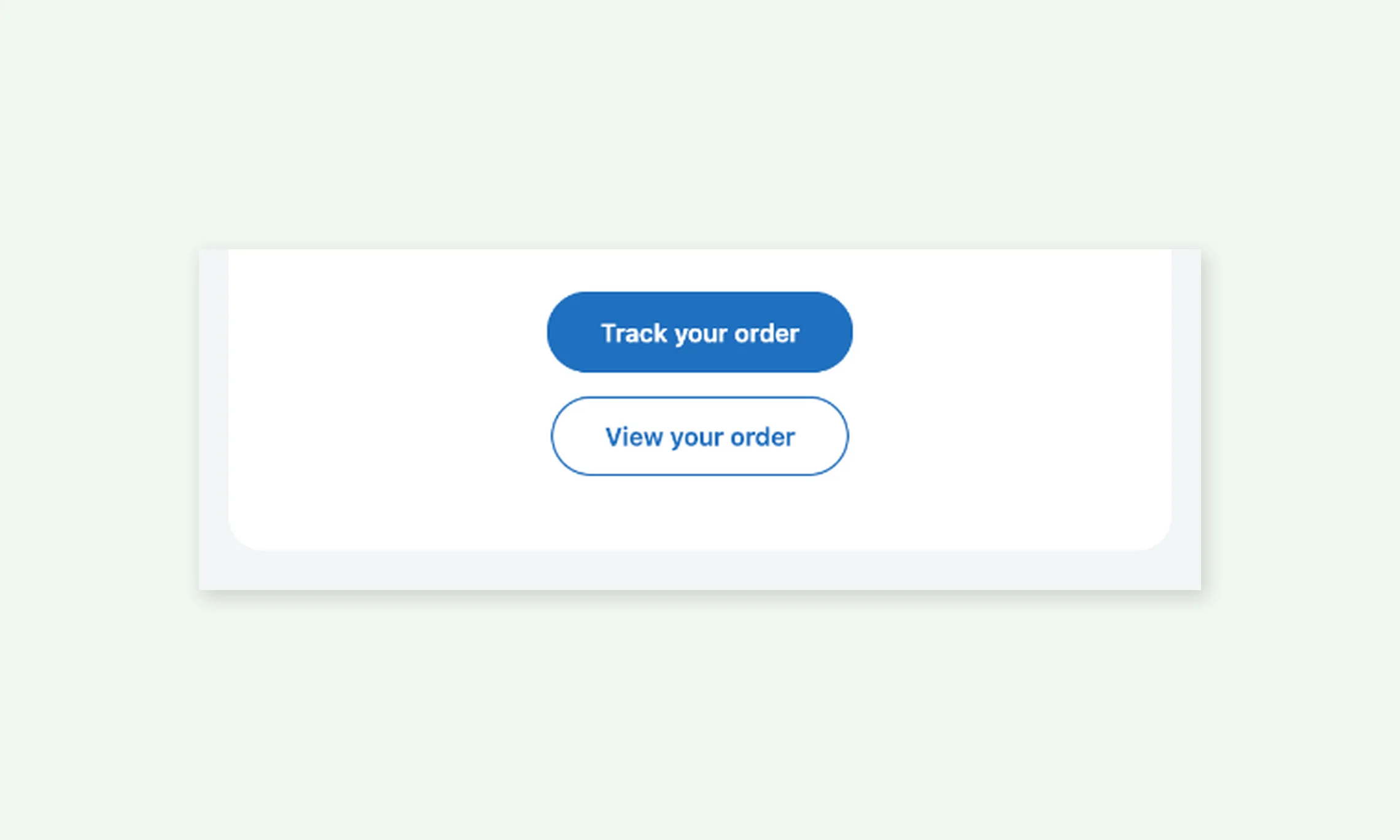
Track your order up front with TrackEasy

With TrackEasy installed, order and invoice emails lead with a Track your order button to its tracking page.

  • View your order sits just below as a second, outlined button
  • The shipment email's Track your order button opens the same page
  • Without TrackEasy, the shipment button opens the carrier's tracking page

Moogento plugin emails, other extensions and staff emails

NotifyMe, GiftEasy, HelloCustomer and TrackEasy emails get their own layouts, and other extensions' emails get your design around their content.

  • Unsubscribe, preferences and address footers from plugins are always kept
  • Another extension's email is checked with a long sample before its design goes live
  • Emails to your staff and plain text emails can take the design too

Stays right after every release

A design is only useful if it keeps working through Magento and module upgrades. Great Magento Emails checks itself and tells you when there is something to approve.

Designs rebuilt when a release needs it

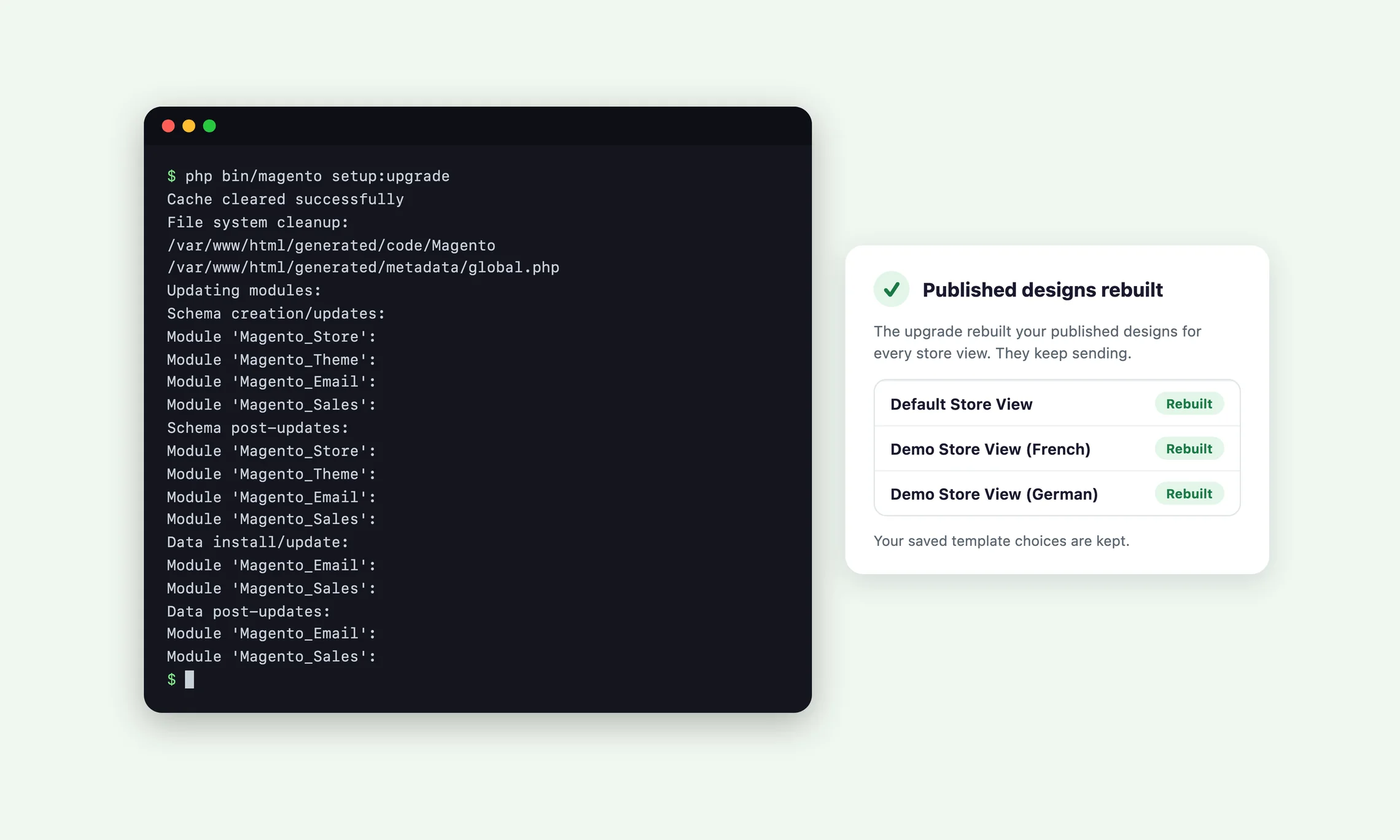
When a release changes how designs are built, the upgrade rebuilds your published designs for every store view, whatever theme it uses.

  • Your published designs keep sending through the upgrade
  • Your saved template choices are kept
  • A changed Magento template is flagged so you can review it

An Update available notice you can act on

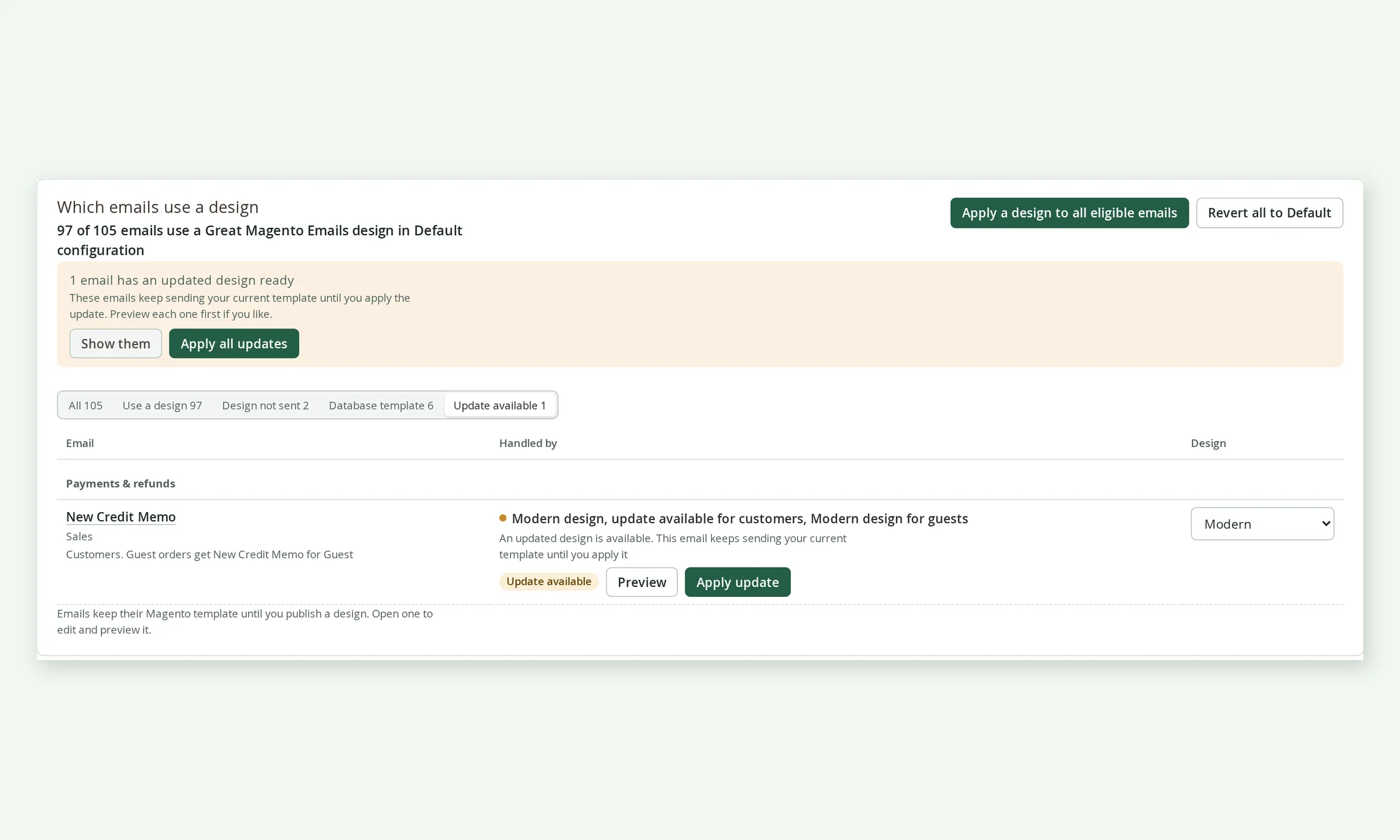
When a release improves a design you published, the studio shows how many emails have an updated design ready.

  • Preview the new version before customers see it
  • Apply one update, or apply all of them in one click
  • Until you apply it, the email sends the template it would send without a design

Built for the way Magento stores run

Designs, history and the Style Guide all live in your own database, scoped the Magento way.

  • Default configuration, website and store view scopes, each with its own design
  • Translated with each store view's language
  • Tested on Magento Open Source 2.4.5-p14 and 2.4.9

Add Great Magento Emails to your store

Annual
Monthly

Great Magento Emails

$ 49 /year
  • Modern and Store match designsTwo ready-made designs coloured with your logo, colours and fonts

    Includes:
    • Magento and Moogento plugin emails
    • Other extensions' emails in a branded layout, checked before they go live
    • Default keeps Magento's own template
  • Email studio with live previewSee every email and what customers receive

    Includes:
    • Desktop and mobile preview side by side
    • Typical and long sample orders
    • Switch or apply designs in bulk
    • Test emails to your own inbox
  • Style Guide from your storefrontRead from my store proposes your colours and fonts as email-safe values you review
  • Order, account and update layoutsBuilt from the order, so a theme cannot remove products or totals

    Includes:
    • Order, invoice, shipment and credit memo
    • Account, password and newsletter
    • Order updates, pickup and cancellation
    • Guest versions switched together
  • Saved templates and PickPack PDFsShows what a design carries over from a saved template, and keeps PickPack PDF attachments
  • Track your order with TrackEasyWith TrackEasy installed, order and invoice emails lead with a Track your order button
  • History, undo and rollbackUndo a publication or roll back to any of the 30 most recent versions
  • Update available noticesWhen a release improves a design you published, preview and apply it in one click
  • Roles and permissionsSeparate permissions to view, edit, publish and configure

Frequently asked questions

What does Great Magento Emails actually do?
Great Magento Emails gives every transactional email your Magento store sends a designed look, Modern or Store match, with your own logo, colours and fonts. You choose and preview designs in the Email studio, and nothing changes for customers until you publish.

How much does Great Magento Emails cost?
Great Magento Emails costs $49 a year and is activated with a licence key from your Moogento account. The free Moogento Messages module it needs is installed with it.

Will my emails change as soon as I install it?
No, every email keeps sending exactly as before until you publish a design for it. Choosing a design saves a draft, and the review step shows each store view that will change before anything goes live.

How do I install Great Magento Emails?
Great Magento Emails installs with Composer and takes about five minutes. The Great Magento Emails user guide has every step, including where to find your access keys and how to add your licence key.

Does it work with my theme?
Yes, email designs are built separately from your storefront theme, so they work with Luma, Hyva, Porto and other themes. The order, invoice, shipment and credit memo designs build their product lists and totals themselves, so a theme's own version of Magento's order email cannot break them.

I use saved templates from Marketing, Email Templates. What happens to them?
Your saved templates and your configuration are never changed. When a saved template is a plain copy of Magento's own, the design replaces it with nothing lost; when it has content of its own, it keeps sending until you choose the design, and the studio lists exactly what the design carries over and what it leaves out.

Will my PickPack PDF still be attached?
Yes, PickPack PDF codes in the template the design replaces are carried into the designed email with the right order, invoice, shipment or credit memo number. Customers receive the attached PDF as before.

What happens if my licence lapses or I switch the module off?
Your emails go back to Magento's standard templates and your designs stay saved in your database. A short outage of the licence server never changes your customers' emails, and your designs return as soon as the licence is valid again.

Can I change the wording of the emails?
You can add your own headings, text, buttons and images around Magento's content in emails that support editing. The order, account, password and newsletter layouts use set wording translated into each store view's language, and every subject line stays Magento's own so your existing subject translations keep working.

Will my emails look the same in every email app?
The designs are built for email apps, with email-safe fonts as a fallback, but no preview can promise identical results in every inbox. The studio preview shows the design in a browser, so send a test email to an address on your test list and check it in the apps your customers use.

Can I send myself a test email before I publish?
Yes, click Send test in the editor or on the email's row in the email list and a real copy arrives in your inbox. Add your address to the test recipient list in the Great Magento Emails settings first; the test sends your saved draft with fictional sample data and "[Test]" in the subject, so it never reaches a customer.

What happens to my designs when Great Magento Emails updates?
Your published designs keep sending through an update. When a release improves a design itself, the Email studio marks those emails Update available so you can preview and apply the new version in one click.

Where do I get help?
Our support desk covers every Moogento module. The user guide answers most setup questions on its own; if you write in, include your Magento version and the email you are working on.

Recent Magento® 2 Open Source & Commerce versions are supported.
(Open Source: 2.3.5-2.4.8; Commerce: 2.3.5-2.4.8)

Moogento helps businesses like yours, every day 🚀

Give every email the care your storefront gets

The best order email is the one that looks like your store, answers the customer's next question, and generates more sales.

30 DAY MONEYBACK GUARANTEE - WE WANT YOUR ❤️ !