SiteMap :Magento® 2 Sitemap Generator Extension

Made for Magento® 2

Boost your Magento 2 store's search visibility with professional XML sitemaps

Moogento

SiteMap transforms how search engines discover your Magento 2 store, delivering advanced XML sitemap generation with intelligent splitting, comprehensive image indexing, and enterprise-grade SEO optimization that drives organic traffic and improves search rankings.

  • Generate professional XML sitemaps that search engines love – proper structure, optimal file sizes, complete coverage of your store’s content.
  • Split large sitemaps automatically to comply with SEO limits – never exceed 50,000 URLs per file while maintaining perfect indexing.
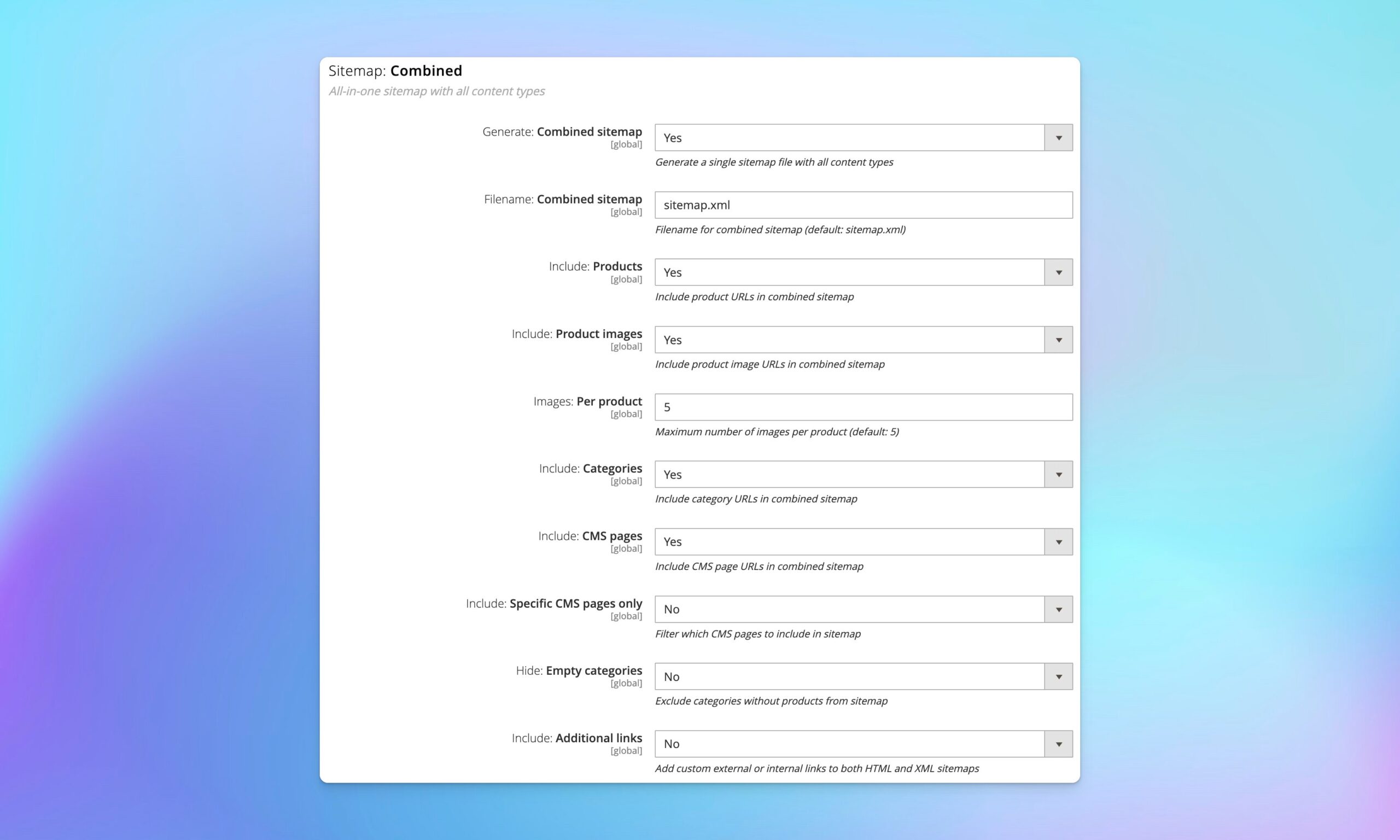
  • Include product images in dedicated image sitemaps – boost your visibility in Google Images and drive additional traffic to your products.

Professional Magento 2 XML Sitemap Generation

Transform your store’s SEO foundation with enterprise-grade XML sitemaps that search engines can efficiently crawl and index, as sitemaps help search engines understand your site’s structure. Unlike basic sitemap solutions, SiteMap creates properly structured XML files that follow Google’s specifications exactly, giving your store the best chance of being fully indexed and ranked.

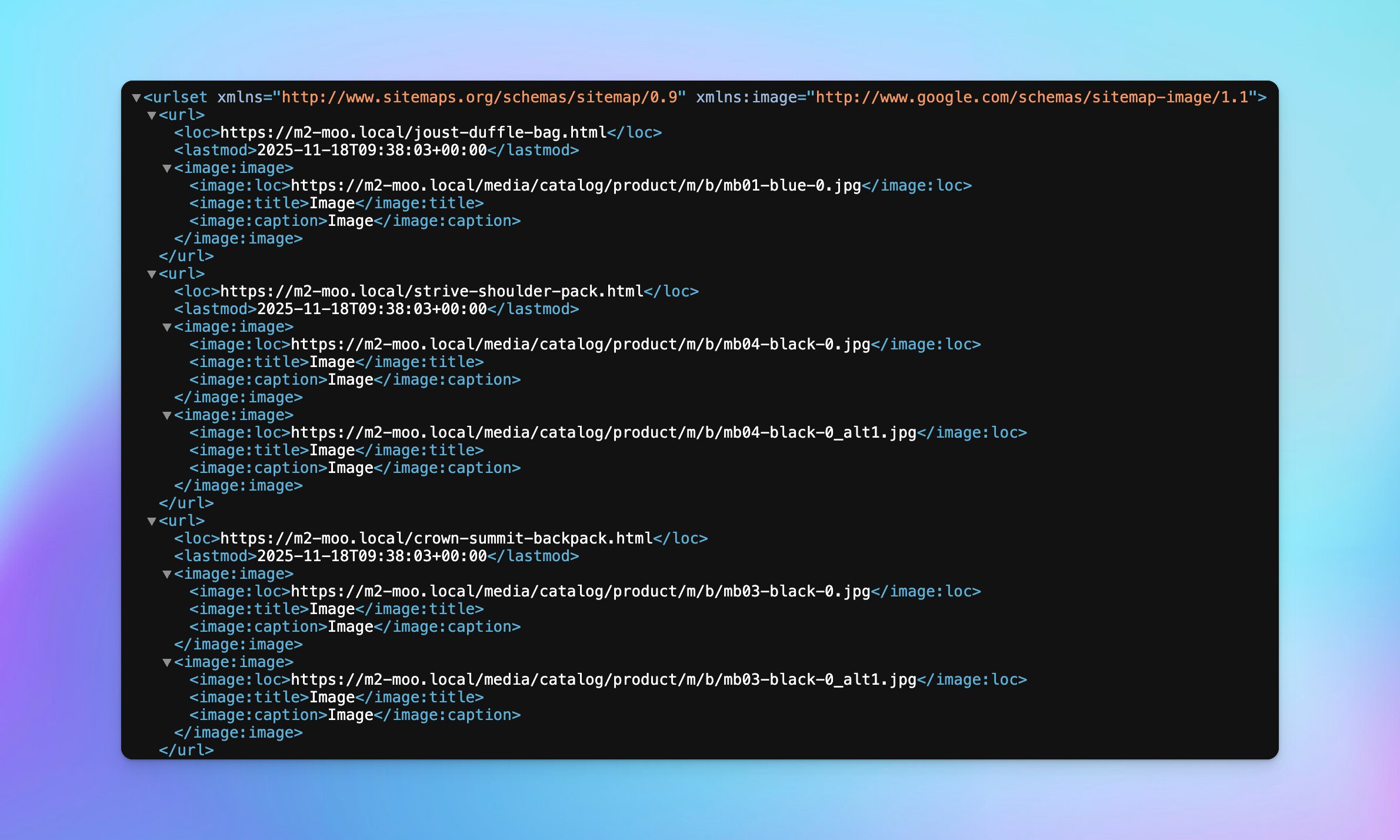
Advanced XML structure with compact formatting

Every sitemap generates uses the industry-standard XML format with proper encoding and structure. The compact single-line format isn’t just about smaller files – it’s about faster processing by search engine crawlers, meaning your pages from sitemap get indexed more quickly, ultimately improving SEO.

Smart content type controls

Choose exactly what appears in your sitemaps, as the XML sitemap is a machine-readable file that enhances visibility. Want to focus on products and skip CMS pages? Use the Google XML sitemap extension to streamline your sitemaps. No problem. Need separate sitemaps for different content types? Done. Individual toggles for products, categories, CMS pages, and images give you complete control over what search engines see.

For stores with thousands of products, this flexibility means you can generate lean, focused sitemaps that highlight your most important content. Exclude draft products, hide specific categories, or create custom configurations for each store view.

Intelligent Magento 2 SiteMap Splitting for Large Catalogs

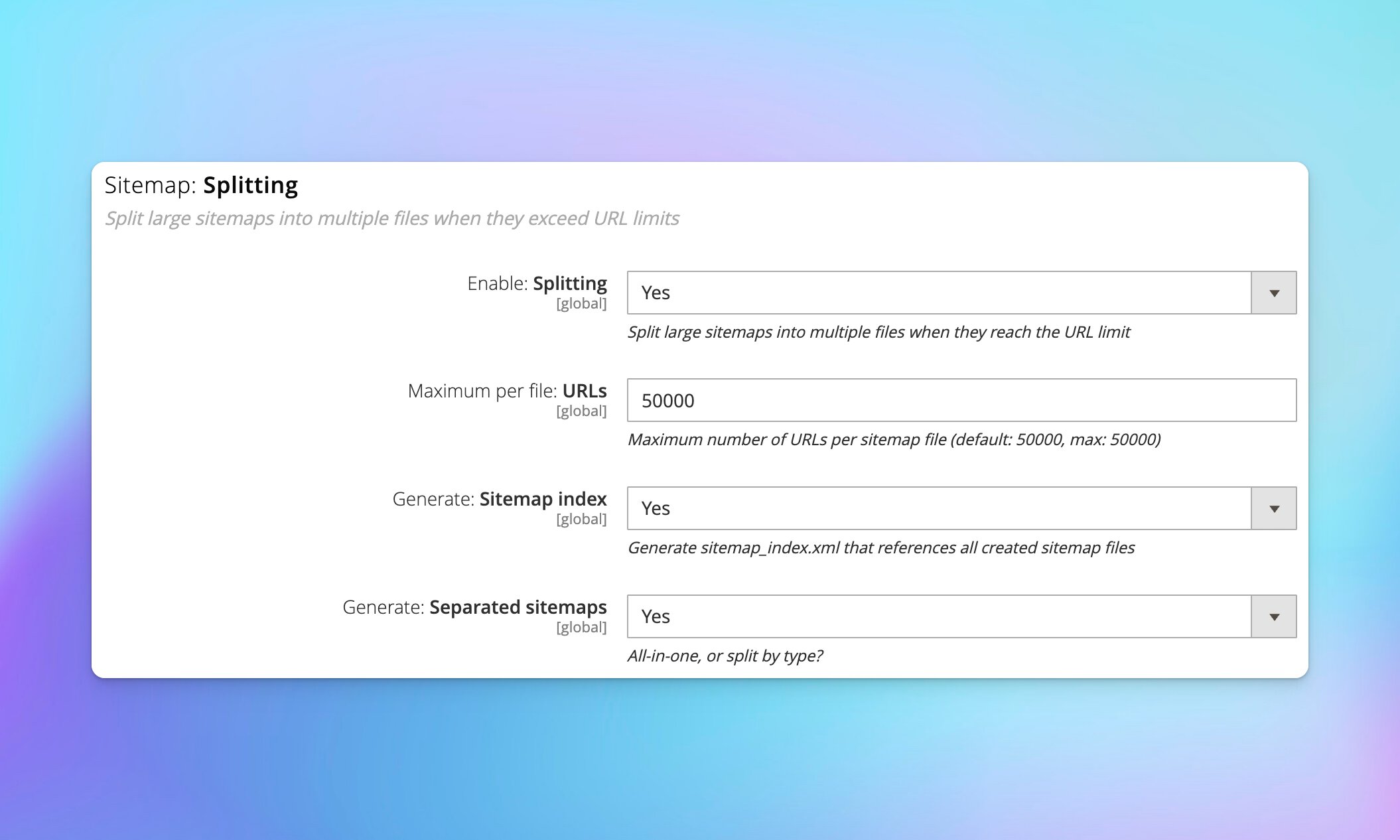
Never worry about SEO limits again with automatic sitemap splitting that keeps your files optimized for search engine consumption. Google and other search engines have strict limits: 50,000 URLs per sitemap file, or 50MB uncompressed, making it essential to use a sitemap wisely. Exceed these limits and your entire sitemap could be rejected.

Automatic URL limit management

Think of sitemap splitting as insurance for your SEO and a way to improve search engine visibility. Whether you have 10,000 products today or 200,000 products next year, SiteMap adapts automatically. The sitemap index file ties everything together, giving search engines a single entry point to discover all your content, improving SEO rankings and ensuring the sitemap is a machine-readable file.

Smart file organization with custom naming

Want your product sitemap called products-sitemap.xml for the Google sitemap. instead of sitemap-products.xml? Change it in config. Need different naming conventions for different store views? Configure it per store. This flexibility helps when you’re managing multiple domains or need to maintain specific URL structures for legacy SEO reasons, and sitemaps help search engines effectively navigate your site.

Advanced Image Sitemap Support

Maximize your product visibility with dedicated image sitemaps that help search engines discover and index your product photos. Image search is huge – many customers start their product research in Google Images, and if your products aren’t there, you’re missing valuable traffic.

Comprehensive image indexing

SiteMap extracts image data from your product catalog and formats it according to Google’s image sitemap specification for the Magento 2 Google integration, improving how sitemaps help search engines index your images. Each image gets proper metadata – title, caption, and location – helping search engines understand what the image shows, improving its chances of being indexed by Google.

Enhanced product discovery through visual search

When someone searches for “red running shoes” in Google Images and sees your product, that’s a new customer acquisition channel. Image sitemaps make this possible by ensuring Google knows about every product image in your catalog, increasing the chances your products appear in visual search results.

Database-Backed Collection System for Enterprise Performance

Built for enterprise performance with a robust two-phase pipeline that handles large catalogs efficiently in the Magento 2 XML sitemap, like Magento. Most sitemap generators try to do everything in one pass, which leads to memory exhaustion and timeouts on large stores, particularly when generating XML SEO sitemap pages from the sitemap. SiteMap separates data collection from XML generation, making the process reliable and scalable for the Magento 2 sitemap generator.

Scalable data collection

The database-backed approach means SiteMap can handle any size catalog. Collecting product data in batches of 500 means consistent memory usage, while storing URLs in the database provides a durable cache that survives PHP process restarts. Generate once, export multiple times if needed, allowing for efficient updates to your Magento 2 Google XML sitemap.

Real-time progress monitoring

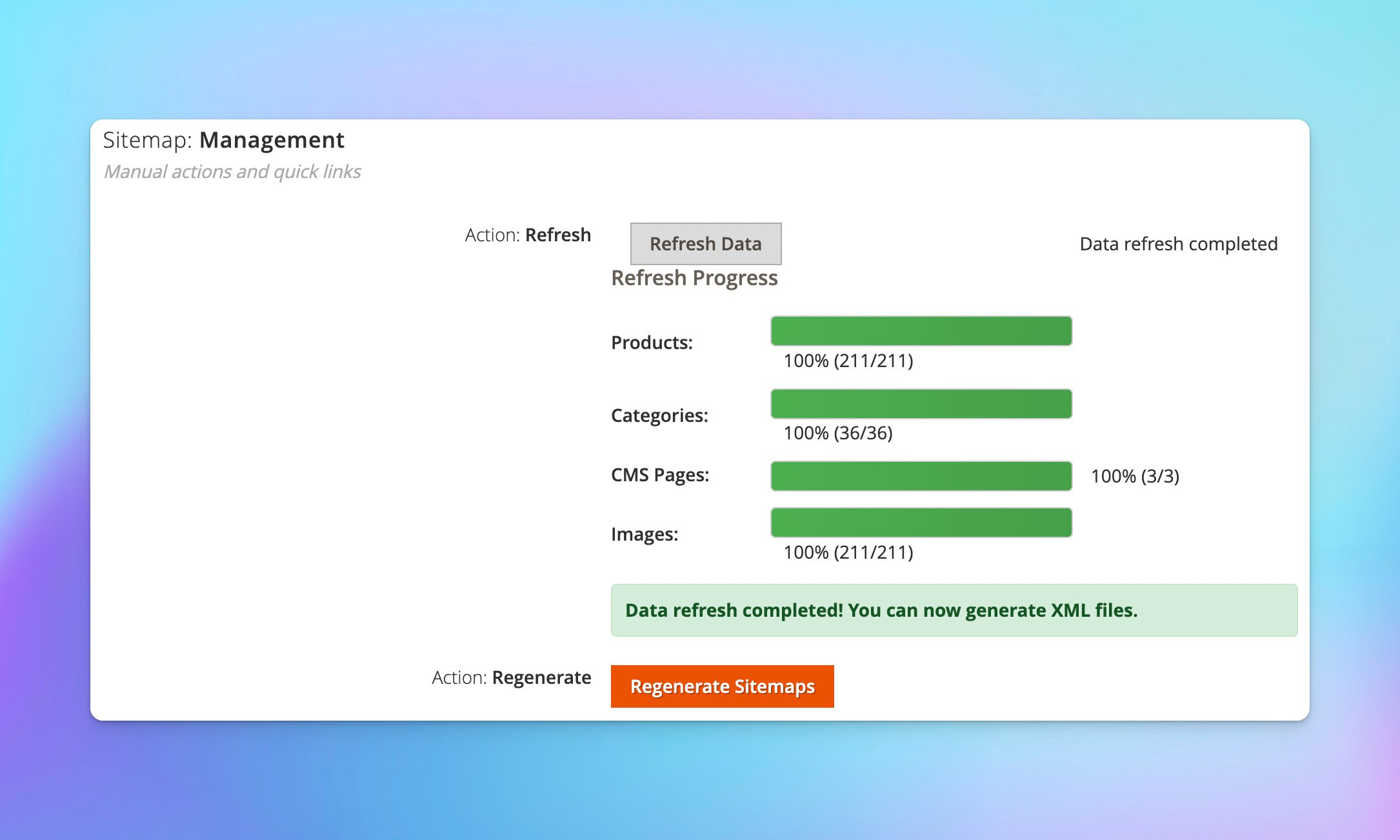
Watch your sitemap generation happen in real-time. The admin interface shows exactly what’s happening: “Collecting products: 1,234 / 10,000 (12%)”. No more wondering if the process hung or completed. Clear visual feedback means you know exactly when sitemaps are ready.

Advanced SEO Optimization Features

Fine-tune your sitemap strategy with the Google XML sitemap extension and professional SEO controls that give you complete authority over how search engines discover your content. These aren’t just checkboxes – they’re powerful tools that let you implement sophisticated SEO strategies.

Smart lastmod date management

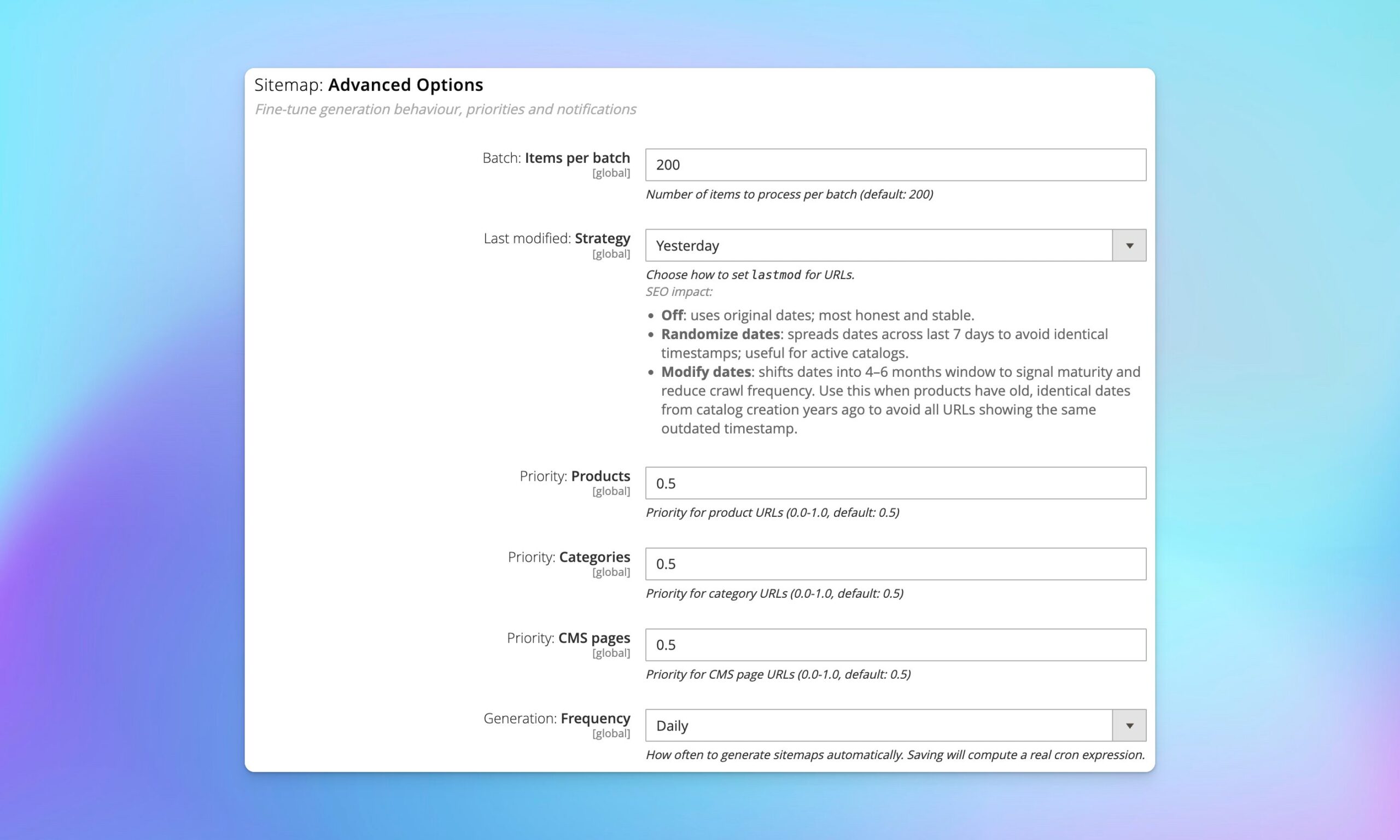
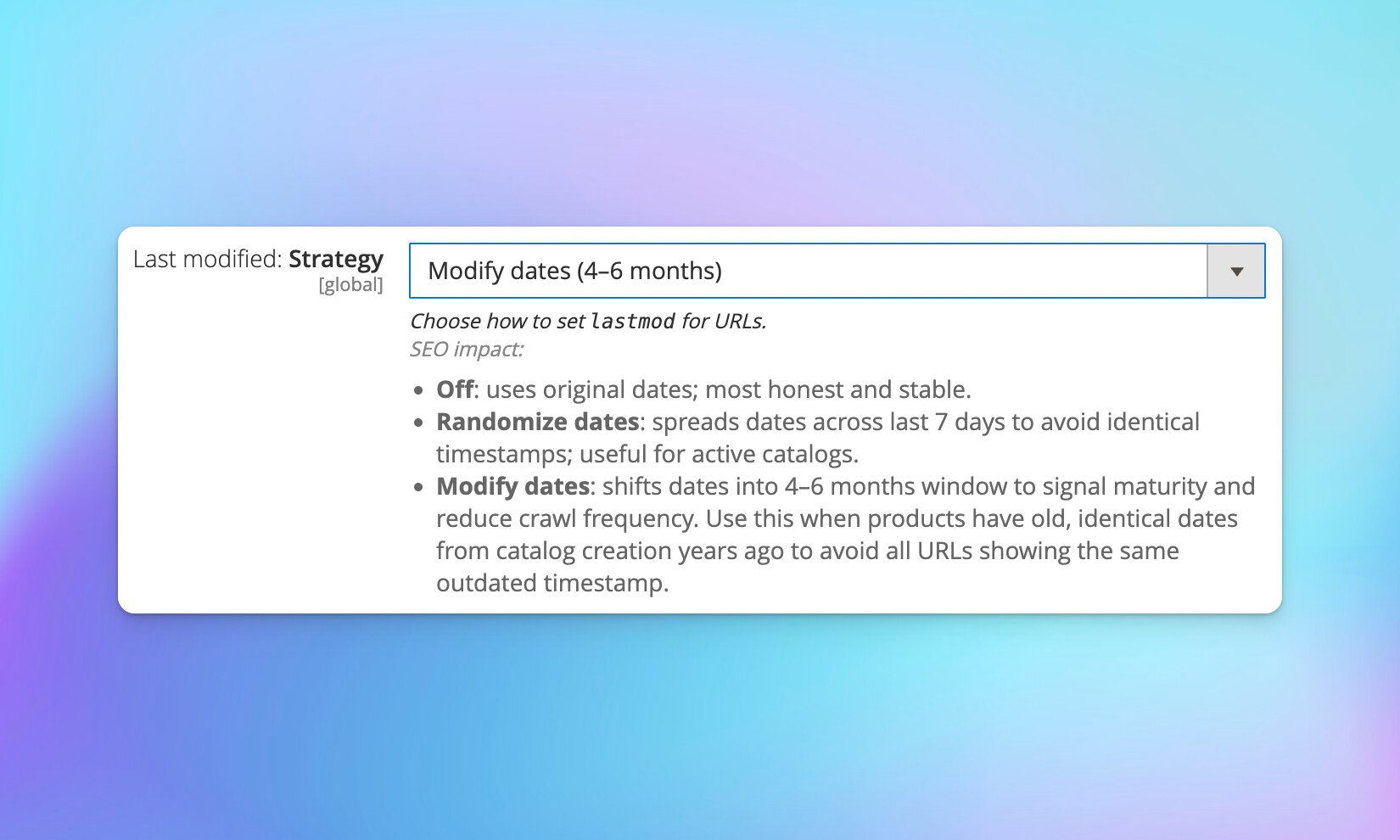
Here’s the problem: if you imported 10,000 products five years ago, they all have the same created_at date. Search engines see thousands of URLs with identical lastmod dates and might assume your content is stale. The “modify” strategy spreads these dates across a recent 4-6 month window, signaling that products are actively maintained without being dishonest, improving the sitemap for search engines.

The “randomize” strategy is perfect for active catalogs where you want to encourage frequent crawling. By spreading lastmod dates across the last 7 days, you create the impression of regular updates, which can increase crawl frequency.

Flexible content control per store

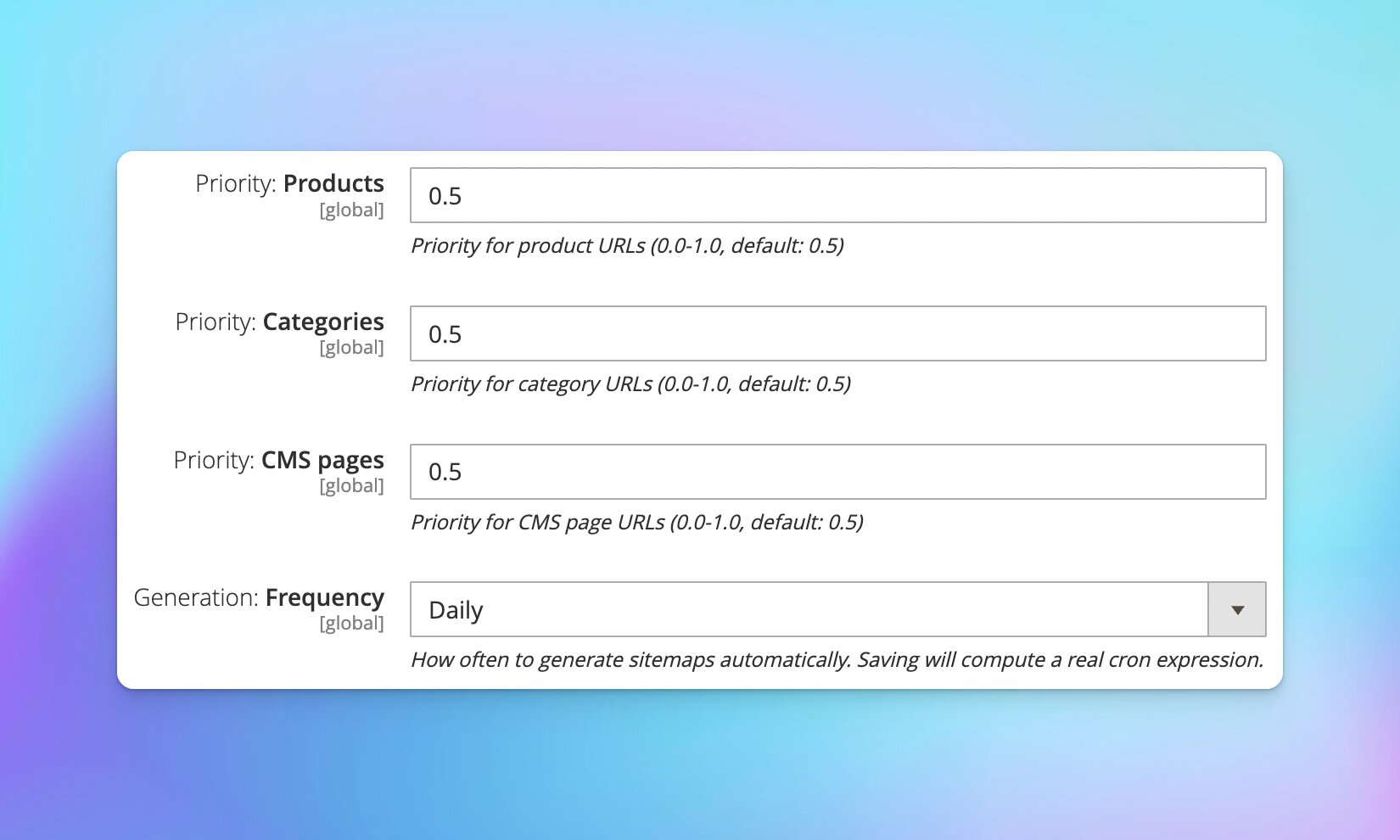
Priority and changefreq are signals to search engines about what matters most. Set product priority to 0.8, categories to 0.6, and CMS pages to 0.5 in the sitemap settings to indicate relative importance for search engine rankings. Use changefreq to hint at update patterns: “daily” for products in an active catalog, “weekly” for categories, “monthly” for static CMS pages.

For multi-store setups, configure each store independently. Your main store might include all products, while a clearance store only includes sale categories, improving the clarity of your sitemaps for search engines, as sitemaps help search engines prioritize content. Each store gets its own sitemap configuration that respects its unique needs.

Professional Admin Management Interface

Streamlined sitemap management with enterprise-grade admin tools that make complex SEO tasks simple, especially for new pages and important pages within the Magento 2.4.8 framework, like Magento. No command-line expertise required – everything you need is available in the admin panel with clear, intuitive controls.

One-click sitemap generation

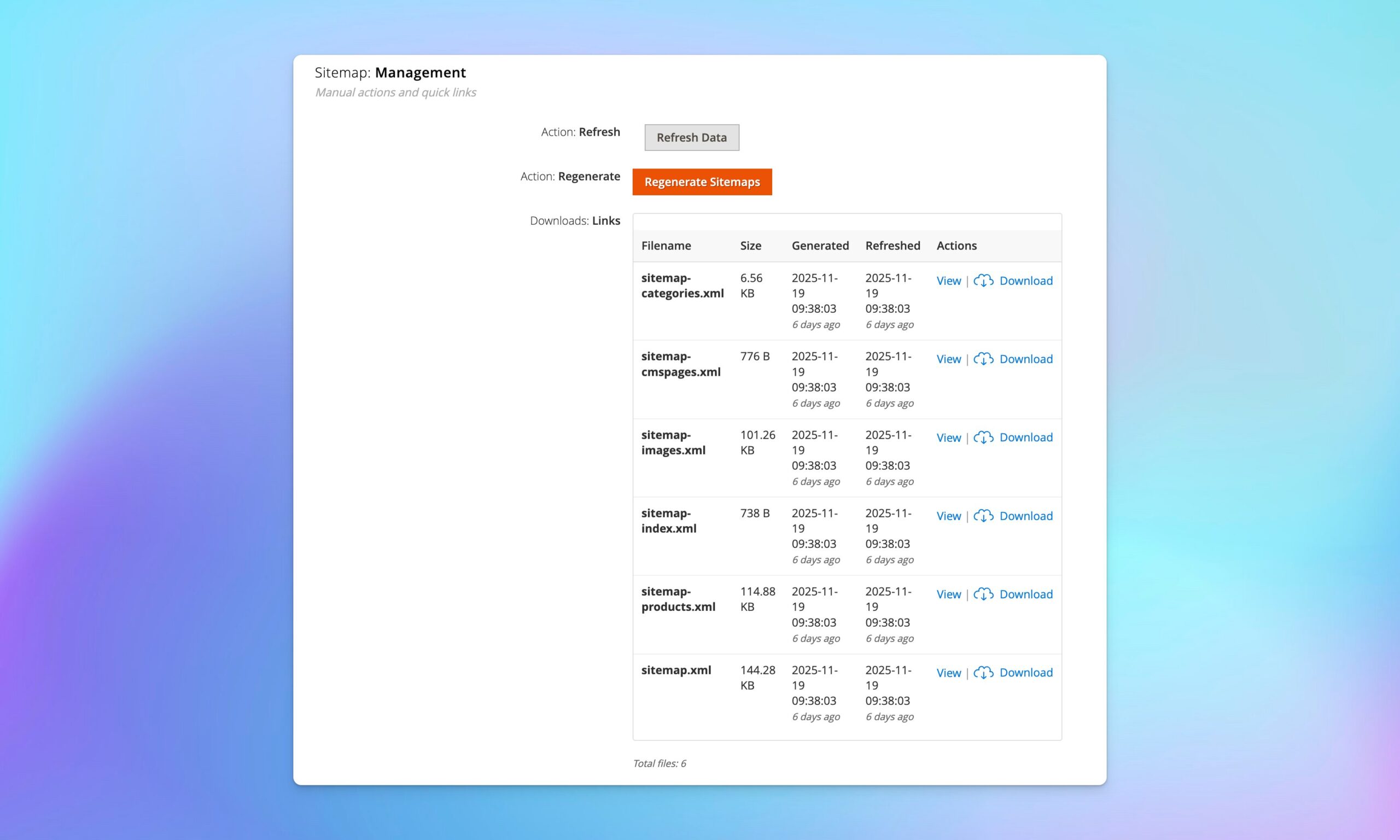
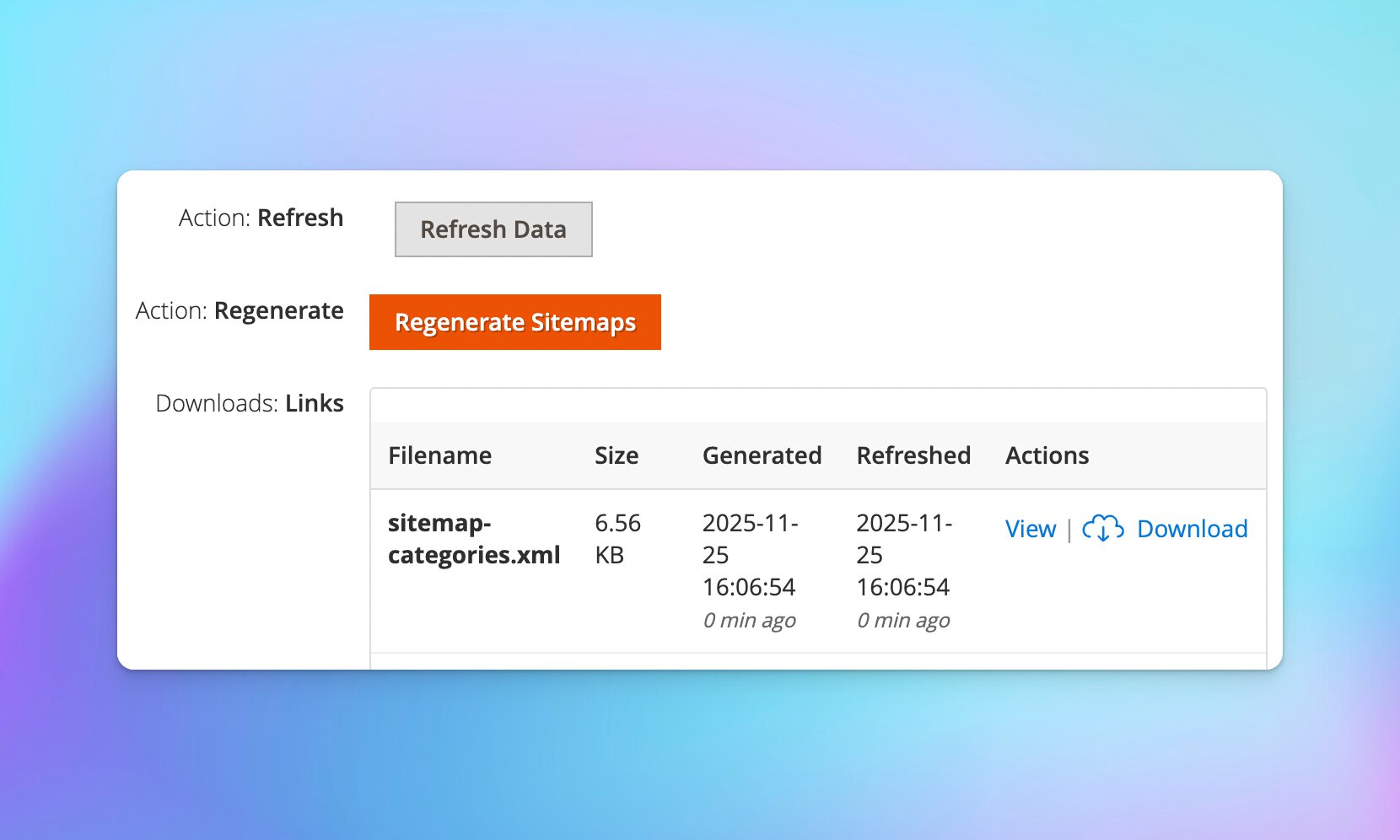
The two-button approach gives you flexibility. Click “Refresh Data” to collect fresh product/category information from your catalog, then review the progress. When ready, click “Generate XML Files” to create the actual sitemap files. This separation means you can update data during business hours and generate XML sitemaps during off-peak times.

Each generated sitemap shows file size, URL count, and last generation time. Download links let you quickly verify content, and “view” links open sitemaps in your browser for spot-checking.

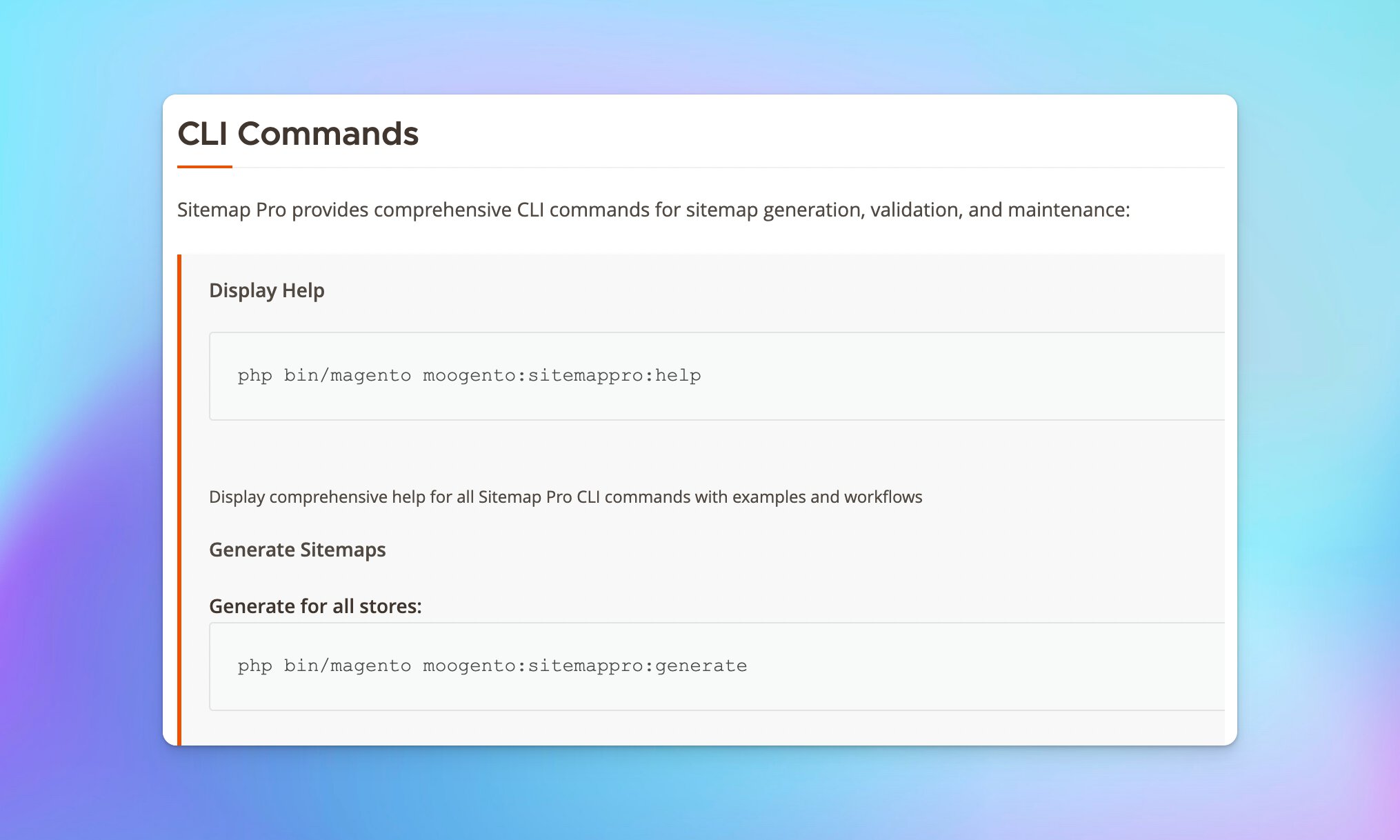
Comprehensive CLI commands for automation

For developers and agencies managing multiple stores, CLI commands are essential. Generate sitemaps via cron, validate them in CI/CD pipelines, or clean up old files with scheduled maintenance. The --dry-run flag lets you test configurations safely, ensuring that the Magento installation runs smoothly.

Multi-Store & Enterprise Ready

Built for complex Magento environments with full multi-store support and enterprise-grade performance. Whether you’re running a single store or managing dozens of store views across multiple domains, SiteMap handles the complexity automatically.

Complete multi-store compatibility

Each store view gets its own sitemap that reflects its specific content, base URL, and configuration, ensuring optimal sitemap location for search engines crawl. A product might appear in the English US sitemap with one URL and in the German sitemap with a translated URL – SiteMap handles this automatically by respecting Magento’s store context system.

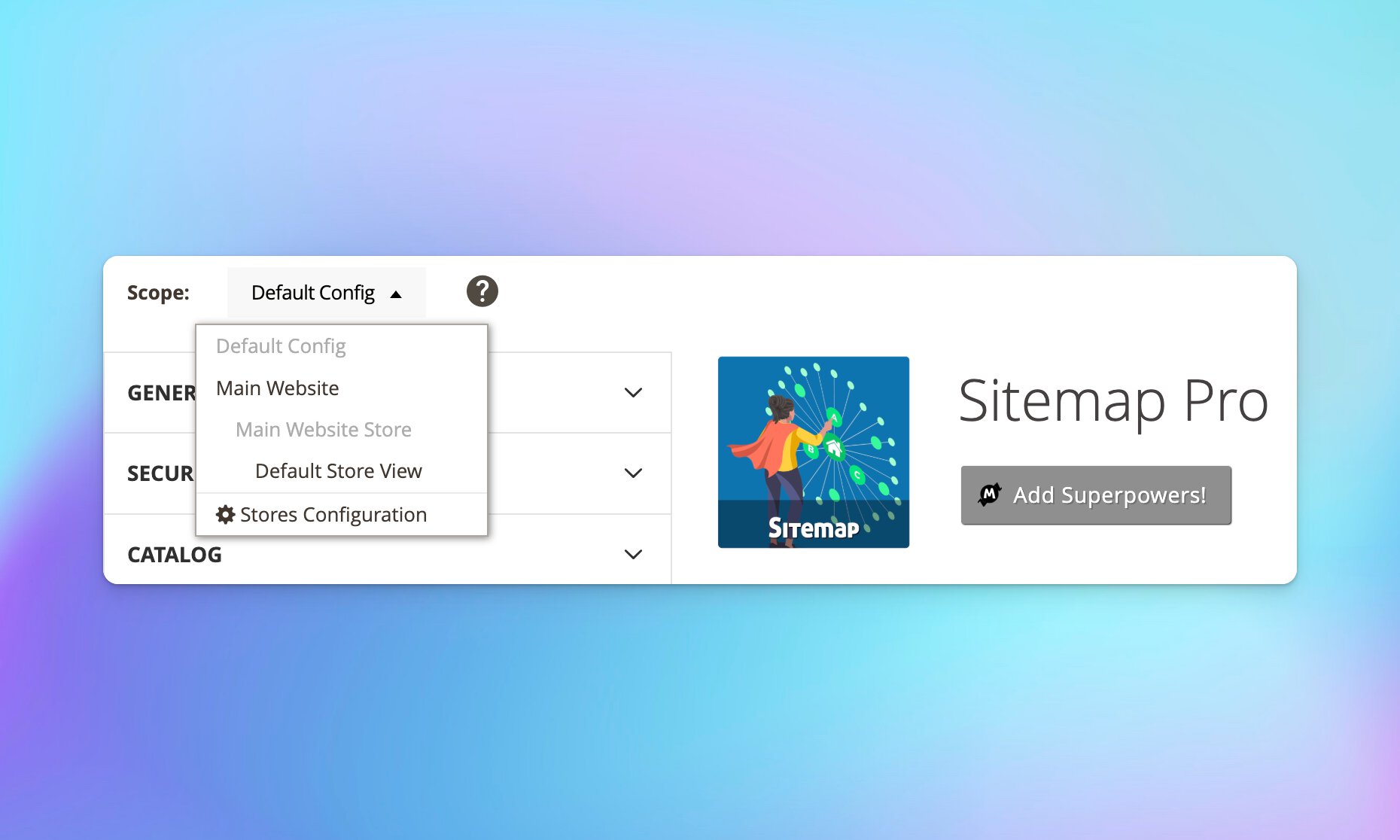
Configuration inheritance means you can set defaults at the global level and override specific settings per store for the Magento 2 sitemap. Set global product priority to 0.5, then bump it to 0.8 for your main store while leaving it at 0.5 for clearance stores.

Enterprise performance features

SiteMap has been battle-tested on stores with massive catalogs, ensuring it can handle complex Magento sitemap URLs. The batch processing system keeps memory usage constant regardless of catalog size, which is crucial for the Magento enterprise solution. Whether you have 1,000 products or 500,000, memory usage stays predictable.

Error handling is comprehensive – if product collection fails, category collection continues. Each phase logs detailed information to help diagnose issues quickly. The module gracefully handles missing products, deleted categories, and other edge cases that crash simpler sitemap generators, ensuring that sitemaps help search engines maintain accurate indexing.

Seamless Magento Integration

Designed to work perfectly with your existing Magento 2 extension setup without conflicts or complications. SiteMap extends Magento’s core functionality using proper architectural patterns, not hacks or rewrites.

Native Magento compatibility

SiteMap doesn’t fight Magento Commerce – it embraces it to improve overall performance and helps the search engines crawl your site more efficiently, as sitemaps help search engines find all relevant content. By using Magento’s URL rewrite system, the module generates the same URLs customers see when browsing your store. No admin URLs, no route-based URLs, just clean, SEO-friendly URLs that match your store’s actual structure, which ensures that sitemaps help search engines understand your site better.

Theme compatibility means SiteMap works whether you’re running default Luma, a premium theme like Porto, or modern Hyvä. The module operates at the model/controller layer and doesn’t depend on frontend code in the Magento XML sitemap.

30 day Moneyback Guarantee – we want your

Ready to optimize your store's SEO?

Pro

$ 250 /year
  • Basic XML sitemap generation
  • Advanced lastmod control
  • Automatic sitemap splitting
  • Email notification of errors
  • Comprehensive Onboarding ✓ Up to 4 hours of personalized onboarding included
    ✓ We'll install and configure the plugin for you
    ✓ This will cover most use cases and will let us set it up to most benefit your business
  • Priority Support ✓ Ongoing support
    ✓ Priority 1 business day SLA
Popular

Seed

Free .
  • Basic XML sitemap generation

FAQ

Does SiteMap work with large catalogs?

Yes! SiteMap is specifically designed for large catalogs. The database-backed collection system and automatic splitting handle catalogs with 100,000+ products efficiently. The batch processing prevents memory issues, while the two-phase approach (collect, then export) ensures reliable generation even on shared hosting.

Can I customize which products appear in my sitemap?

Absolutely. Configure visibility rules, exclude specific categories, and set store-specific filters in the sitemap settings to optimize your XML SEO sitemap. SiteMap respects Magento’s visibility settings and store assignments, so products only appear in appropriate store sitemaps, optimizing sitemap links. You can also use the content type toggles to include or exclude entire content categories.

How does sitemap splitting work?

When your catalog exceeds 50,000 URLs, SiteMap automatically creates multiple sitemap files (sitemap-products-1.xml, sitemap-products-2.xml, etc.) for the Magento 2 sitemap. and generates a sitemap_index.xml file that references them all, enhancing the sitemap location for search engines crawl. Search engines read the index file and discover all your sitemap files automatically, which is vital for a successful Magento installation. This complies with Google’s 50,000 URL limit per file for the sitemap URL.

What’s the difference between randomize and modify for lastmod dates?

Randomize the sitemap in Magento 2 to enhance the distribution of your content. spreads lastmod dates across the last 7 days, useful for encouraging frequent crawling of active catalogs in the context of a Magento 2 SEO sitemap. Modify spreads dates across a 4-6 month window, signaling content maturity and reducing crawl frequency for stable catalogs. Use modify when products have old, identical creation dates that make your content look stale.

Does it work with Hyvä themes?

Yes! SiteMap works with Luma, Porto, Hyvä, and other themes because it operates at the backend/API layer. Sitemap generation doesn’t depend on frontend theme code, so compatibility is guaranteed with the Magento 2 XML sitemap extension.

Can I schedule automatic sitemap generation?

Yes, the HTML sitemap improves user navigation and complements your XML sitemap strategy. SiteMap integrates with Magento’s cron system. Configure the generation frequency in admin (daily, weekly, etc.) and cron handles it automatically to improve search engine visibility, ensuring that sitemaps help search engines index your content efficiently. You can also use CLI commands in your own custom cron jobs for more control.

Ready to optimize your store’s SEO?

Join hundreds of successful Magento stores using SiteMap to improve search visibility, drive organic traffic, and grow their business. Professional XML sitemaps are just the beginning – with advanced features like image sitemaps, intelligent splitting, and real-time progress tracking, you’re getting a complete SEO foundation.

Get started today and experience the difference professional sitemap management makes.

Annual subscriptions for the sitemap generator extension are available. (pp-toggle-slider) Monthly updates to the Magento sitemap URL can help maintain optimal search engine rankings.

Is it easy to install?

Yes! If you’ve installed Magento extensions before, you’ll find it easy. See our guide if you’re not sure, or grab our paid install service.

Compatibility

Recent Magento® 2 Open Source & Commerce versions are supported.
(Open Source: 2.3.5-2.4.8; Commerce: 2.3.5-2.4.8)

Live demo

Moogento helps businesses like yours, every day 🚀

Compare Sitemap Plans