Install it
Composer install, enabling the module and registering your free key, step by step.

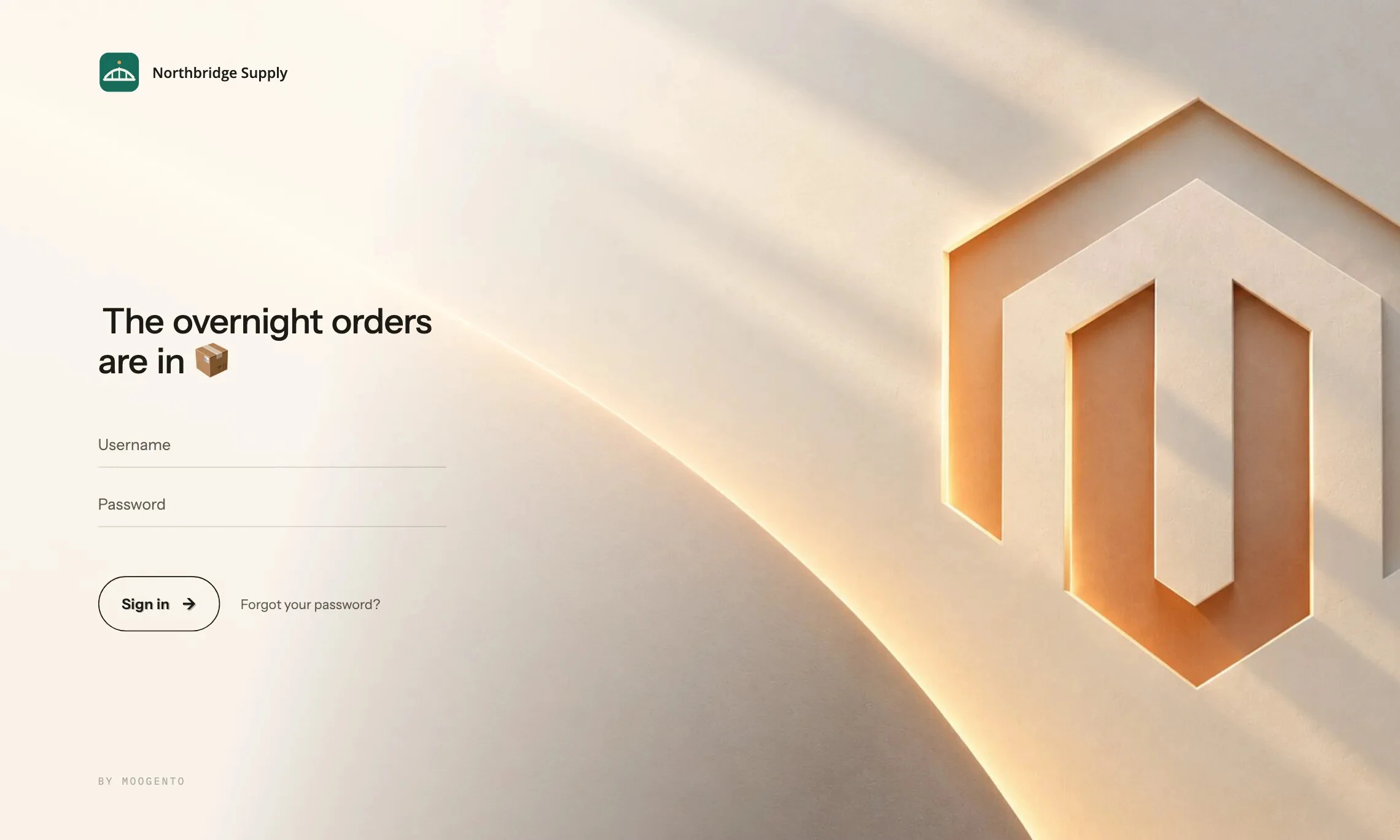
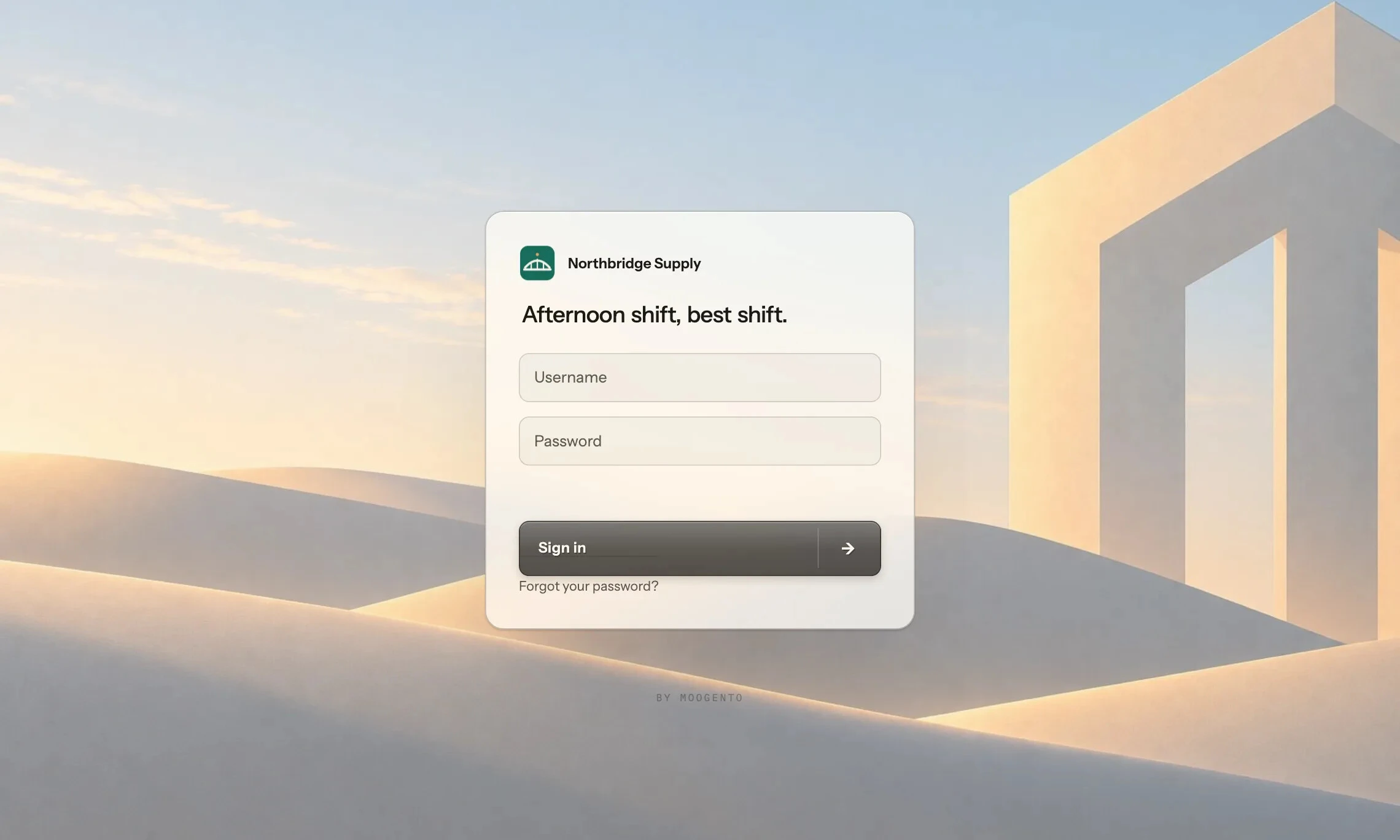
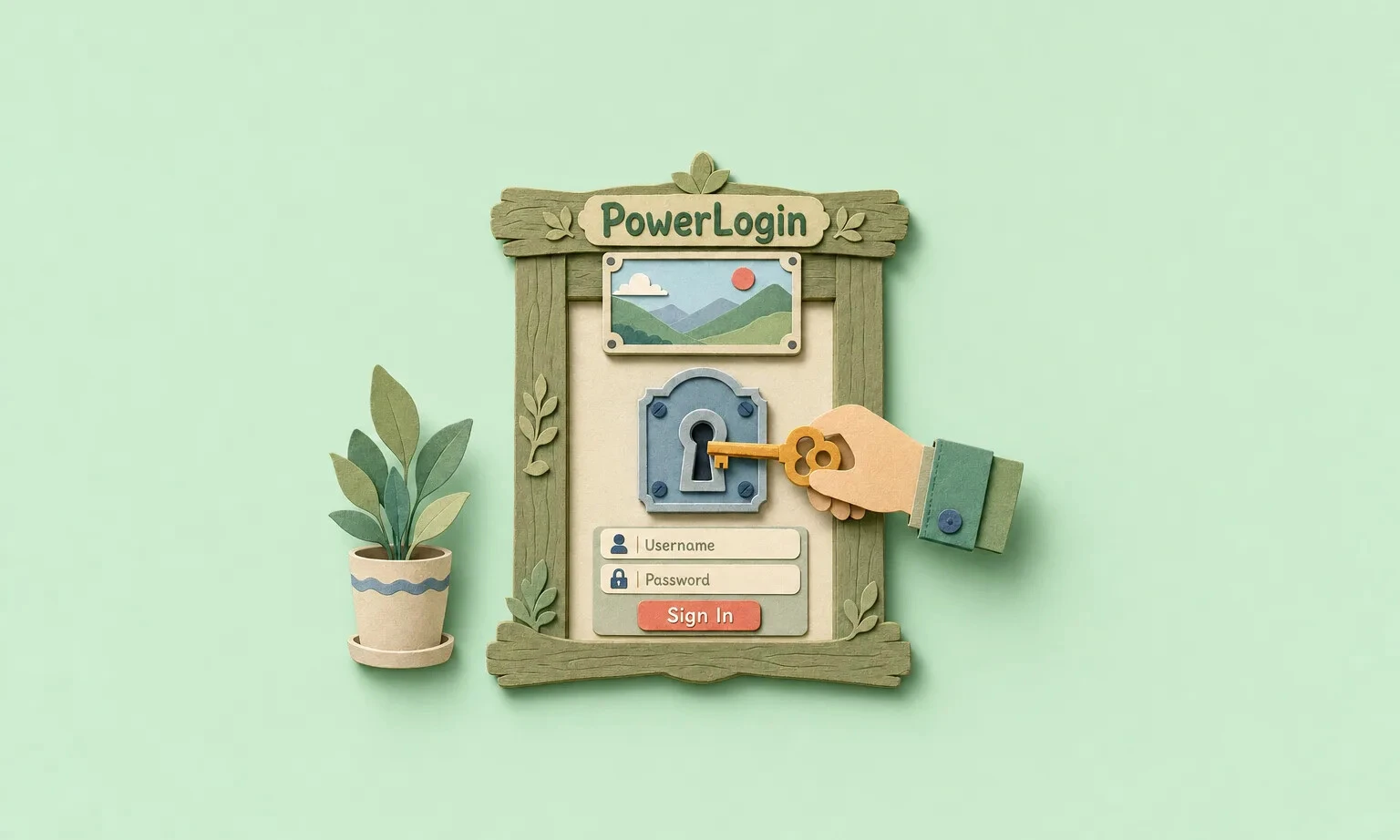
The stock Magento login is the same grey box on every store in the world. PowerLogin replaces it with a sign-in screen that carries your logo, your photography and a greeting for the time of day, then sends each admin straight to their own work.
• Covers the sign-in and two-factor screens
• Admin only so your storefront never changes
• Never in the path of your password
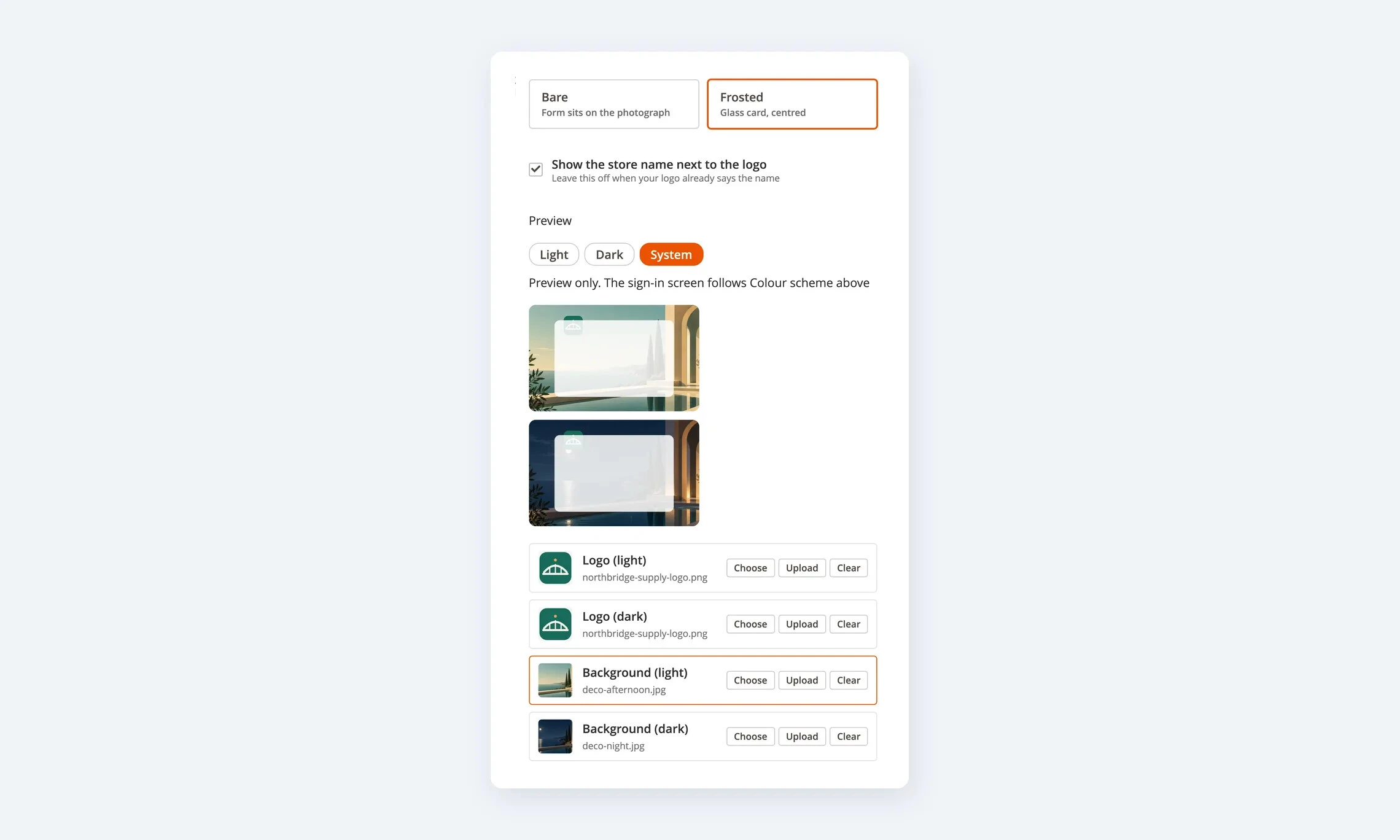
After free registration, set Enable PowerLogin and Brand the login screen to Yes; your admin login then shows your logo over a full-screen photograph.
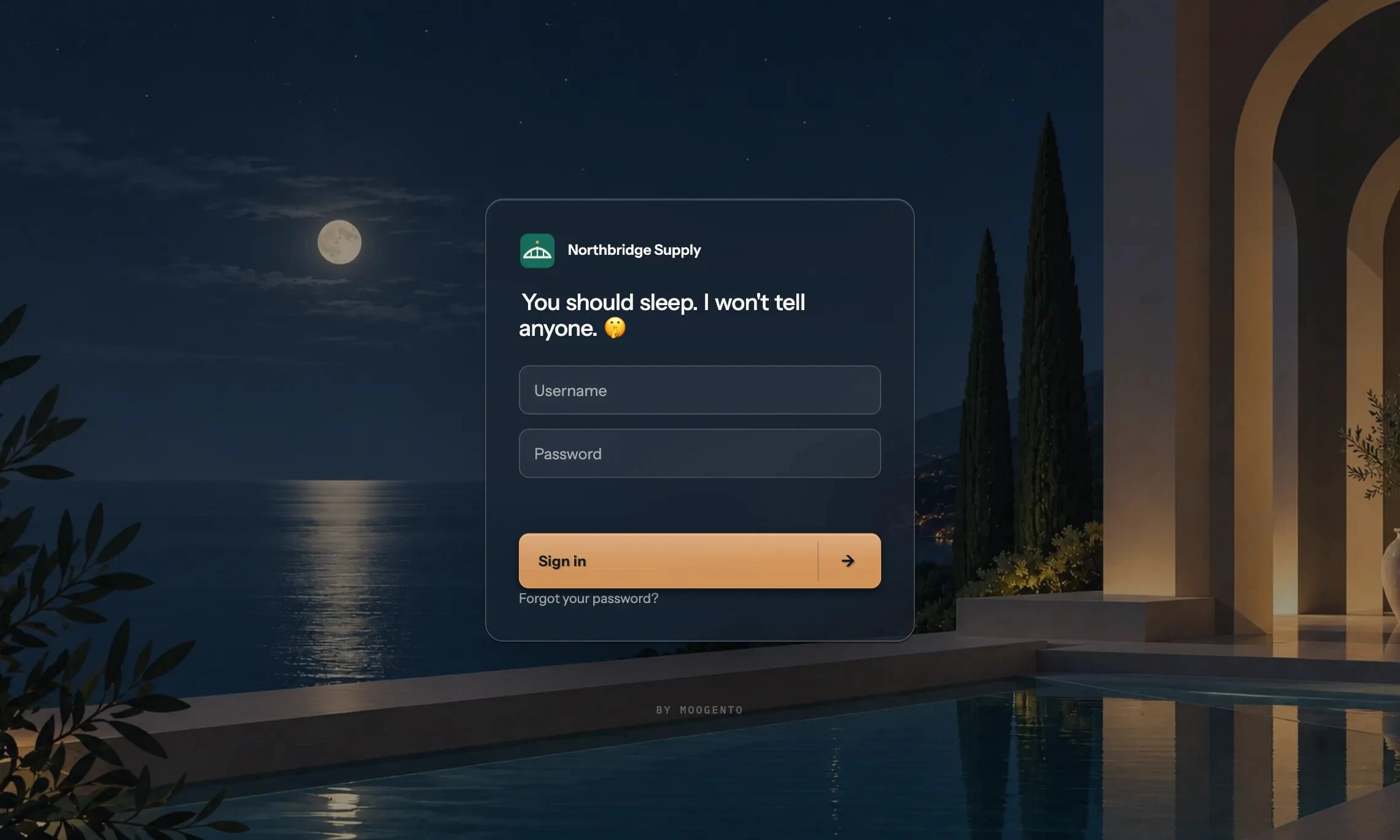
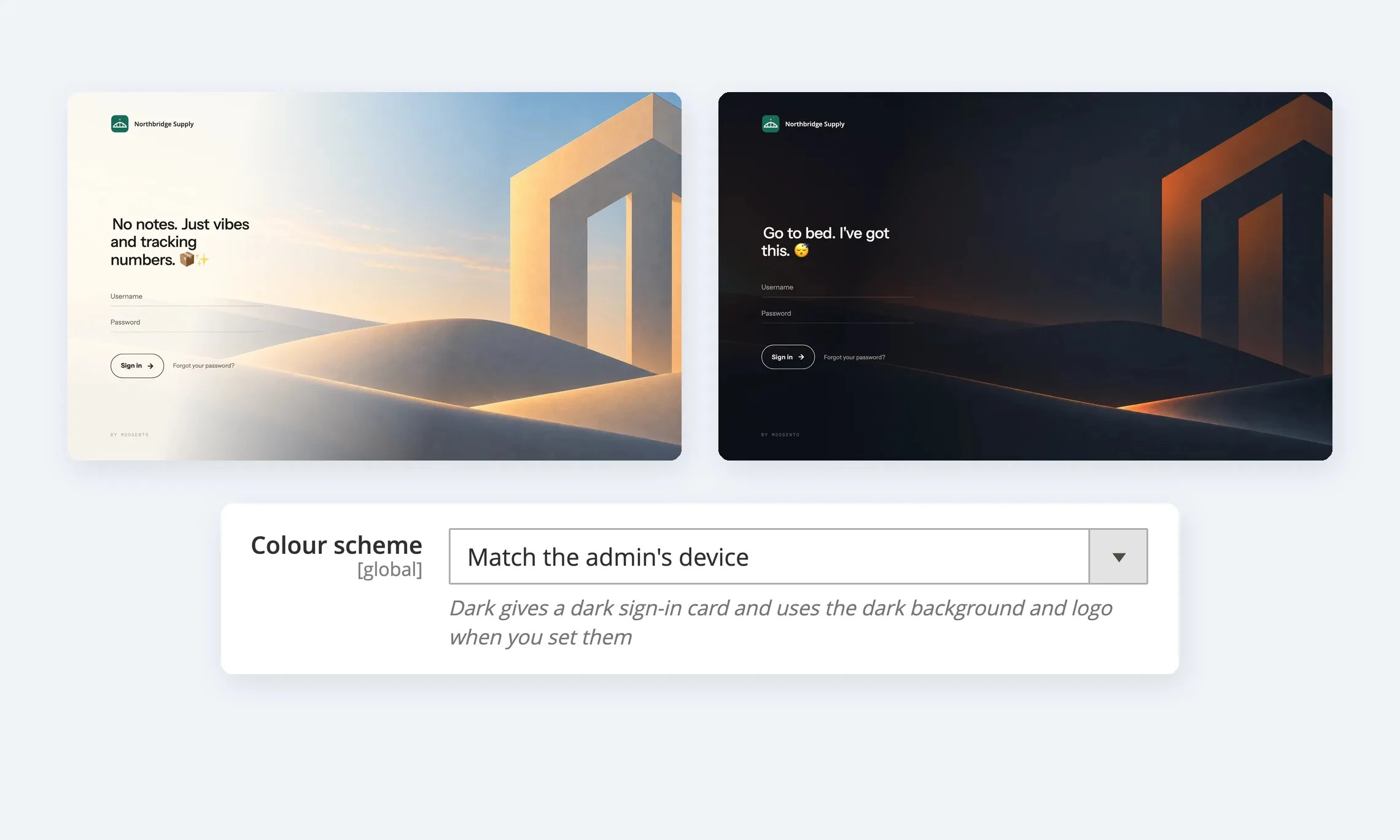
Pick dark, or let the screen follow each visitor's device or clock, and a darker photograph and logo take over.
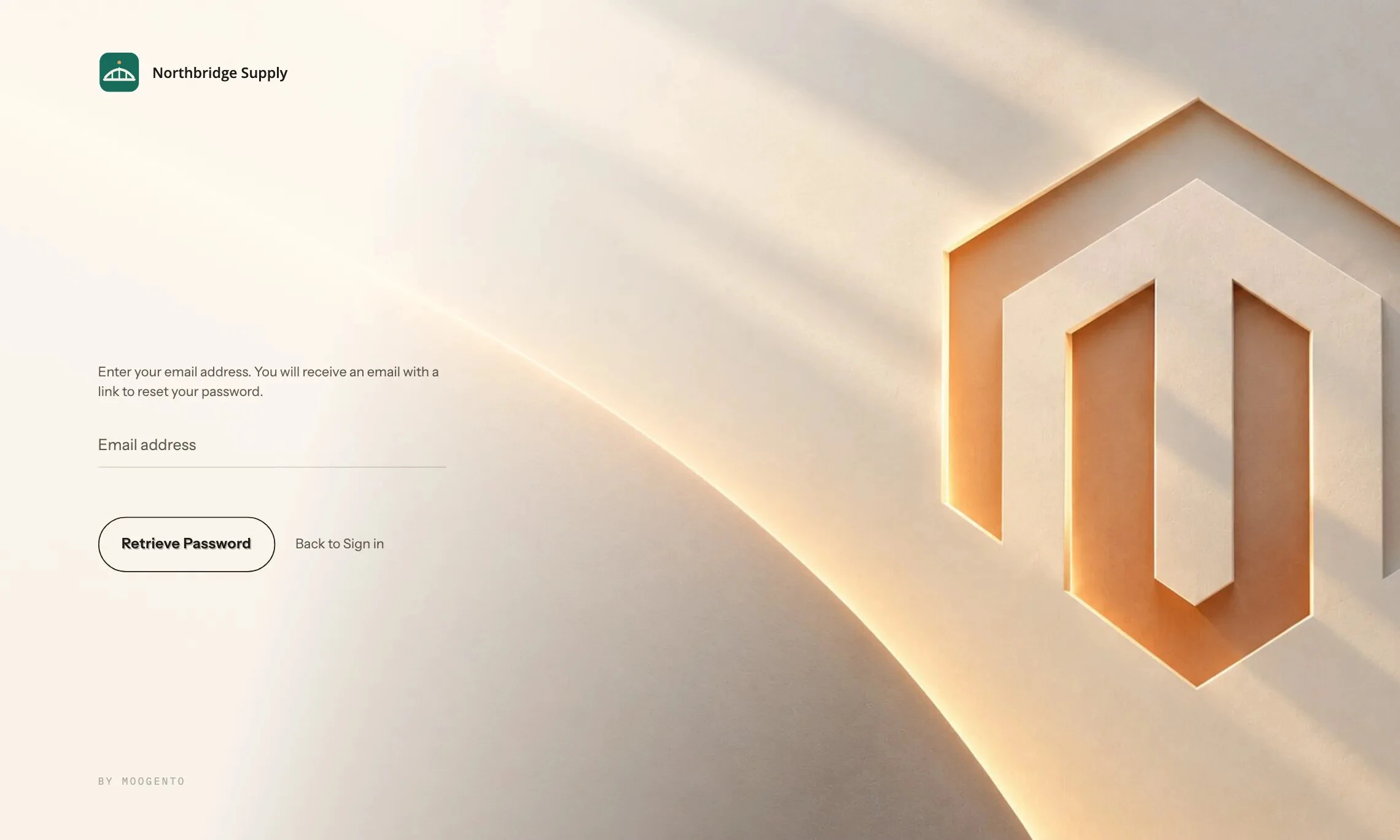
Forgot your password? The card turns over to the recovery form, so nobody lands on a bare Magento page halfway through.
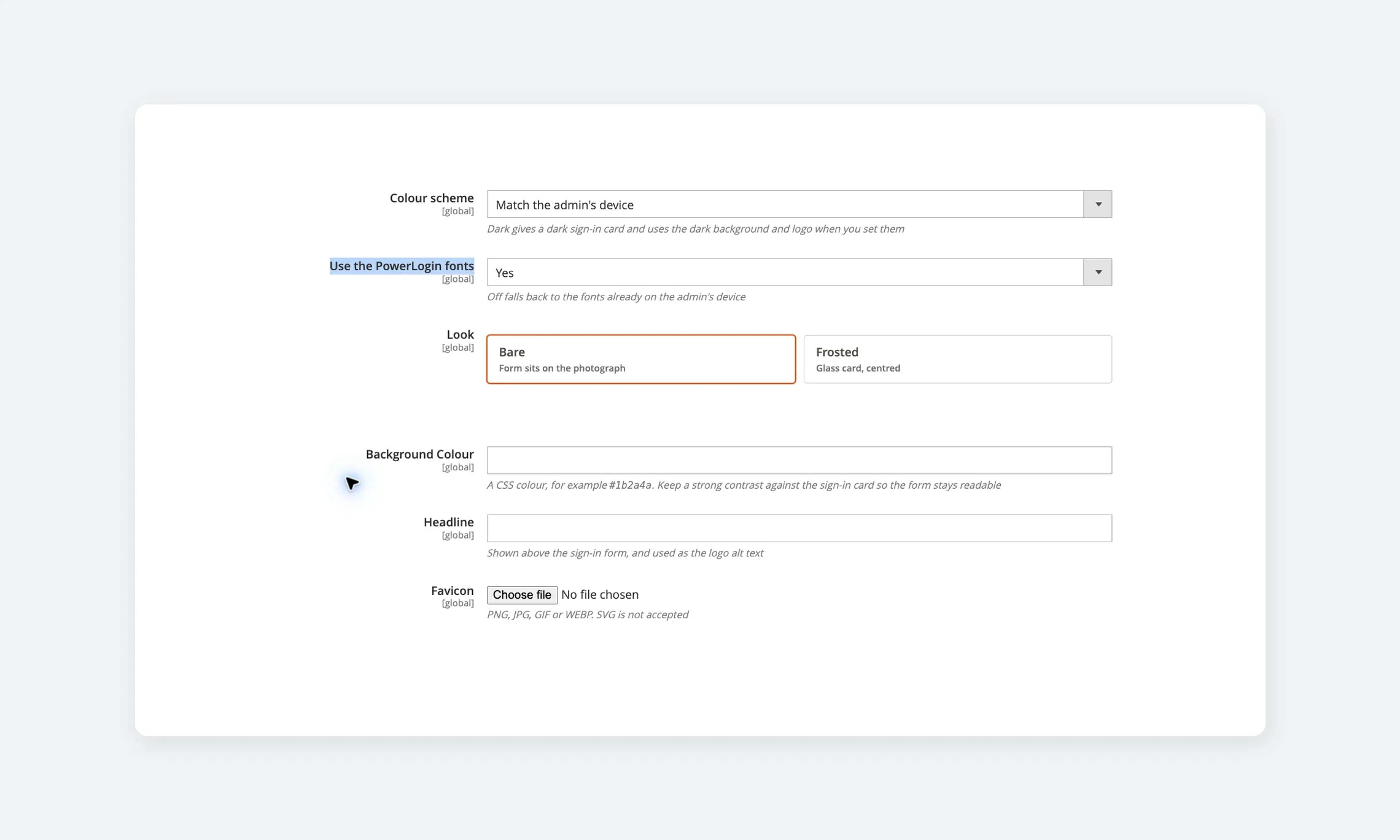
The Look panel shows your photographs, logos, style and greetings together on one screen.
Every member of staff sees the sign-in screen at least once a day. PowerLogin makes that screen look like part of your business rather than part of someone else's software.
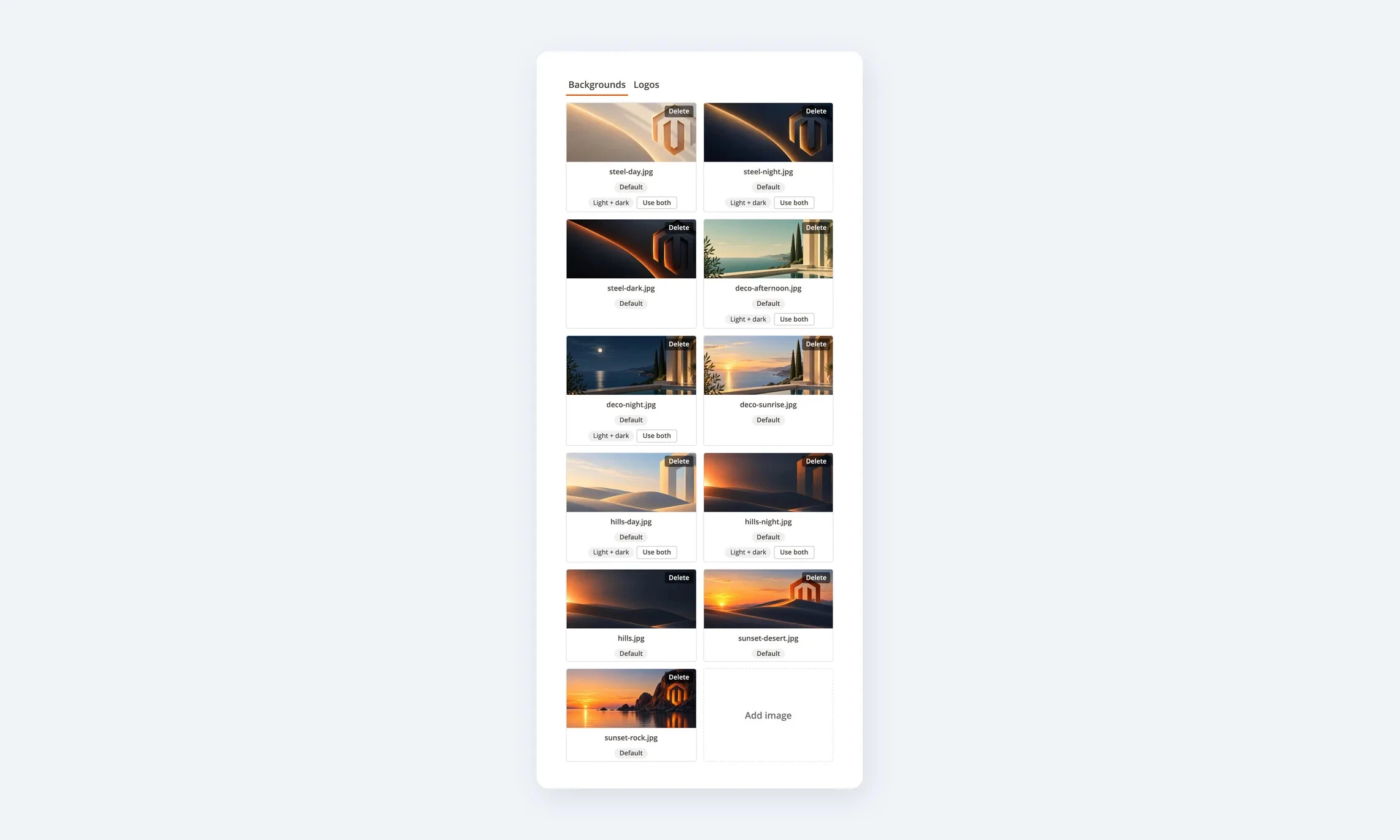
Eight background presets ship with PowerLogin, and your own images sit in the same library beside them.
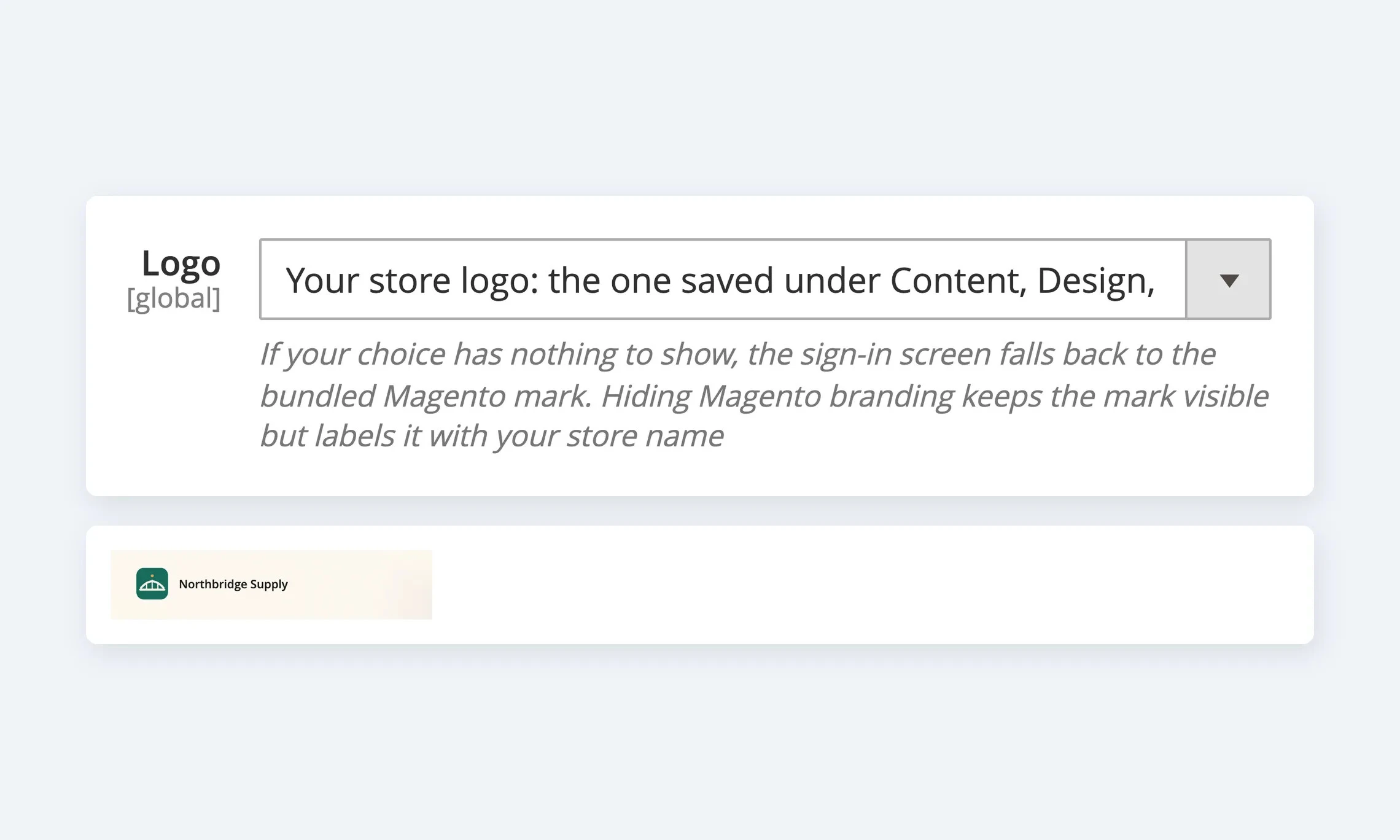
The sign-in screen shows your storefront logo by default, so most stores see their own brand the moment they switch it on.
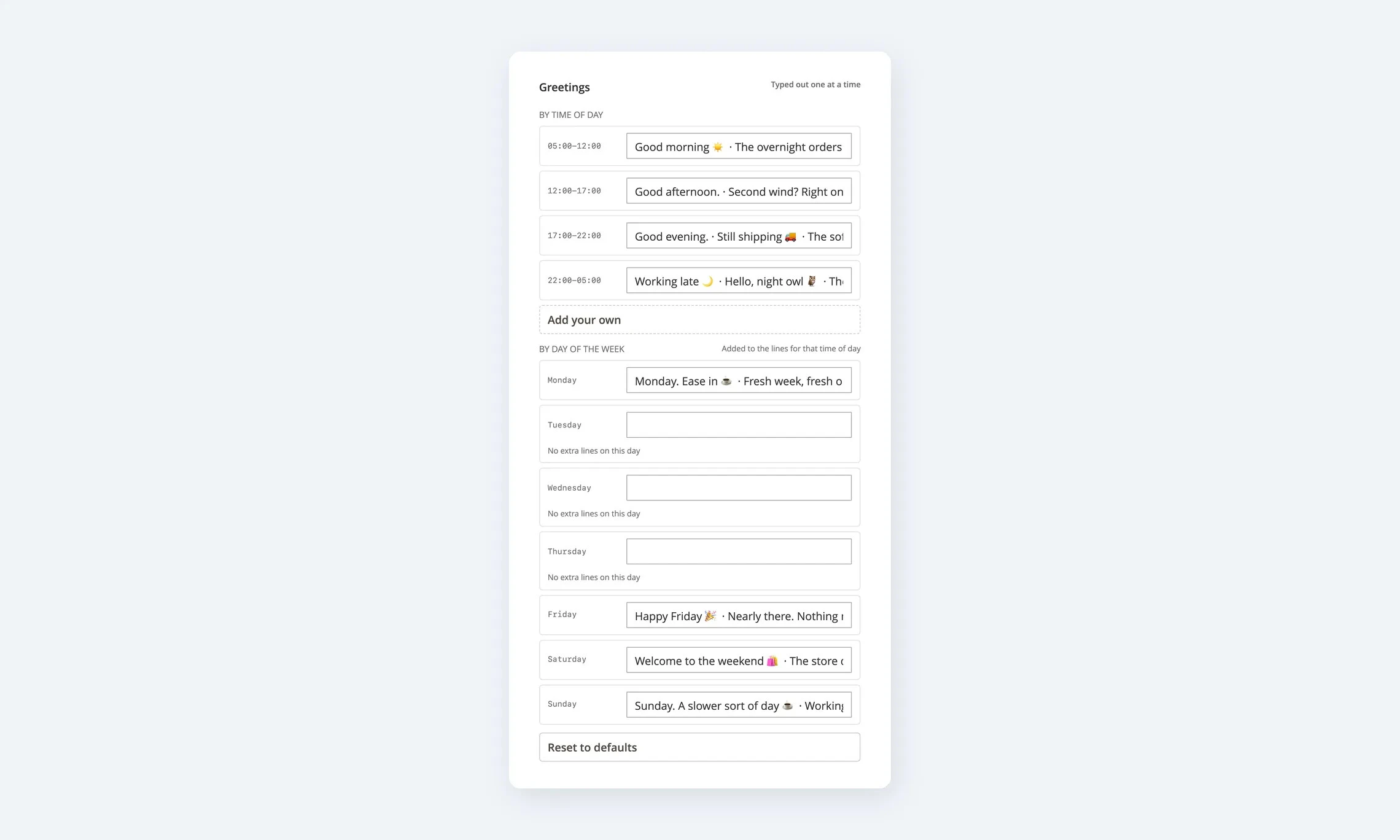
A short greeting types itself above the form, chosen for the visitor's own morning, afternoon, evening or night.
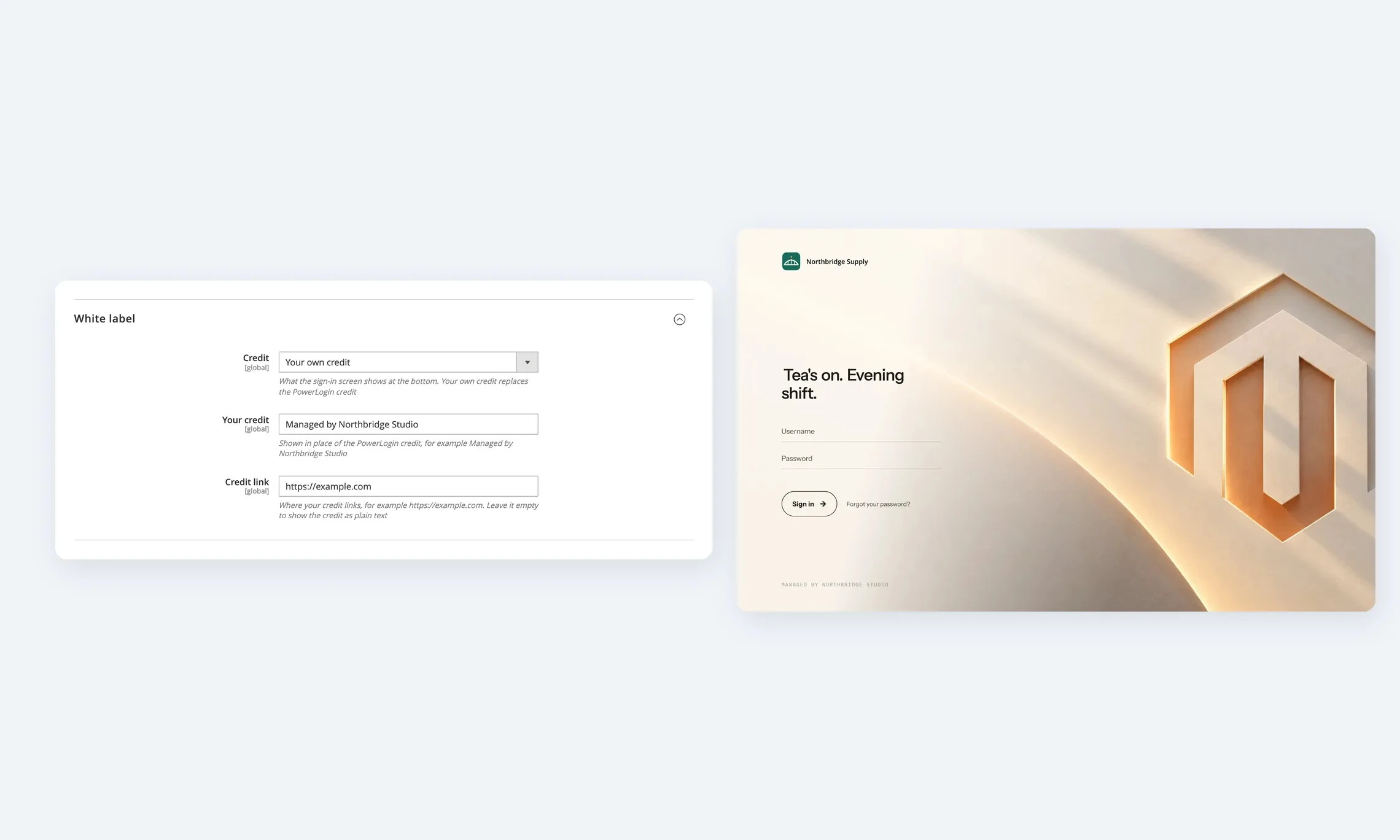
PowerLogin Pro replaces the small PowerLogin credit with your own text and link, or removes it completely.
PowerLogin is designed rather than restyled, so the whole sign-in journey keeps the same look from the first screen to the last.
Free to install, free to register, and on your admin login in about five minutes.
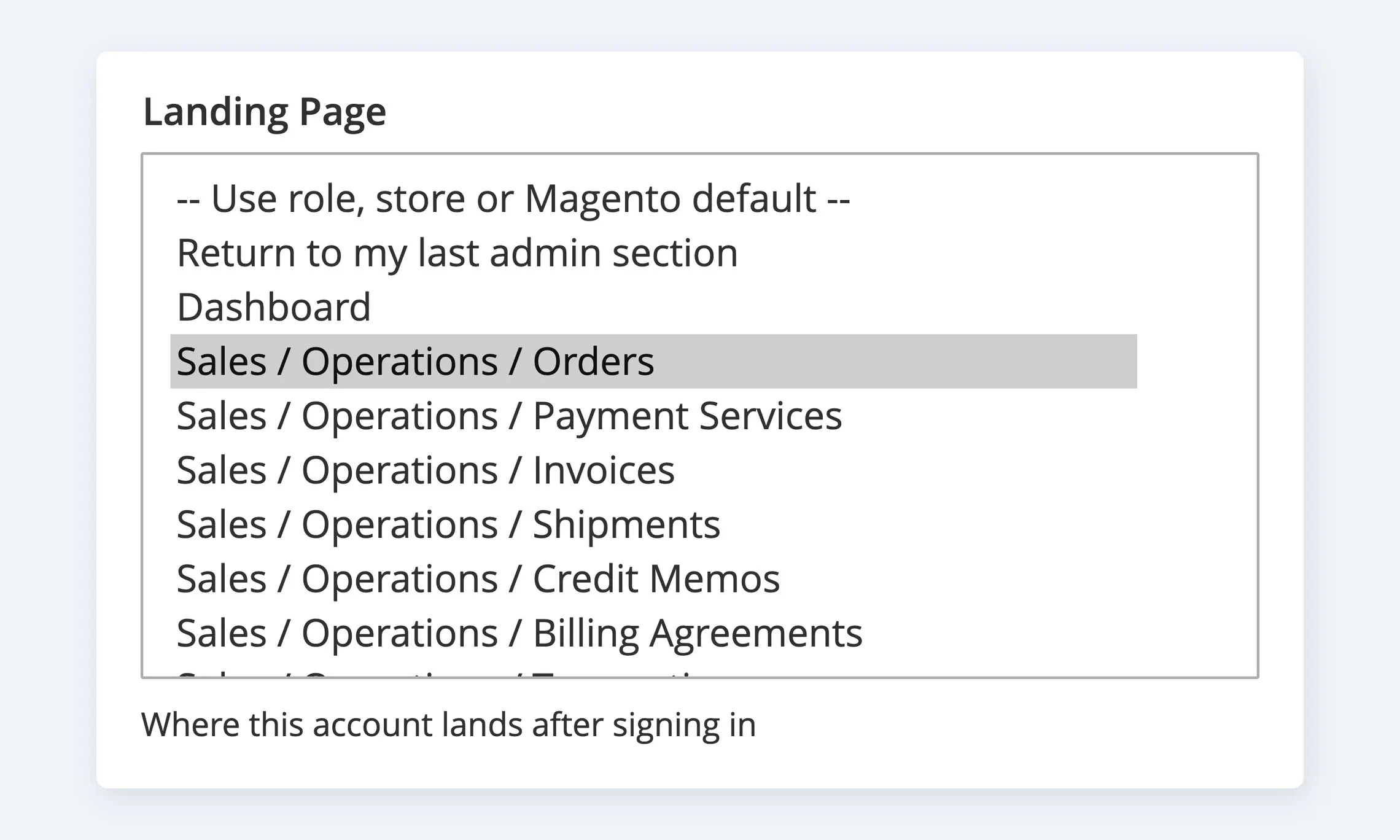
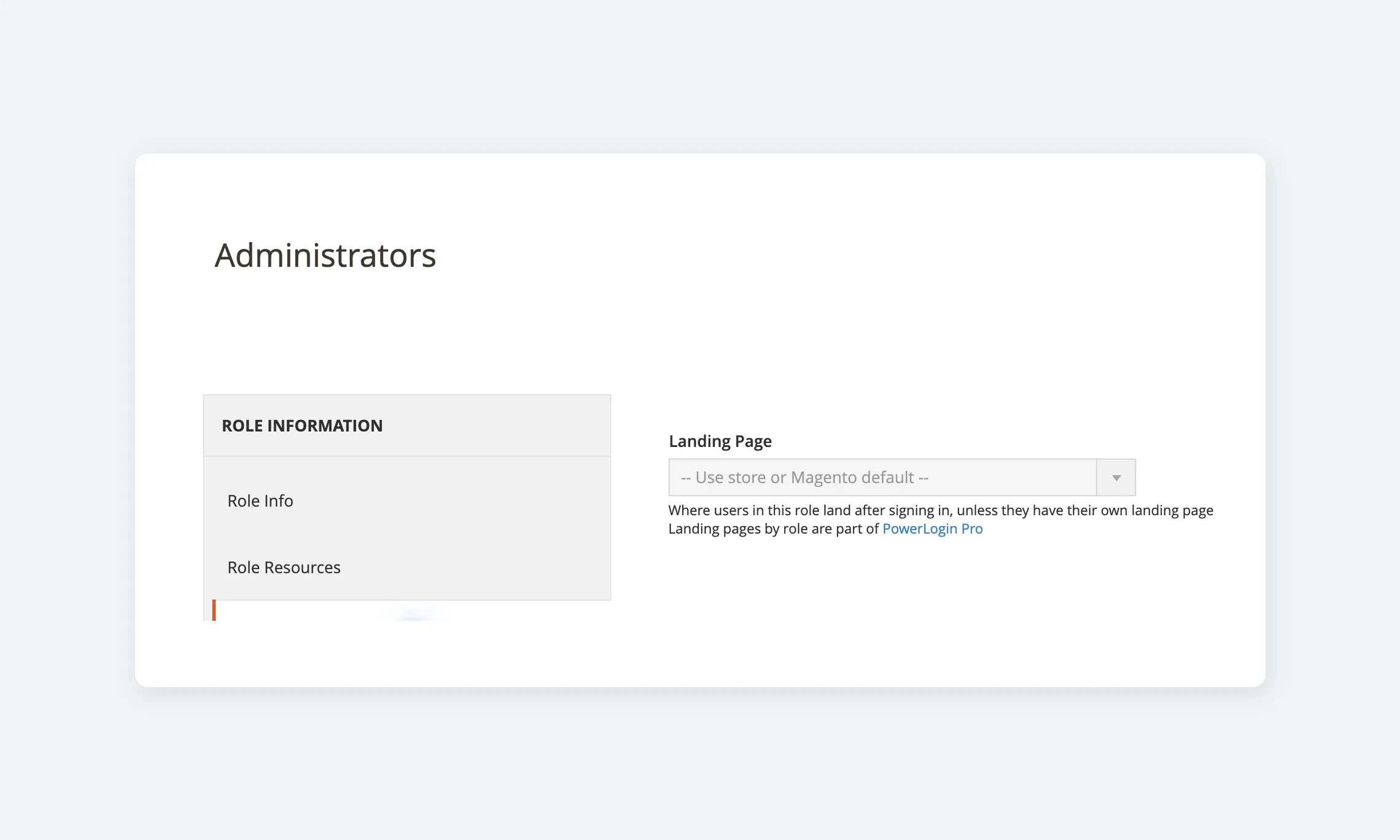
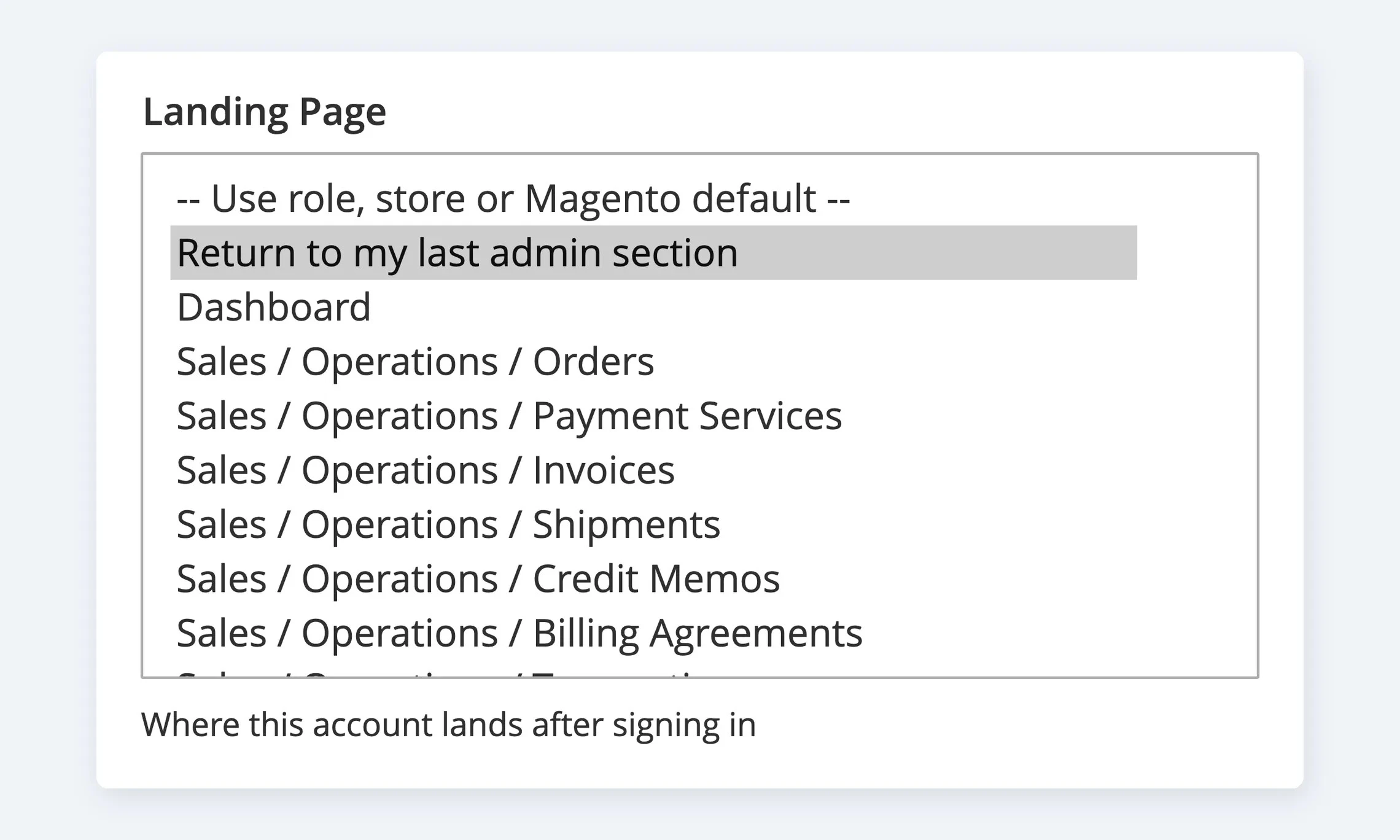
Magento sends every admin to the same start page. PowerLogin sends each admin to the screen they actually work in, which saves a few clicks every morning and a question for every new starter.
Set it once on a role and every user in that role follows, unless they have their own choice.
An administrator with user-management access can set this option on each admin's user account.
A beautiful login that fights your password manager is worse than the one it replaced. PowerLogin keeps Magento's own sign-in form underneath the design.
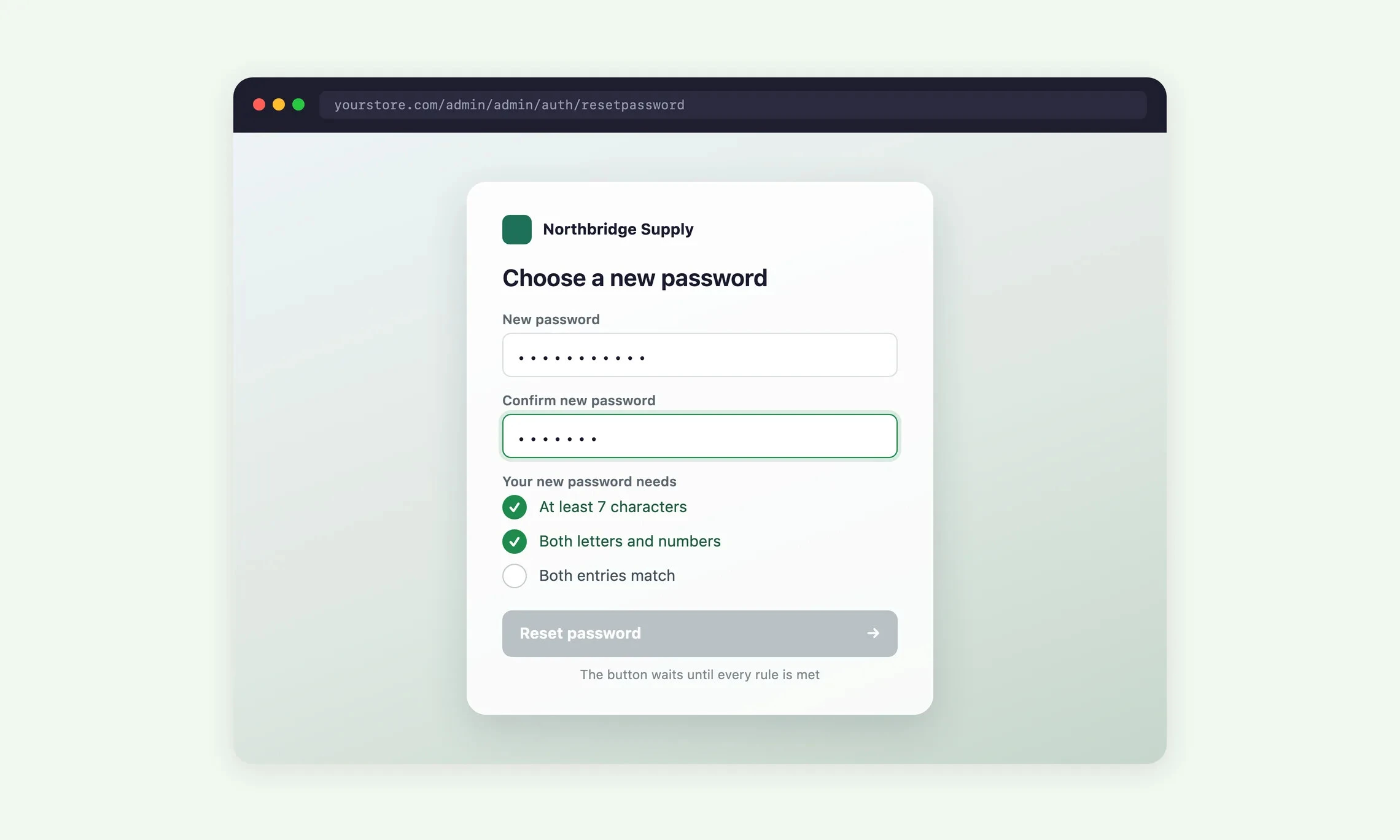
The reset password screen lists your store's password rules and ticks each one off as it is met.
Magento's two-factor screens pick up the same photograph, colours and card, so nothing looks out of place.
A login screen add-on has one job it must never get wrong: letting you in. PowerLogin is built so that it cannot be the reason you are locked out.
PowerLogin changes how the sign-in screen looks and where you land afterwards, and nothing about how Magento checks your password.
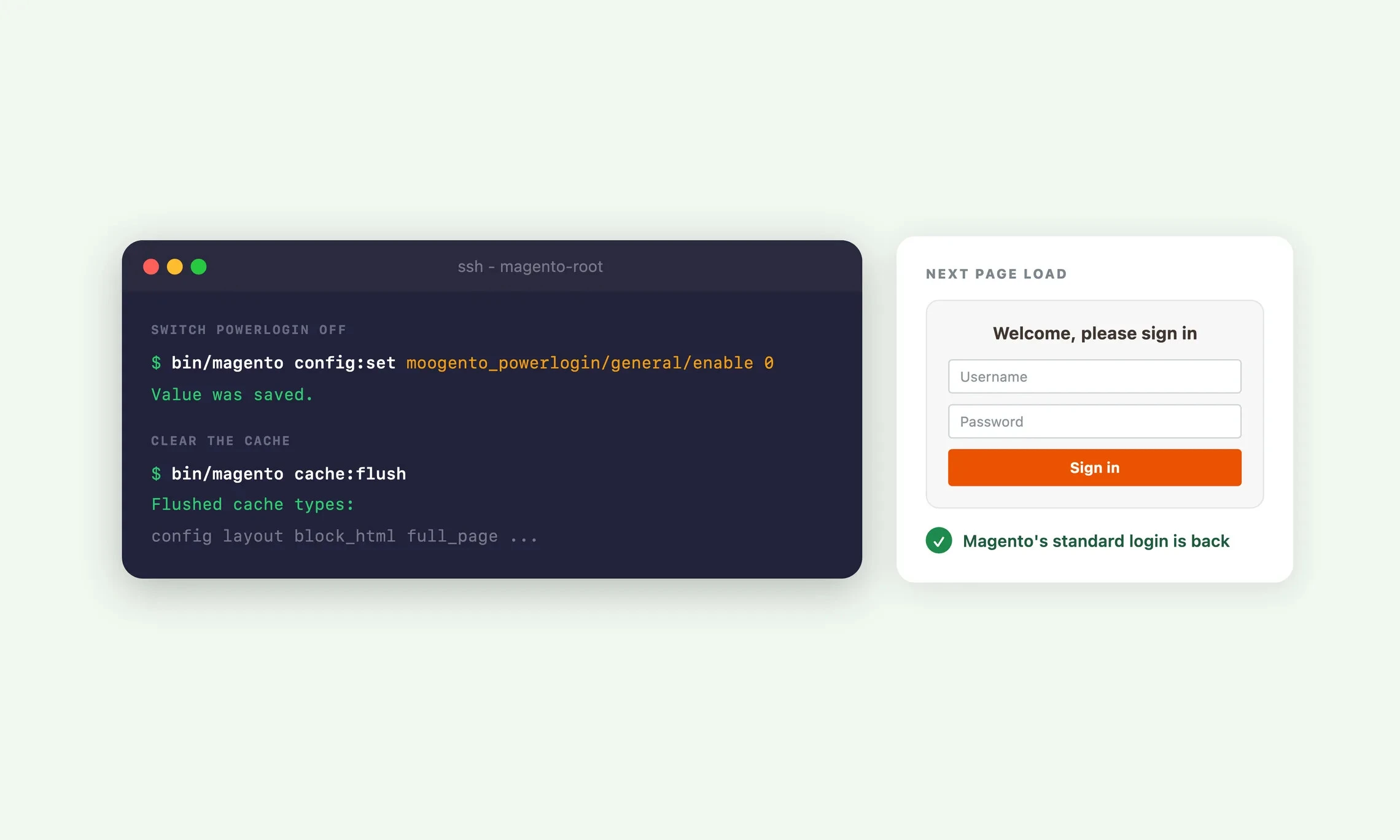
If you are locked out, run two server commands to disable PowerLogin and flush Magento's cache, then try the standard admin login again.
What does PowerLogin actually do?
PowerLogin replaces the plain Magento admin login with a branded sign-in screen, and sends each admin to their own landing page after they sign in. It covers the sign-in, password recovery, password reset and two-factor screens, and it never changes how Magento checks your password.
Is PowerLogin really free?
Yes, PowerLogin is free to download and use after free registration, with only the custom credit, role landing pages and return-to-last-section requiring Pro. Registration is a free key you request through moogento.com, and Composer access keys from My Plugins are still needed to download the package. PowerLogin does not need Moogento Core, Moogento License or another module.
What does PowerLogin Pro add?
PowerLogin Pro lets you replace the small PowerLogin credit under the sign-in card with your own text and link, or remove it entirely, set landing pages by role, and let admins return to the last section they had open. It is a paid add-on installed alongside the free module, and a valid Pro licence also covers registration, so you only enter one key.
How do I install PowerLogin?
PowerLogin installs with Composer, and the whole flow takes about five minutes. The PowerLogin user guide has every step, including where to find your access keys and where to paste your registration key.
Can PowerLogin lock me out of my admin?
No. PowerLogin never touches how Magento checks your password, and if anything on the sign-in screen fails, Magento's standard login is shown instead. If you need to switch it off without signing in, run the server configuration command and flush Magento's cache; the user guide lists both steps.
Will my password manager still fill in the login?
Yes. The sign-in form keeps Magento's own field names, and PowerLogin adds the labels and hints that 1Password, iCloud Keychain, Bitwarden and the browsers' own managers look for, including on the reset password and one-time code screens.
Does it work with two-factor authentication?
Yes. Magento's two-factor screens pick up the same photograph and card, while the two-factor form itself stays exactly as Magento built it. Landing pages are only applied after the two-factor check has passed.
Does PowerLogin work alongside Moogento AdminLogin?
No. Moogento AdminLogin takes precedence over the same sign-in screen, so PowerLogin branding will not appear while AdminLogin is enabled. Disable one of the modules to choose which one controls the login page.
Can different staff land on different admin menu pages?
Yes, an administrator with user-management permission can assign each admin a permitted menu page, with a store-wide default for everyone else. PowerLogin Pro adds one landing page per role. A user's own choice wins, then their role, then the store default, and nobody is sent to a page their role cannot open.
Does it change my storefront or theme?
No. PowerLogin only changes the admin sign-in screens and the admin menu logo, so Luma, Porto, Hyva and every other storefront theme are untouched.
Does the sign-in screen load images from Unsplash?
No, PowerLogin imports the selected photo to your store and serves it through Magento's configured media URL, which may use your CDN. To search and import photos, add your own Unsplash access key in the Look settings; requests contact Unsplash only from that screen. An Unsplash photographer credit appears on the login screen and can be switched off.
What happens if I switch it off?
Magento's standard admin login is back on the next page load, and admins land on Magento's normal start page. Your settings stay saved, so switching it back on restores your look exactly as it was.
Where do I get help with it?
Our support desk covers every Moogento module, free ones included. The user guide answers most setup questions on its own, so it is worth a look first; if you do write in, include your Magento version and what you are seeing.
Moogento helps businesses like yours, every day 🚀
PowerLogin is free, so try it on a staging store: install it, register, and your own admin login changes the moment you switch it on.
Read the install steps
| Version | Release date | Changes |
|---|---|---|
| 1.2.0 | 24/09/2026 | Role landing pages and return-to-last-section become Pro features |
| The store-wide landing page is offered whenever landing pages are on | ||
| 1.1.0 | 23/09/2026 | Unsplash photos without a key, with a photographer credit |
| 1.0.1 | 23/09/2026 | Polished first sign-in on new installs |
| Livelier sign-in greetings | ||
| Point the white-label note at the product page | ||
| Point free installs at the white-label upgrade | ||
| Put your own credit on the admin sign-in screen (Pro plan) | ||
| Return admins to their last section | ||
| Clearer landing choices and a more helpful registration prompt |
Pro | Free | |
$49 /year | $0 | |
A sign-in screen that is yours
Your logo, your photography and a greeting for the time of day on the admin login
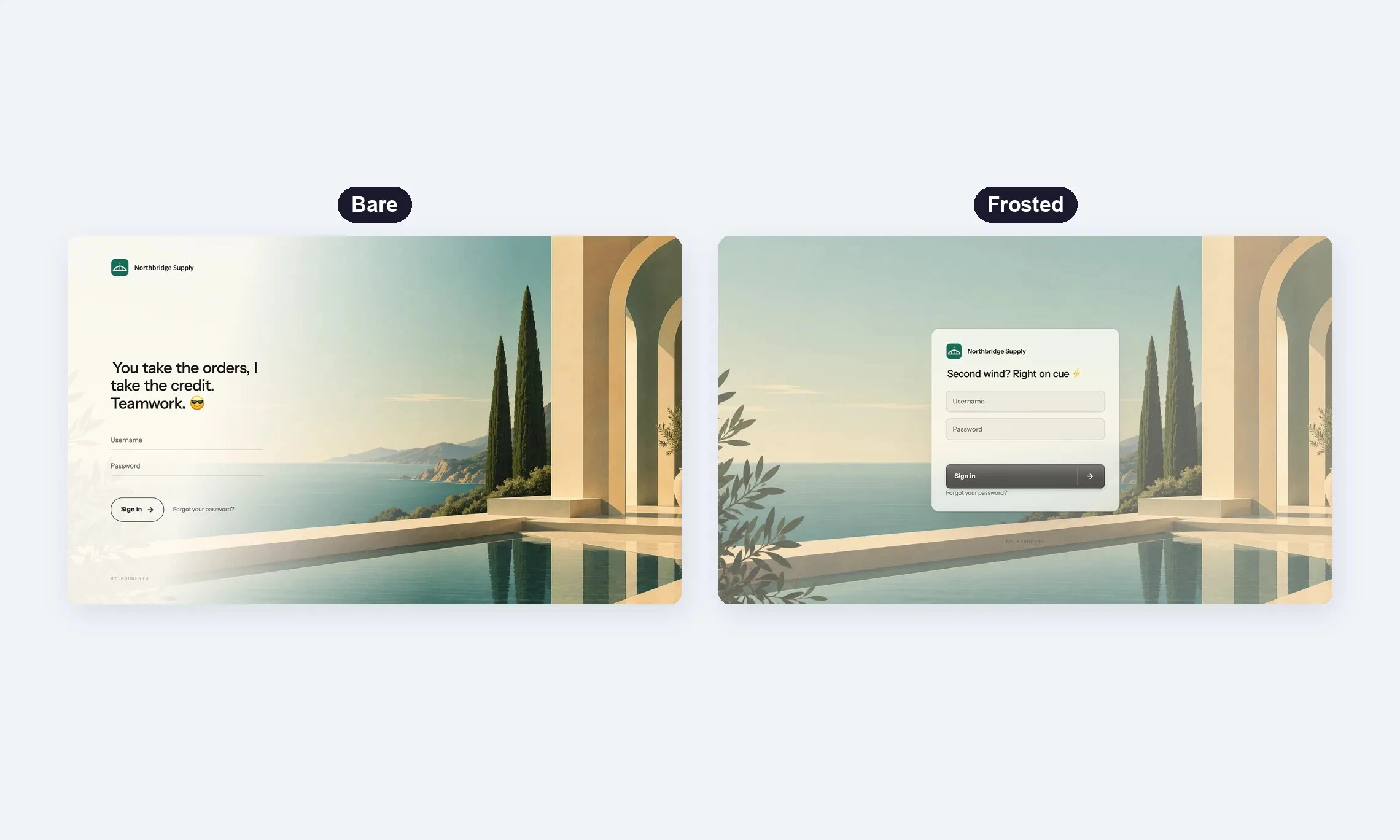
Includes: • Bare or Frosted style • Store logo by default, or one uploaded just for sign-in • Magento branding and copyright line hidden • Forgot password, reset and two-factor screens in the same style | ||
Photo library and your uploads
Eight background presets ready to use, plus your own images
Includes: • PNG, JPG, GIF or WEBP uploads • Separate night photograph for dark mode • Optional Unsplash search with your own key | ||
Light, dark and clock schemes
Four colour schemes decide when the screen goes dark
Includes: • Follow each admin's device setting • Always light or always dark • Dark after 7pm on the visitor's own clock | ||
A landing page for each admin
Each admin lands on the page they actually work in
Includes: • Per-user landing page • A store-wide default for everyone else • Never sends anyone to a page their role cannot open | ||
Admin menu logo
Your logo at the top of the admin sidebar too
| ||
Customise the credit link
Free shows a small PowerLogin by Moogento credit under the sign-in card. Pro lets you edit its text and link, or remove it entirely.
Includes: • Your own text, up to 64 characters • An optional link to your site • Covers free registration, so only one key to enter Great for agencies! | ||
Landing pages by role
Set a start page once per role and every user in it follows
Includes: • A user's own choice still comes first • Falls back to the store default, then Magento's start page | ||
Return to the last section
Admins can choose to land back in the admin section they had open last
Includes: • Stores only which menu section was open • Falls through if they can no longer open it | ||
| Key you enter | Your Pro licence key | Free registration key |
| Credit under the sign-in card | Yours, or none | PowerLogin |
| Support | Support desk | Support desk |
| Updates & Magento compatibility | Add to Cart | Add to Cart |
Pro | Free | |
$49 /year | $0 | |
A sign-in screen that is yours
Your logo, your photography and a greeting for the time of day on the admin login
Includes: • Bare or Frosted style • Store logo by default, or one uploaded just for sign-in • Magento branding and copyright line hidden • Forgot password, reset and two-factor screens in the same style | ||
Photo library and your uploads
Eight background presets ready to use, plus your own images
Includes: • PNG, JPG, GIF or WEBP uploads • Separate night photograph for dark mode • Optional Unsplash search with your own key | ||
Light, dark and clock schemes
Four colour schemes decide when the screen goes dark
Includes: • Follow each admin's device setting • Always light or always dark • Dark after 7pm on the visitor's own clock | ||
A landing page for each admin
Each admin lands on the page they actually work in
Includes: • Per-user landing page • A store-wide default for everyone else • Never sends anyone to a page their role cannot open | ||
Admin menu logo
Your logo at the top of the admin sidebar too
| ||
Customise the credit link
Free shows a small PowerLogin by Moogento credit under the sign-in card. Pro lets you edit its text and link, or remove it entirely.
Includes: • Your own text, up to 64 characters • An optional link to your site • Covers free registration, so only one key to enter Great for agencies! | ||
Landing pages by role
Set a start page once per role and every user in it follows
Includes: • A user's own choice still comes first • Falls back to the store default, then Magento's start page | ||
Return to the last section
Admins can choose to land back in the admin section they had open last
Includes: • Stores only which menu section was open • Falls through if they can no longer open it | ||
| Key you enter | Your Pro licence key | Free registration key |
| Credit under the sign-in card | Yours, or none | PowerLogin |
| Support | Support desk | Support desk |
| Updates & Magento compatibility | Add to Cart | Add to Cart |
The best admin login is the one that looks like your business, sends every admin straight to their work, and never stands between you and your store.
30 DAY MONEYBACK GUARANTEE - WE WANT YOUR ❤️ !