Install it
Composer install, licence key and the two provider keys.
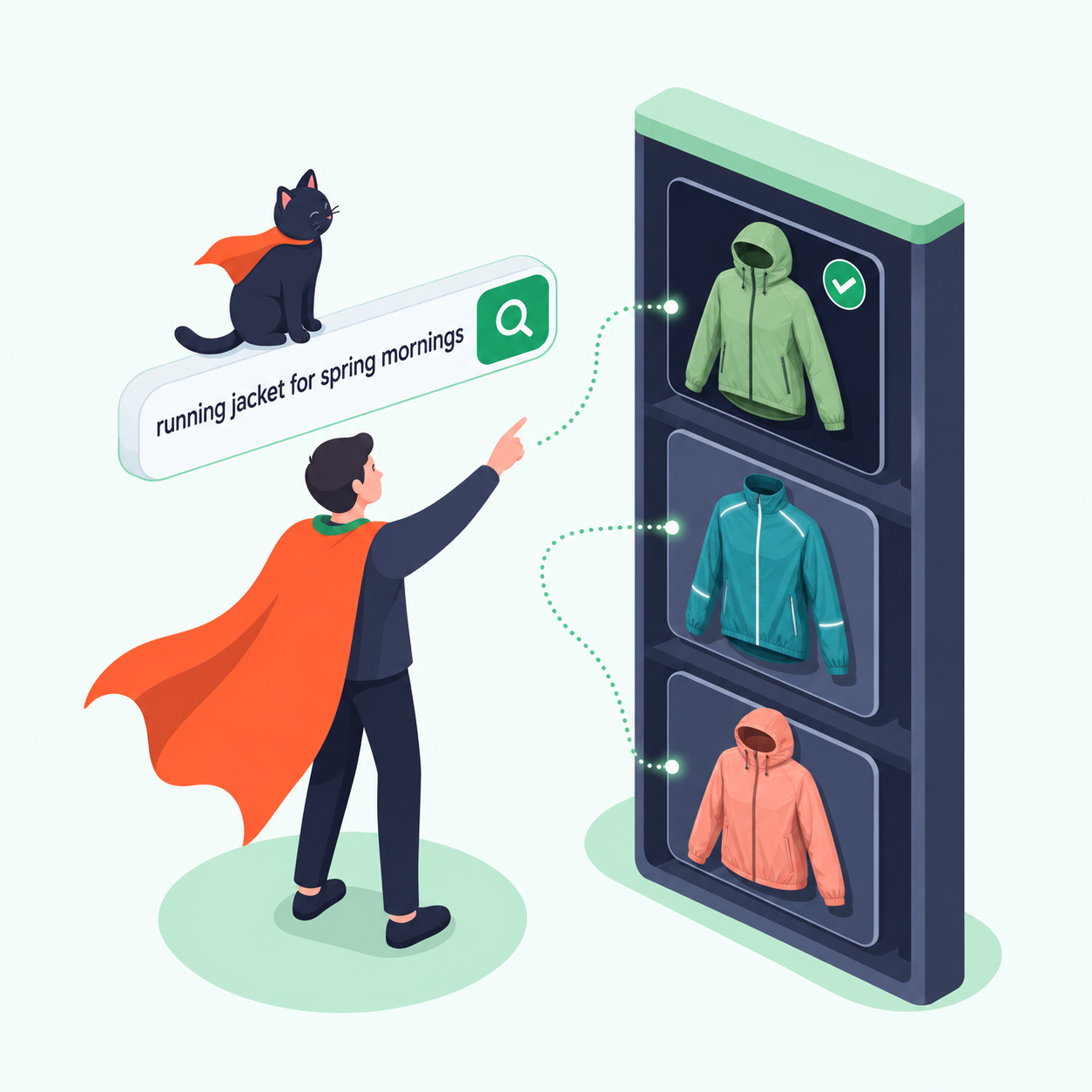
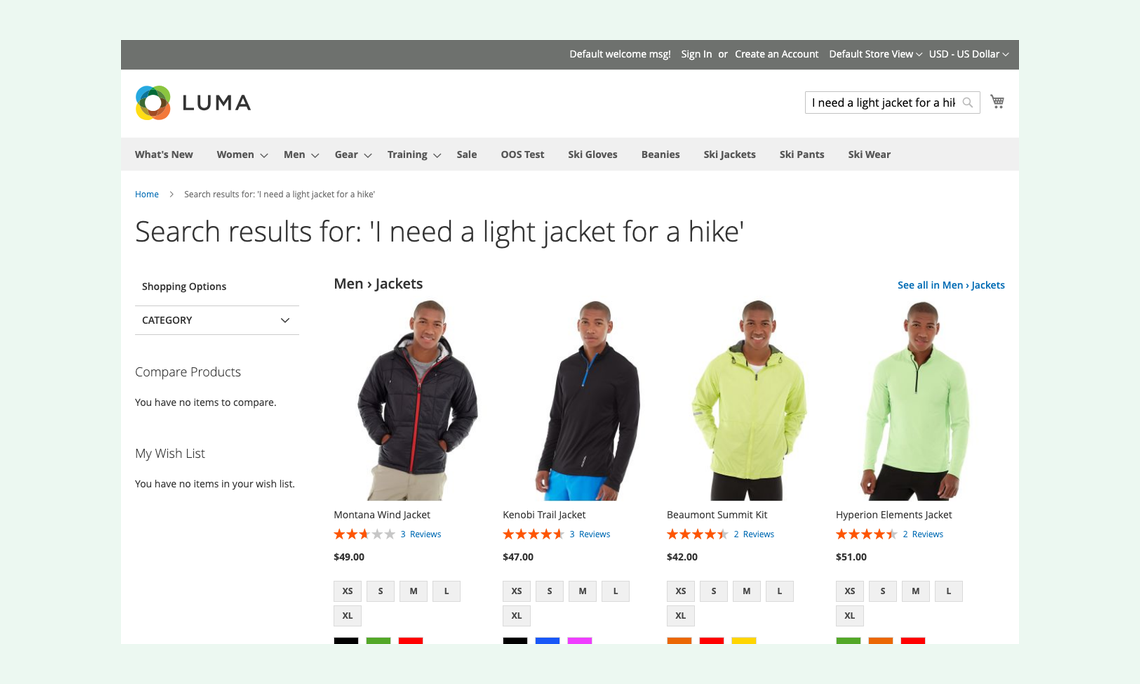
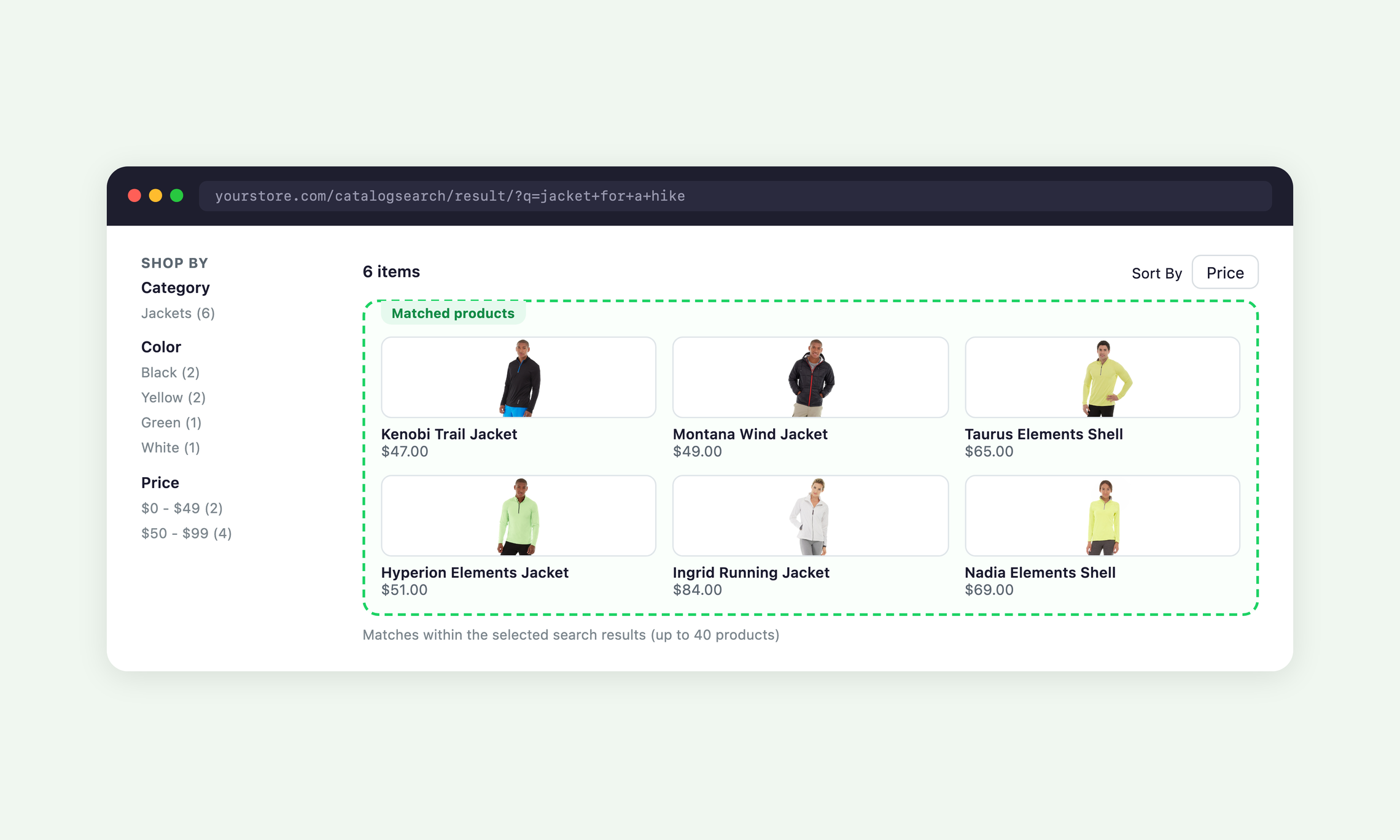
A shopper can search for "I need a light jacket for a hike" and see relevant jackets together, with the usual ways to narrow the results.
• Answers whole questions in the search box
• Built on your existing OpenSearch or Elasticsearch index
• Choose managed Moogento AI Gateway credit when eligible, or use your own provider keys
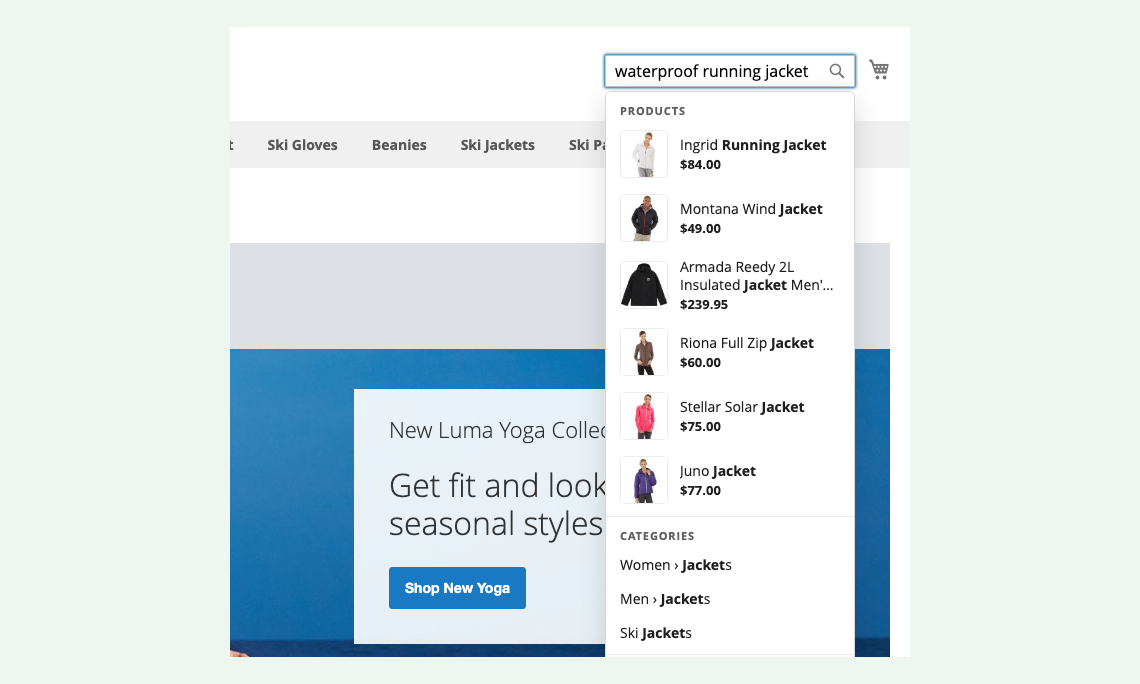
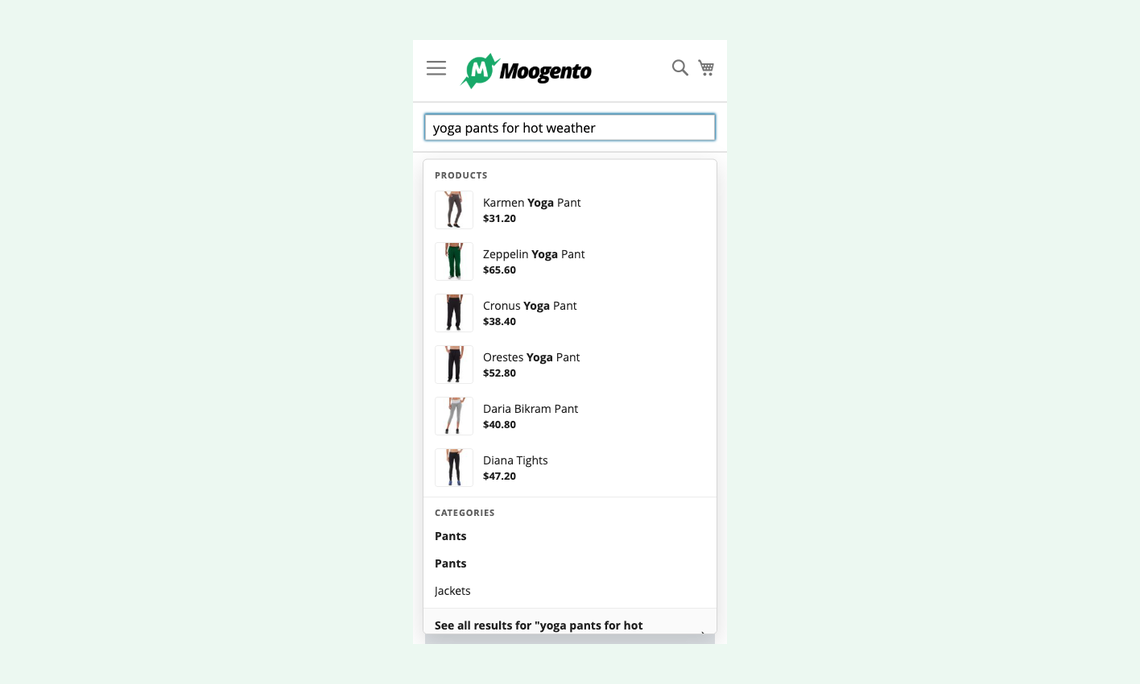
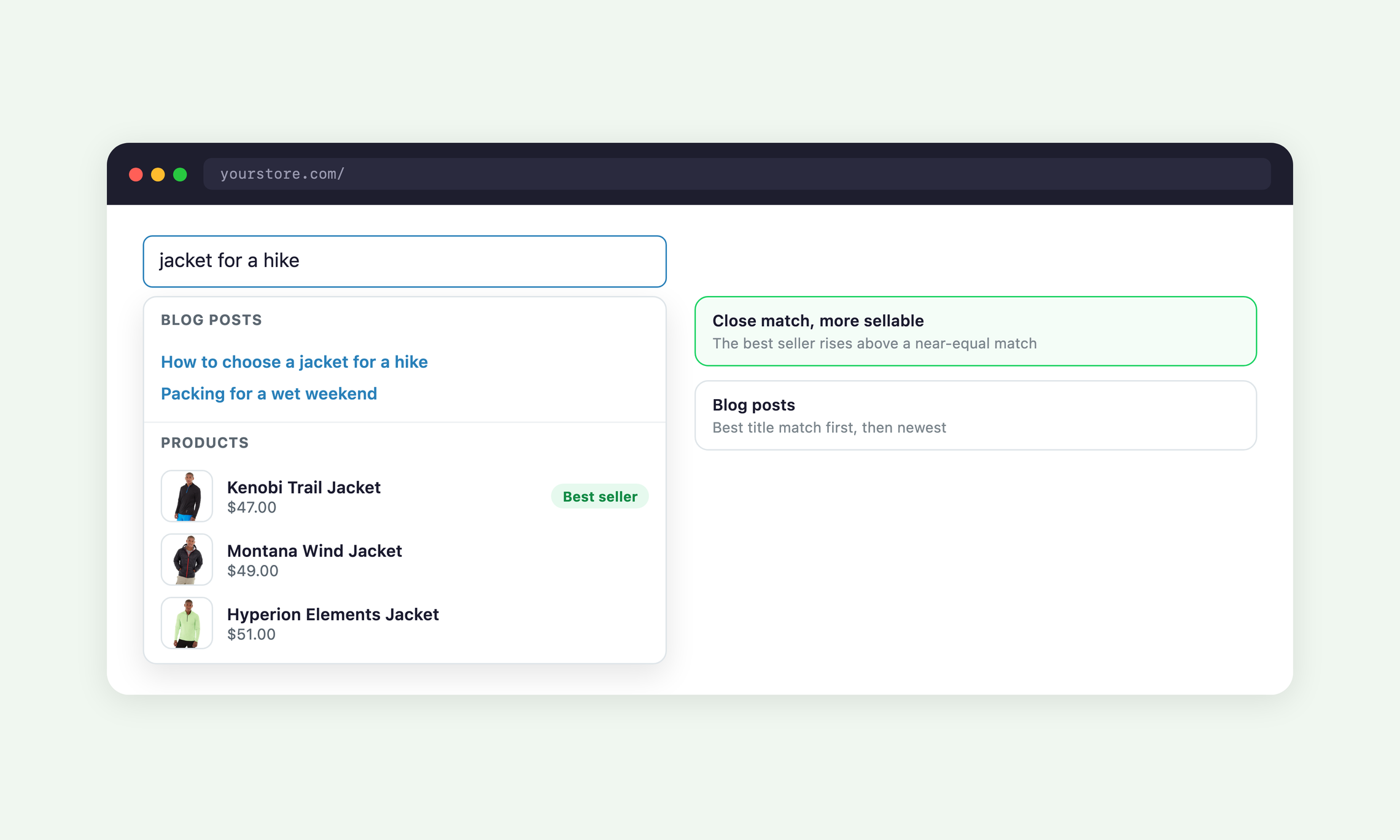
A grouped dropdown appears under the search box after three letters and shows products, categories, pages and blog posts that match what the shopper means.
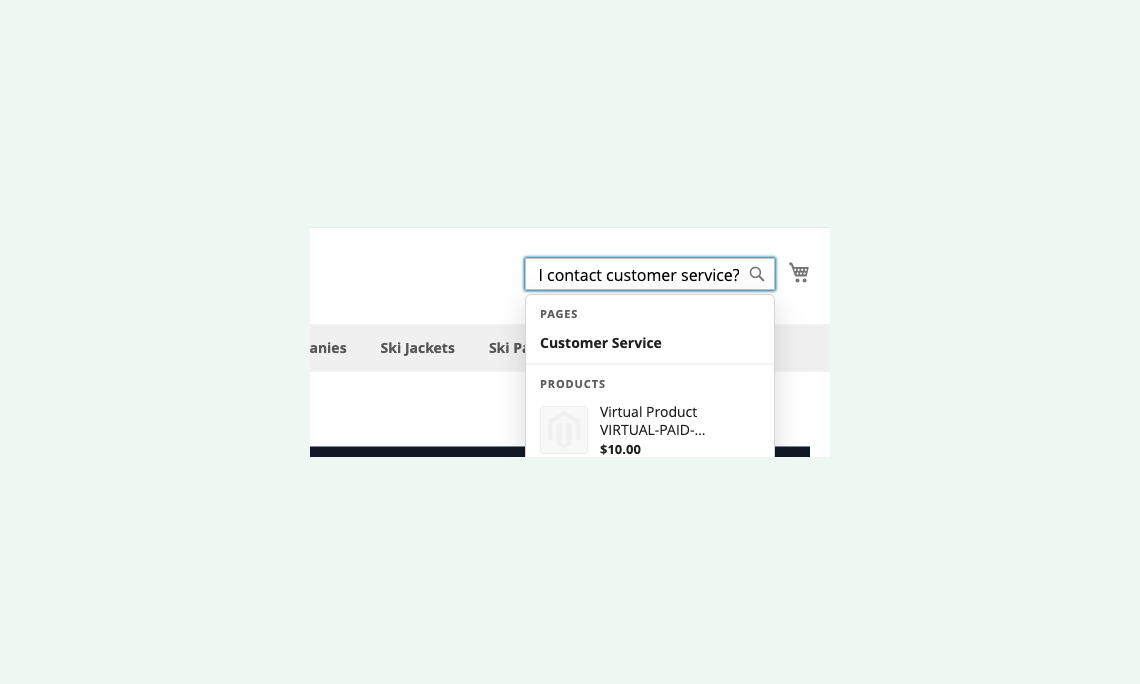
When a search reads like a question, the dropdown puts your matching pages first, so "how do I contact customer service?" leads straight to the answer.
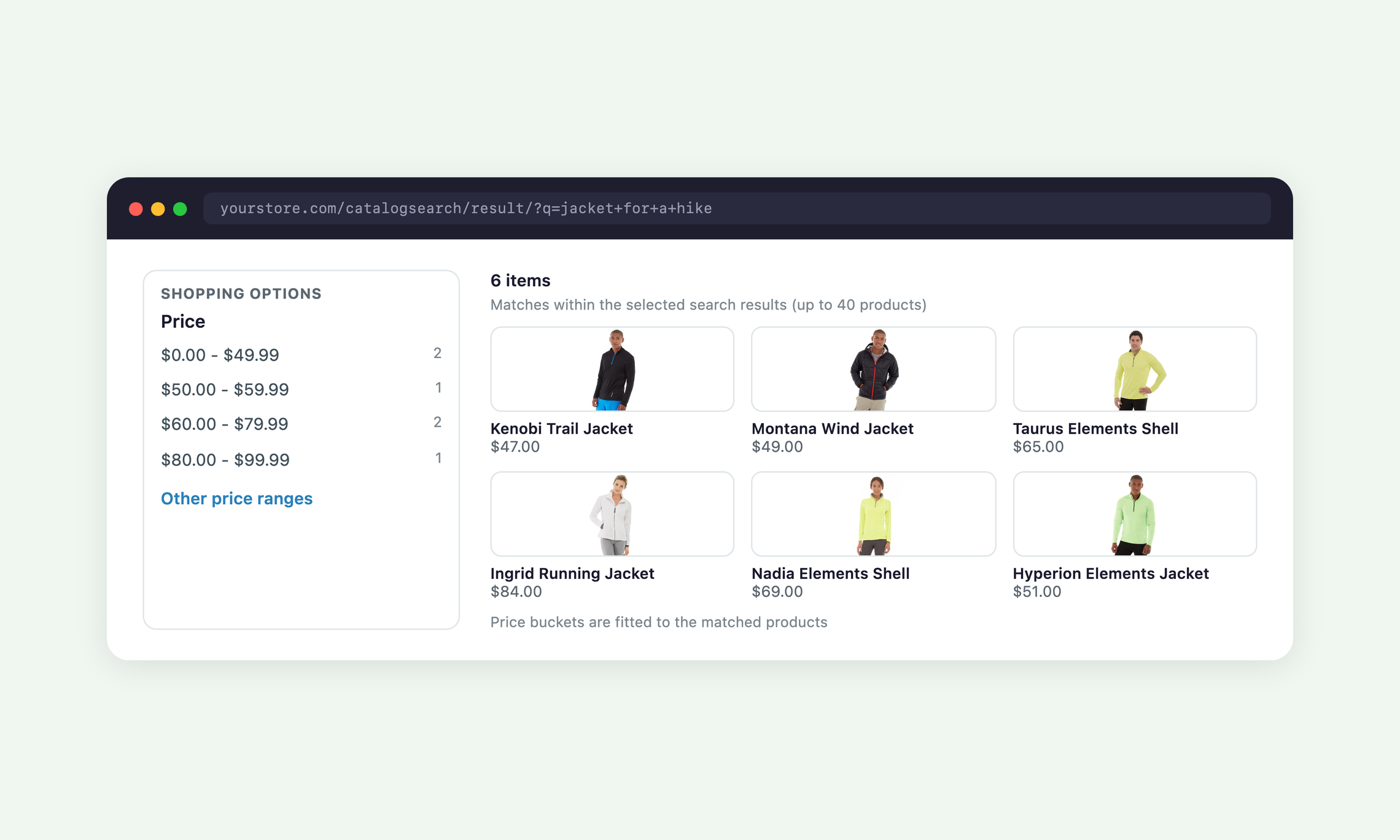
The results page ranks products by how well they fit the request, then lets shoppers filter and sort them as usual.
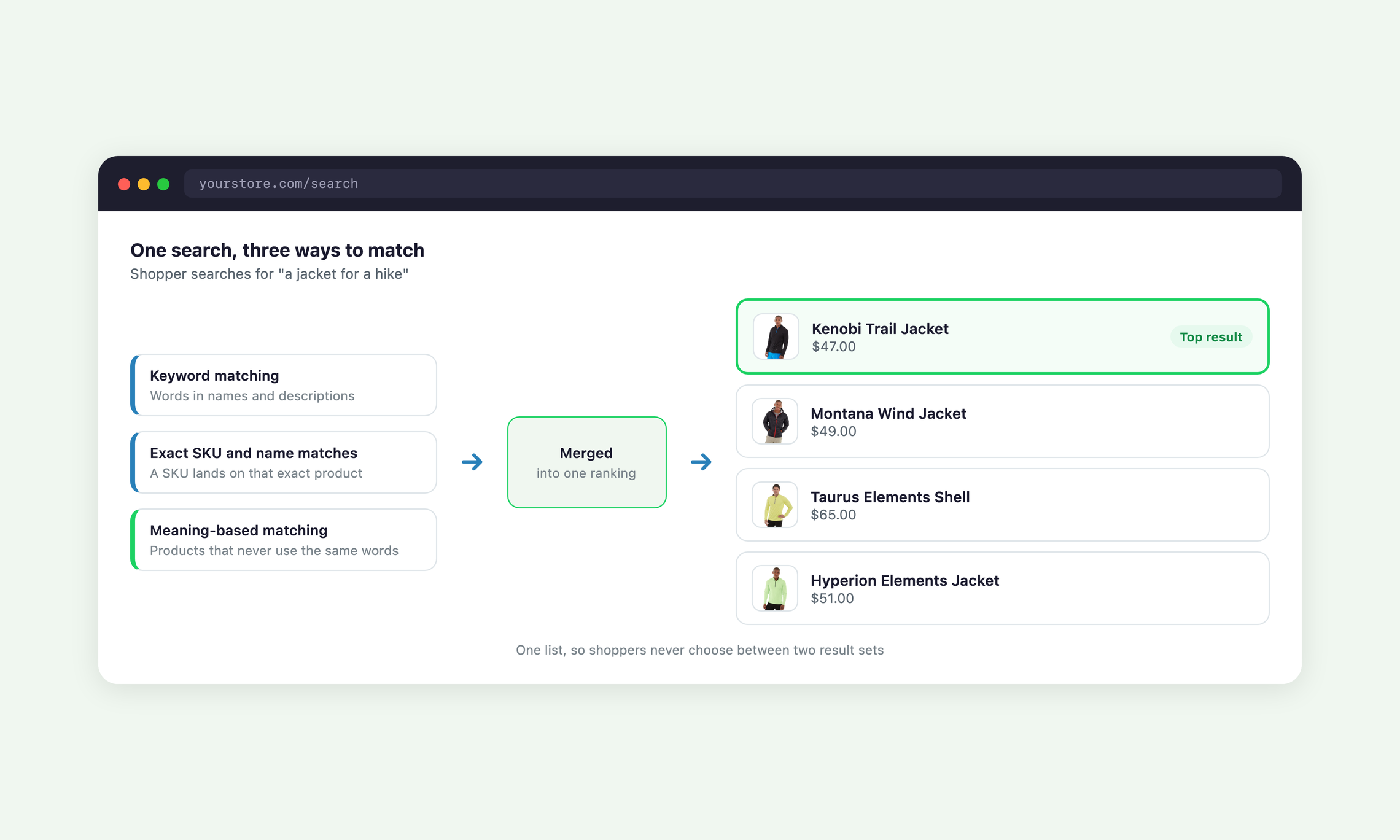
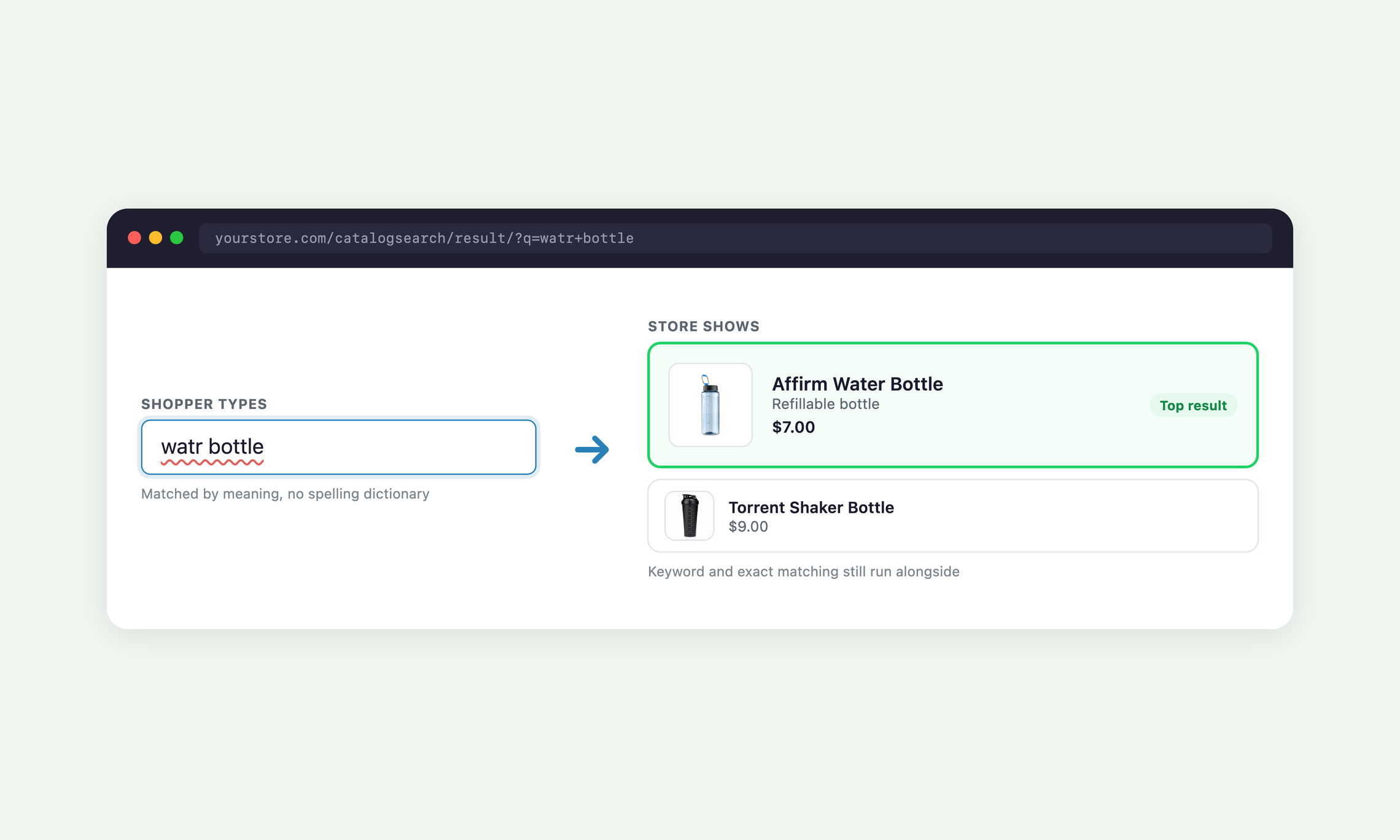
Most shoppers do not know your product names, so Semantic Search matches on meaning as well as on words.
Every search combines keyword matching, exact SKU and name matches, and meaning-based matching, then merges them into a single ranking.
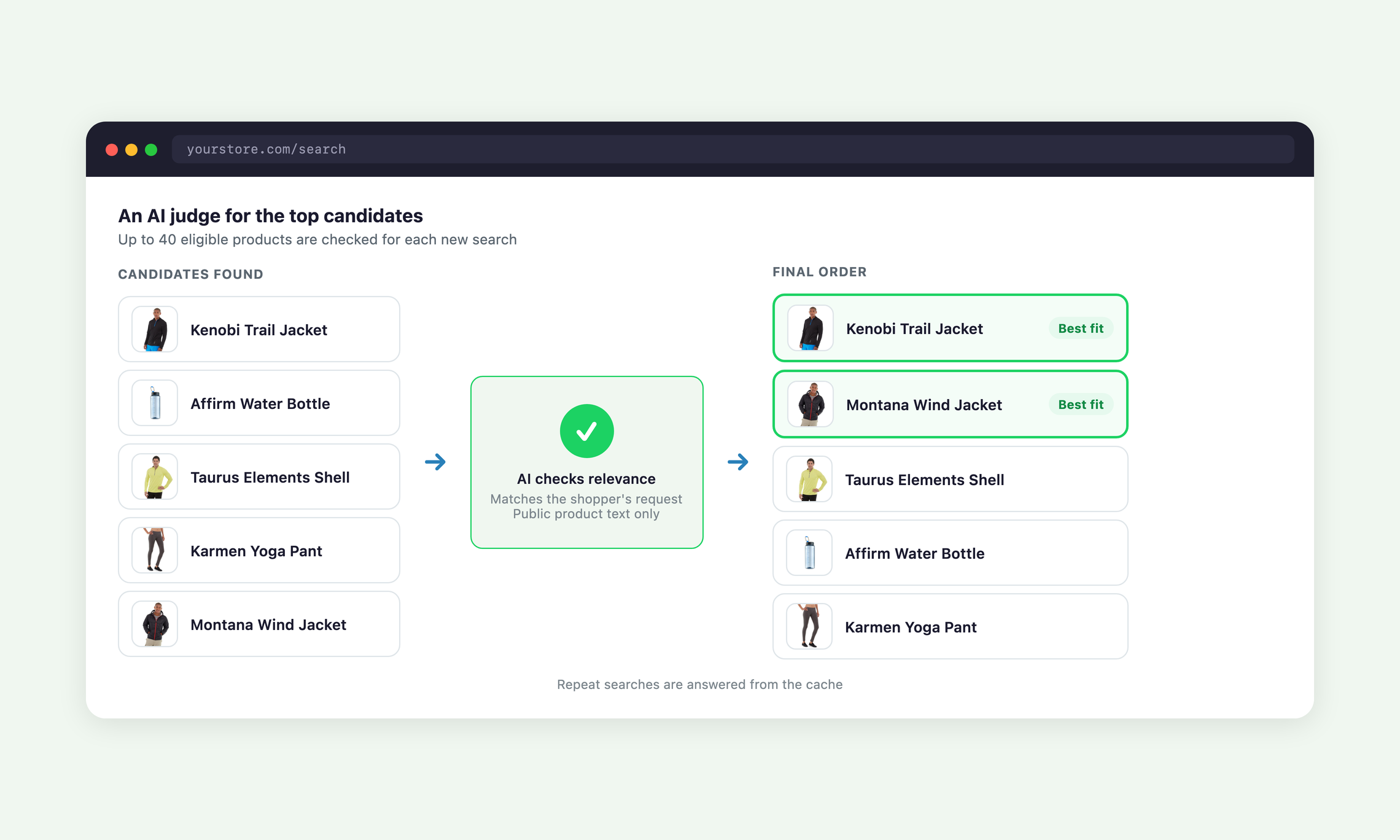
An AI relevance check reviews up to 40 eligible products for each new search and puts the strongest matches first.
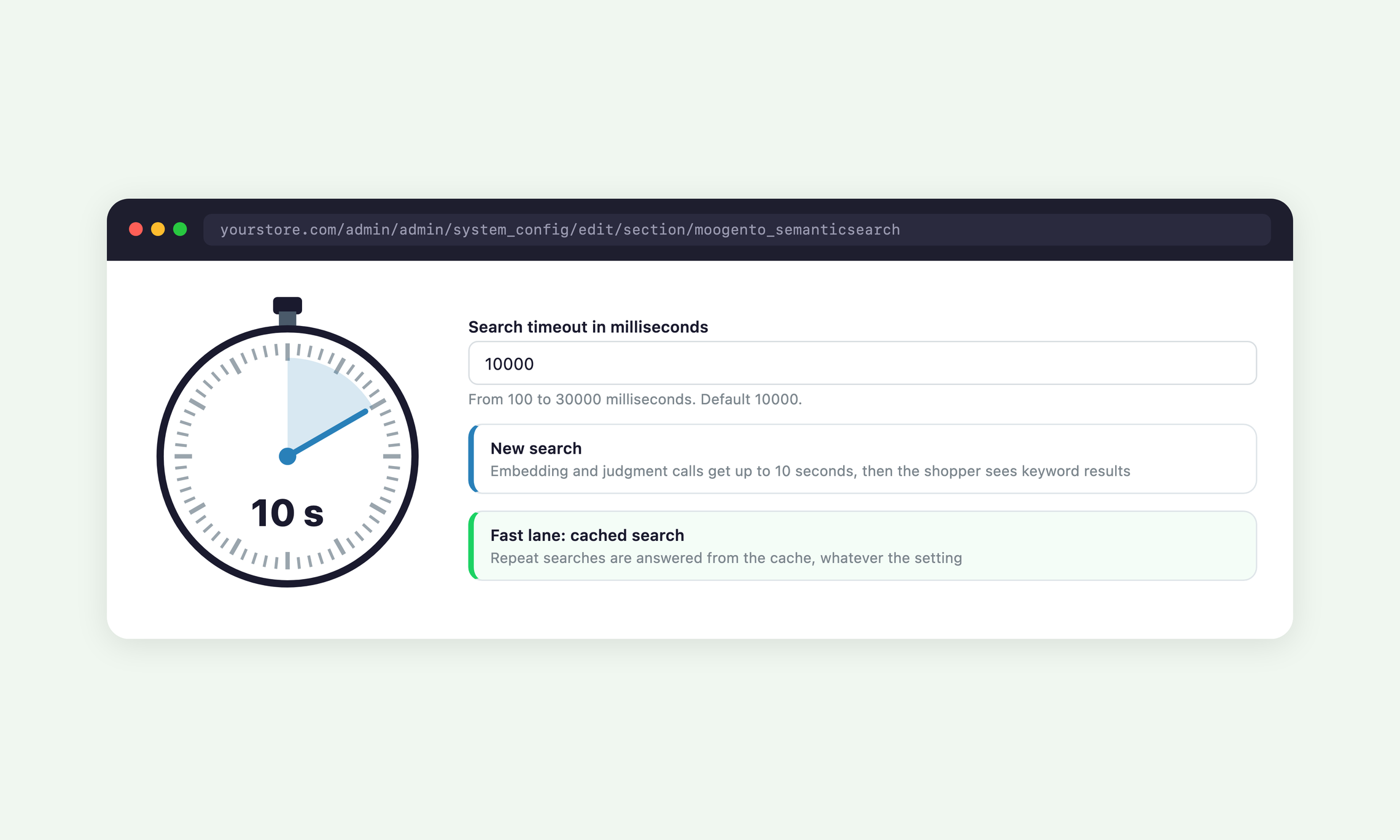
If anything stands between a shopper and a semantic answer, they get your normal keyword results instead of a broken page.
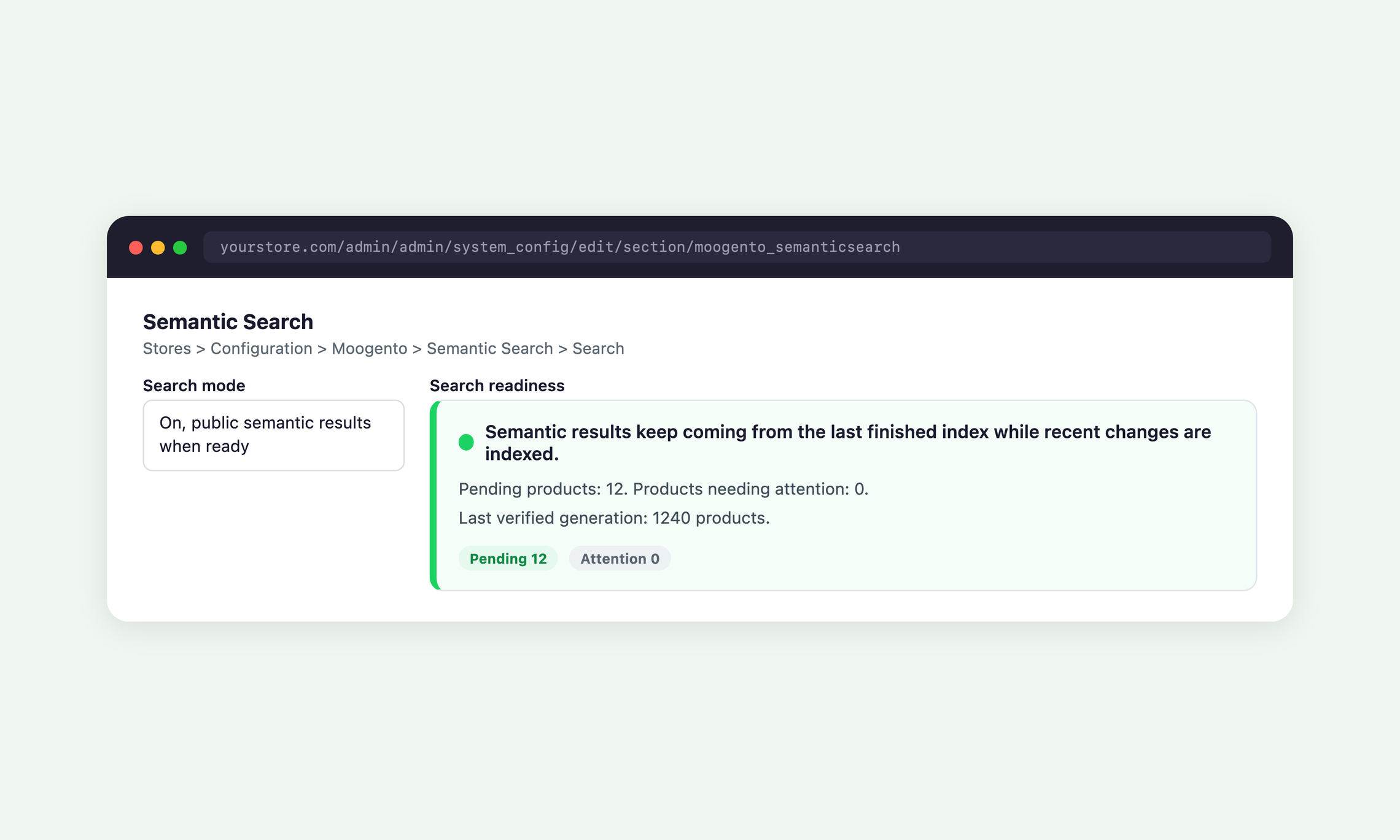
A missing key, a slow provider, a spent daily allowance or an unfinished index all fall back to native Magento search automatically.
The settings page tells you in plain words whether shoppers are getting semantic or keyword results right now, and why.
Let shoppers search in their own words and find relevant products, pages and guides, even when they do not know the right keywords.
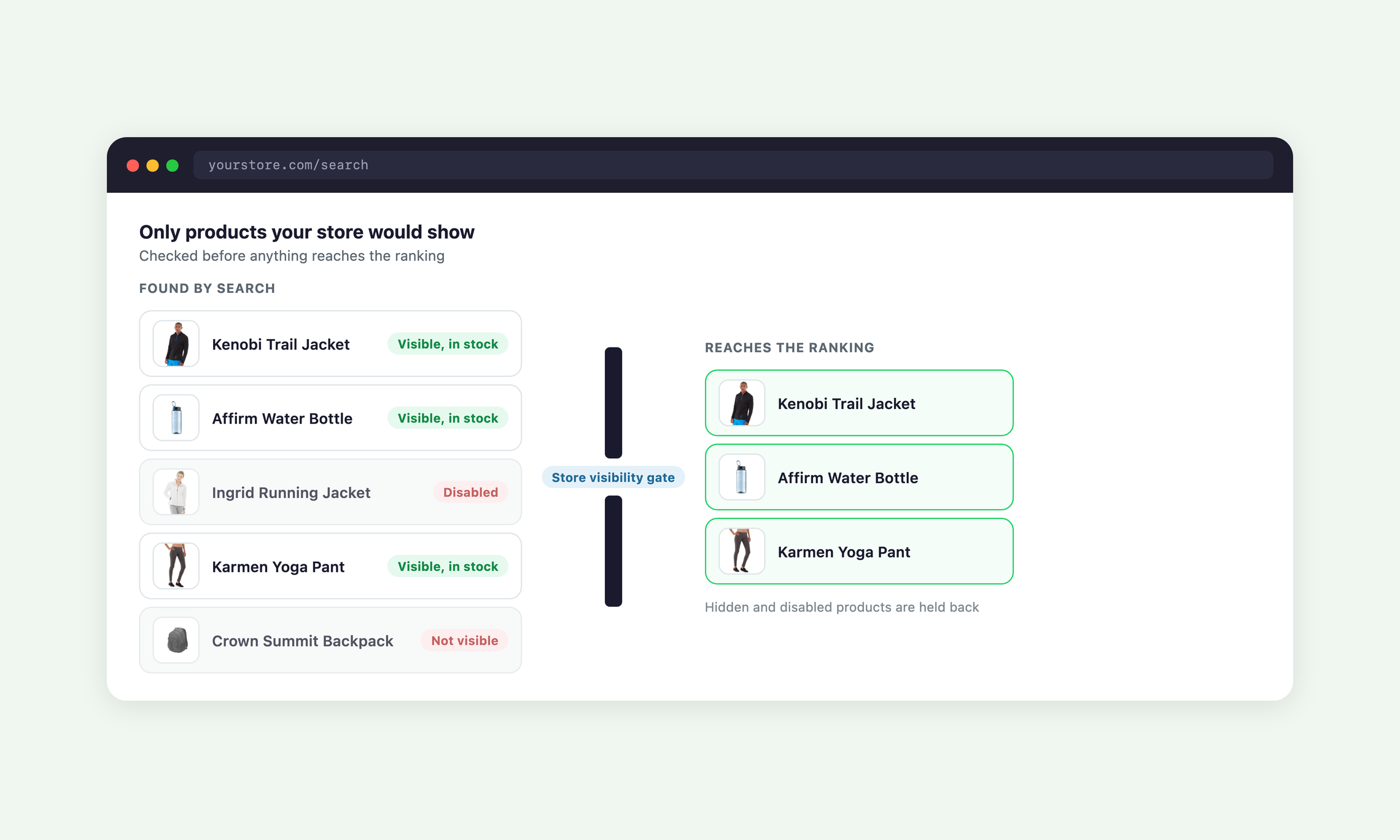
Semantic Search changes which products rank first, not which products your store is allowed to show.
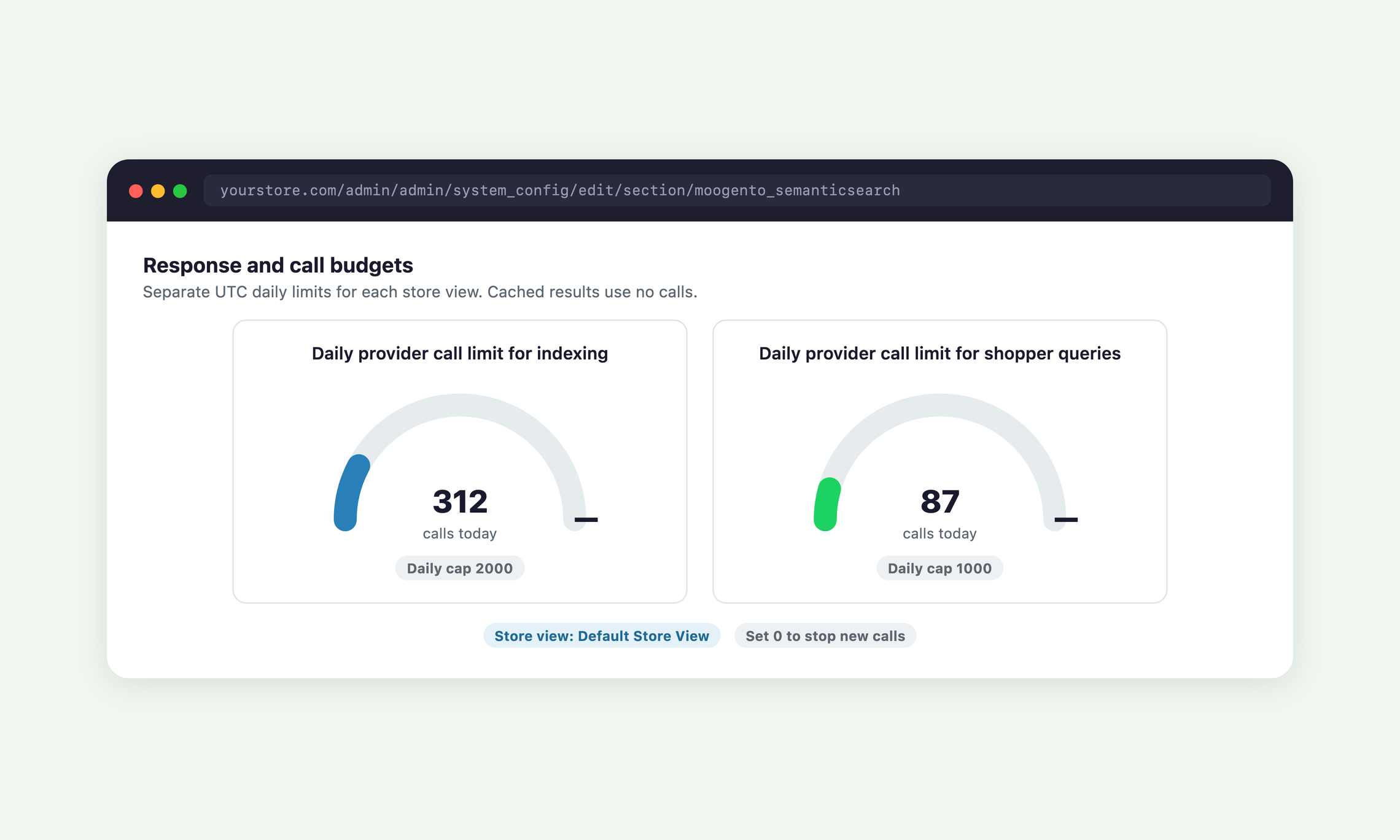
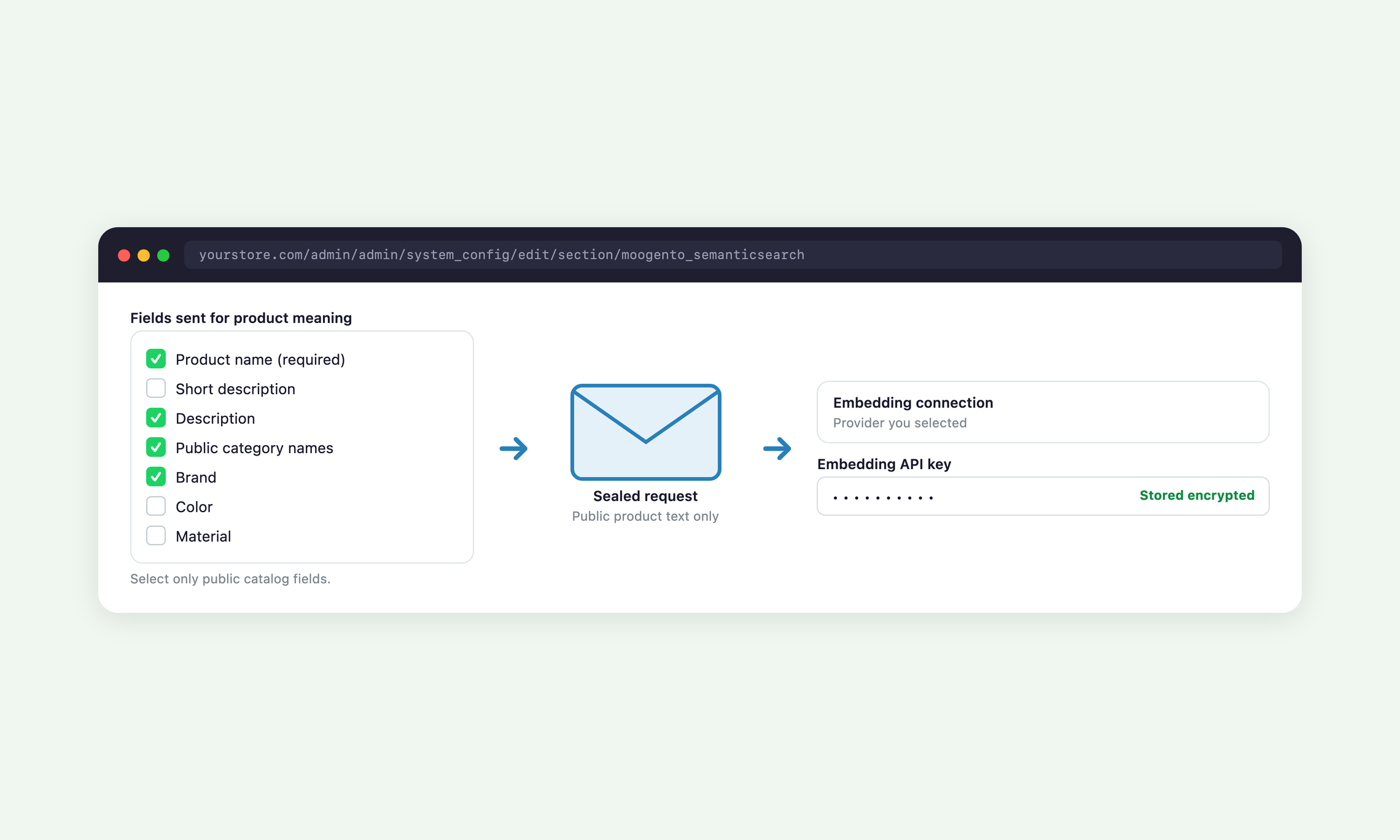
You set what is sent, how many calls a day each store view may make, and when semantic results go live.
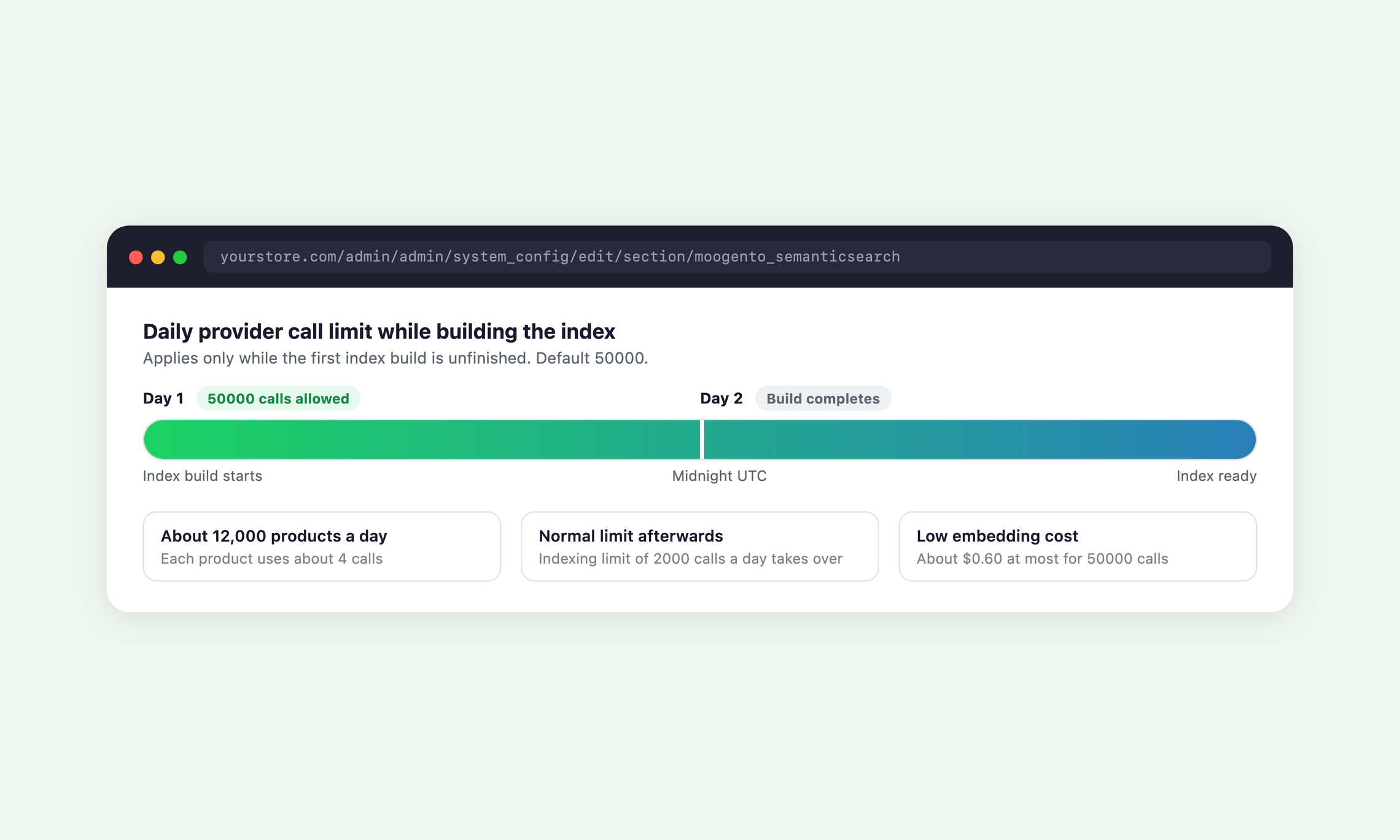
A higher allowance applies only while the first index build runs, so a large catalogue does not trickle in over weeks.
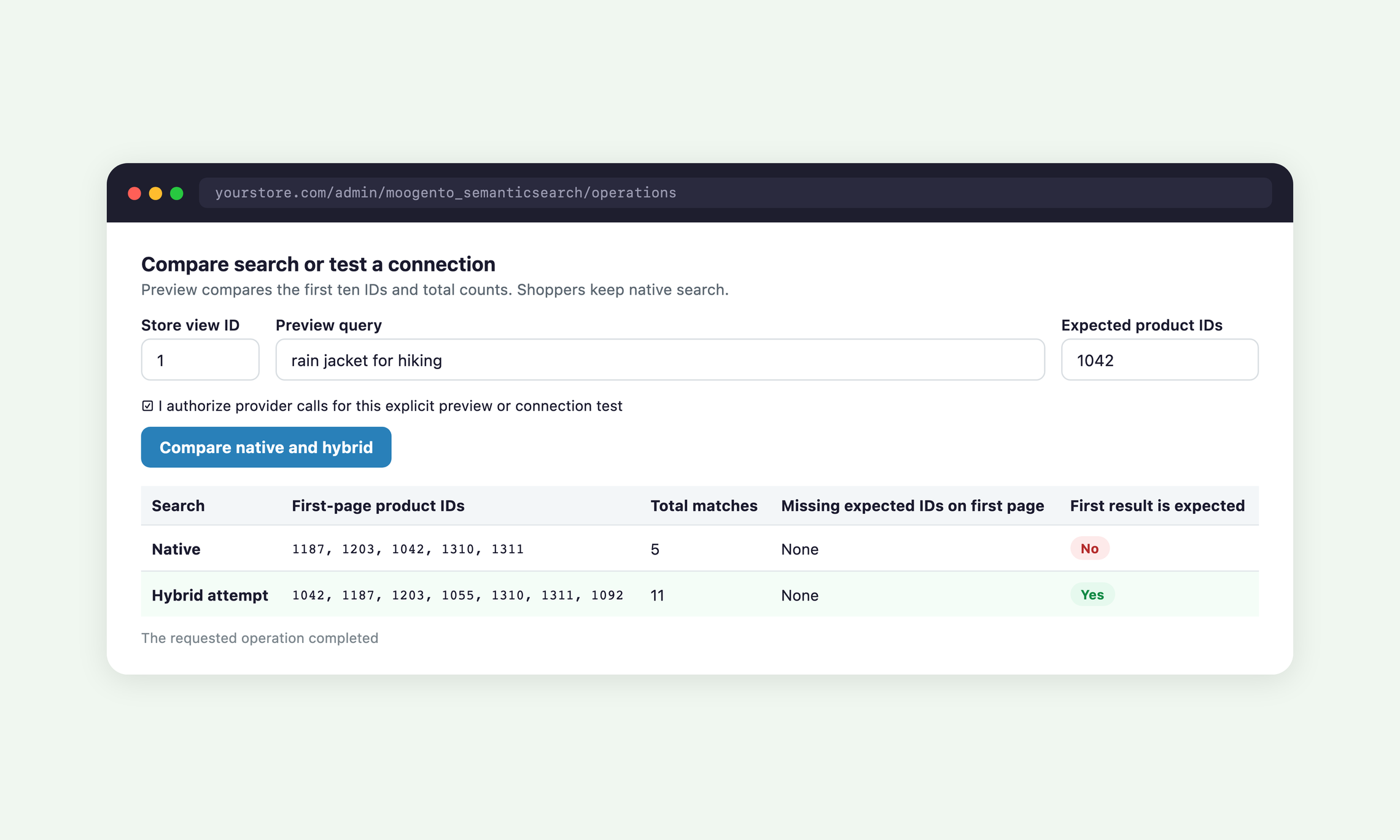
Preview mode builds the index and lets you compare keyword and semantic results for real searches while shoppers keep native search.
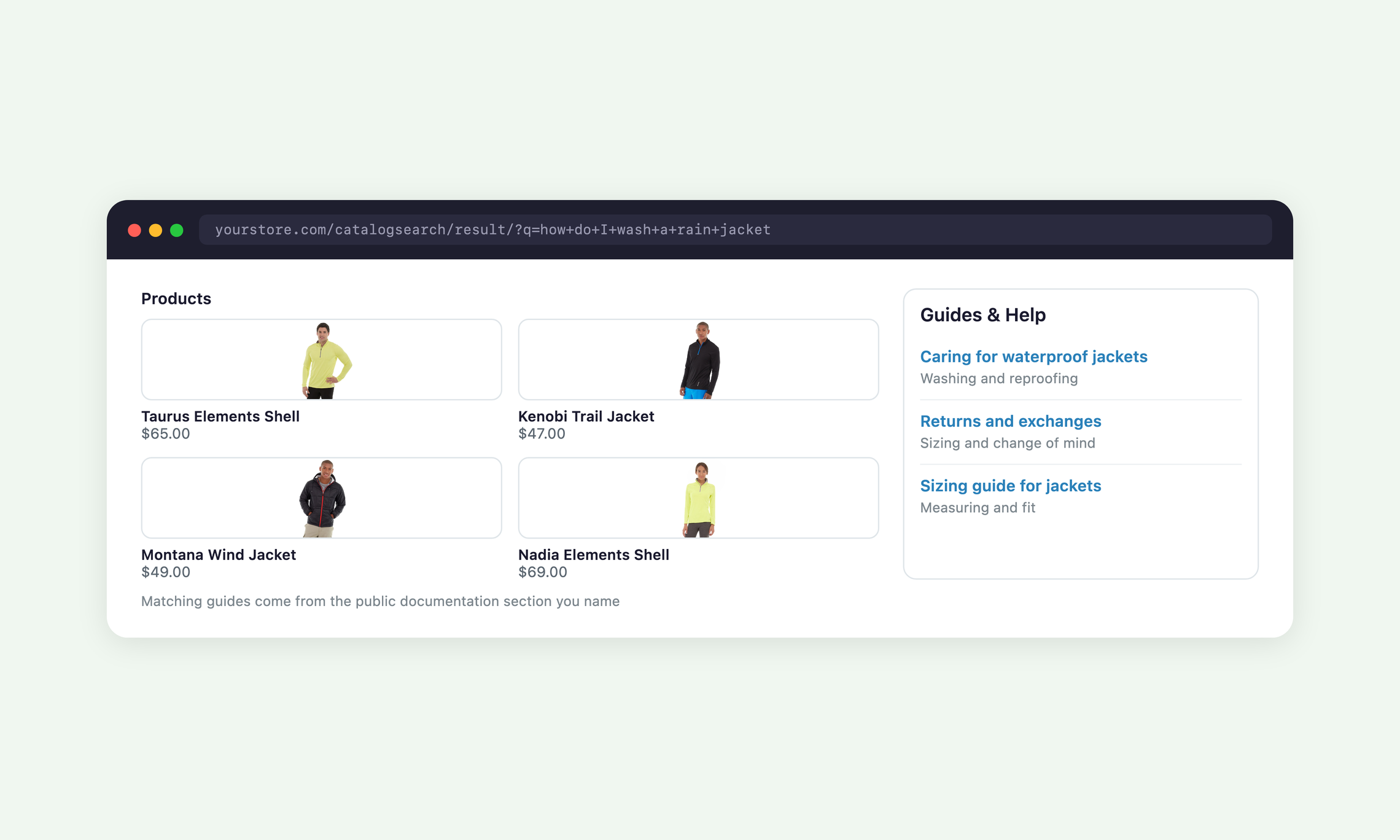
Search covers more than products, so shoppers with a question find the page that answers it.
With the FishPig WordPress integration the dropdown shows matching blog posts, and with SmartListings the more sellable product moves up among close matches.
What does Semantic Search actually do?
Semantic Search makes Magento product search understand what shoppers mean, so descriptive searches and questions return relevant products. It combines keyword, exact and meaning-based matching, checks the top candidates for relevance, and falls back to keyword results whenever it cannot answer.
How do I install Semantic Search?
Semantic Search installs with Composer and takes about five minutes, followed by an index build that runs in the background. Follow the steps in the Semantic Search user guide.
Do I need my own AI provider accounts?
Yes, you need an OpenAI API key (or an OpenAI-compatible embeddings service) and an Anthropic API key. Those providers bill you directly for usage, and the daily call limits keep that spend in your hands.
Which search engine does it need?
Semantic Search works with OpenSearch or Elasticsearch 8 as your Magento catalog search engine and needs a running Magento cron. It does not work with MySQL search.
Will it slow down my search page?
A brand-new search can take 6 to 8 seconds while the top candidates are judged, and repeat searches are answered from the cache. You set the maximum wait, and if it runs out the shopper sees keyword results straight away.
Does Semantic Search work with Hyva, Luma and Porto?
Yes, semantic results and the type-ahead dropdown work on Luma, Hyva and Porto themes.
What gets sent to the AI providers?
Only the public product fields you select and the text shoppers type into search are sent. API keys are stored encrypted, and search text, product text and keys are never written to the log.
What happens if a provider is down or my daily limit runs out?
Shoppers get your normal keyword results until the provider responds again or the next UTC day begins. Nothing breaks on the storefront.
Can I try it before shoppers see it?
Yes, Preview mode builds the index and lets you compare keyword and semantic results for your own searches while shoppers keep native search.
How are products and searches counted?
Each plan covers a number of products and semantic searches a month per website, shared by all its store views. Only enabled products that are visible in search count, a search counts once per distinct results-page query, and repeats within 30 minutes, paging, sorting, filtering and the type-ahead dropdown are free.
What happens when I reach my plan's limits?
Shoppers get your normal keyword results, so search keeps working. Products beyond your product allowance are still found by keyword search, and once the monthly search allowance is used up the store returns to semantic results at the start of the next month.
What if my catalogue is bigger than 100,000 products?
Contact us about a Custom plan with no product or search limits. The admin readiness panel shows how many products and searches you use, so you can see when you are close to a limit.
Can I send certain searches to a sale or help page?
Yes, Search Promotions shows a card linking to the CMS page you choose whenever a search matches your trigger words. Each campaign has its own store views, priority and optional start and end times.
Where can I get help?
Our team answers questions through the Moogento support desk. Setup steps and every setting are covered in the Semantic Search user guide.
Moogento helps businesses like yours, every day 🚀
A public demo store for Semantic Search is not set up yet. Until it is, the user guide walks through every screen.
Read the user guide
The change log appears here after the first release.
![]() |
Pro |
Popular
Growth | Seed |
|
$8333 /month | $3333 /month | $1667 /month |
Shoppers find what they mean
Descriptive searches and whole questions return the right products
Includes: • Keyword, exact SKU and meaning-based matching in one ranked list • AI judges up to 40 eligible candidates per new search • Search box accepts up to 128 characters by default, 256 at most | |||
Grouped type-ahead dropdown
Suggestions under the search box as shoppers type
Includes: • Products, categories, blog posts and a see-all link; Pro adds CMS pages • Pro can put matching pages first for question-style searches • Full-width panel on phones, on Luma, Porto and Hyva themes | |||
Your pages and guides in search
Answer questions with your own content
Includes: • Selected CMS pages and blocks • A public documentation section, up to 100 pages • Guides & Help block on the results page | |||
Keyword fallback, always on
Search keeps working whatever happens
Includes: • Native results on a missing key, timeout or spent allowance • Search readiness status in the admin • Native filters, sorting and price ranges inside the matches | |||
Daily call limits and preview
Stay in control of provider spend
Includes: • Separate daily limits for indexing and shopper searches per store view • Higher allowance for the first index build • Preview mode and side-by-side comparison before going live | |||
| Plan limits | 100,000 products, 200,000 searches/month | 25,000 products, 50,000 searches/month | 5,000 products, 10,000 searches/month |
| Onboarding | Comprehensive | Basic | Self |
| Support | Priority | Enhanced | Standard |
| Updates & Magento compatibility | Add to Cart | Add to Cart | Add to Cart |
![]() |
Pro |
Popular
Growth | Seed |
|
$100 /month | $40 /month | $20 /month |
Shoppers find what they mean
Descriptive searches and whole questions return the right products
Includes: • Keyword, exact SKU and meaning-based matching in one ranked list • AI judges up to 40 eligible candidates per new search • Search box accepts up to 128 characters by default, 256 at most | |||
Grouped type-ahead dropdown
Suggestions under the search box as shoppers type
Includes: • Products, categories, blog posts and a see-all link; Pro adds CMS pages • Pro can put matching pages first for question-style searches • Full-width panel on phones, on Luma, Porto and Hyva themes | |||
Your pages and guides in search
Answer questions with your own content
Includes: • Selected CMS pages and blocks • A public documentation section, up to 100 pages • Guides & Help block on the results page | |||
Keyword fallback, always on
Search keeps working whatever happens
Includes: • Native results on a missing key, timeout or spent allowance • Search readiness status in the admin • Native filters, sorting and price ranges inside the matches | |||
Daily call limits and preview
Stay in control of provider spend
Includes: • Separate daily limits for indexing and shopper searches per store view • Higher allowance for the first index build • Preview mode and side-by-side comparison before going live | |||
| Plan limits | 100,000 products, 200,000 searches/month | 25,000 products, 50,000 searches/month | 5,000 products, 10,000 searches/month |
| Onboarding | Comprehensive | Basic | Self |
| Support | Priority | Enhanced | Standard |
| Updates & Magento compatibility | Add to Cart | Add to Cart | Add to Cart |
30 DAY MONEYBACK GUARANTEE - WE WANT YOUR ❤️ !