

Magento GA4 Ecommerce Tracking: The Events That Actually Matter

For a Magento store, GA4 ecommerce tracking comes down to about seven events: view_item, add_to_cart, begin_checkout, add_shipping_info, add_payment_info, purchase, and refund. Get those firing correctly, with the right item and value parameters, and you can see every drop-off point in the funnel. Everything else GA4 offers is either a nice-to-have or noise you'll never open a report for.
Which GA4 ecommerce events does a Magento store actually need?
Seven events cover the whole journey. GA4 defines a longer list of recommended ecommerce events, but for a Magento merchant the useful ones map cleanly onto the steps a shopper already takes:
| Event | Fires when | What it tells you |
|---|---|---|
view_item |
A product page loads | Which products get seen, and how many views convert |
add_to_cart |
A product is added to the cart | View-to-cart rate per product - your first real intent signal |
begin_checkout |
The customer enters checkout | Cart-to-checkout rate, the biggest single drop in most funnels |
add_shipping_info |
A shipping method is chosen | Whether shipping options or costs stall people mid-checkout |
add_payment_info |
Payment details are entered | The last step before the order - a drop here points at payment friction |
purchase |
The order is placed | Revenue, transaction ID, and the items actually bought |
refund |
A credit memo is issued | Net revenue after returns, so your reports aren't overstated |
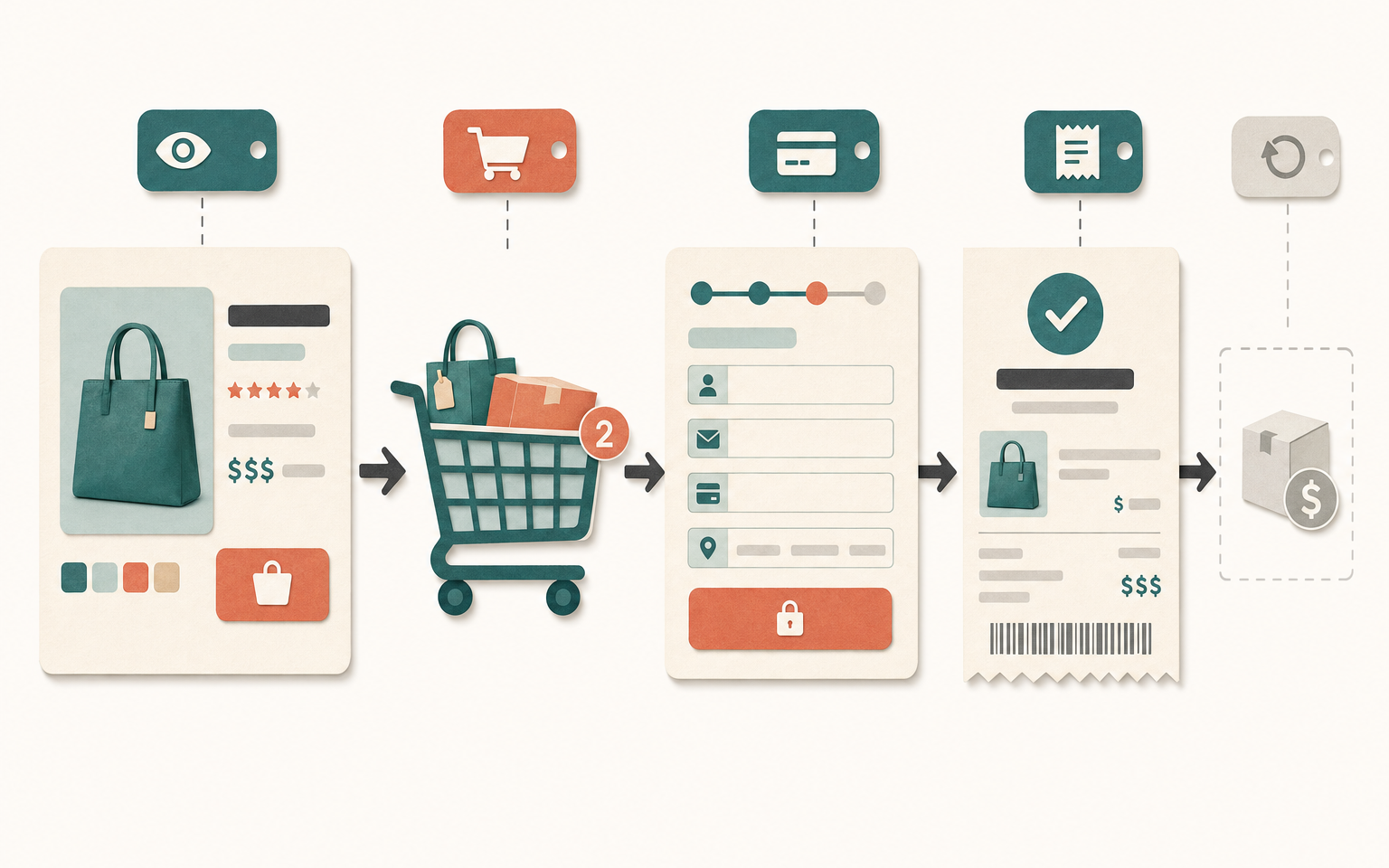
Two more get mentioned a lot and deserve a caveat. view_item_list and select_item track category and search listings, which is genuinely useful for merchandising - but they're fiddly to implement well in Magento, and plenty of stores run for years without them and lose nothing important. Add them once the seven core events are solid, not before.
Why is the purchase event the one you cannot get wrong?
The purchase event is the only one that carries money, so an error here corrupts every revenue report you'll ever run. It needs a unique transaction_id (Magento's order increment ID is the natural choice), a value, a currency, and an items array describing what was bought. Miss the currency on a multi-currency store and GA4 silently assumes your property's default, mixing pounds and dollars into one meaningless total.
The single most common defect is a double-fired purchase event. If the event lives on the checkout success page and the customer refreshes, or bookmarks and revisits, the order gets counted twice. GA4 does deduplicate on transaction_id, but only if you send one - a lot of setups don't, and their revenue runs 5-15% high without anyone noticing until it's reconciled against the actual order total in Magento.
What are the most common Magento GA4 tracking mistakes?
Most broken GA4 setups fail in the same handful of ways. None of them throw an error - the data just quietly goes wrong, which is why they survive so long.
- No
transaction_id, or a non-unique one. Duplicate purchases inflate revenue. Use the order increment ID, and send it every time. - Values sent tax-inclusive in one event and exclusive in another. Pick one basis for
valueand hold it across cart, checkout and purchase, or your funnel values won't reconcile. - Missing
currency. On a single-currency store you'll get away with it; on a multi-store or multi-currency setup it destroys revenue accuracy. - Item IDs that don't match your catalogue. If
item_idis the parent ID on one event and the simple/variant SKU on another, GA4 can't join product performance across the funnel. - Purchase firing on page load instead of order confirmation. Refreshes and back-button visits recount the sale.
- Consent banners blocking the tag. If analytics is gated behind consent and most shoppers decline, you're measuring a minority and treating it as the whole.
Useful GA4 reports versus noisy ones
Once the events fire cleanly, a small set of GA4 reports does almost all the work. The rest are worth knowing exist, but you won't live in them.
| Worth your time | Mostly noise |
|---|---|
| Purchase funnel (exploration) - shows exact drop-off per step | Real-time - satisfying to watch, rarely actionable |
| Ecommerce purchases (item-level revenue and view-to-buy) | Demographics - often thin and sampled on smaller stores |
| Traffic acquisition tied to purchase | Tech > browser/OS breakdowns, unless debugging a specific bug |
| Landing page to conversion | Events report unfiltered - a firehose of automatic events |
Build a funnel exploration on the seven events on day one. It's the report that turns "conversion is down" into "we're losing people between shipping and payment", which is a problem you can actually go and fix.
How this applies to Magento 2
Magento 2's built-in GA4 support is thin. As of version 2.4.9 the core Magento_GoogleGtag module fires a basic purchase event through gtag, which covers revenue but stops there - there's no view_item, add_to_cart, begin_checkout, shipping or payment events, no refund, and no enhanced item data. So the full ecommerce funnel on Magento is either hand-built (a developer wiring gtag or a GTM dataLayer to Magento's checkout events and catalogue data) or handled by an extension.
The hand-built route is real work: you need a reliable event on each funnel step, a correctly shaped items array pulled from the quote and order, consistent tax and currency handling, and a purchase event that fires exactly once per order. Each of those is a place a generic tutorial quietly gets Magento-specific details wrong - the quote item versus order item distinction, configurable-versus-simple product IDs, and multi-store currency all bite here.
Where Moogento helps
AnalyticsEasy handles the GA4 wiring so you don't hand-build it. The base module fires the purchase event with a full items array, transaction ID, value, tax, shipping, currency and coupon, and installs your GTM container - so revenue tracking, the part you cannot afford to get wrong, is covered out of the box. Configuration lives under Stores > Configuration > Moogento > AnalyticsEasy, where you set your GA4 Measurement ID and choose how product IDs and categories are mapped.
The full funnel - view_item, add_to_cart, begin_checkout, add_shipping_info, add_payment_info, refund, plus wishlist and search events - comes with AnalyticsEasy Pro, which also adds enhanced item data (brand, stock status, variant, customer group) and Consent Mode v2. So the split is: base gets you clean purchase and revenue tracking; Pro gets you the whole drop-off funnel. Pick based on whether you need to diagnose where shoppers leave, or just to count sales accurately.
Two related tools sit alongside it. Pulse is a Magento-native operations dashboard that surfaces sales, traffic and campaign attribution without you building explorations in GA4 by hand - handy when you want the numbers in one place next to your store data. And if you're tuning the cart step of the funnel, SmartCart's add-on suggestions are exactly the kind of change whose effect you'd watch through the add_to_cart and begin_checkout events.

GA4 ecommerce tracking test checklist
- Open GA4 DebugView, place a test order, and watch the events fire in sequence: view_item, add_to_cart, begin_checkout, add_shipping_info, add_payment_info, purchase.
- Expand the purchase event. Confirm
transaction_id,value,currencyand anitemsarray are all present and correct. - Refresh the success page. The purchase event must not fire a second time - if it does, your transaction_id is missing or ignored.
- Check the
valuematches the order total in Magento admin (decide up front whether that's tax-inclusive or exclusive, and keep it consistent). - Compare
item_idacross view_item and purchase for the same product. They should match so GA4 can join the funnel. - On a multi-currency store, place an order in a second currency and confirm the currency parameter changes.
- Issue a credit memo and confirm a refund event fires (or accept that returns will overstate your net revenue).
- If you run a consent banner, test with consent declined - know exactly what you're still allowed to measure.
FAQ
Does Magento 2 support GA4 ecommerce tracking out of the box?
Only partially. As of Magento 2.4.9 the core Magento_GoogleGtag module fires a basic purchase event, so revenue tracking works out of the box, but the rest of the funnel does not - no view_item, add_to_cart, begin_checkout, shipping, payment or refund events, and no enhanced item data. Those are either custom-built by a developer using gtag or a GTM dataLayer, or handled by an extension such as AnalyticsEasy.
Which GA4 event is the most important to get right?
The purchase event. It carries revenue, the transaction ID, and the items bought, so any error corrupts every revenue and product report. The most common failure is a duplicate purchase from a page refresh, which inflates revenue - GA4 only deduplicates if you send a unique transaction_id, so always use the Magento order increment ID.
Why is my GA4 revenue higher than my Magento order total?
Almost always double-counted purchases. If the purchase event fires on the success page and customers refresh or revisit it, the sale is counted again. Send the order increment ID as transaction_id so GA4 can deduplicate, and confirm the fix in DebugView by refreshing a test order's confirmation page.
Do I need view_item_list and select_item events?
Not to start. They track category and search listings, which helps merchandising, but they're harder to implement reliably in Magento and add little until the seven core funnel events are solid. Get view_item through purchase working first, then add listing events if you want to analyse how category pages convert.
Start in DebugView with a single test order. If the seven events fire in order and the purchase event carries a correct transaction_id, value and currency, you can trust your reports - and everything after that is refinement, not repair.


