Magento High-Traffic Sale Prep: The 7-Day Checklist

A Magento store survives a high-traffic sale on preparation done in the week before, not on scrambling during it. In the seven days before the sale you confirm stock is loaded and buffered, caching and production mode are on, checkout and payment hold under load, email and queues are reliable, and monitoring is live - then you freeze changes. The single biggest mistake is making a "quick improvement" the day before, when there's no time to catch what it broke.
Why does a Magento store fall over during a sale?
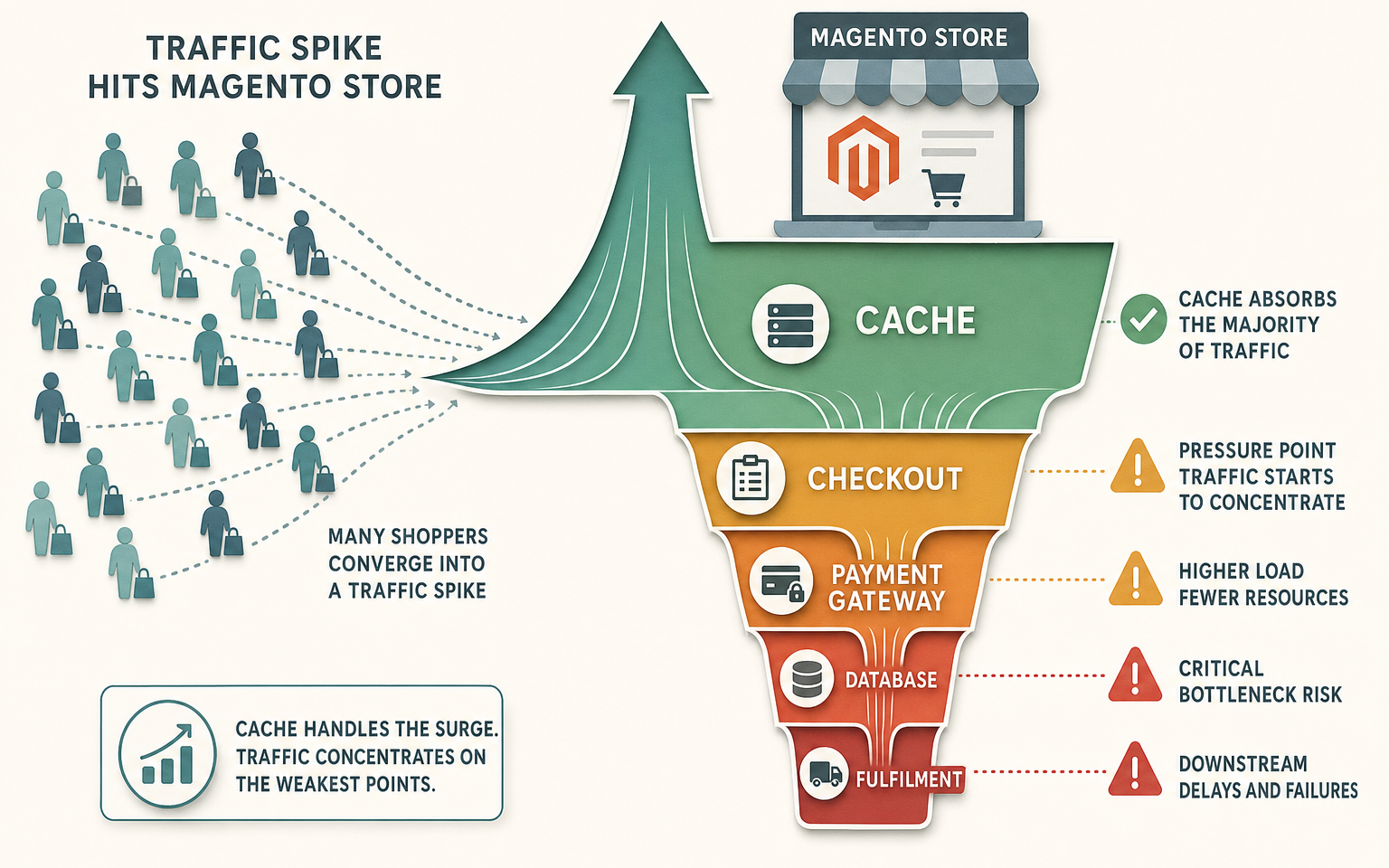
Not because Magento can't handle traffic - it can, with the right preparation - but because a spike finds whatever was already fragile and pushes on it all at once. The usual failure points are a store not fully cached, so every request hits the application; a checkout or payment gateway that can't take the concurrent load; a database bottleneck; or stock and fulfilment that weren't ready for the volume. Each is preventable in the week before, and each is nearly impossible to fix mid-sale without making things worse.
The countdown below spreads the work across seven days so nothing is rushed and nothing is left to the morning of. It applies whether your spike is Black Friday, a seasonal sale, a product drop, or a big email send - the shape is the same, only the timing of the peak differs.
The 7-day Magento sale-readiness checklist
One focus per day, working down from seven days out to the sale itself. Each day's work is small enough to do properly and verify:
| Day | Focus | What to confirm |
|---|---|---|
| 7 | Stock | Sale stock loaded and accurate, low-stock thresholds set, reorder or buffer for bestsellers |
| 6 | Performance | Production mode on, full page cache and Varnish working, indexers clear, Lighthouse baseline taken |
| 5 | Checkout and payment | Full checkout tested, payment gateway warned of volume, AVS/CVV and 3D Secure confirmed |
| 4 | Shipping and fulfilment | Shipping rates and rules correct, carrier cutoffs known, pick and pack capacity planned |
| 3 | Email and queues | Transactional emails sending reliably, queue consumers running, marketing send scheduled |
| 2 | Analytics and monitoring | Tracking verified, alert thresholds set, dashboards ready to watch |
| 1 | Support and rollback | Support staffed and briefed, rollback plan written down, final change freeze in place |
The order matters. Stock and performance come first because they take the longest to fix if something's wrong. Support and rollback come last because they're about being ready to respond, not about changing the store.
Days 7 to 5: the foundation
Stock first, because you can't sell what isn't there and you can't fix a stockout on the day. Load your sale quantities, set low-stock thresholds so bestsellers warn you before they run dry, and buffer the items you expect to move. Then performance: confirm the store is in production mode and fully cached, clear every indexer, and take a Lighthouse baseline on your key pages so you'd notice a regression. On day five, run a full test checkout end to end, confirm AVS, CVV and 3D Secure are on, and - this one gets forgotten - tell your payment gateway a volume spike is coming so they don't flag your own sale as suspicious.
Days 4 to 2: the flow
Day four is shipping and fulfilment: check your rates and rules are right for the sale, know your carriers' cutoff times, and plan pick-and-pack capacity for the order volume you expect. Day three is email and queues: send yourself a test order and confirm the confirmation email arrives promptly, check your queue consumers are running so emails and order processing don't back up, and schedule (don't wing) your marketing send. Day two is monitoring: verify analytics is tracking, set your alert thresholds, and get the dashboards you'll watch during the sale open and ready.
Day 1: freeze and prepare to respond
The day before is not for improvements. Brief and staff your support team, write the rollback plan down so a panicked decision at peak isn't improvised, and put a hard freeze on changes. If you find a non-critical bug on day one, note it for after the sale. The risk of a fix breaking something outweighs the bug for anything short of checkout being down.
Do not change these the day before a sale
Some changes are fine on a normal Tuesday and reckless the day before a sale, because there's no runway to catch the fallout. Leave these alone once the freeze is on:
- No deploys. No code changes, however small. A one-line change can still break checkout, and you won't have time to find out why.
- No new extensions. A new extension is new code, new database work, new cron - all of it untested under your sale load.
- No theme or template edits. Front-end changes can break rendering on pages you didn't think to re-check.
- No payment or checkout config changes. This is the one path where a mistake directly stops sales.
- No cache or index configuration changes. Reconfiguring these can trigger a rebuild at exactly the wrong moment.
- No heavy catalog changes. A bulk re-import or mass attribute update can leave indexers churning as traffic arrives.
How this applies to Magento 2
Most of this checklist maps onto real Magento 2 mechanics you or your developer already know. Production mode, full page cache backed by Varnish, Redis for sessions and cache, and clear indexers are the backbone of handling load - Adobe's performance best-practices treat caching and a stress test before the event as non-negotiable. Two Magento specifics are worth calling out because they catch people: queue consumers must be running for transactional emails and asynchronous order processing to keep up under load, and a deploy triggers static content deployment and can invalidate caches, which is precisely why the day-before freeze exists. As of Magento 2.4.9, none of this is exotic - it's the standard stack, prepared early instead of in a panic. For the deeper architecture of scaling for a spike, our guide to scaling Magento 2 for high traffic covers cache layers, queues and horizontal scaling.
Where Moogento helps
Two parts of this checklist are where our own tools do real work. On the stock side, StockEasy handles days seven and the ones after: it loads sale stock via bulk CSV import (there's a fast import command and a scheduled auto-import), sets a low-stock trigger quantity per product so bestsellers warn you before they run dry, and emails low-stock reports on a schedule so you're not refreshing the catalog grid all day. It's rule-based stock management, not demand forecasting - it won't predict your sale for you - but it makes loading and watching stock a set-and-monitor job rather than a manual one.
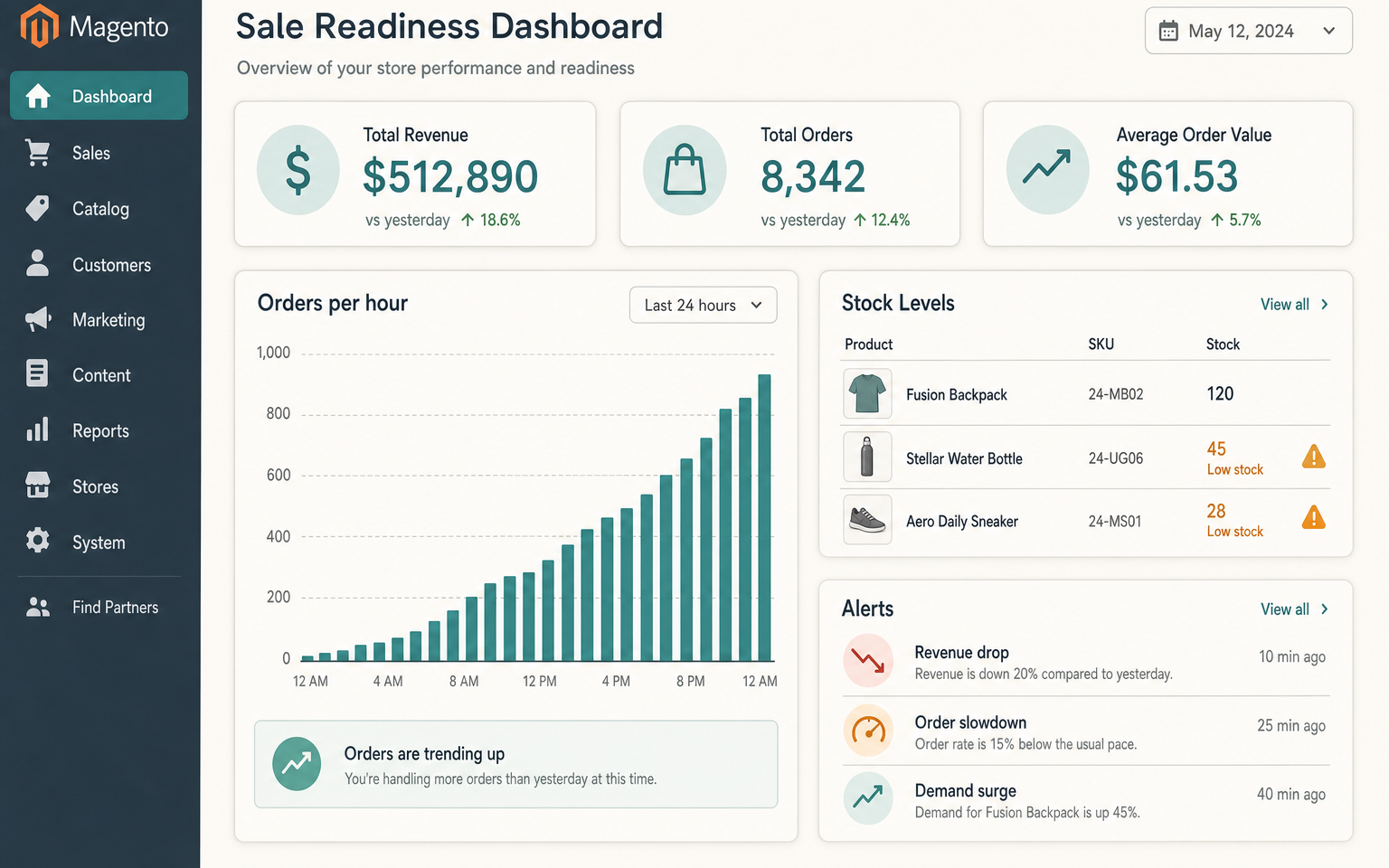
On the monitoring side, Pulse is built for exactly the "watch, don't change" day. It's a business-metrics dashboard, so it watches the commercial signals rather than server health: it surfaces orders by hour and revenue, and its alert detectors flag a revenue drop, an order slowdown, a demand surge, a spell of zero-revenue hours, or a fulfilment backlog building up. Those are the signals that tell you whether your sale is healthy or whether it's time to reach for the rollback plan. Pair it with a page-speed tool for the technical read - Pulse tells you if a problem is costing orders, which is the number that actually decides whether you act.
FAQ
How far in advance should I prepare a Magento store for a sale?
Start at least a week out, and earlier for the slow-to-fix items. Stock and performance need the most lead time because a problem there can't be fixed on the day. Checkout, payment, email and monitoring can be confirmed in the days that follow. The last day before the sale should be about freezing changes and preparing to respond, not still building.
What's the most common Magento sale-day failure?
A store that isn't fully cached, so a traffic spike sends every request to the application and the server buckles. Close behind are payment gateways that can't handle the concurrent volume, and checkout breaking under load. All three are caught by testing under simulated traffic before the sale rather than discovering them live.
Should I really avoid all changes the day before?
Avoid all non-critical changes, yes. The day before a sale there's no runway to catch what a change broke, so the risk of a fix outweighs the benefit for anything short of a genuine emergency like checkout being down. Note non-urgent issues and handle them after the sale. A stable known store beats a slightly improved unknown one.
How do I know if my Magento store can handle the traffic?
Stress test it before the event with a load-testing tool that simulates the concurrent traffic you expect, and watch where it breaks - usually checkout, payment, or the database. Combine that with a Lighthouse baseline and confirmed caching. Testing under realistic load is the only way to know your ceiling before the sale finds it for you.
Work the seven days in order and the sale itself becomes a day of watching dashboards rather than fighting fires. The stores that struggle are almost always the ones that left the foundation - stock and caching - to the last minute.