

The Magento Store Owner's Annual Improvement Plan: 12 Months, One Theme at a Time

A Magento improvement plan works best as twelve monthly themes rather than one annual overhaul: audit, analytics, stock, fulfilment, cart, email, post-purchase, content, SEO and GEO, security, performance, and seasonal preparation. One theme a month, each finished before the next begins, so improvement becomes a habit instead of a heroic quarter you never quite schedule. The point isn't to do everything - it's to always be doing the one thing that matters most this month.
Why a rolling monthly plan beats a big annual project
Store improvement usually fails in the same way: it gets treated as a project you'll do "when things calm down", which they never do. A quarter-long optimisation push competes with running the store and loses. A single theme a month competes with nothing - it's small enough to finish, specific enough to measure, and repeats often enough to build momentum.
The rolling structure also spreads risk. Twelve small changes, each observed for a few weeks before the next, means you always know which change caused which result. A big-bang overhaul changes ten things at once and you can't tell what helped. And a monthly cadence means even a bad month costs you one theme, not a whole roadmap - you pick up next month where the plan says, not where guilt leaves you.
What's the 12-month Magento plan, month by month?
Here's the plan as themes. The order front-loads measurement (you can't improve what you're not tracking) and back-loads seasonal prep so it lands before peak. Shift the calendar to fit your own peak - a garden store's December is a homeware store's July.
| Month | Theme | The one job this month |
|---|---|---|
| 1 | Audit | Run a full store health check; fix the silent failures (cron, email, backups) first |
| 2 | Analytics | Confirm tracking and conversions actually fire; get profit, not just revenue, on the dashboard |
| 3 | Stock | Fix salable-quantity accuracy and set up reorder logic so you stop overselling and stockouts |
| 4 | Fulfilment | Remove the one-at-a-time order grind: bulk actions, batch pick lists, scanning |
| 5 | Cart | Make add-on offers relevant to cart contents; lift average order value without discounting |
| 6 | Build the lifecycle flows: welcome, abandoned cart, back-in-stock, winback | |
| 7 | Post-purchase | Cut where-is-my-order tickets with a real tracking page and a working thank-you page |
| 8 | Content | Improve product pages at scale: descriptions, attributes, images that convert |
| 9 | SEO and GEO | Fix technical SEO and make key pages citable by AI answer engines |
| 10 | Security | Two-factor, admin hardening, action logging, patch review, tested backups |
| 11 | Performance | Core Web Vitals, caching, image optimisation before traffic climbs |
| 12 | Seasonal prep | Stress-test fulfilment, set shipping cutoffs, staff the peak, freeze risky changes |

How do you prioritise within a month?
Each theme offers more work than a month holds, so score the options and do the best one. Four axes: revenue impact, effort, risk, and team capacity. The initiative you want is high impact, low effort, low risk, and inside your capacity - and there's usually one obvious candidate once you've scored them properly.
| Axis | Question | Bias toward |
|---|---|---|
| Revenue impact | If this works, does it move a number that matters? | Conversion, AOV, retention, or recovered revenue |
| Effort | Can it be finished this month by the people you have? | Done beats perfect and unfinished |
| Risk | What breaks if it goes wrong, and can you undo it? | Reversible changes over one-way doors |
| Team capacity | Do you have the skills in-house, or is this a hire? | Match the theme to who's actually free |
The common mistake is picking the exciting initiative over the high-scoring one. A store replatform is thrilling and scores terribly on effort and risk; fixing the abandoned-cart email is dull and scores brilliantly on all four. Trust the score. The plan's whole value is that it stops you spending August on the fun thing while the tracking has been broken since February.
What are the quarterly checkpoints?
Every three months, stop adding and look back. A quarterly checkpoint asks three questions: did the last three themes actually land, did any of the earlier fixes quietly regress, and does the next quarter's plan still match reality. It's the difference between a plan you follow and a plan you drift from.
- Q1 (Audit, Analytics, Stock): Is the store's foundation sound? Cron, email, backups, tracking, and stock accuracy all confirmed working. Nothing else matters until these do.
- Q2 (Fulfilment, Cart, Email): Is the money machine tuned? Orders process fast, average order value is climbing, and the lifecycle emails are live and sending.
- Q3 (Post-purchase, Content, SEO/GEO): Is the store earning attention and keeping customers? Fewer support tickets, better product pages, and pages that rank and get cited.
- Q4 (Security, Performance, Seasonal prep): Is the store safe and ready for its busiest weeks? Hardened, fast, and stress-tested before peak, with risky changes frozen.
How this applies to Magento 2
Magento 2 is powerful and almost entirely un-opinionated about how you run it - it hands you the tools and no schedule for using them. That's exactly why a plan helps: the platform will never nudge you to check your cron, tune your cart, or prep for peak. Adobe's own Commerce admin guide documents every feature but not the cadence for maintaining them; the annual plan is that missing cadence. As of Magento 2.4.9, none of these themes is a native workflow - each is a decision you have to schedule, which is the whole reason to write the schedule down.
Where Moogento helps
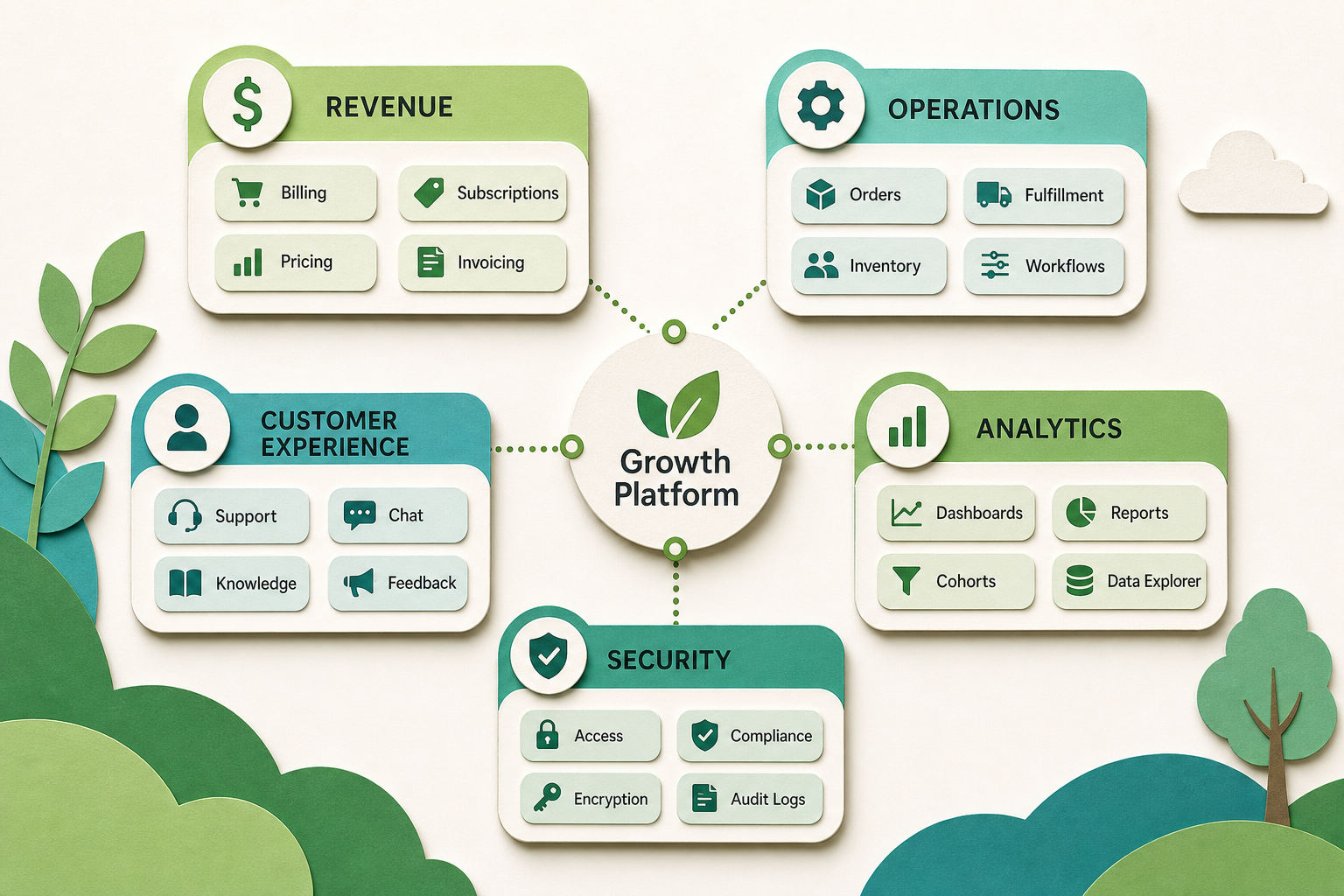
Most themes in the plan map onto a specific piece of the store, and Moogento's modules group the same way - by the job they do, not as one bundle. Think of the ecosystem in five clusters that mirror the plan:
- Revenue (months 5-6): SmartCart for cart-aware add-on offers, GiftEasy for gift cards and store credit, HelloCustomer for lifecycle email, and NotifyMe for back-in-stock demand capture.
- Operations (months 3-4): ShipEasy for bulk order actions, PickPack for batch picking documents, and StockEasy for scheduled stock imports and reorder logic.
- Customer experience (month 7): TrackEasy for a branded order-tracking page and ThanksEasy for a working thank-you page, both aimed at the post-purchase ticket problem.
- Analytics (month 2): Pulse for a live dashboard with anomaly alerts, and ProfitEasy for true per-order profit, so month two puts margin on the board rather than just revenue.
- Security (month 10): AuditEasy for admin action logging, tested backups, and login alerts, plus spam and fraud filtering for the checkout.
You don't need any of them to run the plan - the plan is the point, and it works on a bare Magento install with elbow grease. What the modules do is remove the manual work from a theme so the improvement sticks instead of decaying the moment you move to next month. The full list lives in the Moogento docs if you want to match a specific month to a specific tool.
Annual plan quick-start checklist
- Put twelve themes on a calendar, one per month, seasonal prep landing the month before your real peak.
- Start with audit and analytics no matter what - you can't improve what you haven't confirmed is measured and working.
- At the start of each month, list the theme's options and score them on impact, effort, risk, and capacity.
- Do the highest-scoring option, not the most exciting one. Finish it before the month ends.
- Observe each change for a few weeks before the next, so you know what caused what.
- Hold a quarterly checkpoint: did it land, did anything regress, does the plan still fit.
- Roll the plan forward every year. The themes repeat; the specific jobs within them get harder to find, which is the sign it's working.
FAQ
How should a Magento store owner plan improvements over a year?
Split the year into twelve monthly themes - audit, analytics, stock, fulfilment, cart, email, post-purchase, content, SEO and GEO, security, performance, and seasonal prep - and do one a month, finishing each before starting the next. A rolling monthly cadence gets done because each theme is small enough to complete alongside running the store, unlike a quarter-long project that always loses to daily operations.
What should a Magento store fix first?
The foundation: a store health audit and analytics, in that order. Silent failures like a stopped cron, undelivered emails, or untested backups undermine everything else, and broken tracking means you can't tell whether any later improvement worked. Fix what's quietly broken and confirm you're measuring, then move to the revenue and operations themes.
How do I prioritise Magento improvements within a month?
Score each option on four axes: revenue impact, effort, risk, and team capacity. Favour high-impact, low-effort, reversible changes that your current team can finish this month. The trap is choosing the exciting initiative over the high-scoring one - a boring abandoned-cart email fix usually outscores a thrilling replatform on every axis that matters.
When should I do seasonal preparation for a Magento peak?
The month before your real peak, not during it. Seasonal prep means stress-testing fulfilment, setting shipping cutoff dates, staffing up, and freezing risky changes so nothing new breaks during the busiest weeks. Because peak timing differs by store, rotate the annual calendar so the seasonal-prep theme always lands one month ahead of your own high season.
Pick the month you're in now and start there - the plan is a loop, not a line, so there's no wrong entry point. Whatever this month's theme is, its one job is more valuable than reading another guide about it, and next month the plan tells you what's next without you having to decide again.


