

Magento Shipping Tracking: Why Carrier Links Alone Are Not Enough

A carrier tracking link isn't enough because carrier tracking pages are built for logistics staff, not shoppers. They're unbranded, often ad-heavy, weak on mobile, and full of phrases a customer has to decode: "in transit", "exception", "inward office of exchange". A Magento store fixes this by pulling carrier data onto its own domain and normalising raw statuses into a branded, plain-language timeline the customer can actually read.
Why isn't a carrier tracking link good enough?
A raw carrier link outsources the most anxious moment of the order - "where is my thing?" - to a page you don't control and that wasn't designed for your customer. The carrier's tracking page exists to expose scan events, not to reassure a buyer. It shows the data the carrier records, in the carrier's language, wrapped in the carrier's branding (and sometimes the carrier's ads).
The result is that the link meant to reduce "where is my order?" contacts often generates them. The customer sees a status they can't interpret, or a page that looks nothing like the shop they bought from, or a two-day gap with no explanation, and they do the natural thing: they ask you. You've handed them a document written in another language and told them it's the answer.
What's actually wrong with carrier tracking pages?
Five specific problems turn a carrier link into a support-ticket generator:
- Jargon. "In transit" doesn't mean the parcel is moving - it may sit at a hub for days on a single scan. "Exception" covers everything from weather to a bad address. Customers can't tell a normal status from a real problem.
- No branding. The page looks like the carrier, not your shop. Trust drops at exactly the moment you want it high, and the customer loses the thread between "the thing I bought" and "this logistics website".
- Clutter and ads. Many carrier pages push their own upsells, apps, and account signups around the one number the customer came for.
- Weak mobile experience. Most tracking checks happen on a phone. Carrier pages are frequently built desktop-first, so the status the customer wants is buried under cookie banners and tiny type.
- Dead ends. When something looks wrong, the carrier page's help path is the carrier's - not yours - so the customer bounces back to you anyway, now more worried.
None of this is the carrier failing at its job. The carrier's job is moving parcels and recording scans, and it does that. The page just isn't a customer communication tool, and using it as one is the mistake.
How should carrier statuses be translated?
The single highest-value fix is to translate carrier statuses into plain sentences written for the customer. Every confusing carrier phrase has a calm, human equivalent that answers the real question - when do I get it, and is anything wrong? UPS publishes a glossary precisely because its own status codes need explaining; that glossary is the tell that the raw statuses were never meant for shoppers.
| Carrier phrase | What it actually means | What to show the customer |
|---|---|---|
| In transit | Scanned at a hub, may be stationary for a day or two | Your order's on its way. Next update when it reaches your local depot. |
| Exception | Anything from weather to a delivery attempt to a bad address | There's a short delay - here's what's happening and what (if anything) you need to do. |
| Inward office of exchange | Handed to the destination country's postal service, customs pending | Your parcel has arrived in the country and is clearing customs, usually 3 to 5 days. |
| Available for pickup | At a depot or locker awaiting collection | Ready to collect. Here's where, and how long they'll hold it. |
| Delivery failure / attempted | Carrier tried and couldn't complete delivery | We missed you. Here's how to rebook or redirect. |
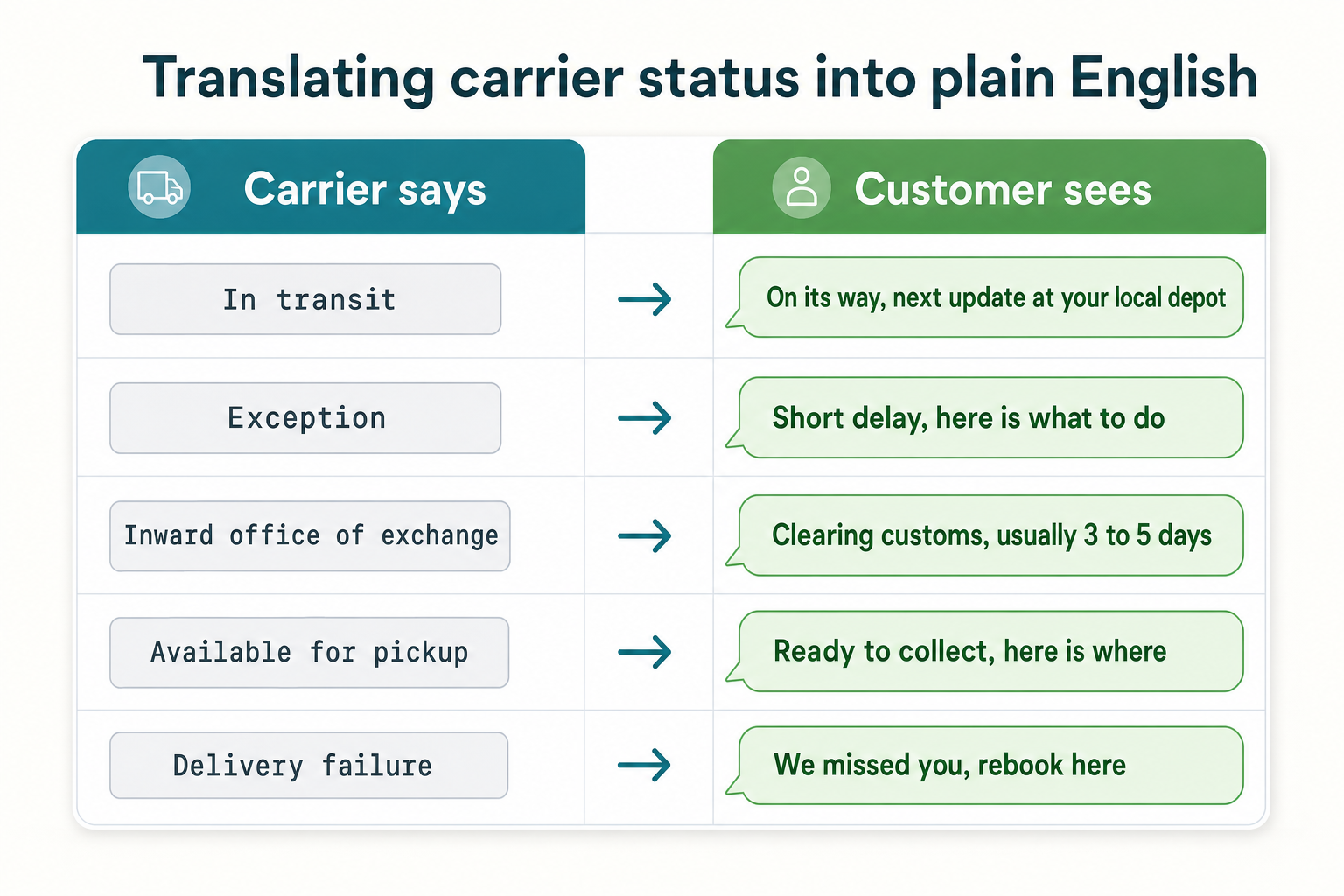
Do this consistently and you collapse dozens of carrier-specific codes into a small set of states a customer understands at a glance. That normalisation is also what lets you show the same clean timeline whether the parcel moved by UPS, Royal Mail or a local courier - the customer sees your language, not five carriers' dialects.
How this applies to Magento 2
Magento 2's default post-purchase tracking is a carrier handoff. When you create a shipment and enter a tracking number, the "Send Tracking Information" email gives the customer the number and a link to the carrier's site. As of Magento 2.4.9 there's no branded tracking page on your own domain, no normalisation of carrier statuses into plain language, and no consolidated timeline - the native flow ends at the carrier's front door.
So on a stock Magento store, every one of the carrier-page problems above is your customer's problem, and by extension your support team's. The fix is to pull carrier tracking data back onto a page you control, translate the statuses, and present them as a branded timeline. That's a custom controller pulling carrier APIs, or a module built to do it. This is the same root issue behind most where-is-my-order tickets in Magento - silence and jargon between dispatch and doorstep.
Where Moogento helps
TrackEasy is built around exactly this translation job. It normalises the many carrier status codes into nine customer-readable states - Delivered, Out for Delivery, Available for Pickup, In Transit, Info Received, Delivery Failure, Exception, Expired and Not Found - so "arrival at inward office of exchange" never reaches a customer's screen. Each order gets a tokenised tracking page on your own domain (no login, the secure token is in the link) showing a plain four-step timeline: Ordered, Packed, Shipped, Delivered. It refreshes tracking on a roughly ten-minute cron cycle with direct integrations for UPS, FedEx, DHL, USPS, Royal Mail, Evri, Australia Post and Toll, plus a universal 17TRACK fallback for anything else, and it emails the customer a delivery update when the expected date changes.
Two limits to plan around: the page is a timeline, not a live map, and there's no SMS channel - it's email plus the branded page. For the expectation-setting that pairs with tracking, ThanksEasy puts "shipped by" and "delivered by" dates on the order confirmation page, so the customer starts with a date rather than a countdown of silence. Together they replace the carrier handoff with something the customer can actually read.
Carrier tracking audit checklist
- Click your own dispatch email's tracking link on a phone. Time how long it takes to find the delivery date.
- Count the words on the carrier page a customer must interpret ("manifest", "in transit", "exception").
- Note whether the carrier page shows your branding or the carrier's - and whether it shows the carrier's ads.
- Trigger a delayed or exception status if you can, and read what the customer would see. Is it a plain sentence or a code?
- Check the mobile layout: cookie banners, tiny type, horizontal scrolling.
- Follow the "something's wrong" path on the carrier page. Does it lead back to you, or leave the customer stranded?
- Ask support how often they hand-translate a carrier status for a customer. Every instance is a gap your page should close.
FAQ
Does Magento 2 have a branded tracking page?
No. Magento 2's default shipment email links the customer to the carrier's own tracking site using the number you enter. There's no native branded tracking page, no status translation, and no consolidated timeline - those require a custom build or a module such as TrackEasy that renders your own page from carrier data.
What does "in transit" actually mean on a tracking page?
"In transit" means the parcel was scanned somewhere in the carrier's network, not that it's currently moving. A parcel can sit at a sortation hub for a day or more showing "in transit" on a single scan. That gap between the phrase and reality is why customers read it as a problem and contact support.
Is it better to link to the carrier or host my own tracking page?
Host your own where you can. A branded page on your domain keeps the customer in your experience, lets you translate carrier jargon into plain language, and gives you the help path when something looks wrong. The carrier link is fine as a secondary "raw detail" option, but it shouldn't be the primary customer-facing tracking experience.
How do I normalise different carriers into one status format?
You map each carrier's status codes to a small shared set of customer-facing states (delivered, out for delivery, in transit, exception, and so on), then display that shared set instead of the raw code. Doing it by hand across several carriers is tedious; tracking modules like TrackEasy ship this mapping so every carrier renders in the same plain-language timeline.
Start with the translation table. Even before you build a branded page, writing the plain-language version of every carrier status your customers see is the change that removes the most tickets - because most WISMO contacts are really just a customer asking you to translate a status the carrier already sent them.


