

The Hidden Cost of Slow Magento Order Processing

Slow Magento order processing costs far more than the minutes it burns. Every extra click per order is trivial once and punishing at volume: it eats the buffer before carrier cutoffs, forces overtime at peak, and multiplies small mistakes that become tickets. The default workflow handles orders one screen at a time - fine at ten a day, expensive at five hundred. The fix is to collapse the repeated steps into bulk actions.
Where does the time actually go in Magento order processing?
Not in the thinking, in the clicking. Processing an order is mostly navigation: opening the order, moving between the invoice and shipment screens, entering or confirming tracking, printing documents, and returning to the grid to do it again. Each step is a page load and a few clicks. None of it is hard. All of it repeats per order.
That's the trap. Because any single order is quick, the cost stays invisible until you multiply it by a day's volume and a month's days. A workflow that's ten seconds slower per order than it needs to be doesn't feel like anything at 20 orders a day. At 500, it's over an hour a day of paid time spent clicking through screens - every day, forever, until the workflow changes.
What does the default workflow cost, step by step?
Here's the default Magento 2 path to fully process one paid order - invoice it, ship it, and print the paperwork - versus a bulk-action path. The click counts are a model to walk through, not a benchmark; the point is the shape, and you should time your own team against it.
| Step | Default (per order) | Bulk action (per batch) |
|---|---|---|
| Open the order | Click into each order from the grid | Select many with checkboxes |
| Invoice | Invoice, then Submit Invoice | One action for the whole batch |
| Ship | Back to order, Ship, enter tracking, Submit Shipment | Same action creates shipments |
| Print documents | Open and print packing slip per order | Print the batch in one run |
| Return | Navigate back to the grid, repeat | Done - the batch is processed |
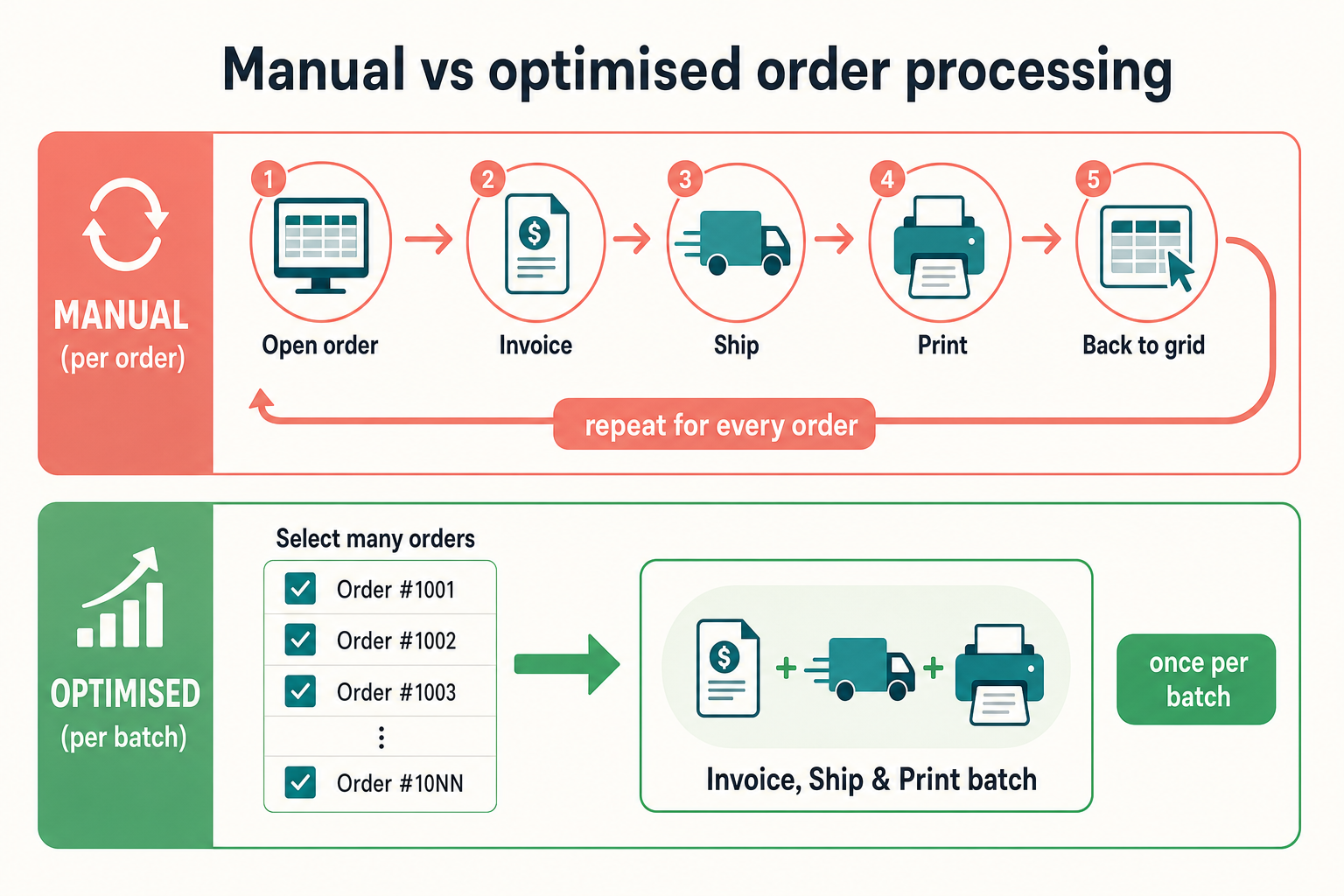
The default flow also hides a second cost: context-switching. Processing orders one at a time means constantly reloading screens and re-finding your place, which is where the small errors creep in - the order shipped but not invoiced, the tracking pasted into the wrong order, the packing slip printed twice.
How the cost compounds: three merchant archetypes
The same per-order waste lands very differently depending on volume. Take a workflow that's, say, 30 seconds slower per order than a streamlined one - a conservative gap once you count navigation and reloads:
- 20 orders a day: about 10 minutes a day. Real, but absorbable - probably not worth restructuring the whole workflow for on its own.
- 100 orders a day: about 50 minutes a day. Now it's most of an hour of paid time, every day, and it's the difference between making the courier cutoff calmly and scrambling.
- 500 orders a day: over four hours a day. That's a job's worth of time spent navigating screens, and at peak it's the overtime and the missed cutoffs that cost real money and goodwill.
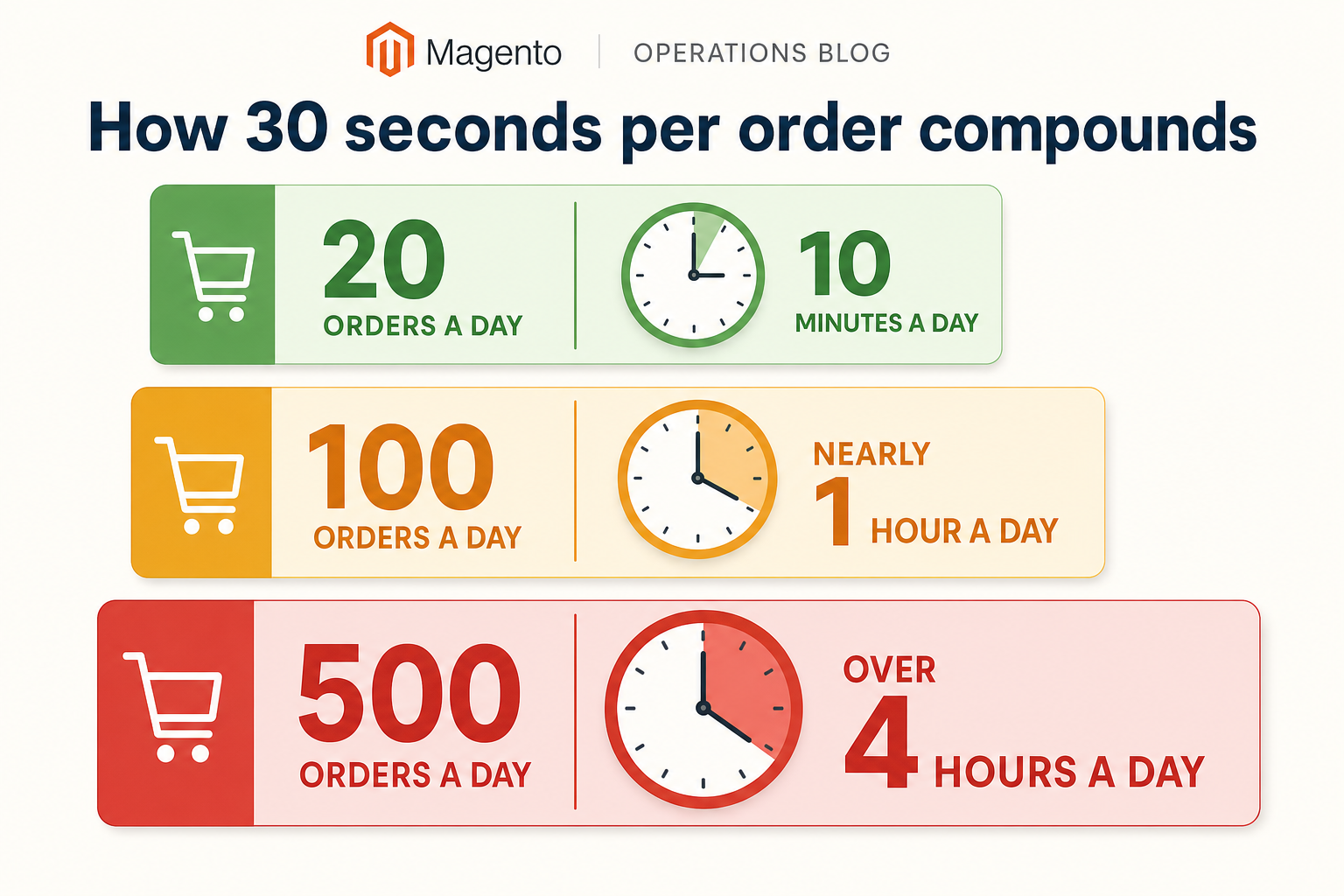
The compounding is why order processing is usually a better efficiency target than it looks. You're not saving a few seconds; you're saving a few seconds times every order times every day, and the saving scales with exactly the growth you're hoping for.
How this applies to Magento 2
Magento 2's default order processing is deliberately per-order. From the Sales > Orders grid you open an order, create an invoice, then create a shipment with tracking, then print documents - each on its own screen. As of Magento 2.4.9 the grid's bulk actions cover holds, cancels and document printing, but there's no native single-pass "invoice and ship this batch" and no consolidated print of operational documents. Adobe's order processing documentation lays out the per-order flow, which is exactly the flow that scales badly. Speeding it up means either scripting bulk operations yourself or adding a module that batches them - and it pairs closely with fixing the grid you work from, covered in improving the Magento orders grid.
Where Moogento helps
ShipEasy attacks the repetition directly. Its "Invoice & Ship" mass action takes a batch selected in the orders grid and invoices and ships them in a single pass - committing the invoice and shipment together in one database transaction rather than making you walk each order through two screens. There are separate bulk actions for invoicing only, shipping only, setting status, and adding tracking, plus a CSV import for tracking numbers and a barcode scan-to-process flow. Batch size is capped by licence tier (50 orders on Seed, 200 on Growth, 500 on Pro), so the plan should match your daily volume. Because ShipEasy also enriches the grid with product and status columns, a lot of the order-opening that padded the default flow simply stops being necessary.
When you are ready to configure the action, use the step-by-step guide to bulk invoicing and shipping Magento 2 orders, including batch selection, exception handling and rollout checks.
The other half of the time cost is paperwork. PickPack generates picking and packing documents for a whole selection of orders at once - including a combined mode that merges the same SKU across every selected order into one line - so printing the batch is one run instead of one-order-at-a-time. Between them, the repeated per-order steps become per-batch steps, which is the whole game: processing time that grows with the number of batches, not the number of orders.
Order processing audit worksheet
- Time one person fully processing ten real orders end to end (invoice, ship, print). Divide by ten for your per-order time.
- Count the screen loads per order. Multiply by your daily order count - that's your daily page-load tax.
- Multiply per-order time by daily volume, then by working days a month. That monthly number is what a faster workflow is worth.
- Note every point where the operator switches order or reloads the grid. Those switches are where mistakes are born.
- Check your carrier cutoff. How much buffer is left after the day's orders are processed? A thin buffer means the workflow is already the bottleneck.
- Tally reships and "shipped but not invoiced" errors for a month. Slow, repetitive workflows produce more of both.
- Ask what your team does at peak (Black Friday, a product drop). If the answer is overtime, the per-order cost is already being paid in wages.
FAQ
Can Magento 2 invoice and ship orders in bulk?
Not in a single native action. The default grid lets you print documents and apply holds or cancellations in bulk, but invoicing and shipping are per-order screens. A single-pass bulk invoice-and-ship requires custom development or an extension that batches the operation, within its licence-based batch-size limits.
How much time does slow order processing actually cost?
It scales with volume. A per-order gap of around 30 seconds is roughly 10 minutes a day at 20 orders, near an hour at 100, and over four hours at 500. The right way to know your own figure is to time ten real orders end to end and multiply by your daily volume and monthly working days.
What's the fastest way to speed up Magento fulfilment?
Remove repetition. The biggest wins are batching invoice-and-ship into one action, printing picking and packing documents for a whole batch at once, and putting enough operational data on the orders grid that your team stops opening individual orders just to see contents or status.
Does faster order processing increase mistakes?
Done by batching, it usually reduces them. Most fulfilment errors come from context-switching between per-order screens - shipping something that wasn't invoiced, pasting tracking into the wrong order. Processing a batch in one consistent pass removes many of those switch points, so speed and accuracy improve together rather than trading off.
Time ten orders this week. That single measurement, multiplied out to a month, usually makes the case on its own - and tells you whether your next fulfilment investment should be a workflow change or something bigger.


