Magento Stock Management: The Difference Between In Stock and Actually Sellable

In Magento 2, "in stock" and "sellable" are two different numbers. Quantity is the stock recorded against a source. Salable quantity is what's left after Magento reserves stock for orders that have been placed but not yet shipped. A product can show a quantity of 10, have 10 reserved by pending orders, and correctly refuse the next customer - because its salable quantity is zero. Most "why can't customers buy this?" tickets come down to that gap.
What is salable quantity in Magento?
Salable quantity is the number Magento will actually let customers buy: the source quantity minus the reservations held against it. When someone places an order, Magento doesn't immediately reduce the physical quantity - the goods are still on your shelf until you ship them. Instead it creates a reservation, an entry that says "this much is spoken for". Salable quantity is quantity minus those reservations, and it's the figure the storefront checks before adding to cart.
This is deliberate. It lets the recorded quantity stay accurate to what's physically present (you deduct it when you ship), while still stopping you from overselling the same unit twice. The side effect is two numbers that can legitimately disagree, and an admin grid that shows both.
The four numbers that confuse Magento merchants
Four related figures cause almost every stock question. Naming them precisely is half the battle:
| Term | What it means | Where you see it |
|---|---|---|
| Quantity | Stock recorded against a source - what's physically there | Product edit page, source item qty |
| Stock status | A yes/no flag: In Stock or Out of Stock | Product grid, storefront badge |
| Reservation | Stock committed to a placed-but-unshipped order | Not shown directly - it's the invisible difference |
| Salable quantity | Quantity minus reservations - what customers can buy | Product grid "Salable Quantity" column |
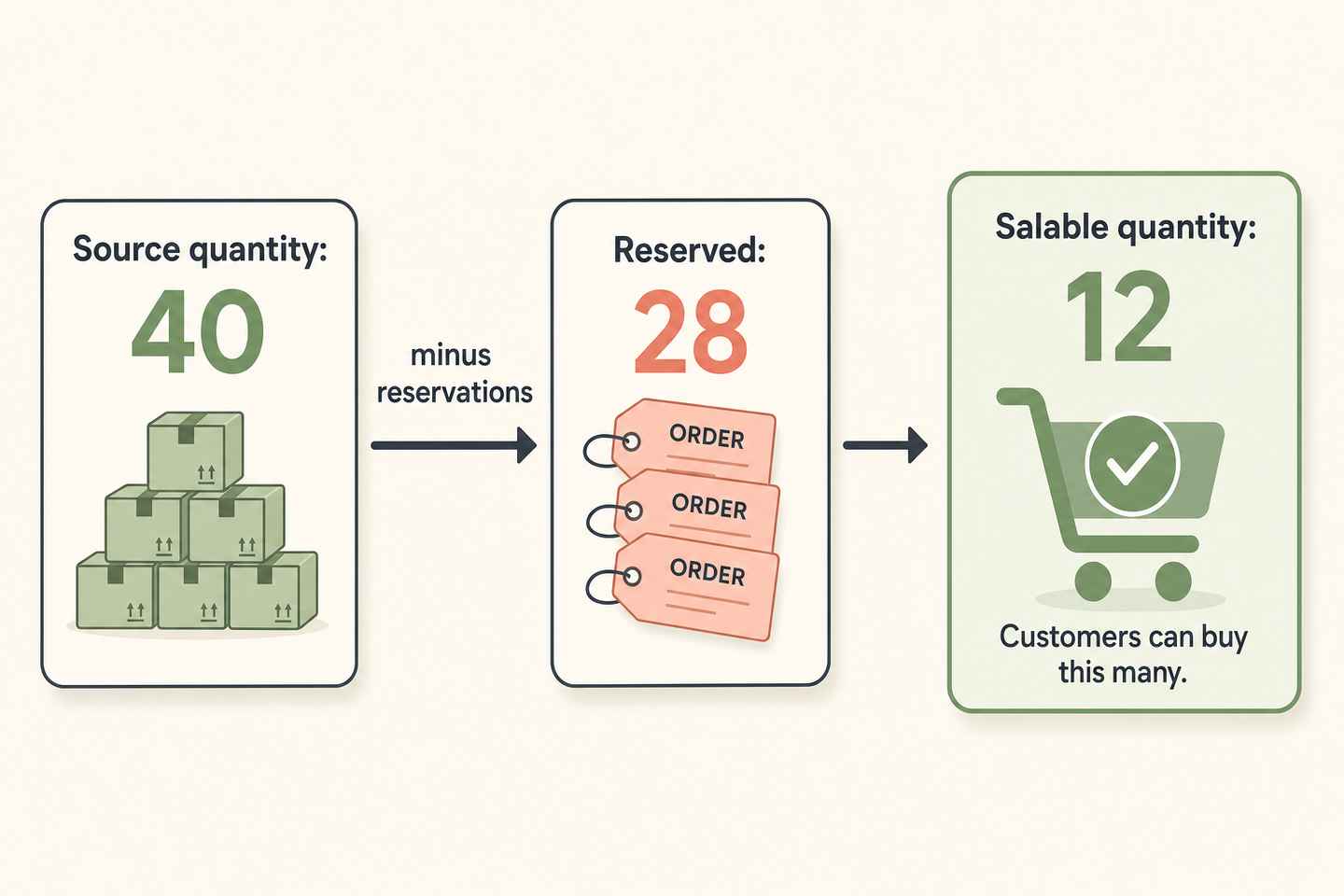
Why does a product show in stock but can't be bought?
The usual answer is reservations that never got cleared. Salable quantity is quantity minus reservations, so if reservations pile up and don't resolve, salable quantity drifts down - sometimes below zero - while quantity and the In Stock flag still look healthy.
Reservations are meant to clear in two ways: when you ship an order (the reservation is consumed and the real quantity drops), or when an order is cancelled (the reservation is released). They get stuck when something interrupts that lifecycle - an order stuck in a limbo state, a bulk import that changed quantities without reconciling reservations, or a data migration that left orphaned entries. The symptom is a product that reads In Stock with a positive quantity but a salable quantity of zero or negative, refusing every add-to-cart. Adobe's inventory management docs (Adobe Commerce inventory) describe the reservation model and the CLI tools for inspecting it.
How sources, backorders, and bundles complicate it
Multi Source Inventory (MSI) adds another layer. Stock lives on sources (warehouses, shops), and a stock aggregates one or more sources for a sales channel. Salable quantity is computed at the stock level, so a product can have plenty on one source and none on the source that feeds the website - in stock overall, unsellable on the channel that matters.
Backorders bend the rule on purpose: with backorders enabled, Magento will sell past zero salable quantity, so a negative salable number is expected rather than a fault. Bundles and configurables compute availability from their children - a bundle is only sellable if its required components are, and a configurable is only in stock if at least one child variant is - so the "why is this out of stock?" answer sometimes lives one level down, in a child SKU nobody thought to check.
How this applies to Magento 2
As of Magento 2.4.9, MSI is the default inventory system, and the split between quantity and salable quantity is core behaviour, not an add-on. The admin product grid shows a Salable Quantity column precisely because the two numbers diverge in normal operation. When you diagnose a stock complaint, always ask which number the reporter means: "we have 10 in the warehouse" (quantity) and "the site won't sell it" (salable quantity) are both true at once, and the fix depends on which gap you're closing. Stuck reservations are reconciled with Magento's own inventory CLI tools, not by editing quantity - bumping the quantity to paper over a reservation problem just hides it until the next order.
Stock mismatch troubleshooting
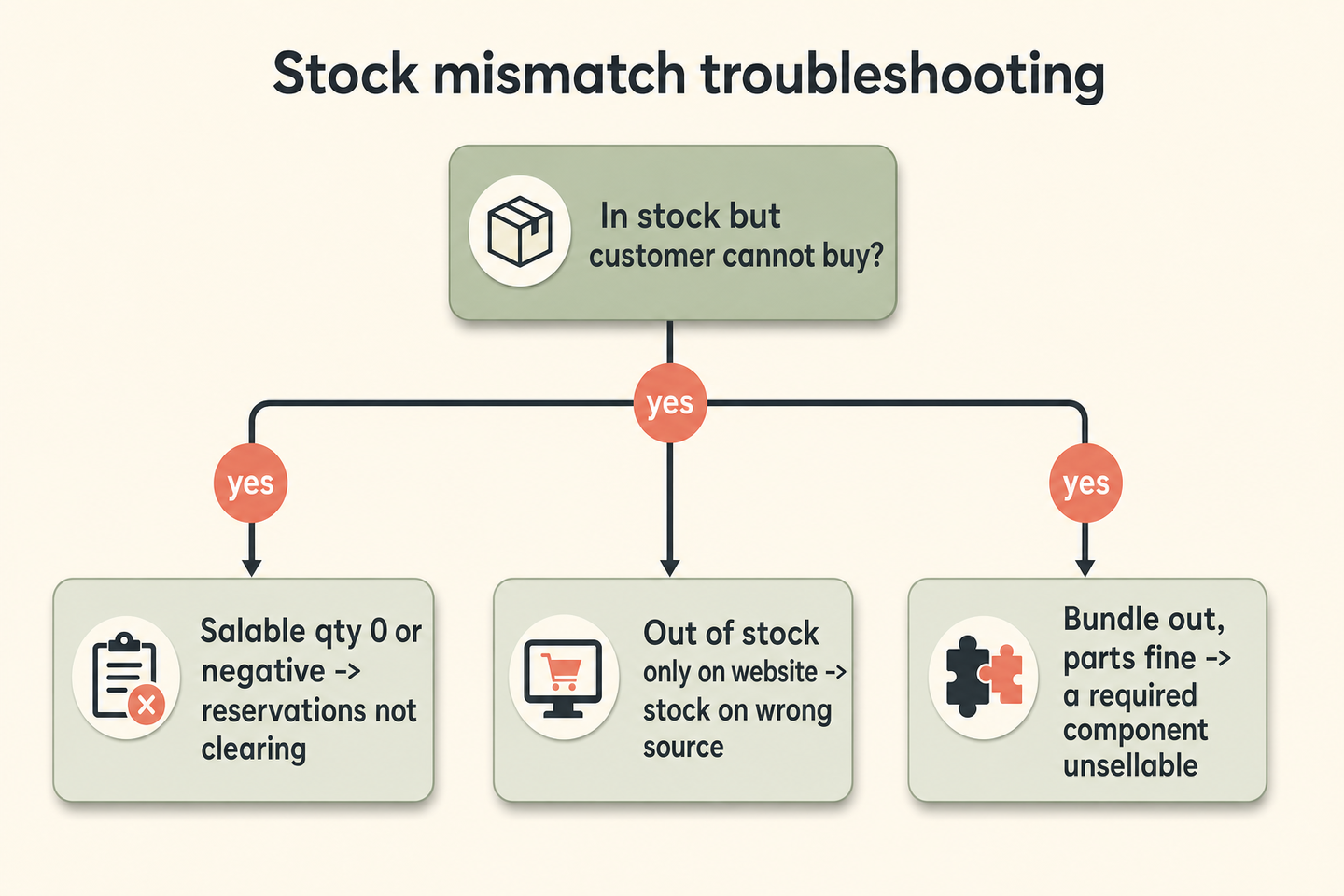
| Symptom | Likely cause | Where to look |
|---|---|---|
| In Stock, positive quantity, salable quantity 0 or negative | Reservations not clearing | Inventory reservations - reconcile with the CLI, don't edit quantity |
| In stock overall, out of stock on the website | Stock on the wrong source | Which sources feed the website's stock |
| Negative salable quantity, sales still allowed | Backorders enabled (working as intended) | Product / config backorder setting |
| Bundle out of stock, components look fine | A required component is unsellable | Each required child's salable quantity |
| Configurable out of stock | No child variant in stock | Child products' stock status |
Where Moogento helps
Once you understand the split, you want your stock reports to respect it - counting salable quantity, not raw quantity, when they tell you what's running low. StockEasy does exactly that: its stock and reorder figures read Magento's salable quantity where MSI is active, so its "days of stock remaining" estimate is based on what you can actually sell, not on a shelf count that includes goods already committed to orders. That's a stock report you can plan from - a product with 10 quantity and 10 reserved is not "10 in stock" for planning purposes, and StockEasy treats it that way.
For the customer-facing side of the same problem, NotifyMe handles back-in-stock alerts and checks salable availability before it fires - it only emails waiting customers once a product is genuinely sellable (salable and above zero), not the moment a quantity field ticks up while reservations still hold it back. That distinction is the whole point: telling a customer something is back when it isn't yet sellable just generates a failed add-to-cart and a support ticket. The Moogento docs cover both modules in detail.
FAQ
What is the difference between quantity and salable quantity in Magento?
Quantity is the stock recorded against a source - what's physically there. Salable quantity is quantity minus reservations held for placed-but-unshipped orders, and it's what customers can actually buy. The two diverge whenever orders are pending, which is normal. A product with quantity 10 and 10 reserved has a salable quantity of zero and correctly can't be bought.
Why is my Magento salable quantity negative?
Two reasons. If backorders are enabled, negative salable quantity is expected - Magento is letting you sell past zero on purpose. If backorders are off, a negative salable quantity usually means reservations aren't clearing (stuck orders, imports, or a migration left them orphaned). Reconcile reservations with Magento's inventory CLI rather than editing the quantity field.
Why does Magento show a product in stock but won't let customers buy it?
The In Stock flag and the quantity can be healthy while salable quantity is zero, because reservations for pending orders have used up the sellable count. Check the Salable Quantity column, not just the quantity - if it's zero or negative while quantity is positive, the issue is reservations, not physical stock.
Does salable quantity work with multiple sources?
Yes. With Multi Source Inventory, salable quantity is calculated per stock, and a stock aggregates one or more sources. Stock sitting on a source that doesn't feed your website's stock won't be sellable on the site, even though the product is "in stock" somewhere. Check which sources feed the relevant stock.
When a stock complaint lands, name the number first. Nine times in ten "it's in stock but won't sell" is salable quantity held down by reservations, and the fix is reconciling those - not touching the quantity that was right all along.