

Magento Spam Protection Without a CAPTCHA: Stopping Bots Quietly

Yes - Magento spam protection without a CAPTCHA is a sensible default for common scripted form spam. Honeypot fields, submission-timing checks and interaction signals can filter the bots that fill contact and registration forms while a real customer simply uses the form. A CAPTCHA can still have a place, but it adds a task to every genuine visitor. Invisible checks put that friction on the suspicious submission instead.
Can you really stop bot spam without a CAPTCHA?
For routine scripted form spam, yes. A common pattern is a script that loads a form, fills every field including the ones it should leave alone, then submits at machine speed. That behaviour is detectable without asking the visitor to do anything. A honeypot catches a bot that fills a field a human cannot see, while a timing check can flag a submission that arrives implausibly quickly.
What these methods don't stop is a determined human adversary specifically targeting your store, or high-volume payment-card fraud - those need heavier defences. But for the everyday flood of junk contact messages, fake account signups and spam reviews, invisible checks handle it, and they do it without a single customer meeting a puzzle.
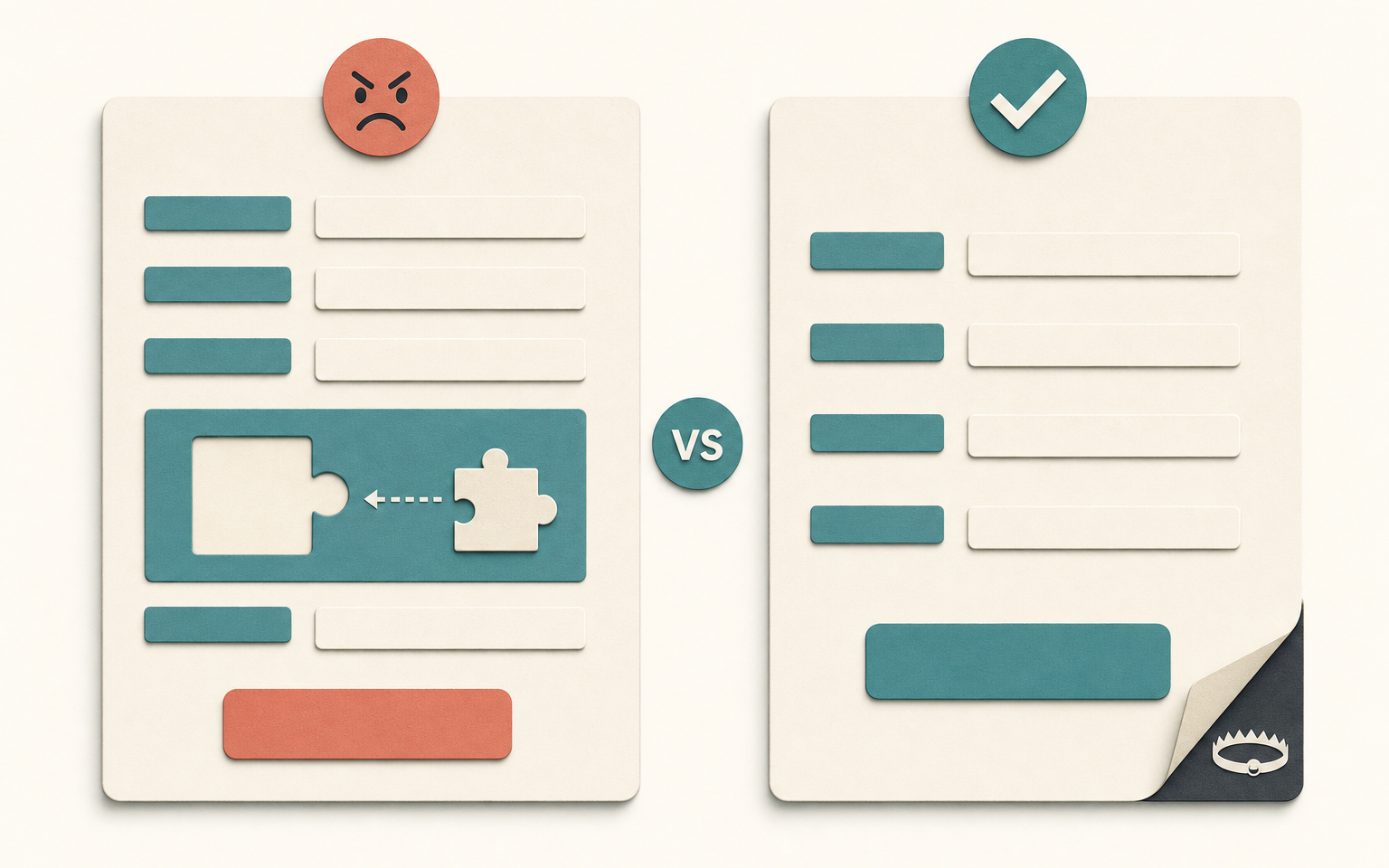
Why is a CAPTCHA a customer-experience problem?
A CAPTCHA works by making everyone prove they're human, which means the cost of stopping bots is paid by real customers too. Every challenge is another interruption for someone trying to contact you, create an account or leave a review. On a contact form that can mean a missed enquiry. On registration it can mean a customer who decides this has become more work than it is worth.
The friction is uneven, too. A challenge can be particularly awkward on a phone, with assistive technology, or when someone is trying to complete a quick task. That is not a reason to accept spam. It is a reason to stop the common, low-effort spam somewhere the customer does not feel it.
How do invisible spam checks work?
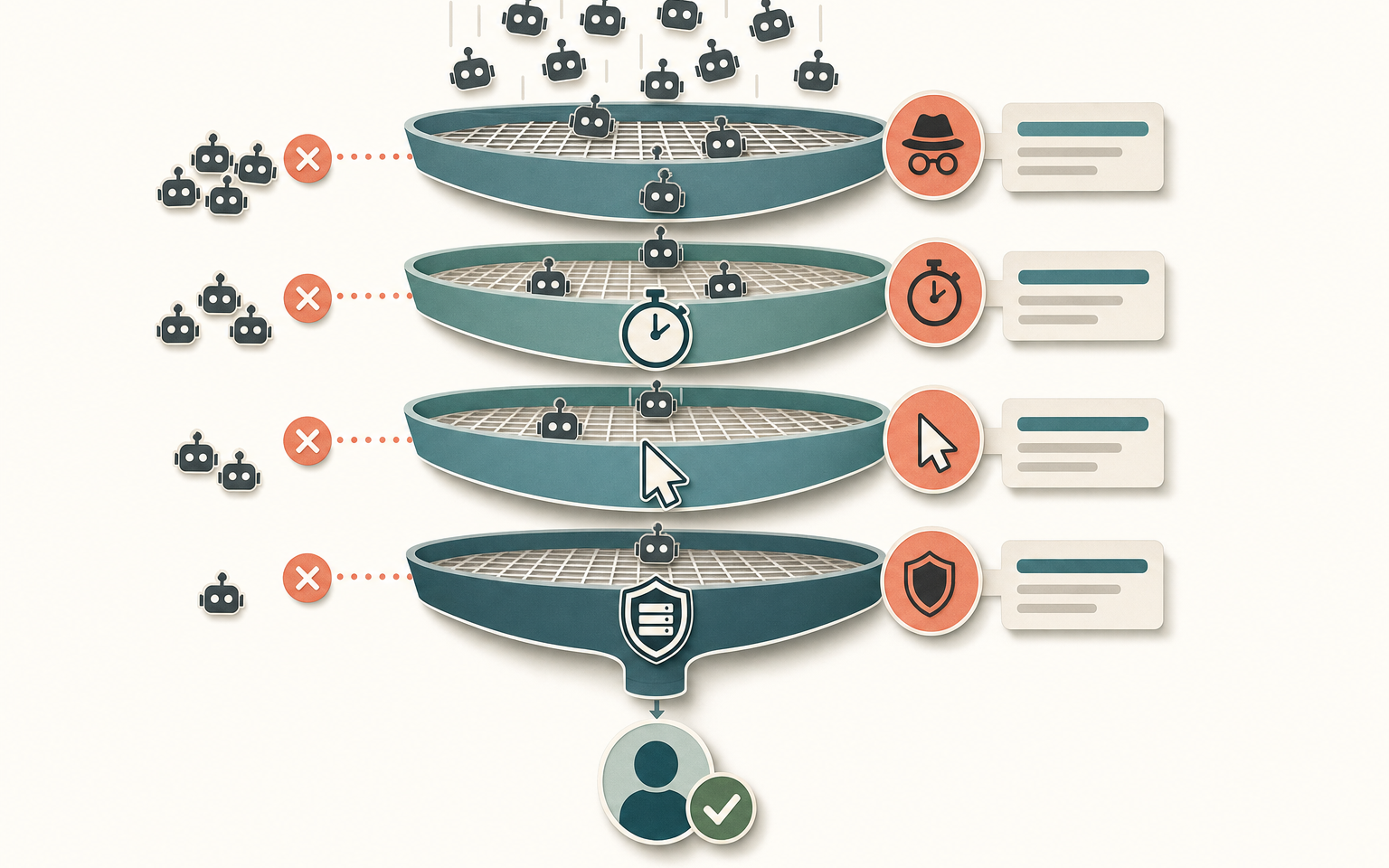
Several low-friction techniques stack together, each catching bots the others miss. None asks the visitor for anything.
| Technique | How it catches a bot | Cost to a real customer |
|---|---|---|
| Honeypot field | A hidden field a human never sees; a bot fills it and gives itself away | None - invisible |
| Timing check | Flags a form submitted unusually quickly after it loaded | Usually invisible in normal use, but test your own forms |
| Interaction gate | Keeps a protected form from submitting until a visitor moves a mouse, moves a touch pointer, or uses Tab or Enter | Invisible during ordinary form use |
| Server-side validation | Checks submitted data on the server, not only what the browser showed | None |
Where you still need more than invisible checks
Invisible checks are the right default, but they're not the whole answer for every form. Honeypots and timing stop scripted spam; they don't stop a human paid to fill forms, or an attacker testing stolen cards through your checkout. Card-testing in particular is a different problem - the "bot" is running real card numbers against your payment gateway, and stopping it needs IP and velocity controls, disposable-email detection and risk scoring, not a hidden field.
So the sensible posture is layered: invisible checks on the everyday forms (contact, newsletter, registration, reviews), and heavier fraud controls reserved for the checkout and account flows where the stakes are money rather than junk. Reach for a CAPTCHA only as a last resort on a specific form that's under active, targeted attack - not as the blanket default it's often deployed as.
How this applies to Magento 2
Magento 2 includes Google reCAPTCHA for storefront forms. In Admin, configure it at Stores > Settings > Configuration > Security > Google reCAPTCHA Storefront. Adobe Commerce documents controls for customer login, password reset, account creation, Contact Us, reviews, newsletter subscription and checkout. The standard configuration is reCAPTCHA, not a built-in honeypot and timing layer, so invisible form protection is something you add alongside it or use instead for the forms where a quiet filter is the better fit.
Where Moogento helps
NoMoreSpam is the invisible approach, built for Magento. It protects contact, frontend login, registration, forgotten-password, newsletter and product-review forms with a hashed hidden field, a submitted-too-fast check, an interaction gate, and configurable risk signals for links and incomplete review ratings. A genuine customer sees a normal form. You switch protection on per form at Stores > Configuration > Moogento > NoMoreSpam, so the contact form can be protected without changing another public form.
For card testing and targeted fraud, use controls designed for checkout rather than relying on a hidden form field. NoMoreSpam Pro adds IP-based event limiting, IP and CIDR blocking, disposable-email checks, risk scoring and payment-velocity controls. It can also enforce Magento's native admin two-factor requirement when Magento's own two-factor module is enabled. The card-testing guide explains where those checkout controls belong. Pair them with AuditEasy when you need an audit trail for admin activity as well as tighter public forms.
Form spam protection checklist
- List your public forms: contact, newsletter, account registration, product reviews, and any custom forms.
- For each, note the current protection - CAPTCHA, nothing, or invisible checks.
- Add invisible protection (honeypot, timing, behavioural) as the default on every form. It costs real customers nothing.
- Reserve CAPTCHA for a specific form under active, targeted attack - not as a blanket setting.
- On checkout and account flows, layer in fraud controls: rate limiting, disposable-email detection, IP controls.
- Watch your signup and enquiry quality after changes - fewer junk records is the signal it's working.
- Test each form yourself after any change to confirm a real submission still goes through cleanly.
FAQ
Can you stop Magento form spam without a CAPTCHA?
Yes, for most spam. Honeypot fields, submission-timing checks and behavioural signals catch the automated bots behind the majority of contact, registration and review spam, and a real customer never sees them. A CAPTCHA is only worth adding as a last resort on a specific form under active, targeted attack, because it puts friction on every genuine visitor to catch the few that aren't.
What is a honeypot and why doesn't it annoy customers?
A honeypot is a form field hidden from human visitors but visible to bots that read the raw HTML. A real customer never sees it, so they leave it blank; a bot fills every field it finds, including the trap, and gives itself away. Because it's invisible, it adds zero friction - the customer experiences a completely normal form.
Does Magento 2 have built-in spam protection?
Magento 2 includes Google reCAPTCHA, which you can enable per storefront form under Stores > Settings > Configuration > Security > Google reCAPTCHA Storefront. It works, but it adds a challenge or score check to the form. Magento's standard storefront configuration does not provide a built-in honeypot and timing layer, so invisible protection is an addition, whether alongside reCAPTCHA or in place of it.
Will invisible spam protection stop card-testing fraud?
No, and it's not meant to. Honeypots and timing checks stop scripted form spam. Card-testing is a different threat - real card numbers run against your payment gateway - and needs fraud controls like rate limiting, IP and velocity checks, disposable-email detection and risk scoring. Use invisible checks on everyday forms and reserve heavier fraud defences for checkout.
Start by turning invisible protection on across your public forms and watching the junk drop. If a particular form is still under targeted attack after that, add the heavier controls there specifically - and keep the CAPTCHA in reserve for the one form that genuinely needs it, not spread across a store full of customers who don't.


