Fake Magento Orders and $0 Authorisations: What to Watch For

Card testing is fraudsters checking stolen card numbers against your checkout in bulk, usually with automated scripts. On a Magento store it shows up as a sudden wave of tiny orders, a spike in declined or failed payments, and a rush of half-finished guest accounts. You defend against it by spotting the pattern early, tightening the low-friction paths attackers abuse, and escalating fast to your payment provider - not by chasing each fake order by hand.
What is a card-testing attack, and why do stores get hit?
Card testing (also called carding) is a validation attack. Someone has a list of stolen or guessed card numbers and needs to know which ones still work before selling them or spending them elsewhere. Your checkout is a free validator: submit a card, read whether it was authorised or declined, move to the next number. The order itself is incidental. Attackers often use the cheapest product on the site, or a $0 or near-$0 total, because the goal is a yes/no answer, not the goods.
Stores get hit for boring reasons, not because they were singled out. Automated bots crawl for checkouts that accept guest orders, don't rate-limit, and return a clear success or failure message. A store that lets an anonymous visitor attempt payment after payment, with no gap and no challenge, is easy to script against. It rarely has anything to do with how well known the brand is.
What are the warning signs of card testing on Magento?
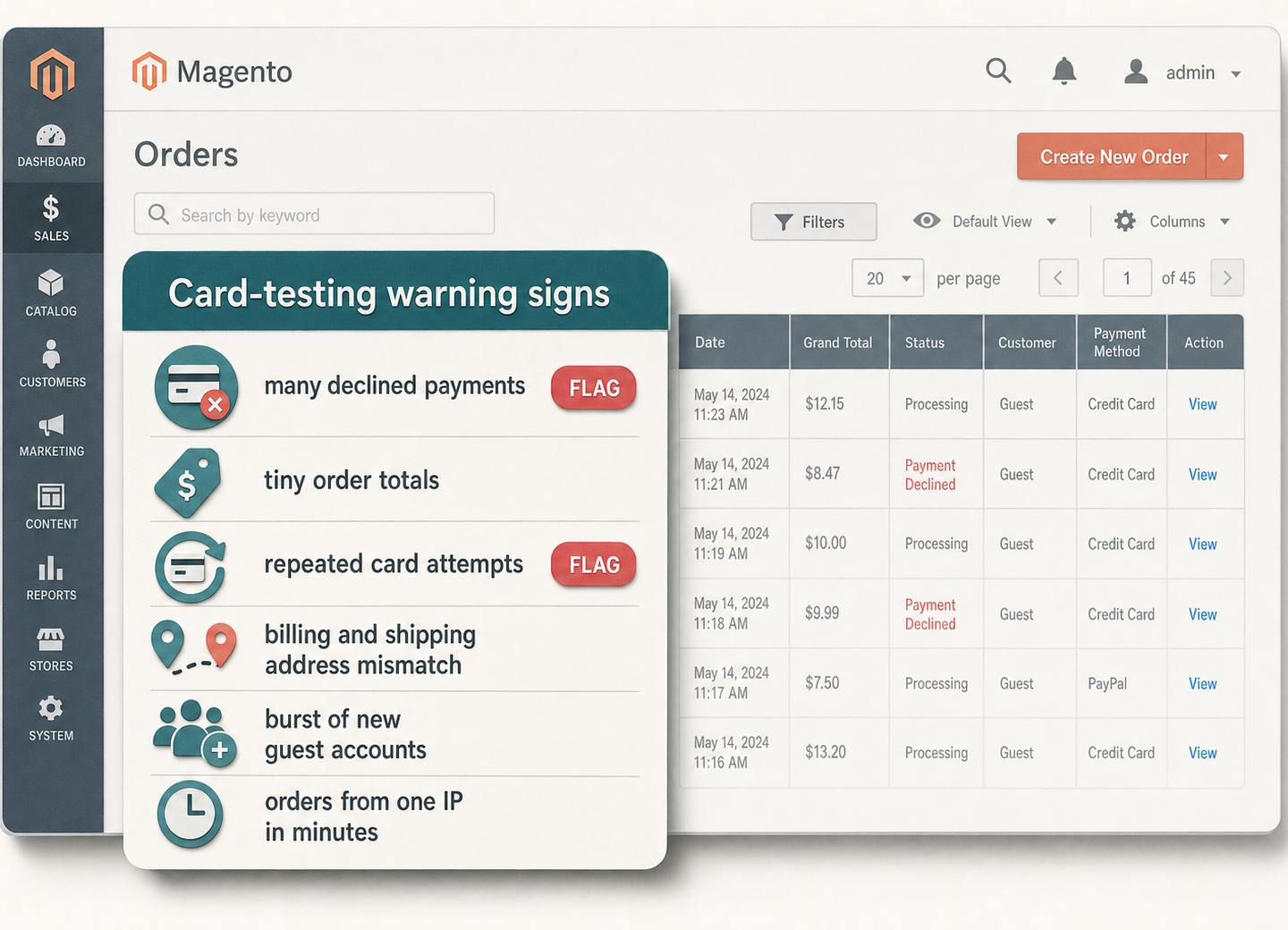
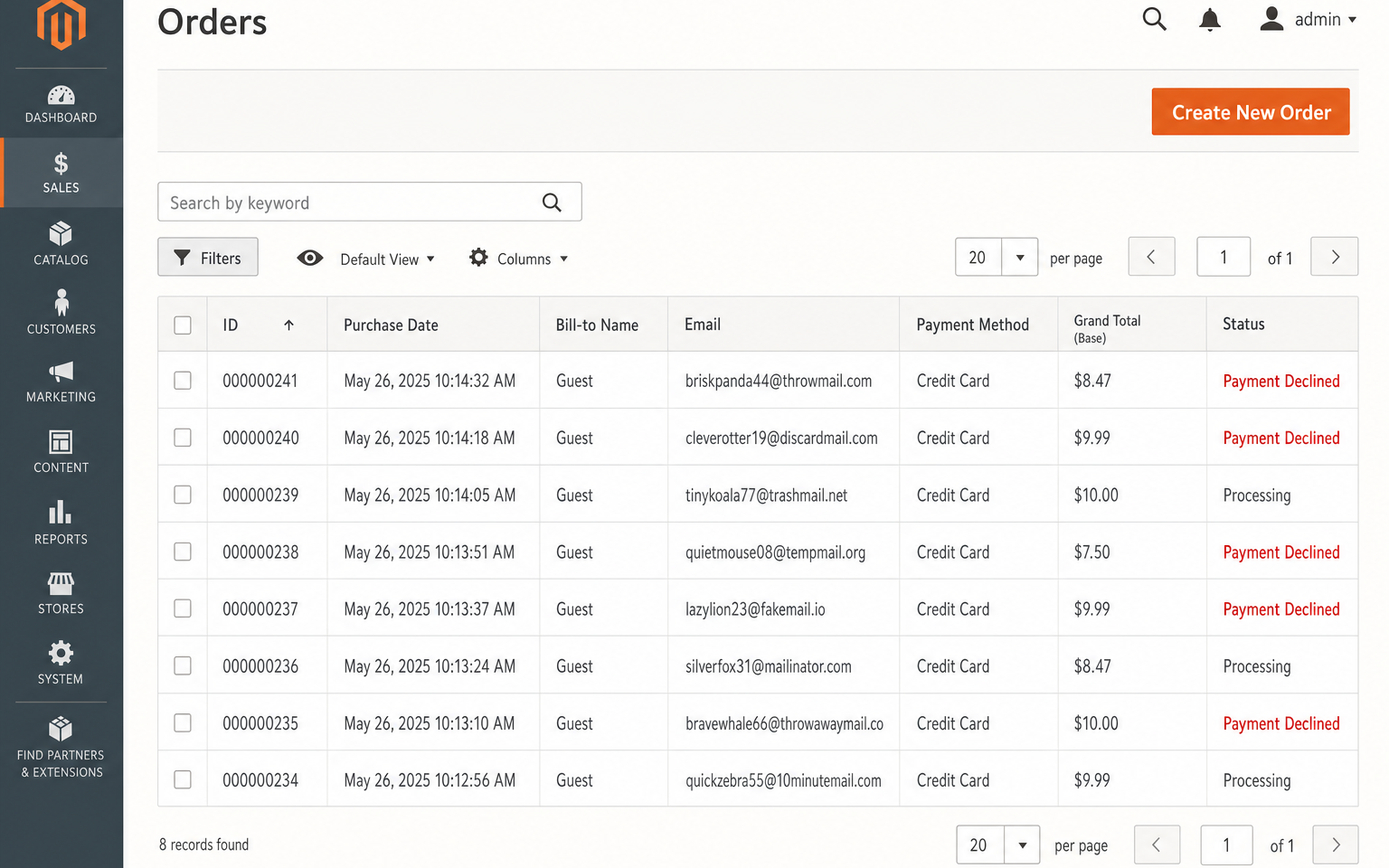
The signature is volume plus low value plus failure. One fake order is noise; a burst of them in a short window, most of them declining, is the signal. Watch for these together rather than any single one:
- A spike in failed or declined payments in your gateway dashboard, often far more failures than successes.
- Many tiny-value carts - the same cheap SKU, or a total near zero, repeated dozens of times.
- Repeated attempts on similar card numbers, sometimes sequential, in minutes rather than hours.
- Billing and shipping addresses that don't match, or obviously junk addresses reused across orders.
- A rush of new guest checkouts or fresh accounts with throwaway email addresses.
- Unusual IP or geography patterns - many attempts from one IP, or from a region you don't normally sell to.
- Timing that isn't human - submissions seconds apart, often overnight in your timezone.
How do I tell card testing apart from normal failed payments?
Real customers fail payments too - a mistyped number, an expired card, a bank that blocks an unusual purchase. The difference is shape. Genuine failures are spread out, varied in value, and usually followed by a successful retry from the same person. Card testing is clustered, uniform, and rarely converts. This table is the quick read:
| Signal | Ordinary declines | Likely card testing |
|---|---|---|
| Volume | A handful across the day | Dozens or hundreds in minutes |
| Order value | Varies, matches your normal basket | Tiny or near-zero, same cheap SKU |
| Success rate | Most retries eventually succeed | Almost all decline, few or none convert |
| Accounts | Known customers or plausible new ones | Throwaway emails, junk names, guest only |
| Source | Spread across IPs and regions | Clustered on one IP or an unusual region |
| Timing | Business hours, human gaps | Seconds apart, often overnight |
If two or three columns on the right describe what you're seeing, treat it as an attack in progress and move to the escalation steps below rather than deleting orders one at a time.
How this applies to Magento 2
Magento 2's default behaviour makes card testing easy to miss, because a failed authorisation often never becomes a saved order. Many payment gateways only create the Magento order once payment succeeds, so a wave of declines can leave the Sales > Orders grid looking calm while your gateway dashboard is on fire. The gateway is the primary evidence, not the admin. Where orders do persist, Magento can place risky ones into a Payment Review or Suspected Fraud status, and you can put any order On Hold manually while you investigate - as of Magento 2.4.9 these are order states you manage, not an automatic block.
The safe levers you control natively, without a developer, are mostly about removing the free validator:
- Turn on AVS and CVV checks in your payment method settings (Stores > Configuration > Sales > Payment Methods). A mismatch gives the gateway a reason to decline before the charge lands.
- Enable 3D Secure / SCA where your gateway supports it. A card-testing bot can't complete a bank challenge, so it moves on.
- Add a CAPTCHA to checkout and account creation (Stores > Configuration > Customers and the Security section). Magento ships Google reCAPTCHA support built in.
- Require login or slow down guest checkout for the duration of an attack, so an anonymous script can't fire attempt after attempt.
- Ask your host or CDN to rate-limit the checkout controller and block the offending IP ranges at the edge, before requests reach Magento.
None of these are attack instructions and none of them break a real customer's checkout for more than a few seconds of friction. For the wider hardening picture, our guide to securing Magento 2 covers admin, patching, and access alongside payment defence.
Where Moogento helps
Card testing mostly targets the anonymous, low-friction paths, so the useful defences sit at the form layer and the fulfilment gate rather than at the point of sale. NoMoreSpam handles the bot side of the frontend: its free tier adds an invisible honeypot and a timing gate to the contact, review, newsletter, registration, login and forgotten-password forms, which is where the throwaway accounts come from. The card-testing-specific defence lives in the Pro tier - it adds an IP blocklist with rate limiting, a disposable-email check, risk thresholds, and payment-method protection with pre-authorisation validators for common gateways. If your worry is the payment path specifically, that's the tier to look at, not the free base.
AuditEasy is the forensics layer, not prevention - worth being clear about that. It records admin logins with IP and location, and logs admin-side changes to products, config and orders with before-and-after values. It won't stop an attack, but after one it answers the "what actually changed, and did anyone get into the admin" question that turns a scary night into a bounded incident. And ShipEasy earns its place at the fulfilment gate: its ShipRules tagging can flag orders by postcode, weight and SKU count in the admin order grid, so a human can triage anything that looks off before you actually ship. It's a sorting and review aid, not a fraud engine - the point is that no suspicious order leaves the warehouse without a person seeing it first.
Card-testing audit checklist
- Open your payment gateway dashboard. Look at the ratio of declines to successful charges over the last 48 hours - a sudden spike is the clearest early signal.
- Sort recent orders by value. A cluster of near-identical tiny totals is a red flag.
- Check new account and guest-checkout volume against a normal day. A rush of throwaway emails often accompanies a test run.
- Confirm AVS, CVV and (where available) 3D Secure are switched on for every live payment method.
- Confirm CAPTCHA is enabled on checkout and account creation.
- Ask your host whether the checkout controller is rate-limited and whether they can block IP ranges at the edge.
- Write down who you call - gateway, host, developer - before you need them, so an attack at 2am isn't also a scramble for phone numbers.
Escalation checklist: who to contact and in what order
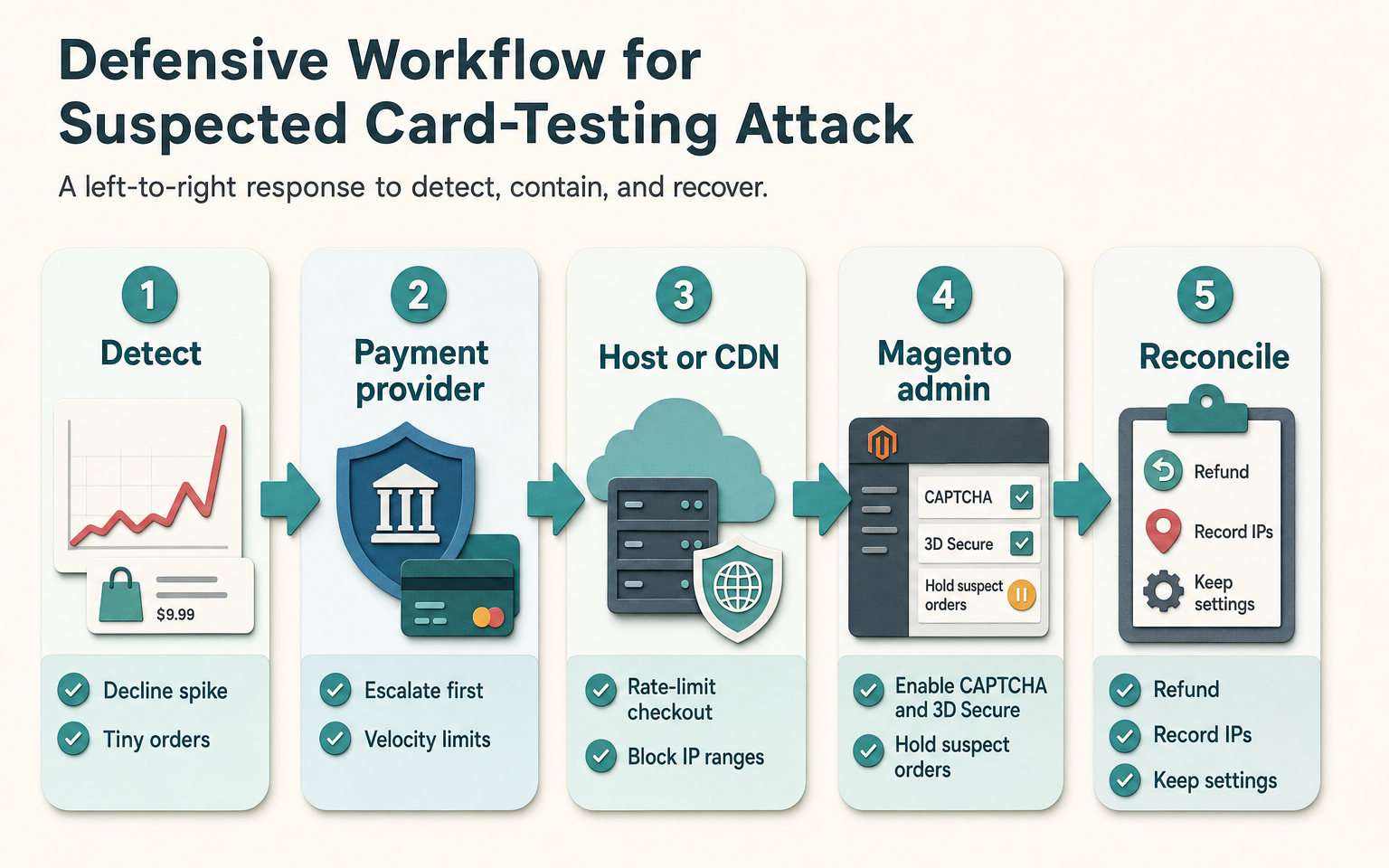
When the signals line up, escalate rather than firefighting the admin. Work through these in order:
- Your payment provider first. They can see the attack from their side, may already be throttling it, and can advise on velocity limits, temporary rules, and whether any charges got through. They also care - card testing raises their fraud numbers too.
- Your host or CDN next. Ask them to rate-limit or temporarily block the checkout endpoint for the offending IPs. Blocking at the edge stops the load before it reaches Magento, which also protects site speed for real shoppers.
- Your Magento admin and developer. Enable CAPTCHA and 3D Secure if they weren't already on, put any suspect orders On Hold, and check admin access logs for anything unexpected. Don't mass-delete orders mid-attack - you'll want the record.
- Reconcile afterwards. Refund any charges that did land, note the IP ranges and timing, and keep the settings that worked. A short written record turns the next attempt into a checklist rather than a panic.
FAQ
What is a $0 authorisation and is it dangerous?
A $0 (or near-zero) authorisation is a check that a card is valid without charging it. Legitimate businesses use them to verify a card on file. Fraudsters use the same trick in bulk to test stolen numbers, because a $0 auth still returns a clear valid-or-declined answer. The auth itself moves no money, but a flood of them is the tell-tale sign of a card-testing run and can rack up gateway fees.
Does card testing mean my store was hacked?
Usually not. Card testing uses your checkout the way a normal shopper would, just automated and at volume - it doesn't require any breach of your store. The stolen card numbers come from elsewhere. That said, confirm your admin is secure anyway: check login logs, make sure two-factor authentication is on, and keep Magento patched. An attack is a good prompt to verify the basics.
Can I just block the country the attack comes from?
Temporarily, and with care. Blocking an IP range or region at your host or CDN during an active attack is reasonable and reversible. Permanently geo-blocking is blunt: attackers move IPs easily and you may block real customers. Treat it as a short-term valve while you turn on AVS, CVV, 3D Secure and CAPTCHA, which address the behaviour rather than the location.
Will AVS and 3D Secure stop card testing completely?
They won't stop the attempts, but they make your checkout a poor validator, which is what makes bots move on. AVS and CVV give the gateway grounds to decline before a charge, and 3D Secure adds a bank challenge a script can't pass. Combined with CAPTCHA and edge rate-limiting, they remove the fast, clean yes/no answer that card testing depends on.
Start by opening your gateway dashboard and reading the decline ratio. If it's spiking on tiny orders, you're not imagining it - work the escalation list from the payment provider down, and turn the temporary defences into permanent settings once it's over.