SmartCategories : Smart, Self-Optimizing Magento 2 Category Pages

Made for Magento® 2

smartcategories

Transform your Magento 2 category pages into smart, self-optimizing storefronts

Tired of manual work keeping your category pages relevant? SmartCategories is a Magento 2 smart categories extension that dynamically sorts products using availability, customer behavior, and sales performance – no coding required.

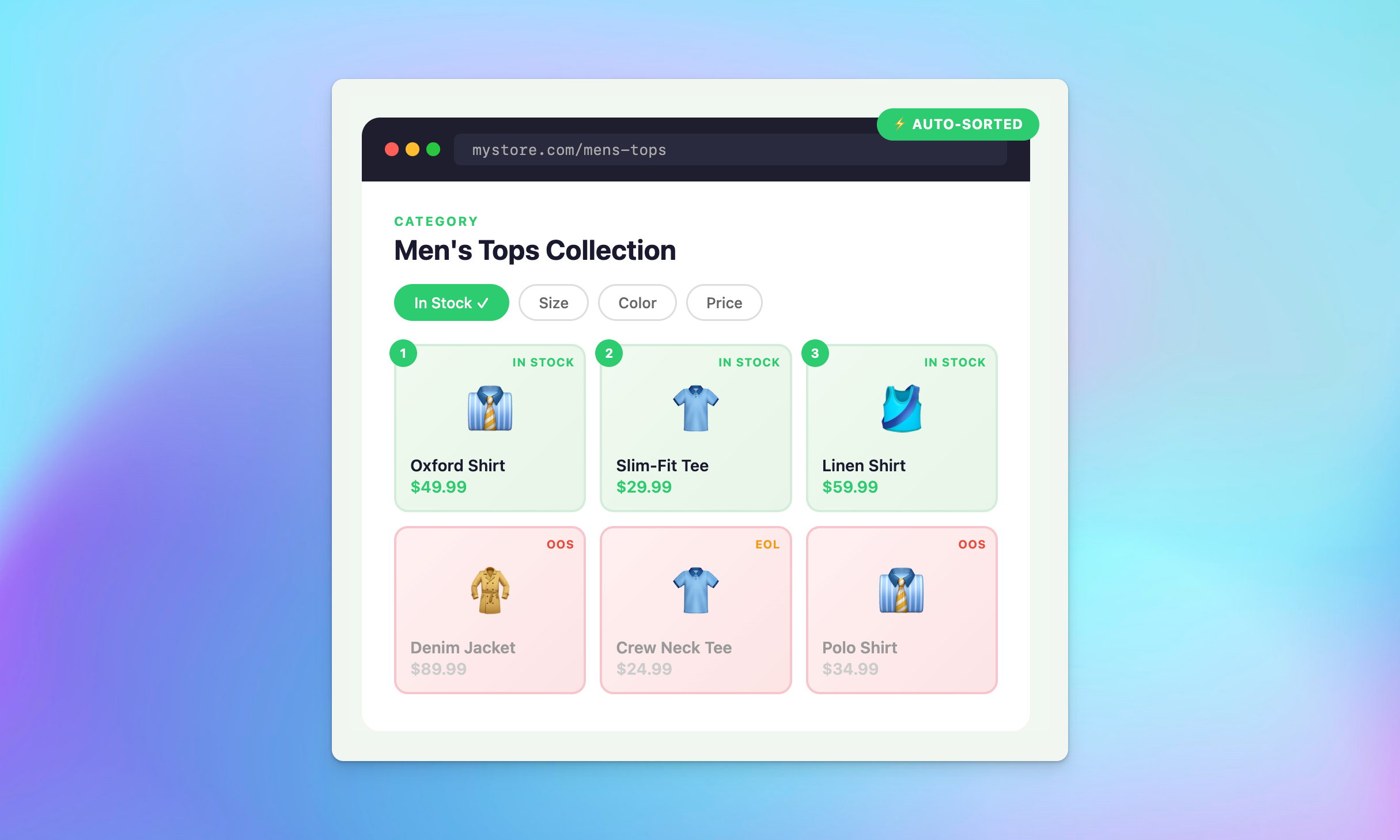
• Automatically prioritize in-stock products so customers always see what they can buy
• Surface the right products for each shopper with behavior-aware product ordering
• Drive more revenue with performance-based ranking that improves the experience for every shopper

Automatic categories that keep every category page sorted and selling

Replace static product ordering with intelligent, data-driven improved sorting that adapts to stock levels, customer behavior, and sales performance. SmartCategories replaces manual sorting with automatic category management – keeping every category page optimised at all times.

Availability-aware ordering

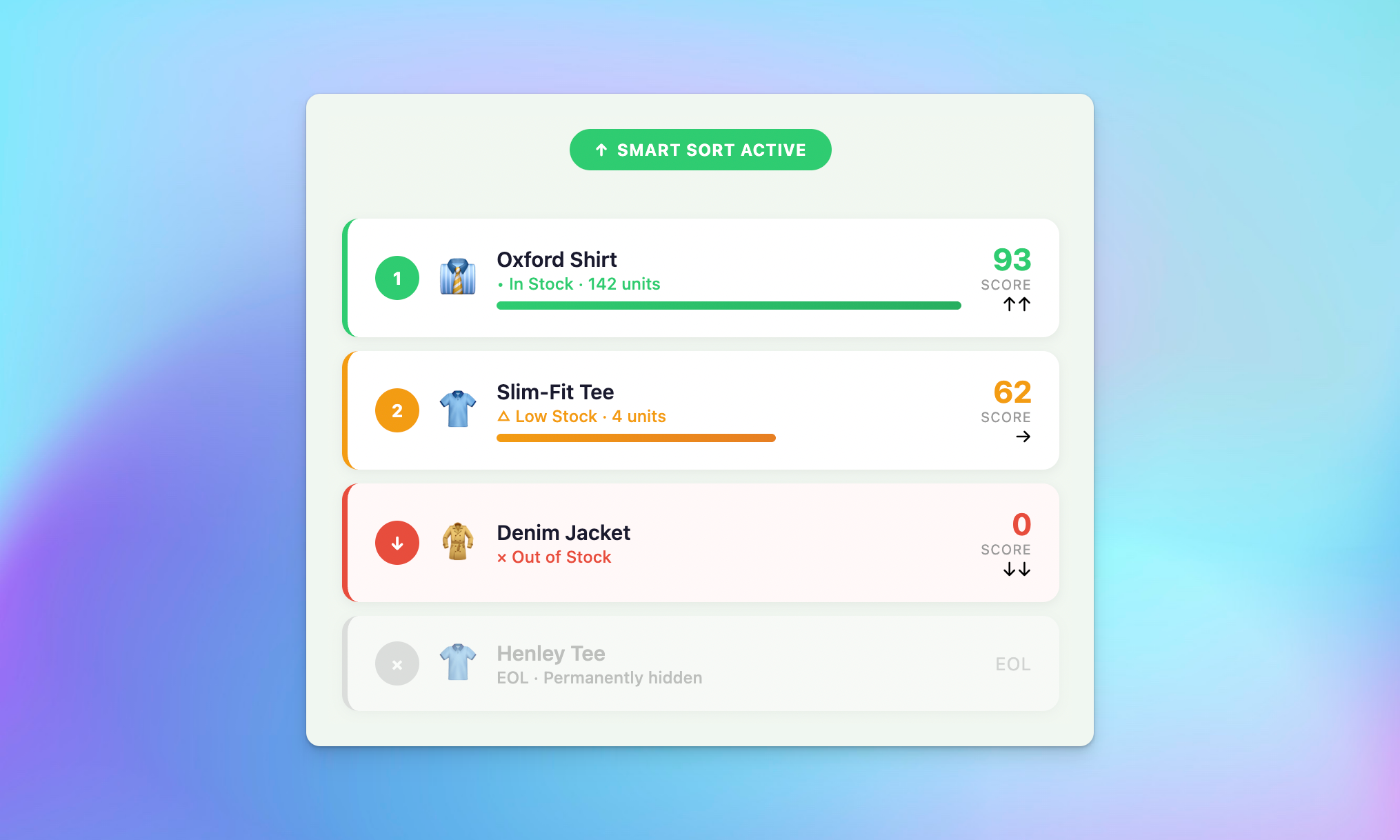
• In-stock products always appear first – out-of-stock items sink to the bottom
• Per-product end-of-life (EOL) flag removes discontinued items permanently
• Per-SKU stock thresholds set minimum stock before deprioritization begins

Smart out-of-stock category handling

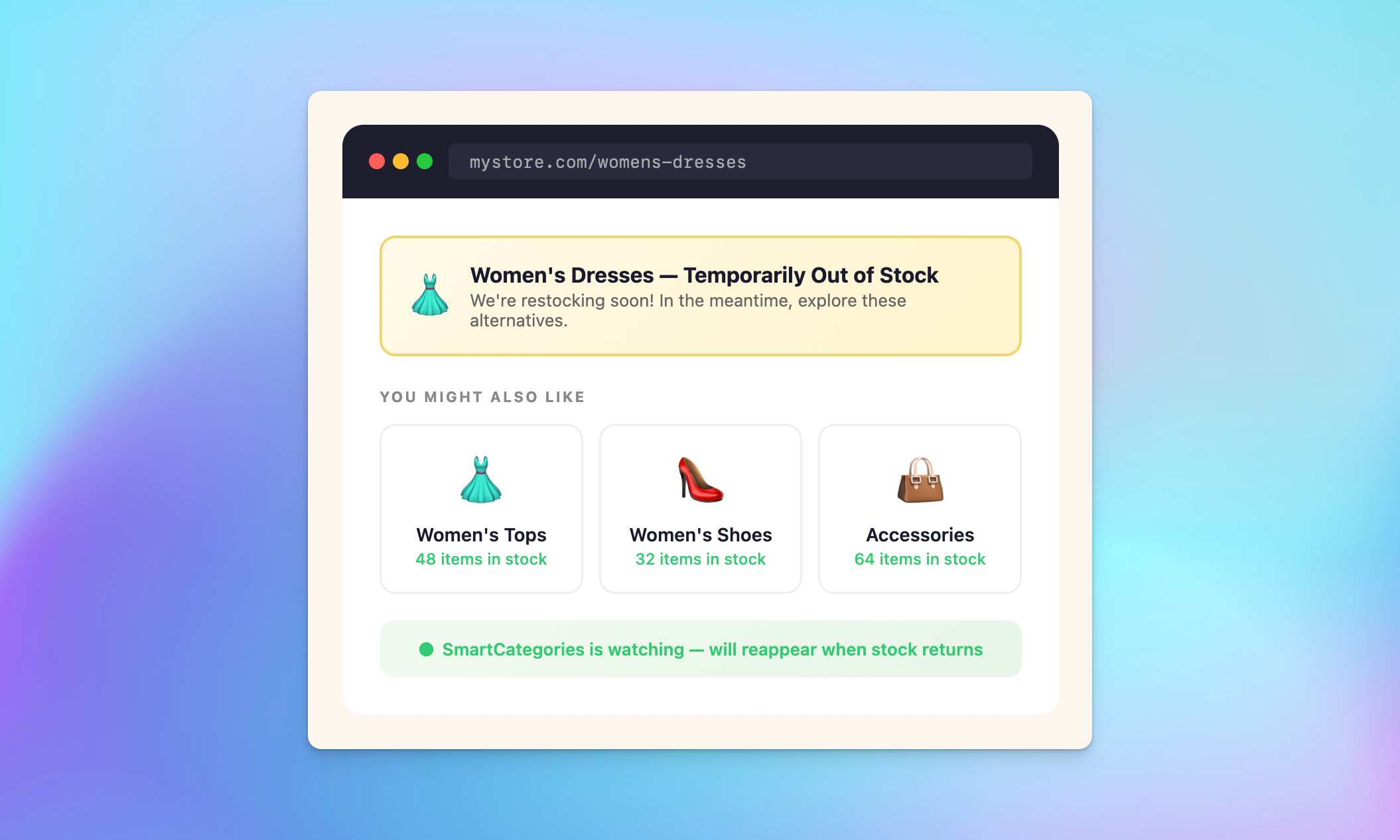
• Custom messaging when an entire category goes out of stock
• Related Collections: sibling categories shown so customers can keep browsing
• Menu visibility logic hides empty categories from navigation while keeping URLs indexed

Sort categories automatically: remove products and filter layered navigation

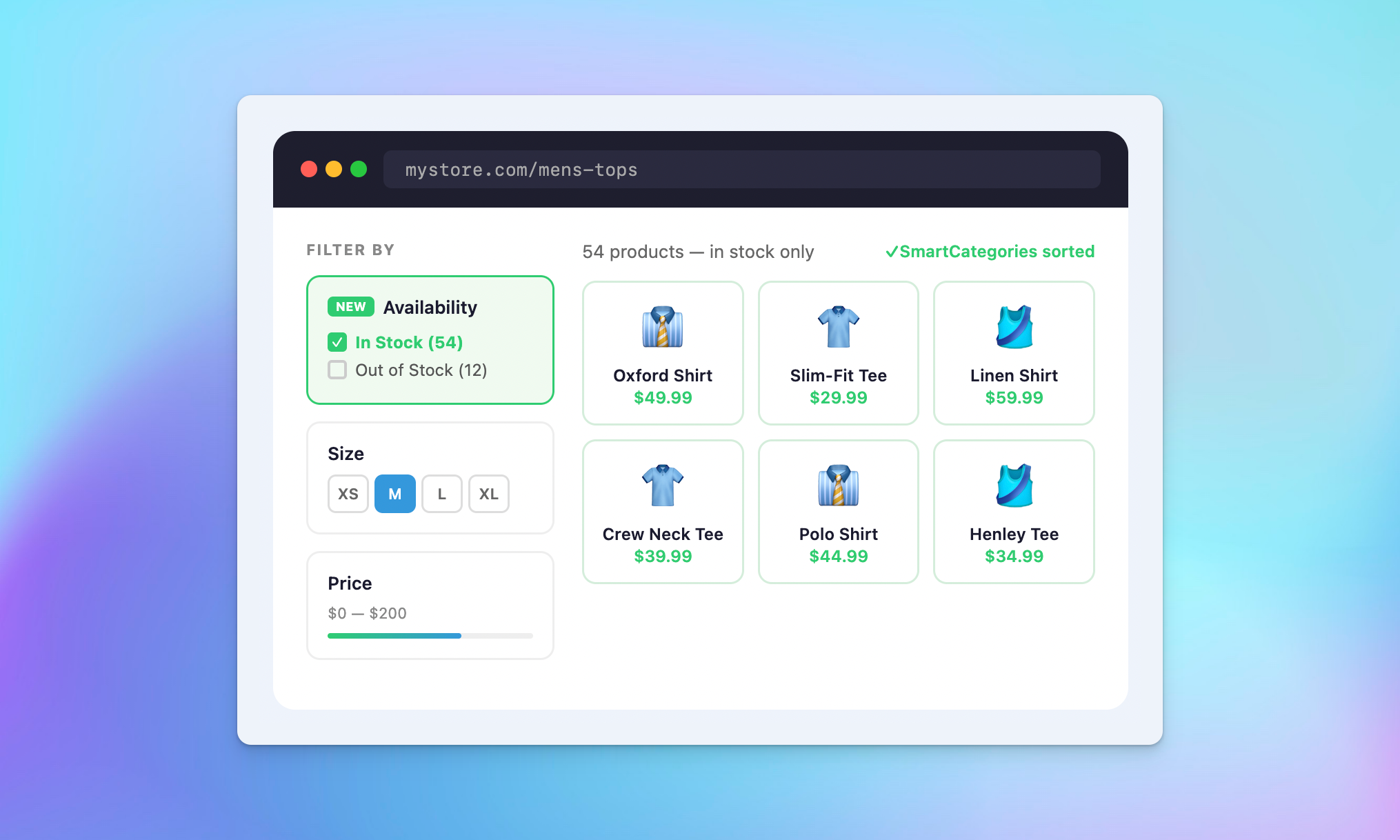
• Optional in-stock/out-of-stock filter in layered navigation
• Works alongside existing Magento filters
• Configurable labels and display logic per store view

Personalize the product listing on every dynamic category page

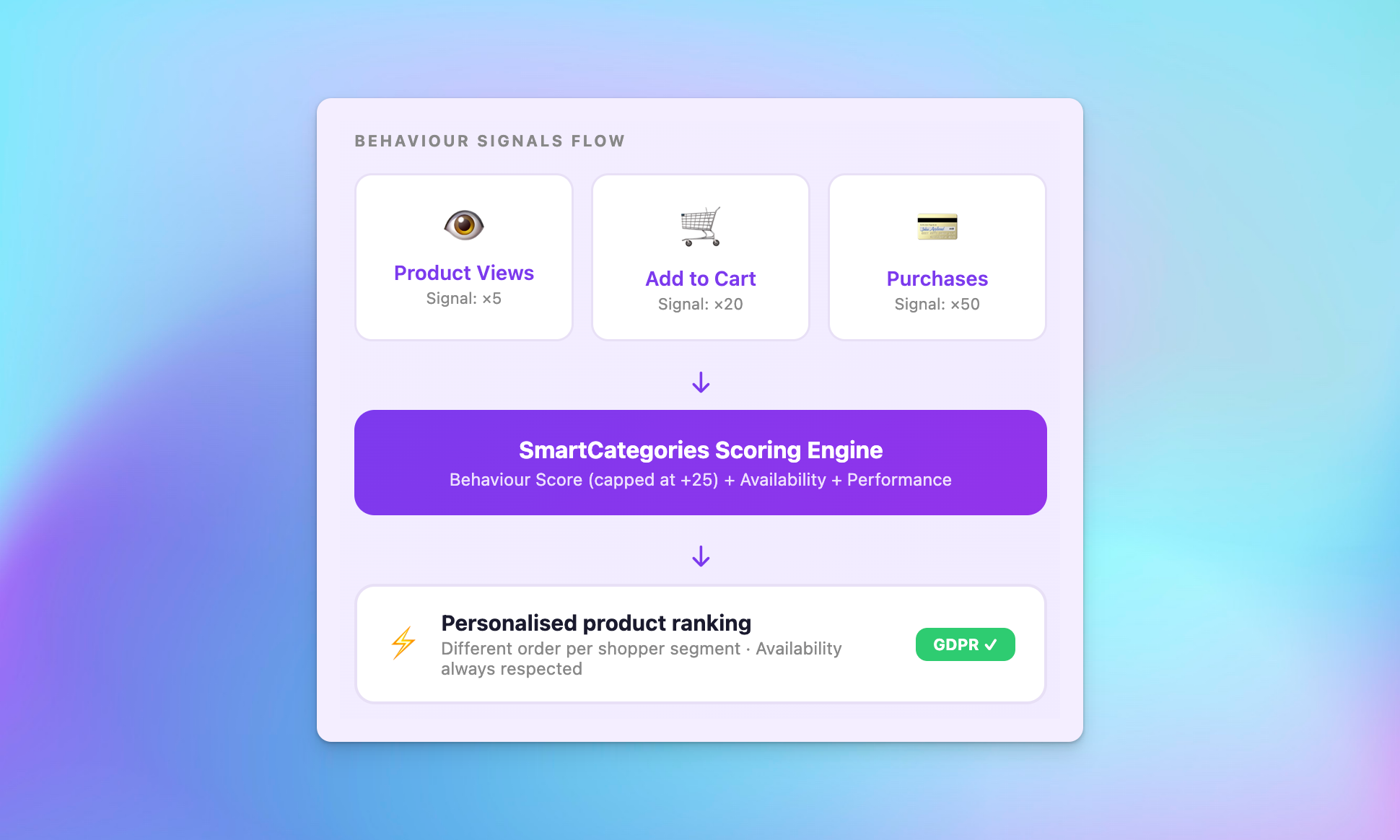
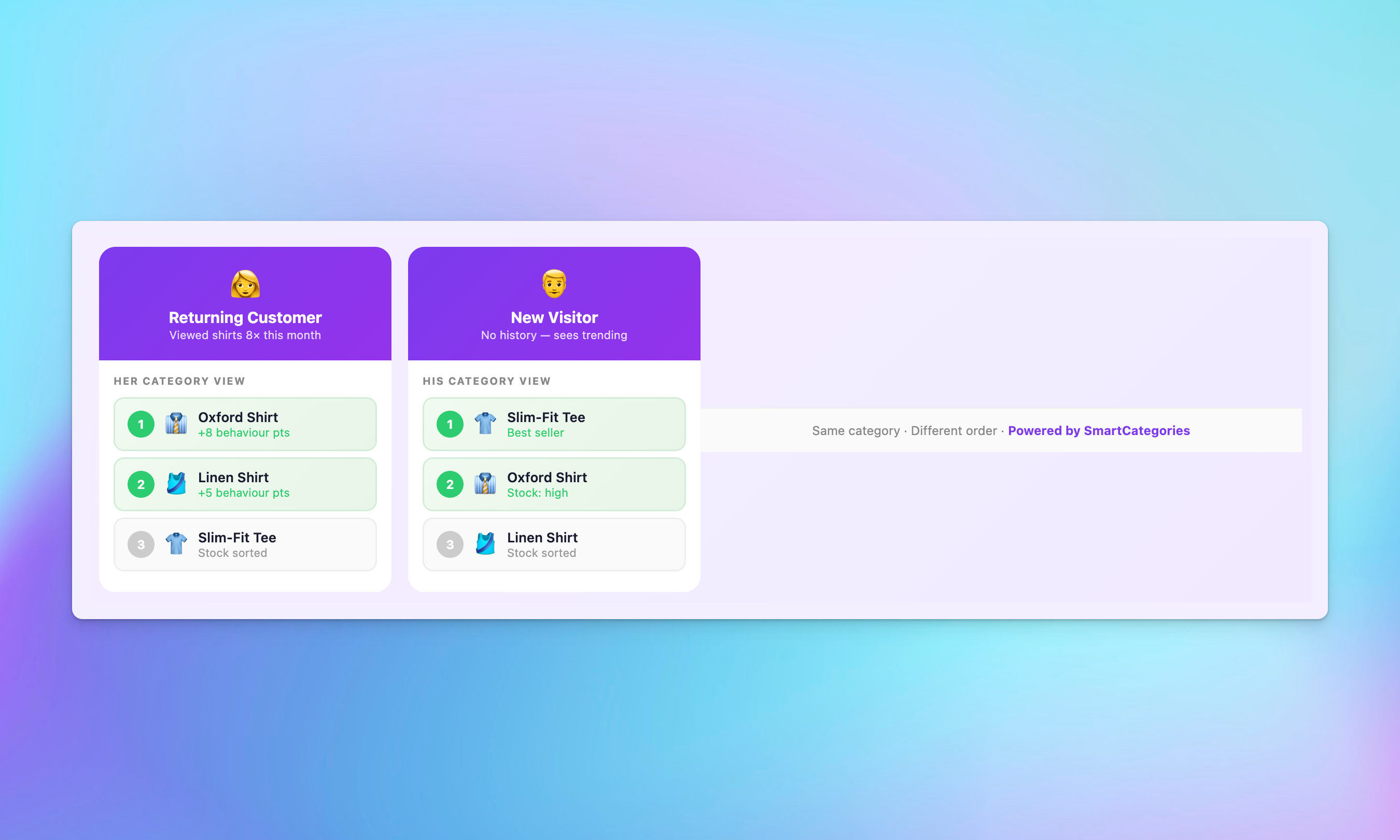
Show each shopper the products most relevant to them – based on what they’ve viewed, what they’ve bought, and what’s trending. The extension allows you to assign products to categories with personalized, dynamic ordering.

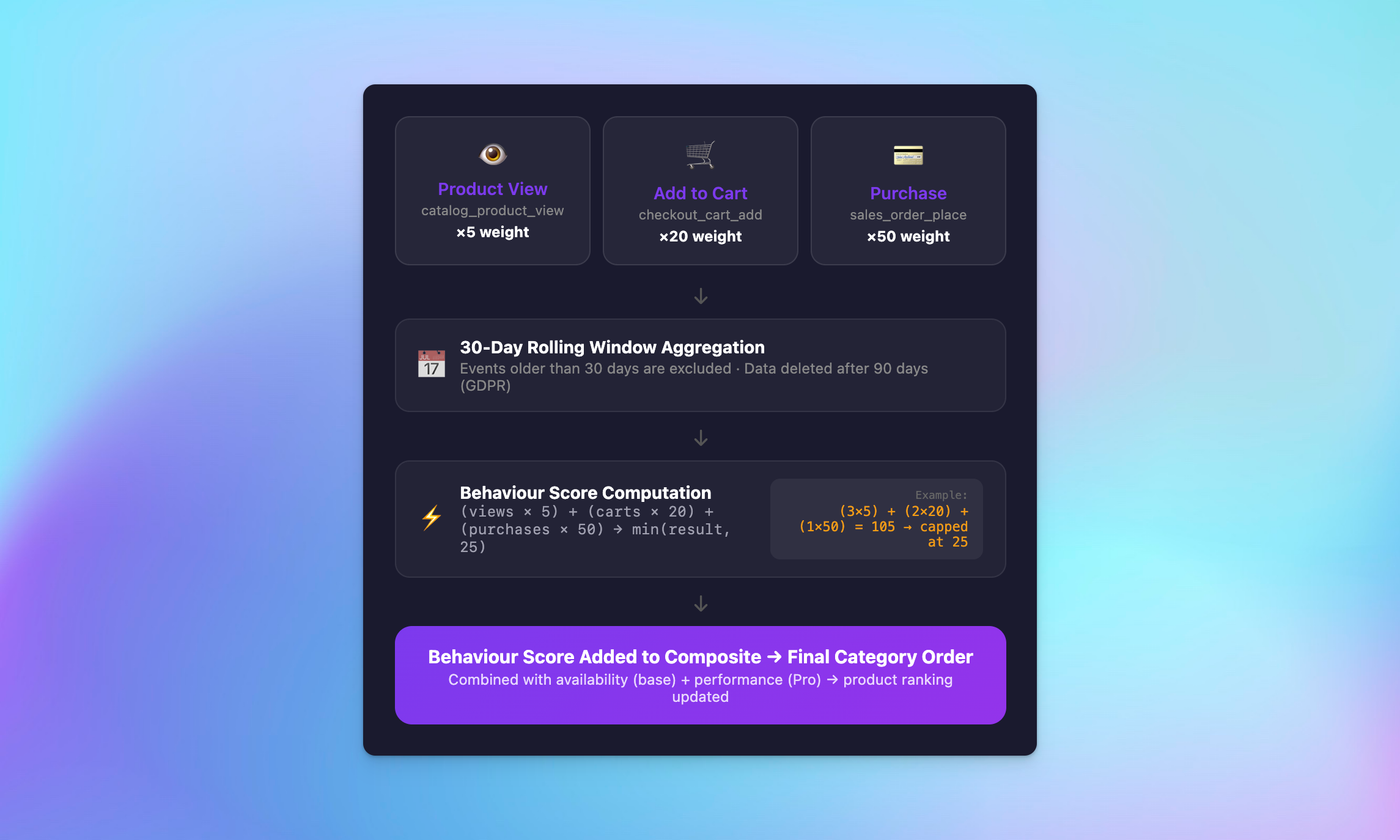
Behavior-based product ordering

• Recently viewed products surfaced near the top of category listings for returning customers
• Previously purchased products prioritized for logged-in customers
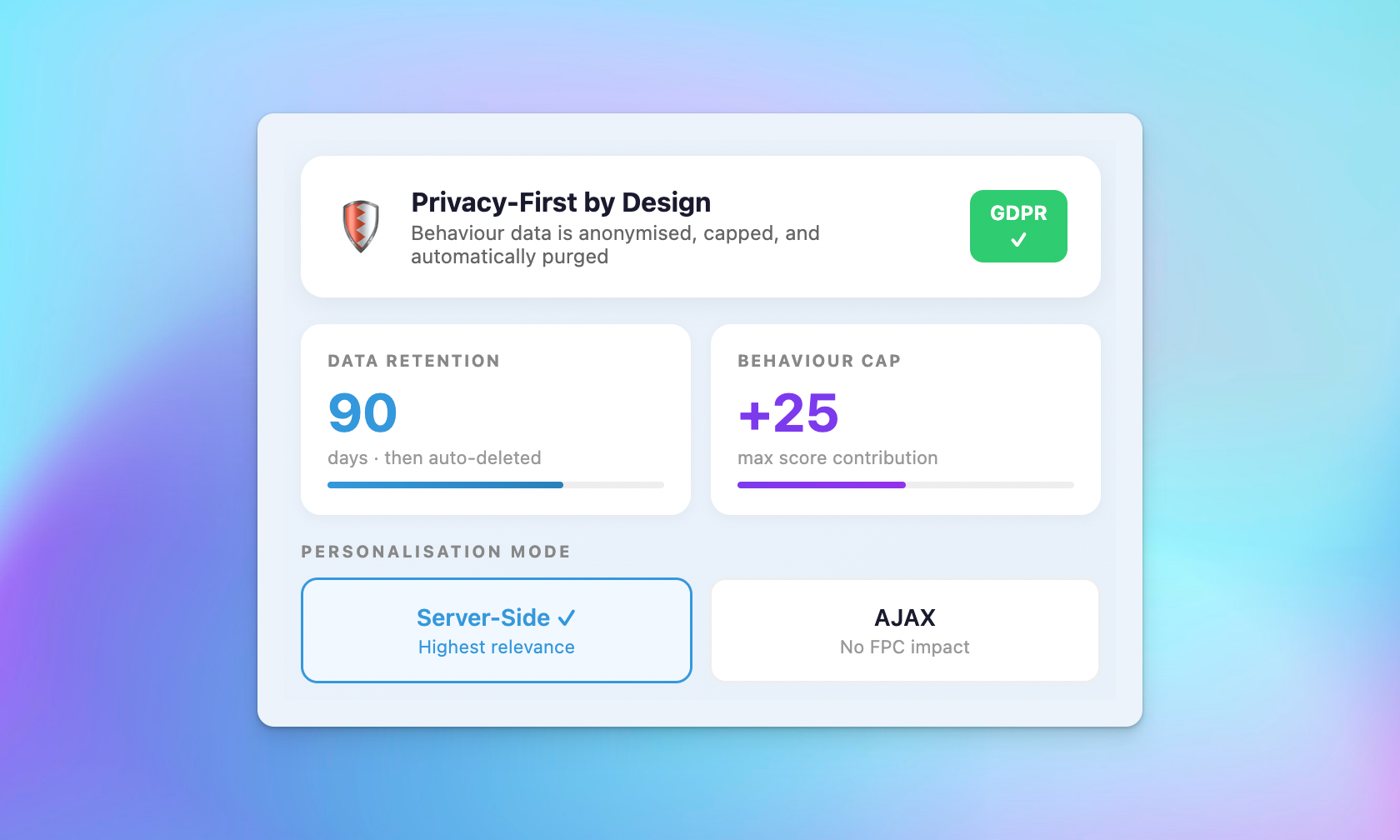
• Behavioral signals capped to avoid overwhelming availability logic

GDPR-compliant behavior tracking

• Configurable data retention period (default: 90 days)
• Automatic cleanup of expired behavior data
• Three personalization modes: no personalization, max cache, or per-session segment

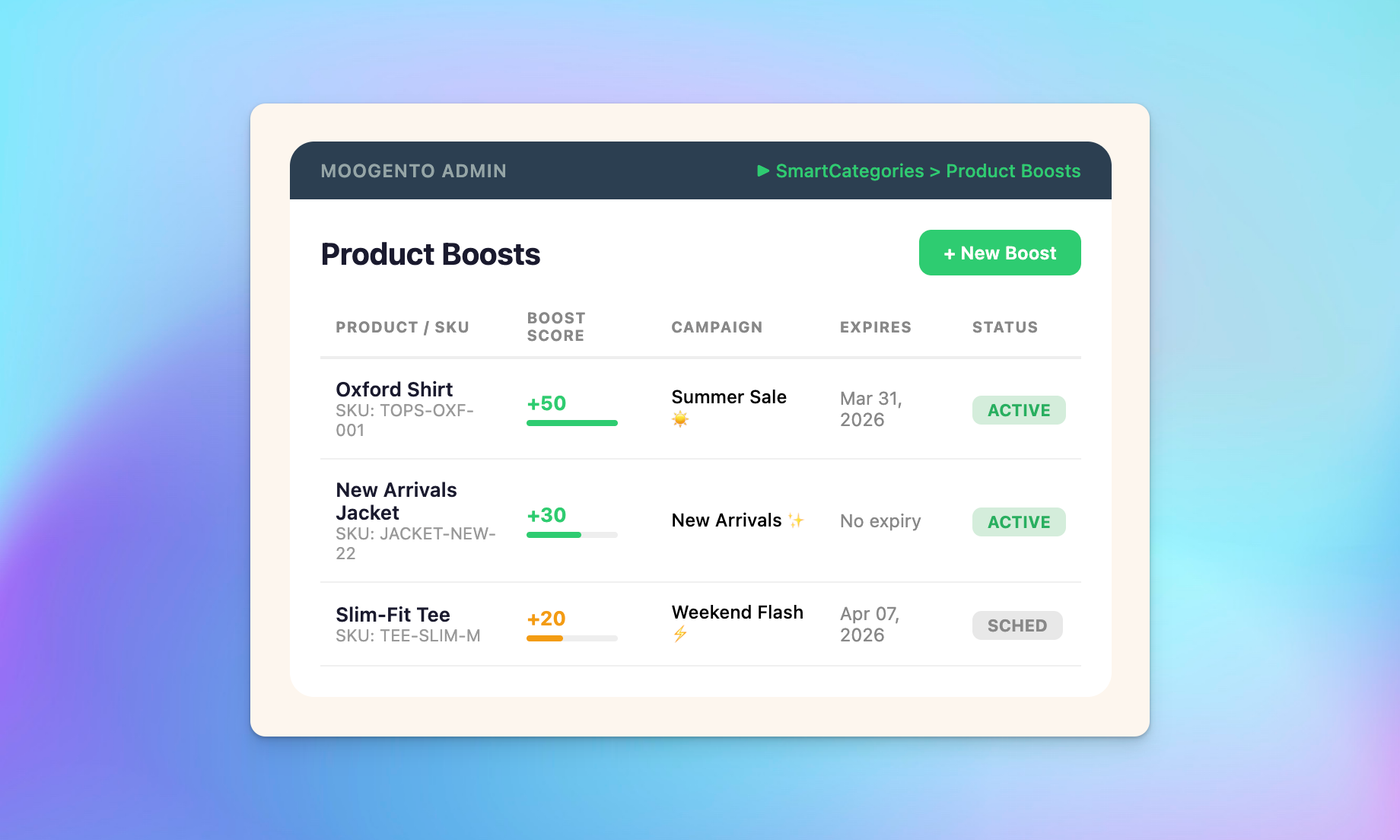
Admin boosts: promote new products using any product attribute

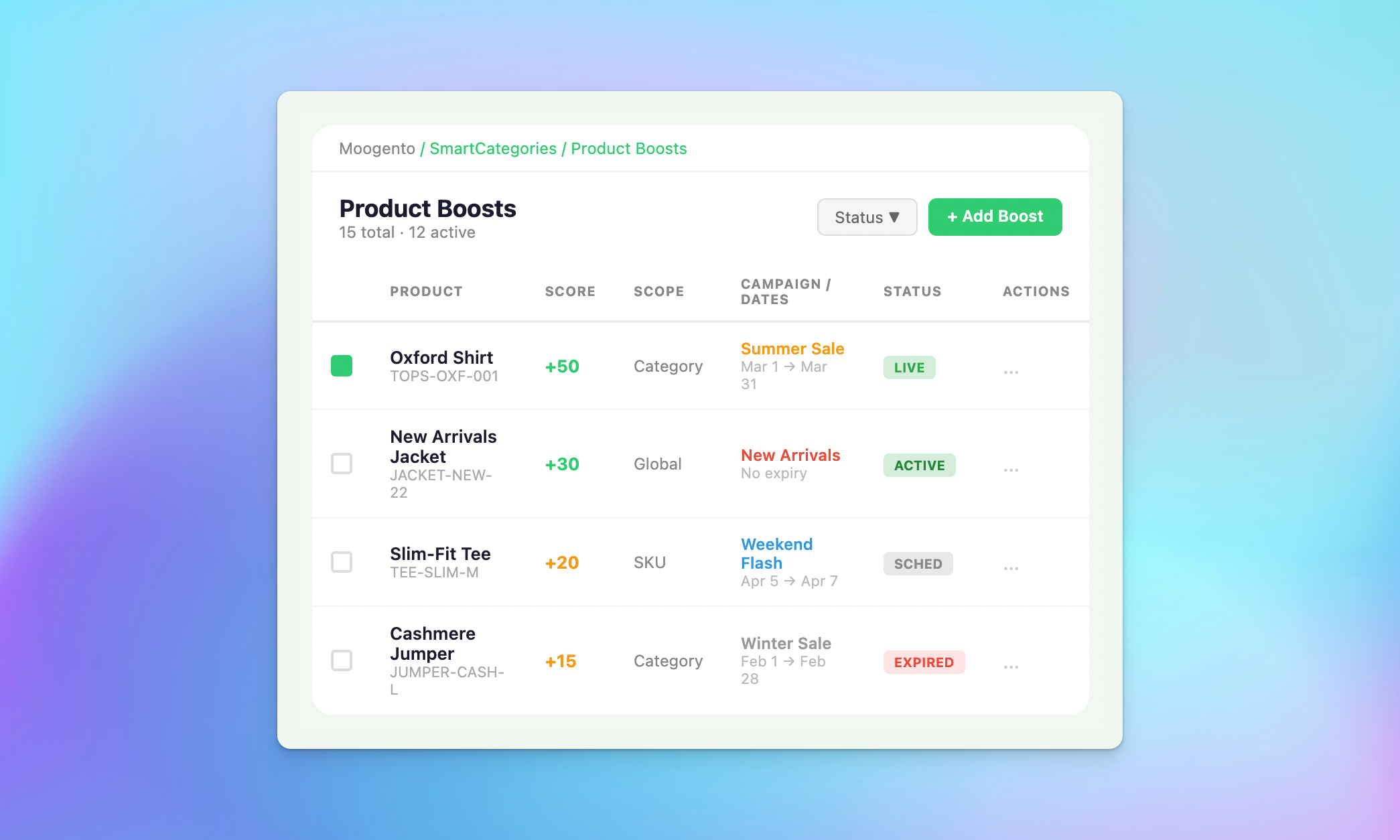
• Manually boost or suppress any product’s ranking in any specific category
• Time-limited campaign boosts with configurable start and expiry dates
• Boost rules are category-scoped with active and expired indicators at a glance

Save time with dynamic category products ranked by real sales data

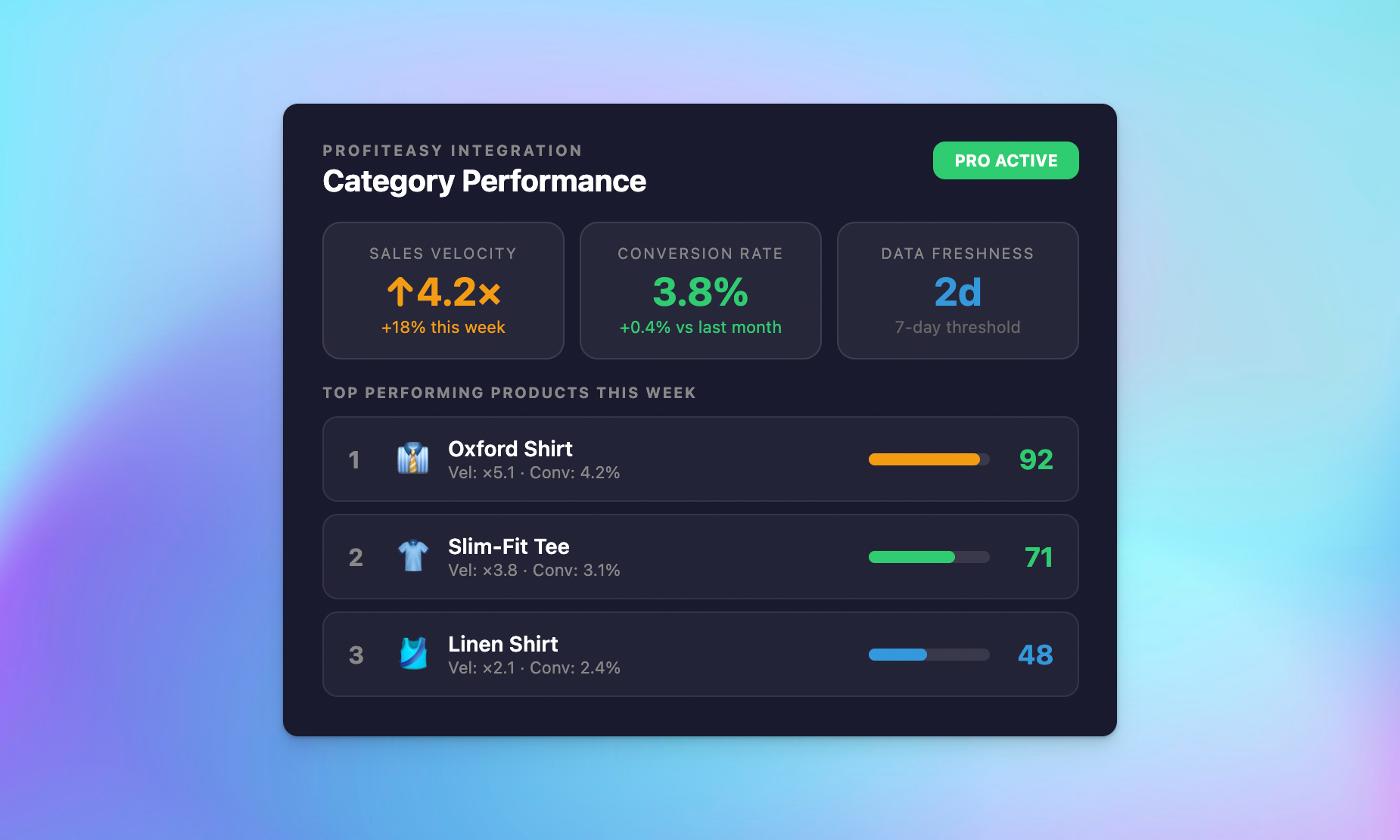
Combine real conversion rates, sales velocity, and customer behavior into a single intelligent ranking – so your best-performing products always get the spotlight. Sort product listings by what actually generates revenue.

Performance-based ranking

• Sales velocity ranking surfaces products with strong recent sales trends via ProfitEasy integration
• Conversion rate optimization prioritizes products that actually convert
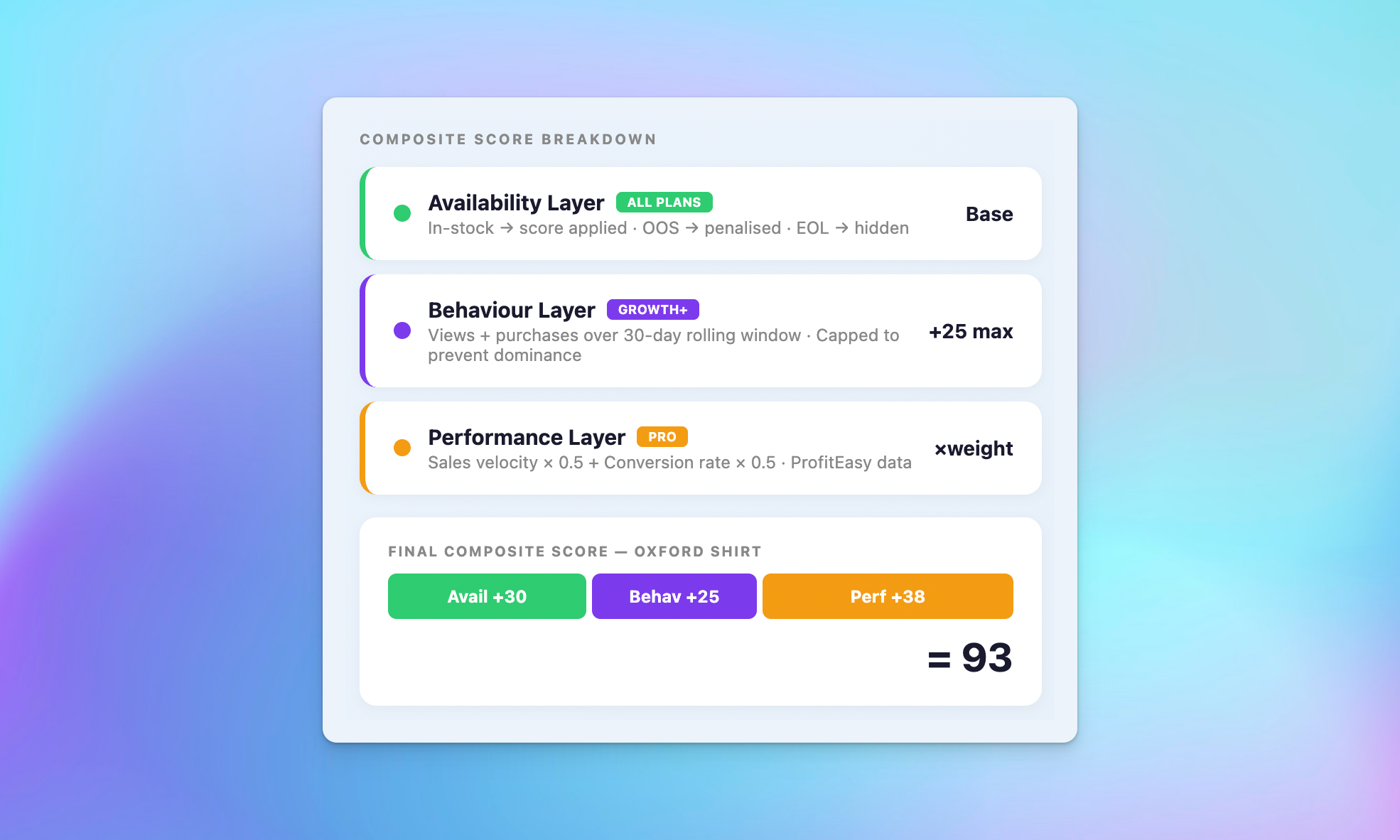
• Weighted composite scoring blends availability, behavior, and performance signals

Adaptive availability intelligence

• Gradual deprioritization as stock depletes – not a sudden cliff
• Intelligent recovery restores ranking when stock returns
• Strategic SKU protection keeps hero products visible regardless of stock pressure

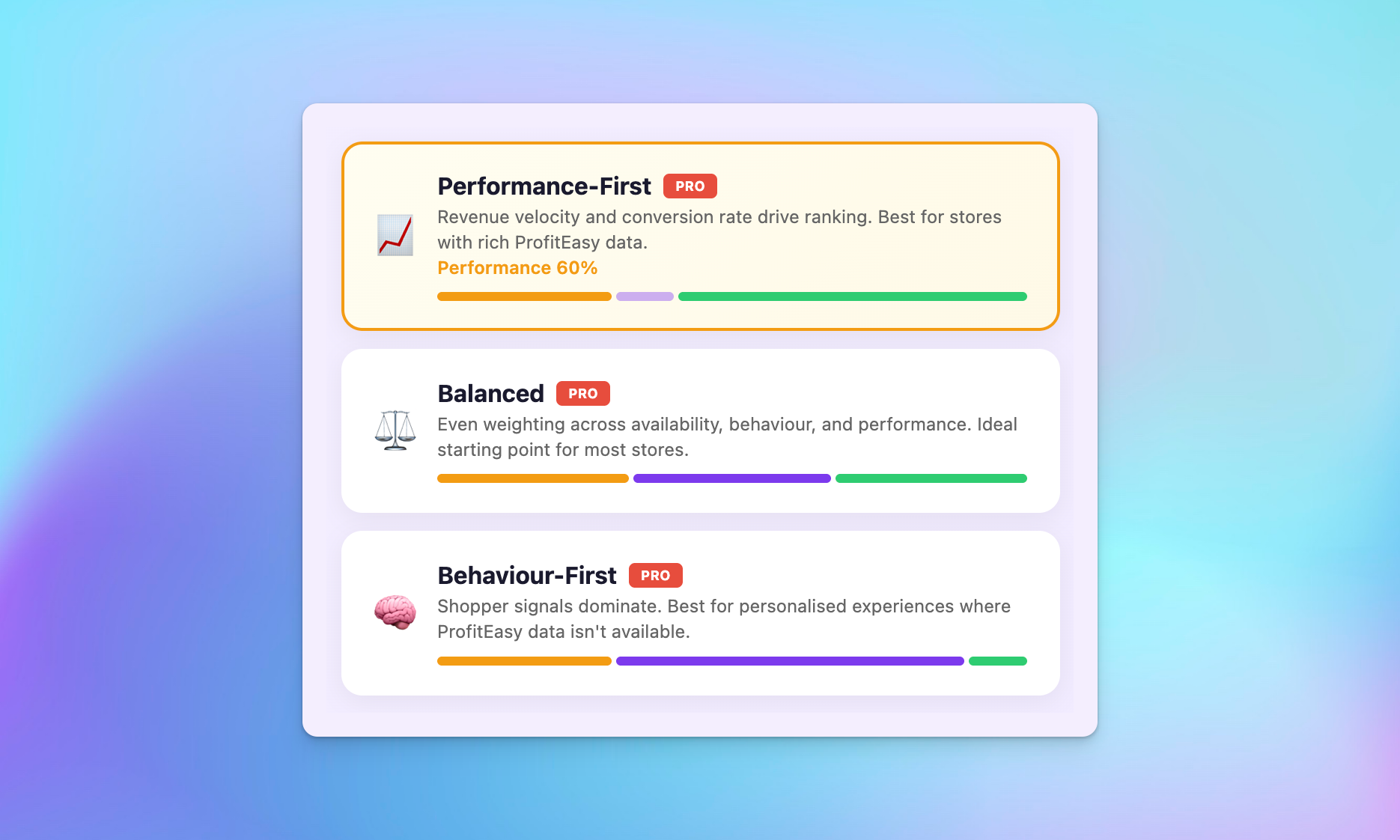
Optimise dynamic categories based on performance, behaviour, or availability

• Performance-First: prioritize sales velocity and conversion rates above behavior
• Behavior-First: emphasize personal relevance over raw performance
• Balanced: equal weighting across all three scoring dimensions

Smart categories extension: boost, remove products, and control your store

Full control over product positioning without touching code – from quick boosts to advanced priority bands and campaign scheduling. Manage product labels, ordering rules, and category dynamic settings from a single admin panel.

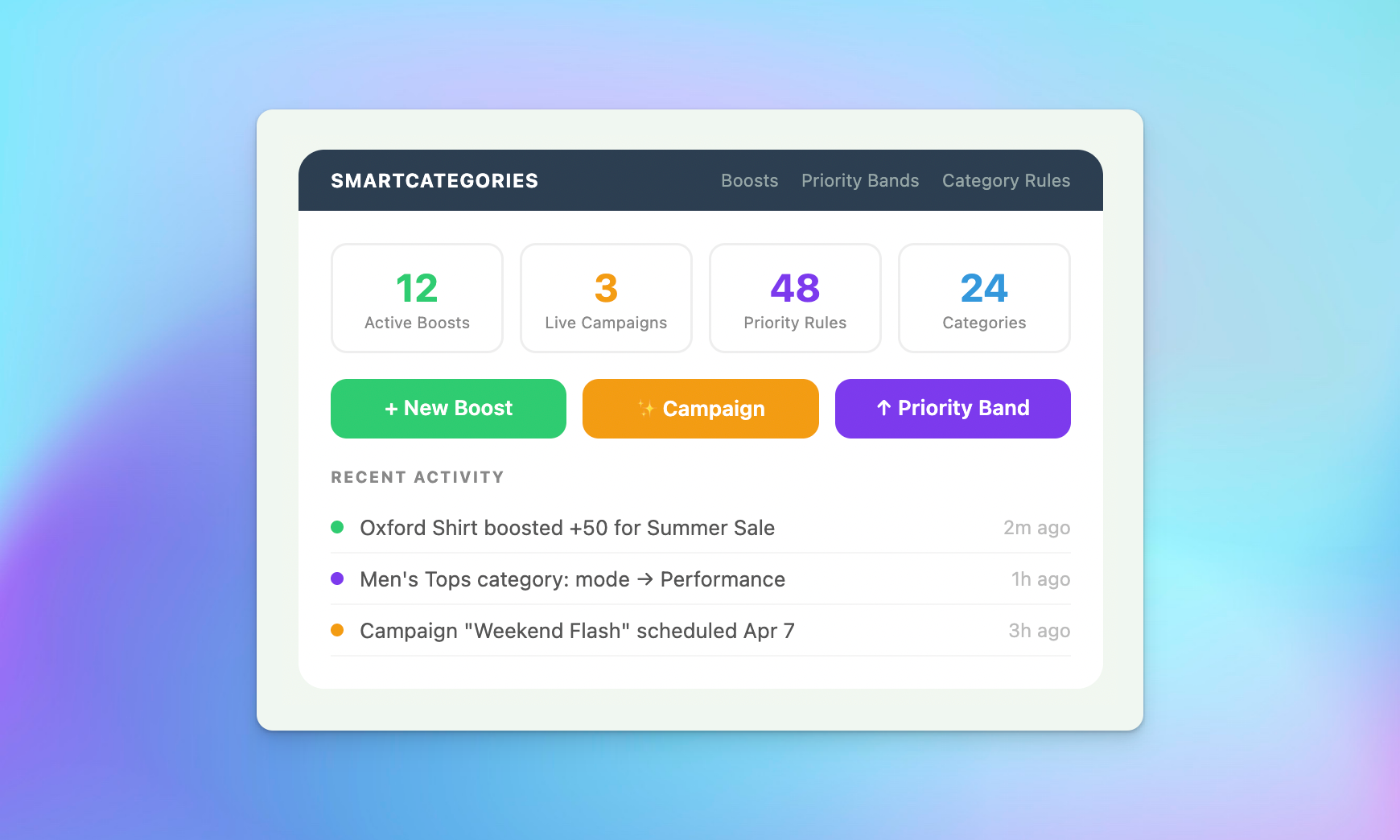
Boost management dashboard

• Full CRUD interface for product boost rules with filter, sort, and paginate
• Bulk import and export boosts via CSV for efficient campaign management
• Active and expired boost indicators with search and sort across all boost rules

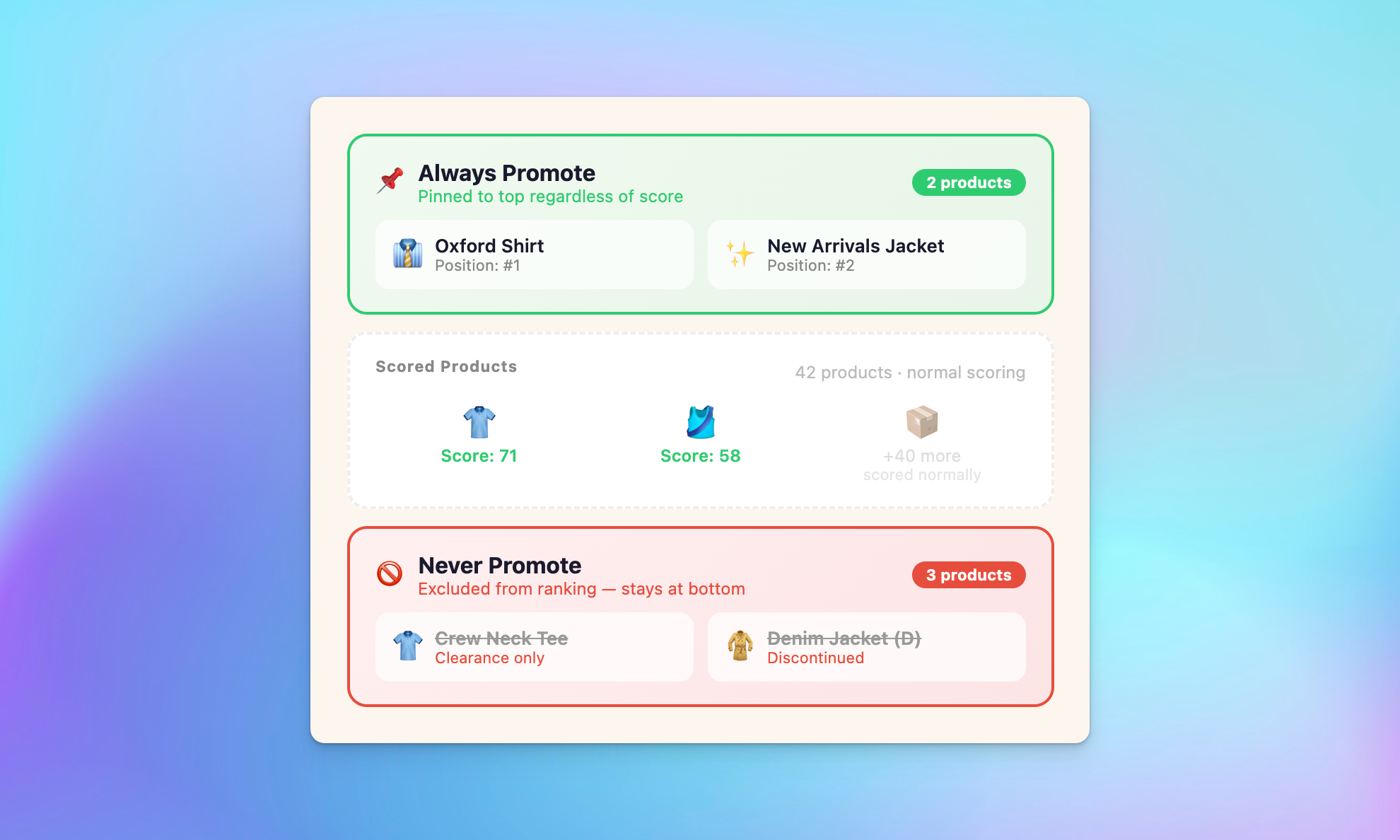
Priority bands and sales categories ranking rules

• Always Promote: force specific products to the top of any category
• Never Promote: force products to the bottom – ideal for clearance or discontinued items
• Neutral: normal scoring applies (default) with per-category band overrides

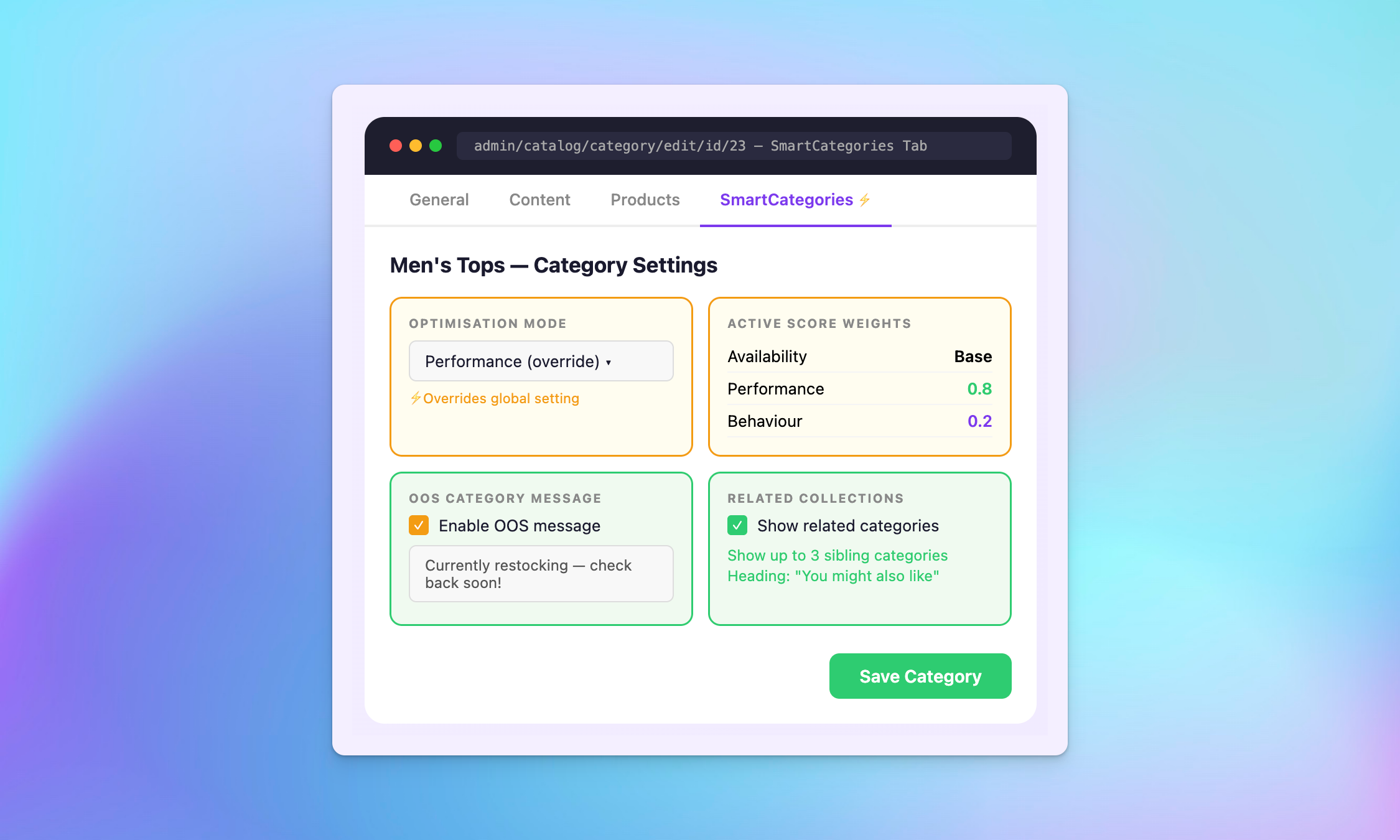
Create a category in Magento 2 with custom sorting rules per category

• Override global settings per category from the standard Magento category editor
• Set category-specific optimization mode, out-of-stock message, and boost rules
• Category-level configuration requires no deployment or cache flush

Transparent rankings for better SEO and Magento 2 category performance

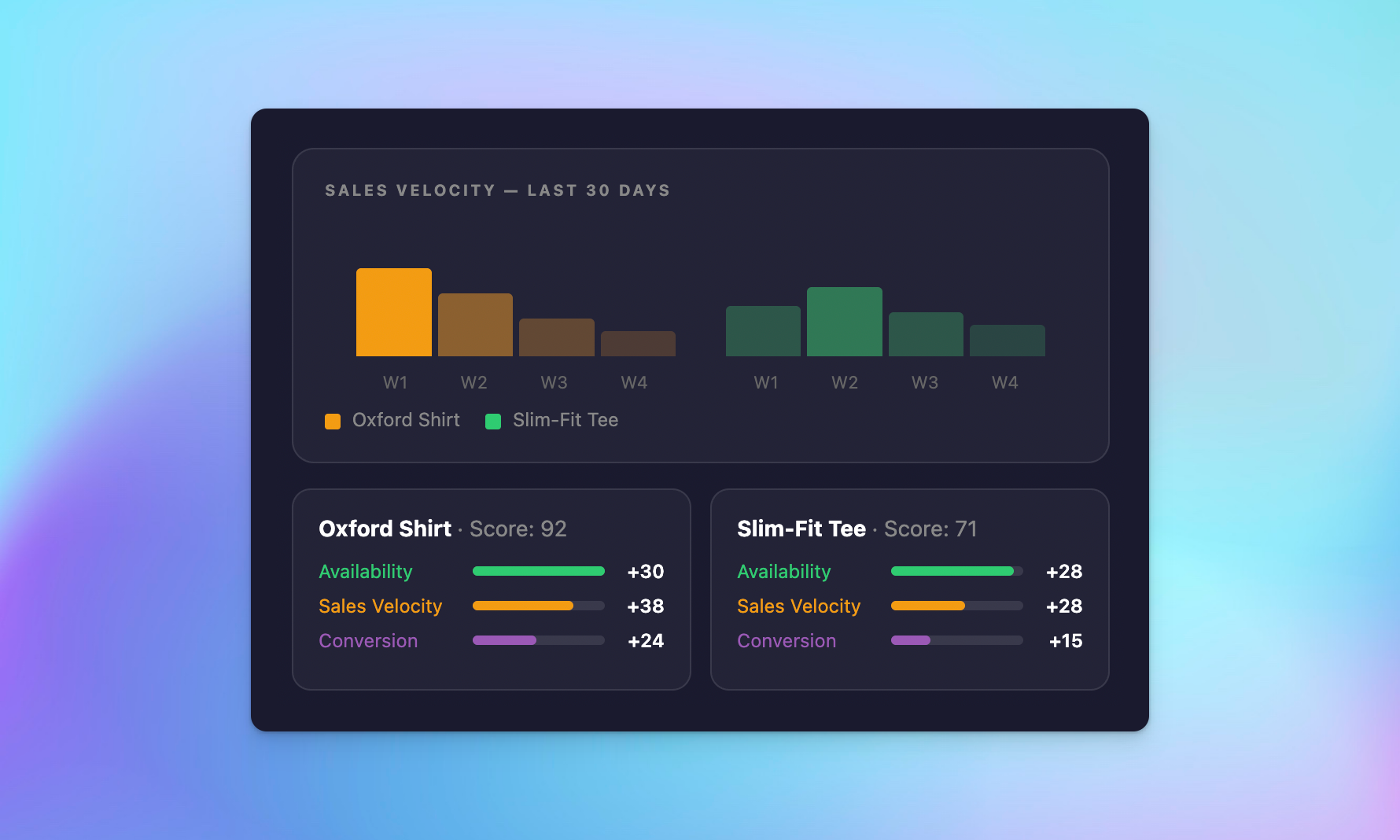
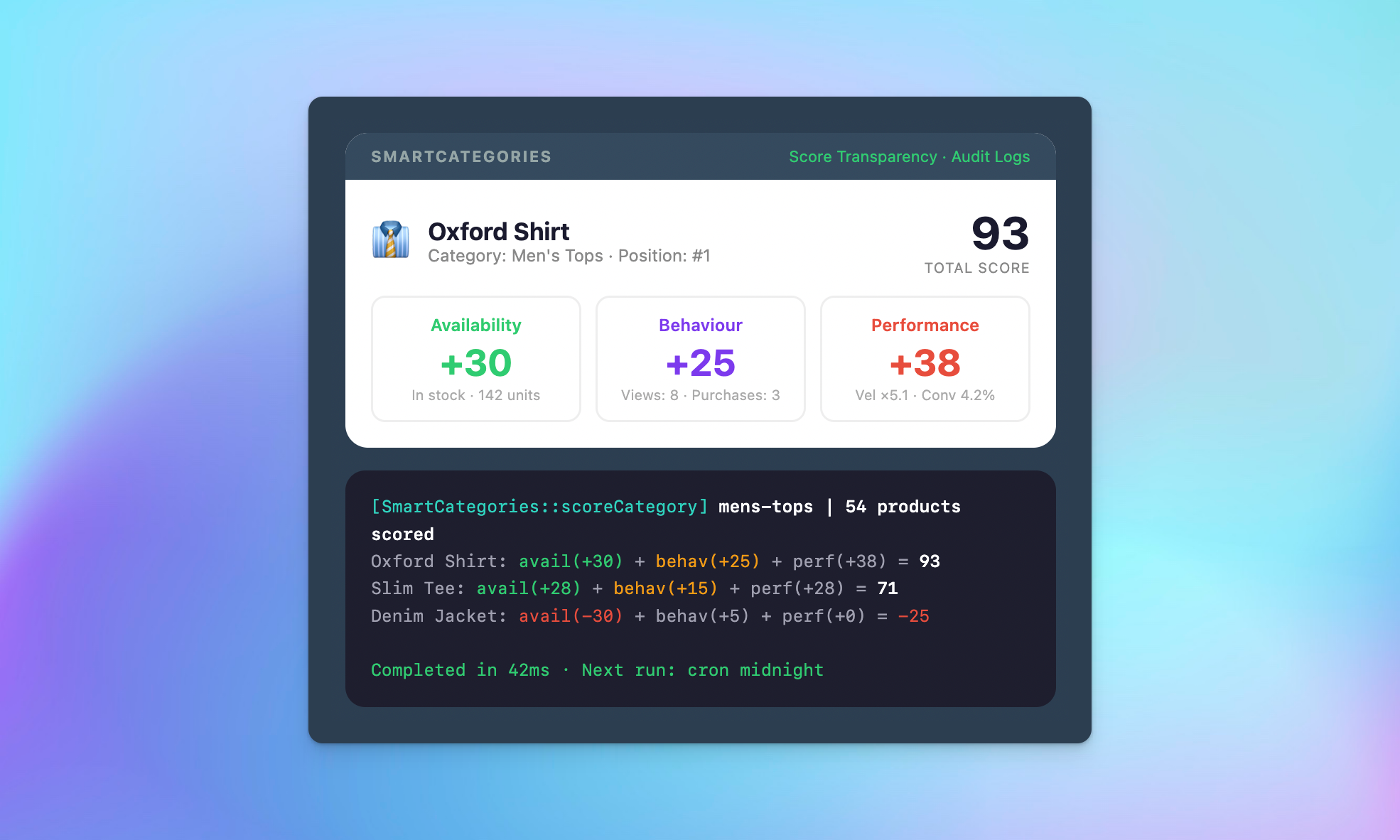
Know exactly why every product appears where it does – no black boxes, no guessing. See the full score breakdown for any product in any category.

Score breakdown and debugging

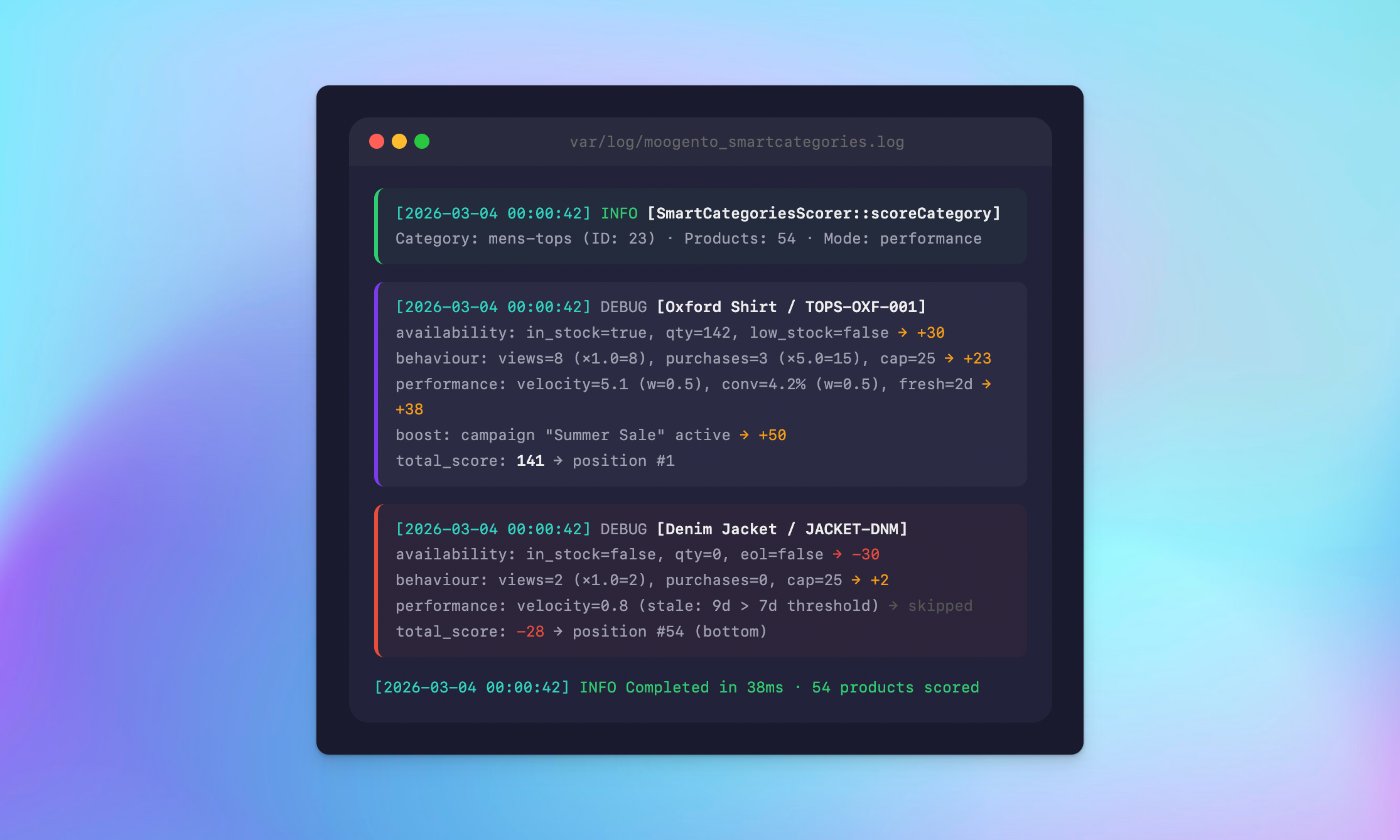
• CLI command explains every component of a product’s score: availability, behavior, performance, boosts, and priority bands
• Per-product score visualization in the admin panel
• Override detection: know when a boost or band is affecting a product’s natural ranking

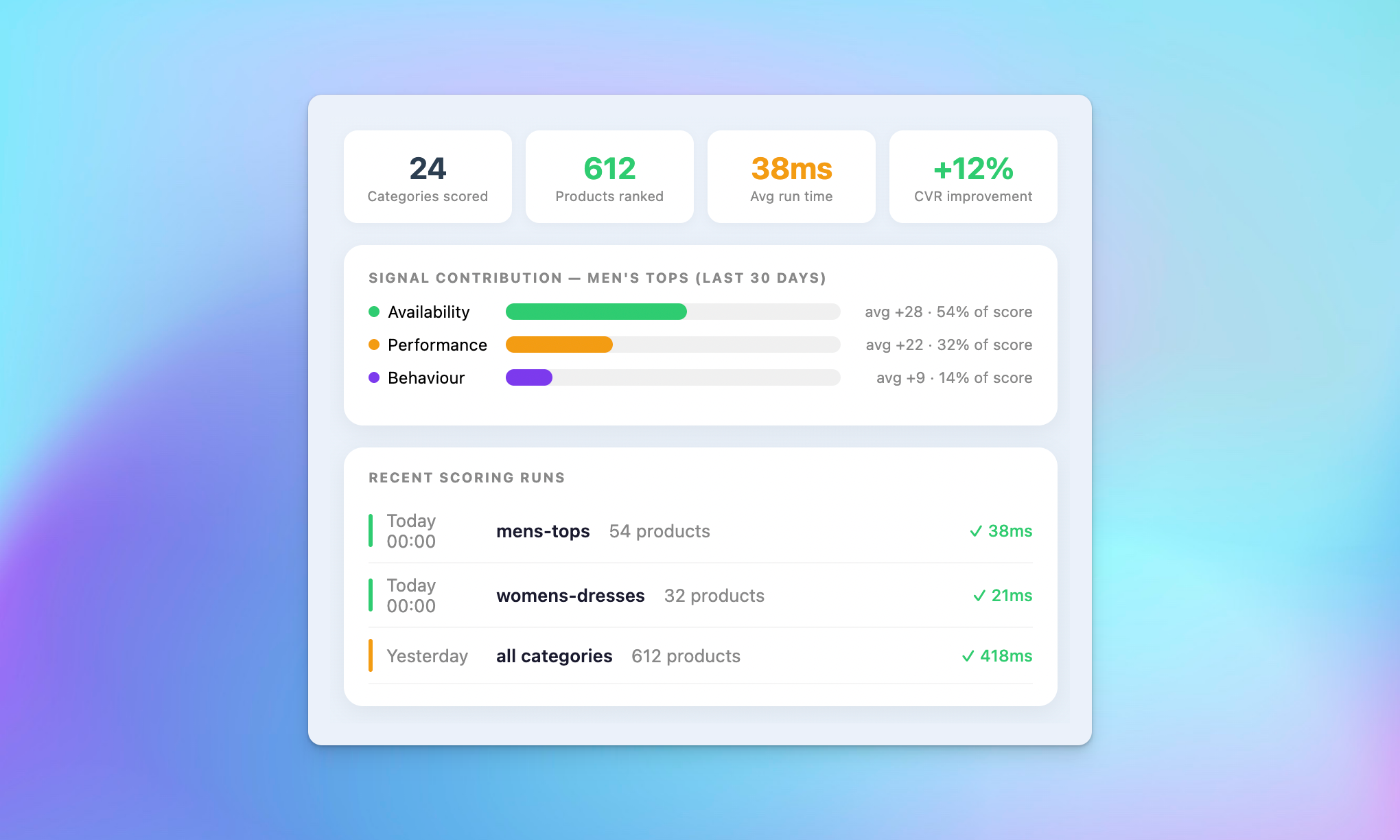
Reporting and audit logs

• Category-level scoring summaries
• Product position history tracking
• Boost activity audit log with timestamps and user attribution

Preview SmartCategories: three plans for every stage of growth

Choose the plan that fits your store’s growth stage. All plans share the same Composer installation and can be upgraded at any time.

Seed plan

Growth plan

Pro plan

Easy setup & management

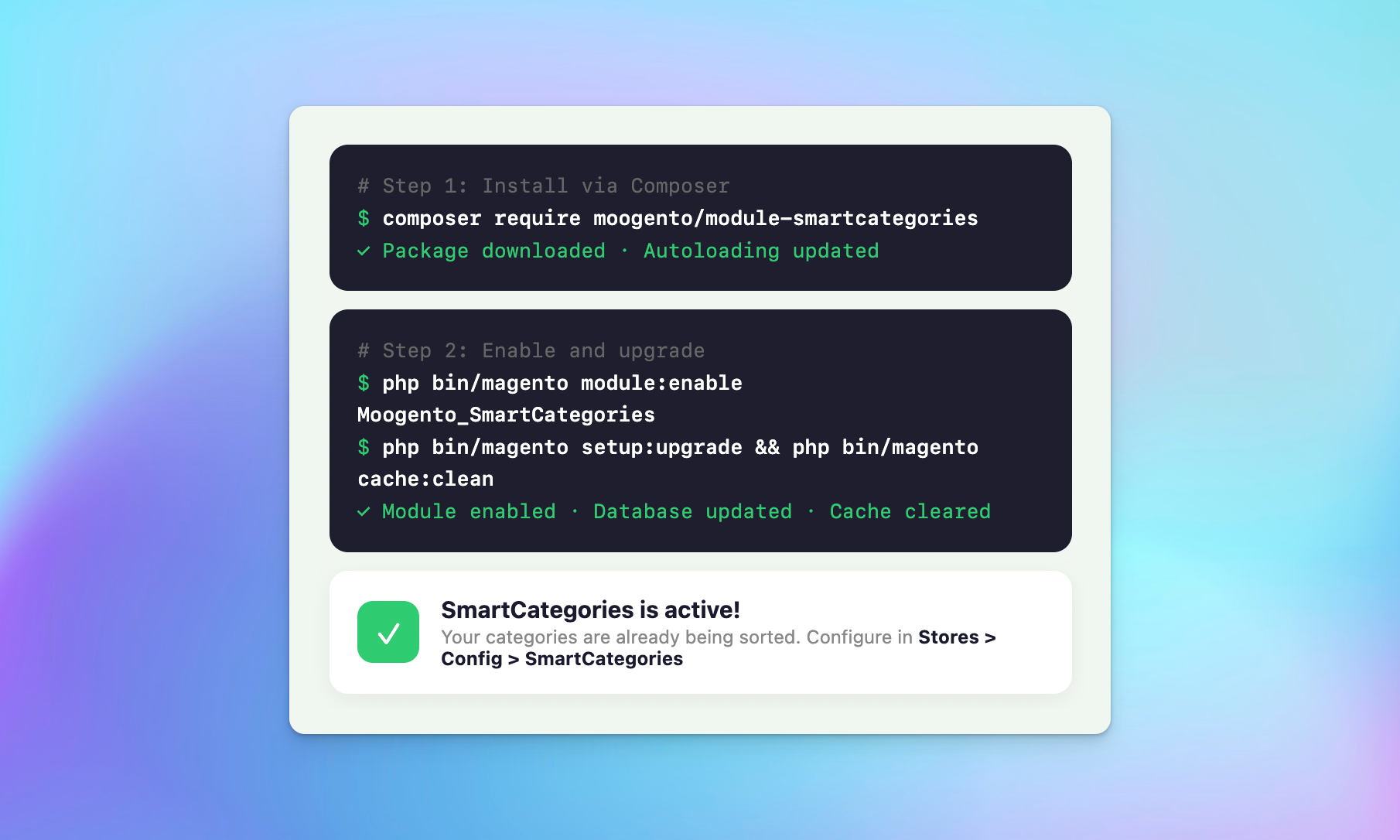
Standard Composer installation. SmartCategories works with your existing stack – no custom configuration needed for most stores.

Quick installation

One command Composer install. Enable globally or per category with a single toggle. Default settings work out of the box for most stores.

Works with your existing stack

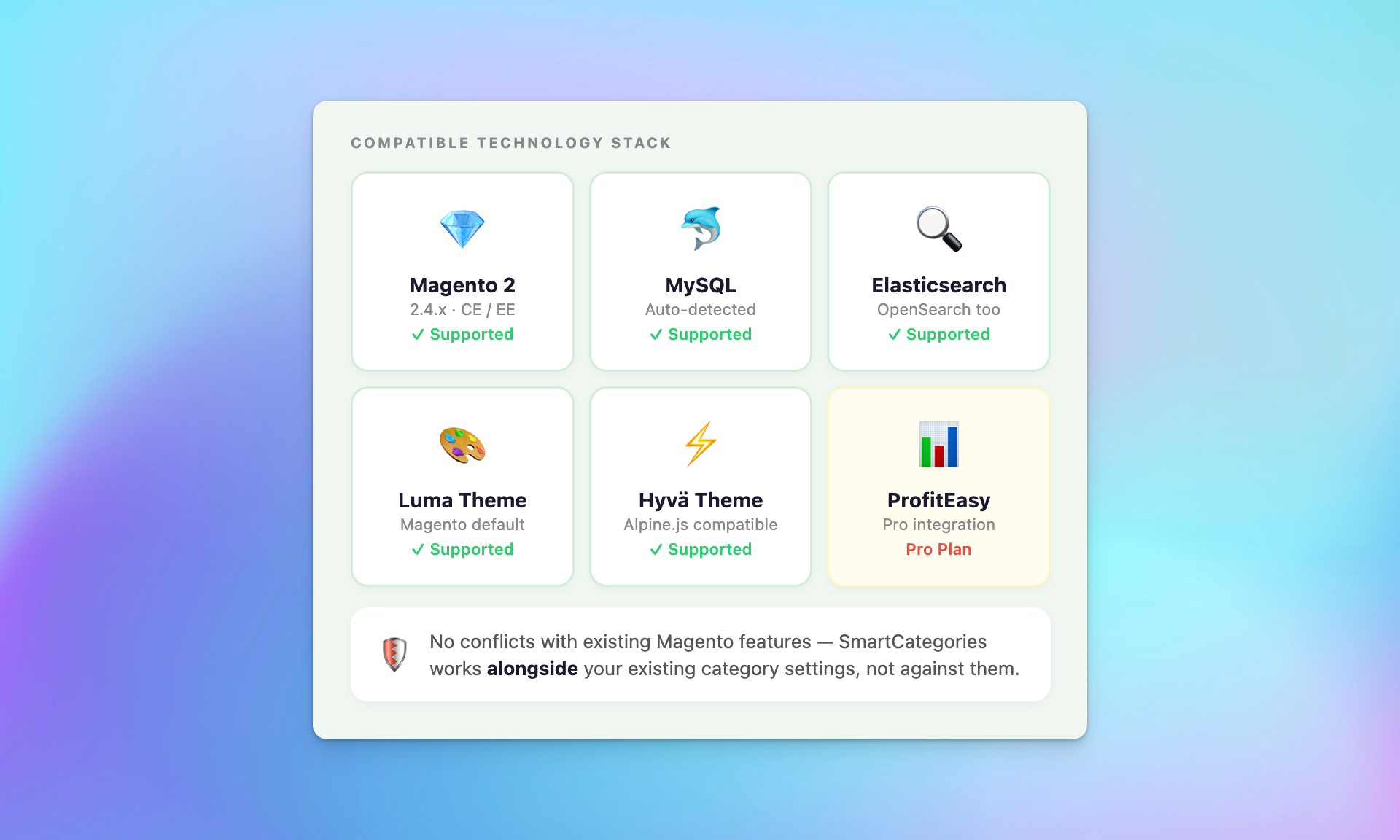
Compatible with Luma, Porto, and Hyva themes. Elasticsearch, OpenSearch, and MySQL supported. Integrates with ProfitEasy for sales data and performance-based ranking.

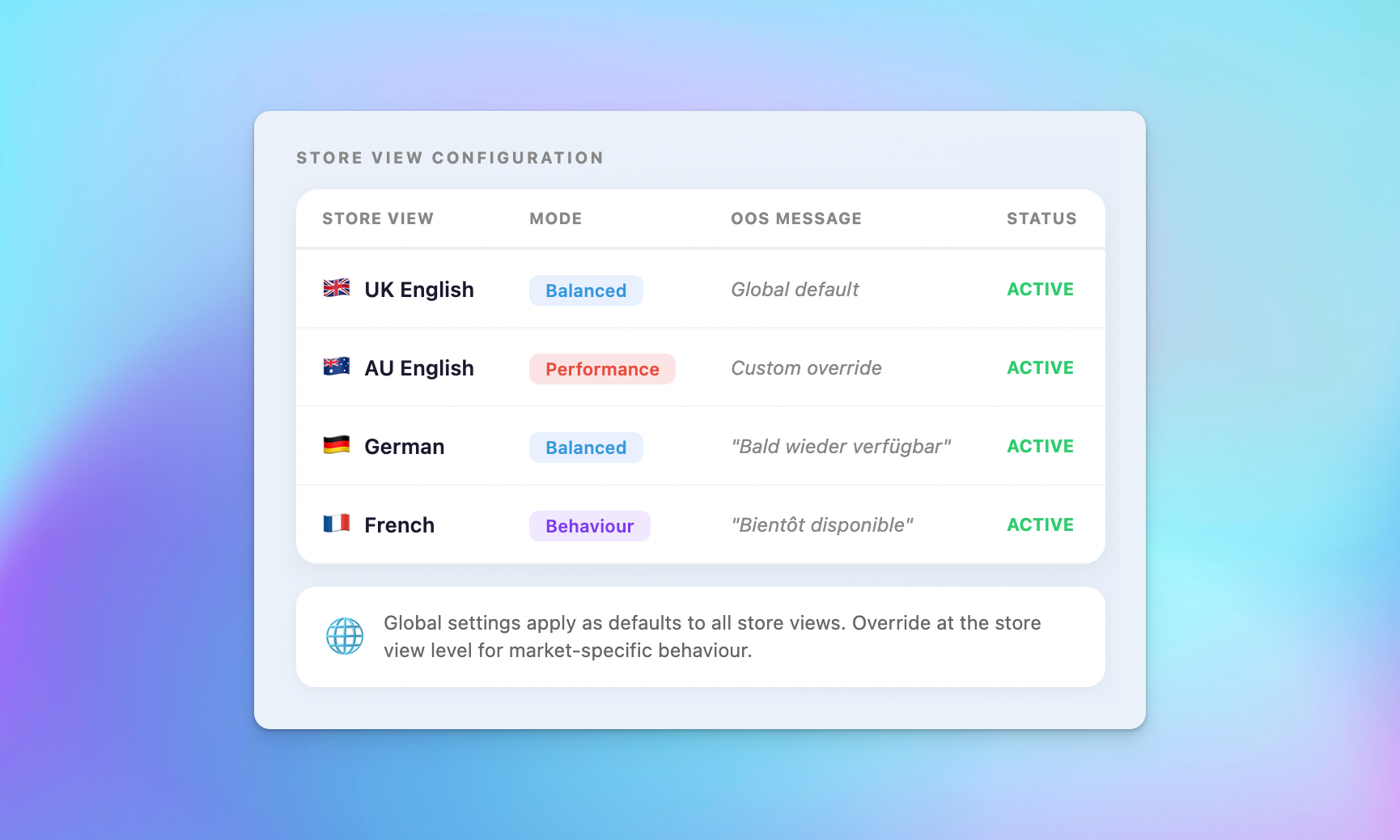
Multi-store and Magento 2 dynamic categories support

Quick Composer installation

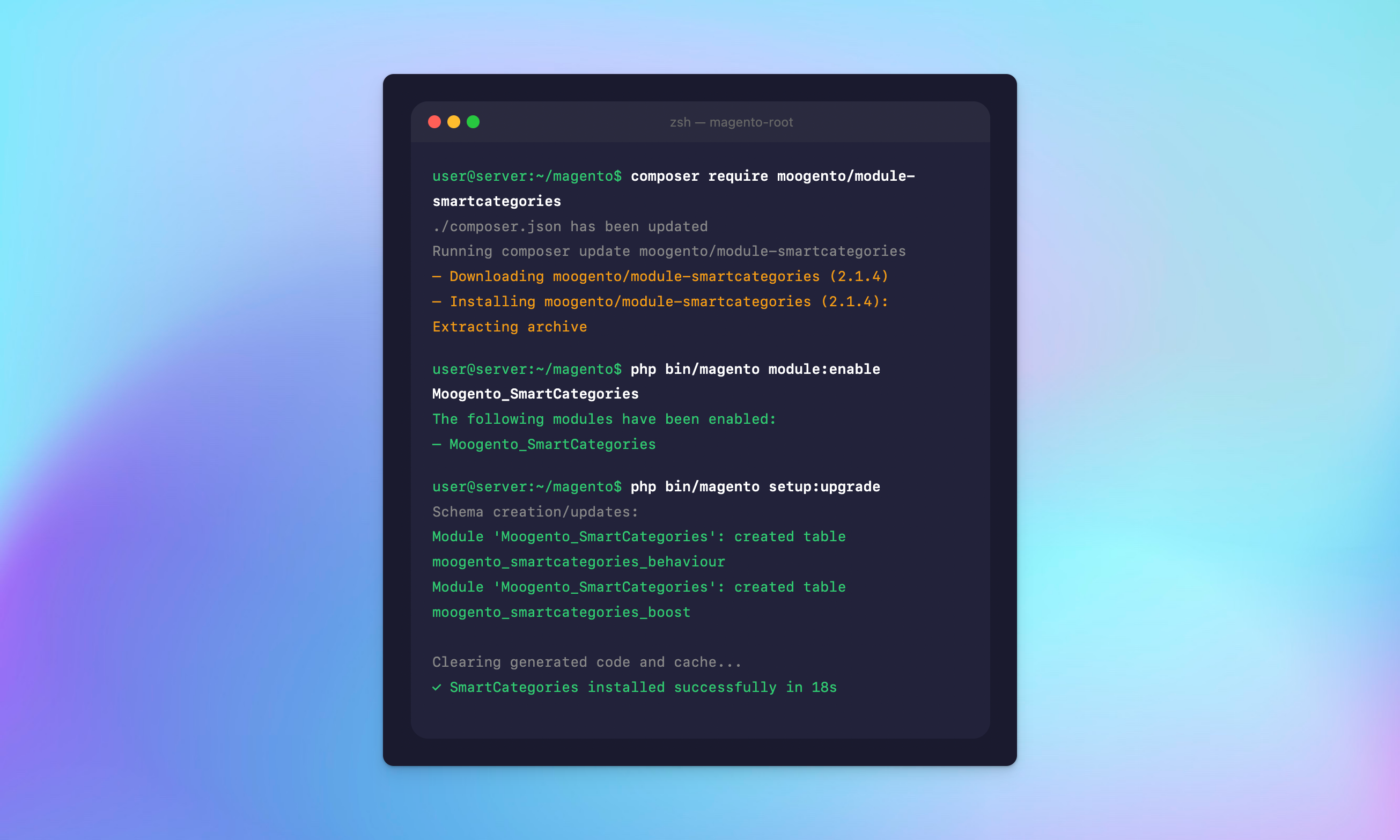
One command installation via Composer. Automatic database setup. Works with Magento 2.4.x and the latest versions.

Full CLI toolset included

SmartCategories includes a comprehensive CLI for score debugging, cache warming, behavior data management, and category-level overrides from the command line.

Active development and regular updates

SmartCategories is actively maintained with regular updates aligned to Magento LTS releases. Raise issues and feature requests via the support channel.

Transform Your Magento 2 Category Pages with Smart, Automatic Sorting

SmartCategories works automatically once configured – no manual sorting, no guessing. Every product finds its right place based on real data: availability, behavior, and sales performance.

30 day Moneyback Guarantee – we want your

We’re confident SmartCategories will transform your category pages – try it with the demo store or get in touch to ask questions.

Ready to transform your category pages? 🚀

Annual
Monthly

Pro

$ 83
33
/month
  • Everything from Growth, plus:
  • Sales-Driven Ranking

    ✓ Rank by sales velocity and conversion
    ✓ Let real data pick the winners


    What's included?
    • ProfitEasy integration for performance metrics
    • Weighted scoring using sales velocity and conversion rate
    • Graceful fallback if ProfitEasy is missing or data is stale

    Benefits:
    • Spotlight products that actually convert
    • More revenue from category pages
  • Optimization Modes

    ✓ Choose your ranking strategy
    ✓ Set per category or use a global default


    What's included?
    • Modes: Performance-first, Behavior-first, or Balanced
    • Global default mode plus per-category override
    • Blended scoring across availability, behavior, and performance

    Benefits:
    • Match ranking to category intent
    • Faster tuning without dev time
  • Priority Bands + Transparency

    ✓ Full control when scoring isn't enough
    ✓ Explainable ranking you can trust


    What's included?
    • Priority bands: Always Promote, Neutral, Never Promote
    • CLI score explanations and optional debug logging
    • Clear score components: availability, behavior, performance, boosts

    Benefits:
    • Zero black-box merchandising
    • Easier troubleshooting when rankings change
  • Comprehensive Onboarding ✓ Up to 4 hours of personalized onboarding included
    ✓ We'll install and configure the plugin for you
    ✓ This will cover most use cases and will let us set it up to most benefit your business
  • Priority Support ✓ Ongoing support
    ✓ Priority 1 business day SLA

Growth

$ 33
33
/month
  • Everything from Seed, plus:
  • Personalized Prioritization

    ✓ Sort by what shoppers view and buy
    ✓ Personalization that stays stock-safe


    What's included?
    • Recently viewed products boosted for returning visitors
    • Previously purchased products prioritized for logged-in customers
    • Configurable weights and boost caps to keep ordering stable

    Benefits:
    • More relevant category pages, higher engagement
    • No "viewed OOS" products jumping above in-stock
  • Campaign Boosts

    ✓ Promote key products instantly
    ✓ Schedule campaigns with start and expiry


    What's included?
    • Admin product boosts (global or category-specific)
    • Time-limited boosts with automatic start and expiry dates
    • Boost management UI with preview and CSV import/export

    Benefits:
    • Launch promos without manual re-sorting
    • Boosts never override in-stock-first ordering
  • GDPR-Safe Tracking

    ✓ GDPR-ready behavior tracking
    ✓ Control retention and caching impact


    What's included?
    • Configurable retention with automatic cleanup of expired data
    • Personalization modes: None, Segment, or per-customer AJAX
    • Control tracking window and signal weights

    Benefits:
    • Keep only the data you need
    • Tune performance vs personalization
  • Basic Onboarding ✓ Up to 1 hour of personalized onboarding included
    ✓ We'll install and configure the extension for you
  • Enhanced Support ✓ Ongoing support
    ✓ 1 Business day SLA
Popular

Seed

$ 16
67
/month
  • In-Stock First

    ✓ Sell what's available first
    ✓ Keep category pages stable


    What's included?
    • In-stock products ranked above out-of-stock
    • Stable, deterministic ordering (no visual jumping)
    • Optional stock filter in layered navigation

    Benefits:
    • Fewer dead clicks, smoother shopping
    • Less manual category maintenance
  • OOS Message + Alternatives

    ✓ Turn empty categories into next steps
    ✓ Keep shoppers browsing


    What's included?
    • Custom message when a category is fully out of stock
    • CMS block-ready messaging for flexible layouts/links
    • Related Collections: suggest sibling categories (configurable limit)

    Benefits:
    • Reduce bounce on out-of-stock categories
    • Guide customers to in-stock options
  • Auto-Hide OOS Categories

    ✓ Keep navigation relevant
    ✓ Reappear automatically when stock returns


    What's included?
    • Hide fully out-of-stock categories from the main menu
    • Auto-show again when products come back in stock
    • Configurable per store view (and per-category overrides)

    Benefits:
    • Cleaner menus during stock outages
    • Fewer dead-end clicks from navigation
  • Hide Discontinued SKUs

    ✓ Remove discontinued noise
    ✓ Hide EOL only when it's actually gone


    What's included?
    • Hide products that are both EOL and out of stock
    • Keep EOL products visible while they're still in stock
    • Configurable EOL attribute (default: stockeasy_eol)

    Benefits:
    • Customers see what you still sell
    • Cleaner categories without manual cleanup
  • Standard Support ✓ Ongoing support
    ✓ 2 Business day SLA

FAQ

What does SmartCategories do?

SmartCategories replaces Magento’s static category sorting with intelligent, automatic product ordering. It dynamically pushes out-of-stock products to the bottom, surfaces products, categories based on customer behavior and sales performance, and removes manual sorting from store-level administration – all without touching code.

How does this Magento 2 smart categories extension decide product order?

SmartCategories uses a weighted composite score that combines up to three signals: stock availability, customer behavior (views and purchases), and real sales performance data. Each product gets a score, and the category is sorted by that score. You can see the exact breakdown for any product using the built-in CLI tools.

Will SmartCategories slow down my store?

No. All scores are precomputed in the background via cron jobs and cached in a dedicated database table. Category pages read from the cache – there’s no performance impact on page load times.

Does SmartCategories work with Hyva?

Yes. SmartCategories is theme-agnostic – it works at the catalog layer, so it’s compatible with Luma, Hyva, Porto, and any other Magento 2 frontend. The behavior tracking uses a lightweight JavaScript snippet that works on any theme.

What happens when an entire category goes out of stock?

You have several options. SmartCategories can display a custom message on the category page, suggest Related Collections (sibling categories) so customers can keep browsing, and automatically hide the category from your navigation menu. Category URLs stay indexed so your SEO is preserved.

Can I manually control which products appear at the top?

Yes. The Boost Management dashboard lets you boost or suppress any product in any category. You can set time-limited campaign boosts with start and expiry dates, and Priority Bands let you force products to the top or bottom permanently. Manual boosts never override stock-based demotion.

Is SmartCategories GDPR compliant?

Yes. Behavior tracking includes a configurable data retention period (default 90 days), automatic cleanup of expired data, and a dedicated CLI command for on-demand data removal. Tracking can be disabled entirely for maximum cache performance.

How do I create a category with SmartCategories settings?

Every category has a SmartCategories tab in the category editor where you can override global settings, set a custom out-of-stock message, choose an optimization mode (Pro), and configure boost rules. Store-level scoping is also supported for multi-store setups.

How do I install SmartCategories?

Standard Composer installation – one command to require the package, then bin/magento setup:upgrade to create the database tables. Default settings work out of the box. Enable globally or per category with a single toggle in the configuration.

Does SmartCategories affect my SEO?

SmartCategories does not affect your category URLs, pagination, or canonical tags. Out-of-stock categories can be hidden from navigation while keeping their URLs indexed. The extension adds no frontend markup – it only changes the order of products in the catalog query response.

Can SmartCategories optimise the product listing based on a specific product attribute?

Yes. SmartCategories supports category-level sorting rules based on the product attributes you define – including SKU or name, price, stock level, or custom attributes. This lets you define sorting criteria at category level without touching global settings. As product attribute changes occur (for example, a product goes on sale or its stock drops), SmartCategories automatically updates the sorting to reflect the new state. This means you can filter products by attribute and keep every category page optimised without manual intervention. Category attributes you define at the category level override global settings, giving you granular control over automatic sorting for each category.

How does the Magento 2 dynamic category extension handle products that no longer meet the criteria?

SmartCategories uses a current automatic category selection engine that continuously re-evaluates product scores. Products that fall outside the defined rules – or that longer meet the criteria for a given category – are repositioned or removed based on your configuration. Store owners can set conditions to run sales logic at category level, so out-of-criteria products are handled automatically. This makes category management simpler across your entire catalogue without any manual intervention from the Magento admin. The categories extension allows you to create and update rules at any time.

Can I create any category listing with SmartCategories using automatic rules?

Yes – SmartCategories lets you build many smart categories from virtually any combination of signals. SmartCategories builds each category from any signal combination – sales velocity, behavior data, stock status, or product date. SmartCategories keeps categories dynamically up to date as products are added or removed, so you get an automatic sorting that always reflects real store data. No drag and drop or manual sorting required. You can use any product data as input, making it easy to create any category structure you need.

Compatibility

Recent Magento® 2 Open Source & Commerce versions are supported.
(Open Source: 2.3.5-2.4.8; Commerce: 2.3.5-2.4.8)

Live demo

Revenue-boosting category pages? Let's go 😀

Annual
Monthly